Taipt5
Members
-
Joined
Everything posted by Taipt5
-
Anyone who have problem with the original auto fan plugin, install this plugin in the webgui will likely fix your issue. I have the issue where the plugin didn't see my SSD which cause my ssd to run hot as the sun. But after install this it is recognized correctly. https://raw.githubusercontent.com/characat0/dynamix/refs/heads/master/unRAIDv6/dynamix.system.autofan.plg
-
I would say yes with the right tool. Orico is know for laziness so they don't bother change the default usb identity or update the firmware. I managed to update the firmware and change the series number (assuming you are using Orico enclosure because not many brand out there that is that lazy).
-
Thanks, it is working but I don't know why the command got removed when I update from beta 3 to beta 4. So I just have to add it again.
-
Hi, I'm using the same orico model as your. Did you fix your problem? Where did you put your usb_storage.quirks=2109:0715:u command in?
-
Nice script. You save my day :D. It would be even better if this script can group all files to the corresponding folders because my files was all over disks and It look so messy.
-
My server is crashing, freezing, 501 nginx errors, some database corrupt, bla bla bla... and getting more and more prequence to the point that it unresponsive twice a day without any errors in the log except before thing get unstable docker containers restart randomly. I did set up syslog server. I changed everything, change 3 RAM sticks, run memtest, change USB, change network setting to community recommedations, and rebuild docker img, try to start each containers one by one. But lucky me I found this post so I changed cache drive from BTRFS to ZFS and it already stable for a week. My setup is: Model : Intel N100 M/B : TB WTR R1 Version Default string s/n Default string BIOS : American Megatrends International, LLC. Version HCN100-MI2 Dated 11/29/2023 CPU : Intel® N100 @ 2871 MHz HVM : Enabled IOMMU : Enabled Cache:L1 Cache : 128 KiB, L1 Cache: 256 KiB, L2 Cache: 2 MiB, L3 Cache: 6 MiB Memory : 32 GiB DDR4 (max. installable capacity 32 GiB) Cache : Single M.2 500GB Network:bond0 : fault-tolerance (active-backup), mtu 1500 Kernel : Linux 6.1.106-Unraid x86_64 OpenSSL : 1.1.1v Uptime : 7 days, 10 hours, 40 minutes
-
Not a solution but a walkaround, using Cloudflare as proxy mode will gain you access. You just lose SMB access if you do so but you can use ddns service to fix that too.
-
Hi all, I'm experiencing constant crashes, freezes, and unresponsiveness with my Unraid server (version 6.12.13). These issues have persisted through two previous versions and are becoming more frequent, now occurring every one to two days. Here's a breakdown of what I've been encountering: - Docker crashes: Sometimes the Docker service crashes, though some containers like qBittorrent continue to run (I can see it using a lot of bandwidth). Restarting Docker temporarily resolves the issue. - Web interface crashes: Occasionally, the Unraid web interface crashes, resulting in Nginx error 500. I have to SSH into the server and restart Nginx to get it back online. - Full system crash: Today, the server became completely unresponsive, even failing to respond to pings. Steps I've taken to troubleshoot: 1. Changed the USB boot stick. 2. Ran a RAM test using the plugin (I’m using a 16GB single stick on an Intel N100 CPU). 3. Deleted the Docker image and reinstalled containers. 4. Reinstalled the NGINX Proxy Manager container (the website behind NGINX sometimes freezes, requiring a browser restart, which forces a login on all sites, even if I logged in just minutes ago). 5. Performed a parity check (no errors). 6. Checked the SMART status of all disks (no errors, all disks precleared). I’ve attached logs below, the last dns chart log recorded by Pihole container is around 05:10 AM so I believe that is when my server freeze today. Any advice or guidance on where to go from here would be greatly appreciated. Thank you! johnnynas-diagnostics-20240906-0845.zip
-
I only have one 16GB RAM stick, because it is N100 intel CPU which only have one lane. I did check the array parity and there is no error found also.
-
I just ran live memory test 6 times and no error found
-
-
Can someone please help me see my log, My server keep randomly get docker apps data base corupted on reboot. Some time I even loss apps that I installed cresently but the template and data still in the server so I just need to reinstall. I did try to inscease both docker and server shutdown time longer but it did not help. I will provide any additional infomation if needed, just commend below. Apps that corupted for me is Nginx, Emby, Wordpress. And app that disapear from installed is dbgate, StirlingPDF, Fireshare. For now I try to not reboot my server because some random things keep corupting... Note: My server is on ver 6.12.11. My appdata folder I tried both Cache -> Array and Only Cache but still the same problem. I did disk test but problems are still happening. johnnynas-diagnostics-20240730-0917.zip
-
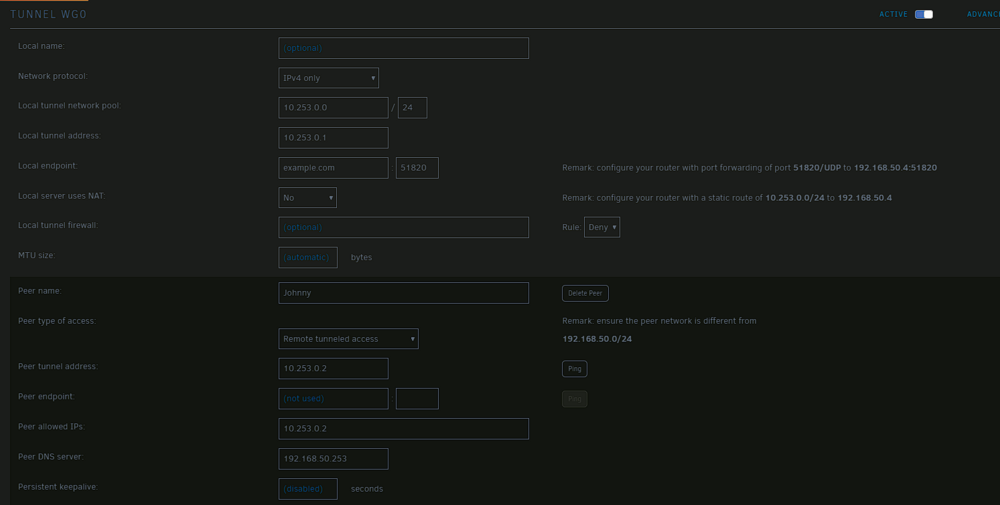
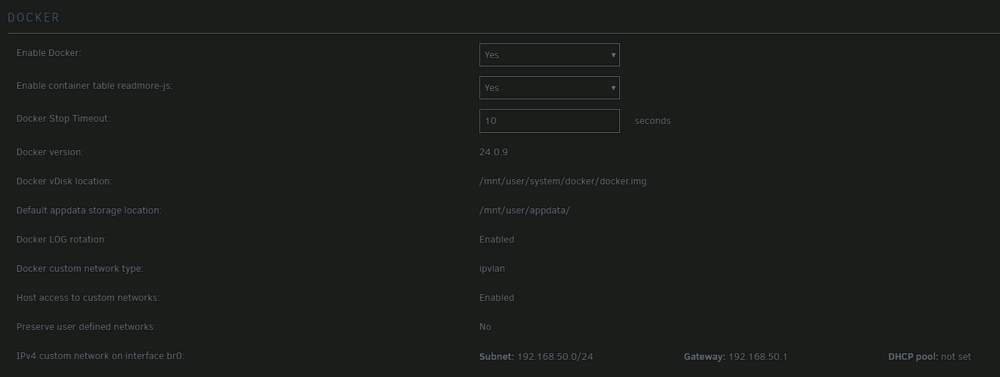
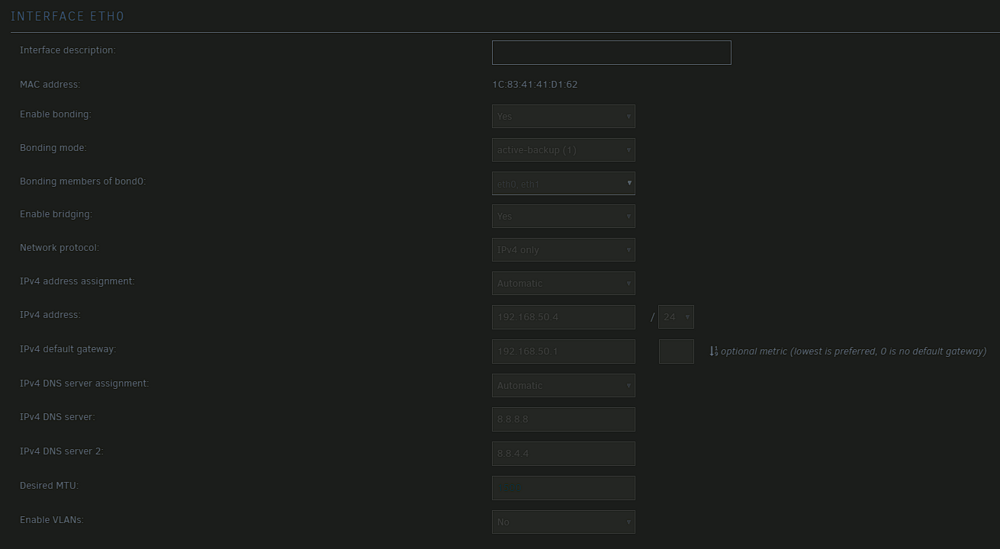
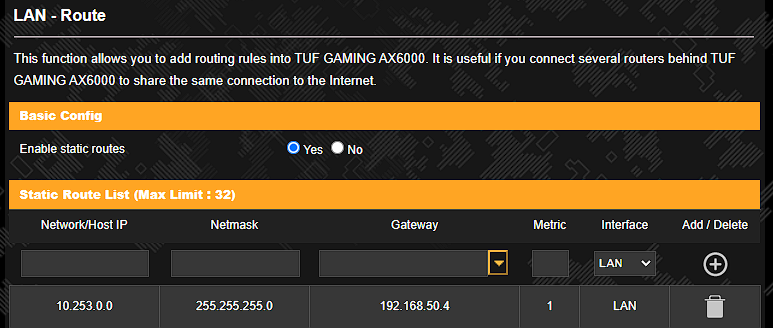
Hi, I don't know where I did wrong but my VPN tunnel with Pihole DNS is able to access internet and local IP address but any website that is behide Nginx Proxy Manager is not reach able. But I turn the VPN off Nginx is eachable from the outside again. Below is my network setting. Thank you for helping me.