





BOBOkingbbe9
Members
-
Joined
-
Last visited
Everything posted by BOBOkingbbe9
-
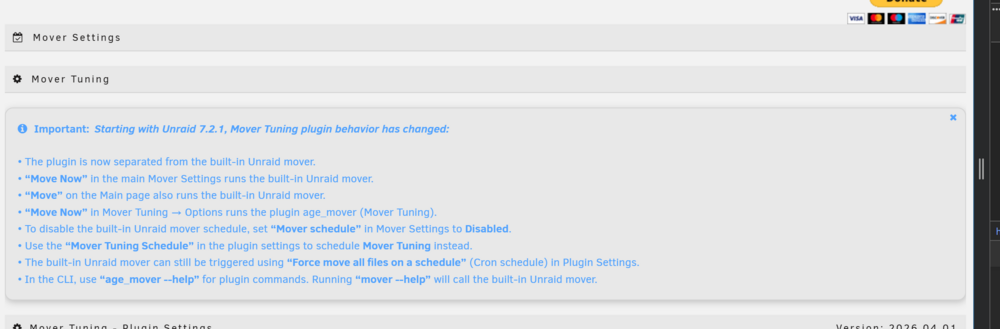
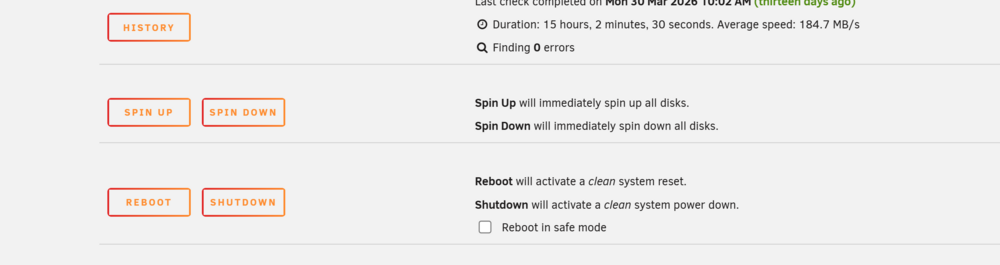
Problem solved... no more native move now button any were.... no
-
I just wish they gave a way to disable there's entirely in the GUI.
-
With the separation of "mover" and "mover tuner". Is there any way to fully disable the built in mover, With the "move" button in the gui in multiple places, even on the same page in some views as the mover tuner, its easy to accidentally push the built in one. Maybe be a bit OCD but i dont even want the button on the main page or the setting page to accidently push, I have a large cache drive and it really messes with me if the built in one runs. If not wanting to go to the point of killing this executable /usr/local/sbin/mover Thanks
-
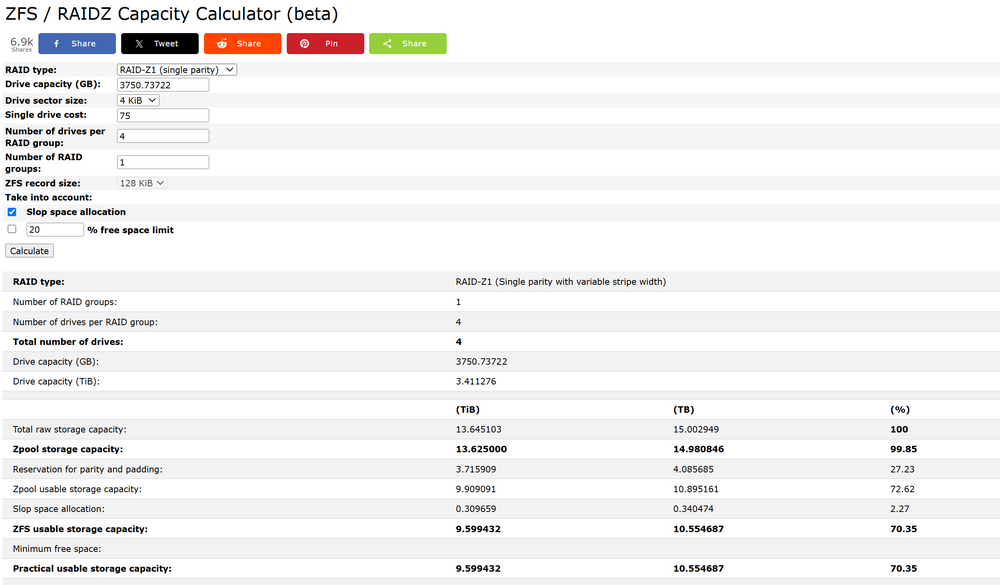
my google foo continues...does seem like with zfs and zraid, there is some extra calculations baked into it for padding and what not....
-
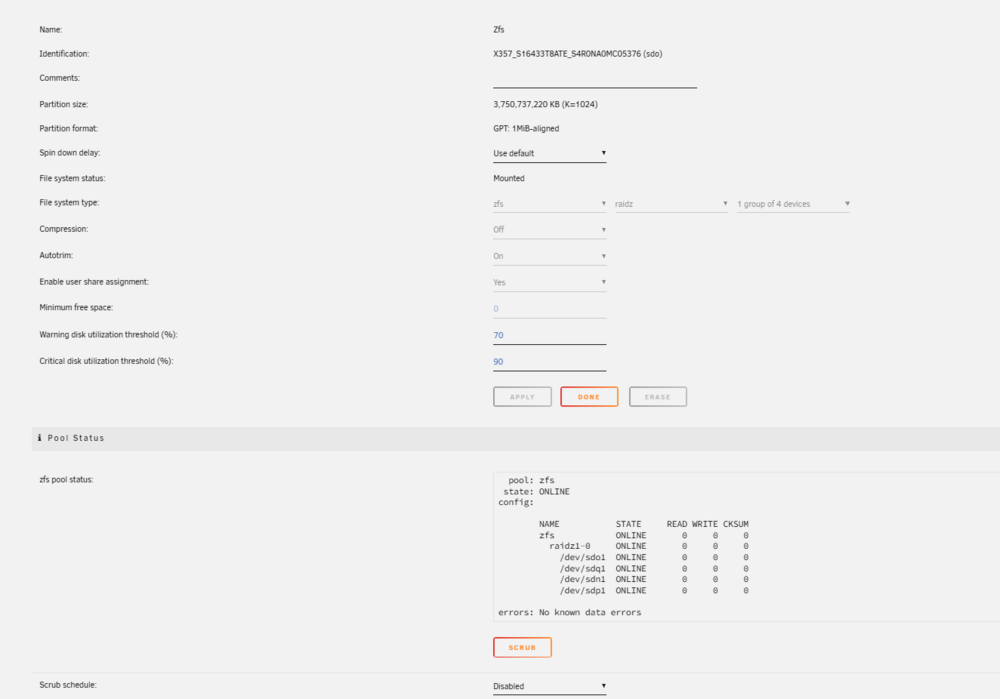
more pics...
-
There any limitations to the dataset size ? Seems like i can tweak things with the set quota command. zraid - would be 11.4 TBs..shows 11 there? is that what it should be ? Then the datasets, does it just default to 10Tbs ? Cant say any of these numbers match up, might scrap this and start over to get a better grasp here. Just lacking how all these line up together.


-
my only complaint.... come on UNRAID support MPIO.... it baked into the linux kernel now.
-
for the next sole that ever finds this post..... i was able to figure out how to enable JBOD on the raid controller, dumb thing doesn't let you do it from CIMC, you have hit ctrl-r and go into the bios screen for lack of better words of the raid controller, and enable JBOD support, once you do that. you can go back to CIMC and set you drives to JBOD mode, which will then pass all the smart drive metrics to unraid. Letting you take full advantage of what UNRAID has to offer. Add in an 9xxx 8e HBA of your choosing, and an EMC KTL3 DAS shelf, and i got to tell ya, you will be nirvana, all hot swappable drives, all enterprise worthy setup. and this thing is rock flipp'en solid. I was able to swap all my drives to a newer Cisco server with JBOD enabled, and it worked exactly like any unraid user would expect it to. Right now all my drives are actually in DAS shelves. the config is on the USB drive, and really the server it self is just sheet metal. move my HBA card to a new box, be it a server or a consumer pc build and keep on rocking. I love me my UNRAID.
-
agree did end of buying it, tossed it in my utility room and i cant hear it any were in the house, loving the shelf to be honest.
-
being this is all just home lab fun and learning, i did think about doing the raidz pools to start to learn about them
-
Hey guys, did some google'ing searching the forums and what not. Not seeing alot of people using RAID 5 on cache pools, which makes sense, most people will burn there drive bays to the array and pack big drives, but i have some storage shelfs cabled up as DAS storage and access to lots of SSD\NVME drives. So, what's the latest on is there any downfalls to running raid 5 or 6 for a pool? Everything I find says run raid 1 or 10. makes we twitch, to say toss ten drives into a raid 10 pool and lose all that capacity. Does it take command line fun to replace a failed drive in a setup like that or can just stop the array swap it and keep on trucking? v7 any benefits there ?
-
Thinking of buying this shelf, can I ask how loud is it?
-
Thanks for the info. Agree with your points. Doesn't seem really needed any more. I do like running it to flush out bad drives though.
-
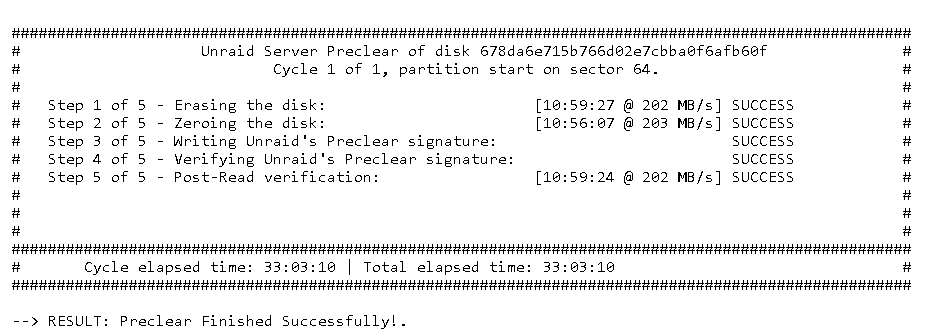
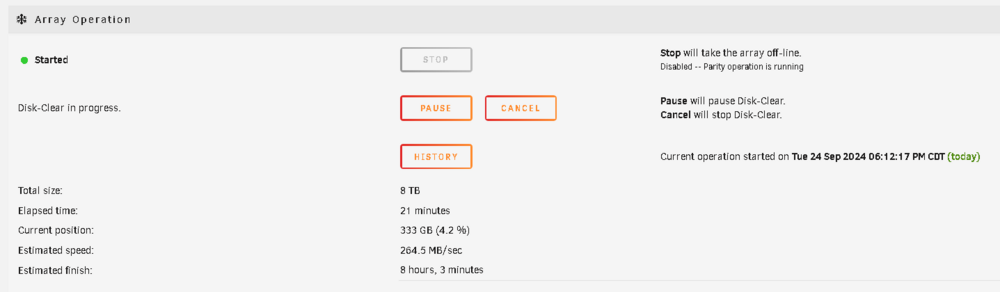
wonder if you seen the same as me, does my pics line up with what u seen? same thin twice, both times, it had to clear the drive, which takes just as long as pre-clear did. I have one more drive to add, if the author of the plugin wants to see the logs, or confirm this is how its suppose to be working
-
Curious if this is working as planned..... did this x2 times now... I preclear a drive, as shown.... I then stop my array, and I add the disk... Shows as a new disk when I start up the array.... But goes into this "Disk Clear" status.... now Parity stays valid i guess... But its not really usable for some time, 8 hours to "clear it" Then it will go to formatting, which the first time, took hours, second drive took less then an hour, but noticeable Just want to know if that's what its suppose to do. Thanks - Walter.

-
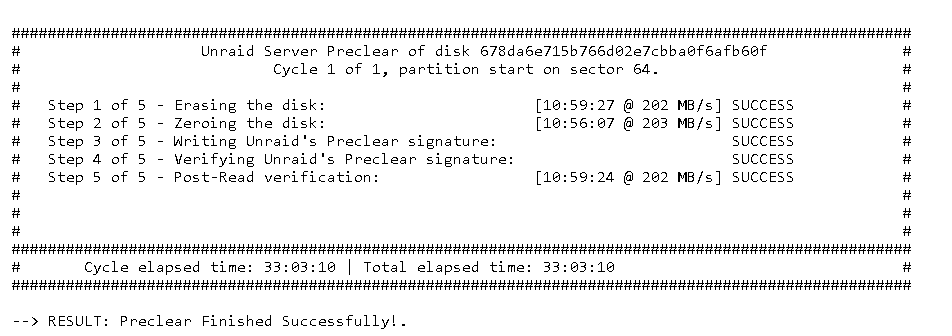
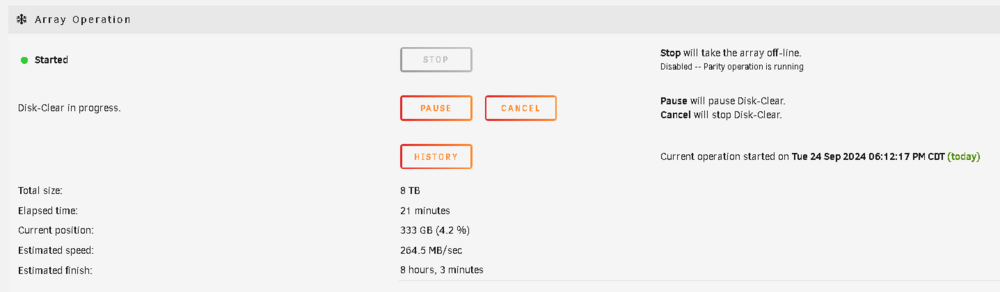
Curious if this is working as planned..... did this x2 times now... I preclear a drive, as shown.... I then stop my array, and I add the disk... Shows as a new disk when I start up the array.... But goes into this "Disk Clear" status.... now Parity stays valid i guess... But its not really usable for some time, 8 hours to "clear it" Then it will go to formatting, which will take another 8 hours, no progress bar on this one, so blind faith it works, which it did last time. Just want to know if that's what its suppose to do. Thanks - Walter.

-
thats seems to be for sure the issue, now that i disabled the flash backups, the array stops in less then a minute every time... not exactly sure how to troubleshoot this one?
-
interesting, even though the array was "stopping sync file system" i was able to go into the unraid connect plugin and disable updates... its logged stop watching for file changes and unmounted the disks and completed normally
-
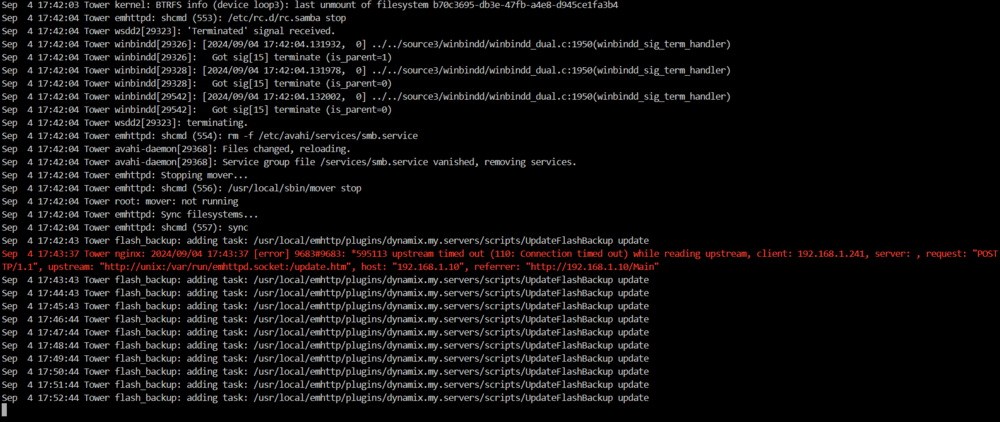
that update flash backup will go every minute for some time...........
-
I see alot of this in the log, can submit a full one as well..
-
Curious on this, when I stop the array it does work, but if the server has been online for days, and i have moved TBs of data to it, when I stop it, it might take an hour or so, is this normal when you are dealing with arrays that are large. Now if i stop the array right after a reboot, it will stop in minutes, just curious, what this task is actually doing, and if there is any relationship to the fact when i see slows, its after I written say 10TBs of data to it. I have seen log entrys about a back usb that repeats when i am seeing this issue.
-
CIMC controller will alert me, as well as supports SNMP. Been putting this thing through the ringer and all good so far.
-
ha, never thought about using RAID to create a "large" parity disk to account for it being the largest drive in your pool. I should be clear for anyone reading this, I used RAID0 created 12 vdisk's, each vidsk has ONE drive in it, so if drive fails, it will fail the vdisk, CIMC will alert me, and unraid will drop the drive. I'm little unsure if i swap it for a drive of the same size, what unraid will do. since its a vdisk, Unraid is likely to see it as the same drive, but will it be smart enough to know the data is missing and start a rebuild???? Would love some help on answering that question. My test tonight is to fail a drive today, and replace it with a larger drive and see it rebuild, likely going to create a new vdisk to account for a larger drive size, also planning to fail some drives and convert to JBOD and just let that pass it right to unraid, I would think at that point i would get all the smart drive attributes. I'm fortunate enough to have access to lots of large enterprise grade drives, but getting them to work in comsumer gear is a struggle. thus why i'm testing using them in what they came out of.
-
Great call outs, exactly what I was looking for, technical level of details and things look out for, yeah moving these drives to another server, I could see would be a disaster, never thought of that, my guess is when that day comes for me, I'll be getting a new server that was decomm'ed, and moving the data via UNC, instead of moving drives, so would never deal with that issue. I messed with an HBA in a home computer once using SAS drives, it was a disaster, but this time, doing it all with a Cisco server, has been great.
-
totally understand why mixing hardware and software-based RAID is a bad idea, started searching the forums for some horror storys, came up lacking so far. This build is a total test server, so going to keep playing with it, as all signs seem to be working great, I see how this would confuse the average user in more then one way dealing with, asking the Joe to deal with virtual disks, and god help them if they actually did some type or RAID 1/5/6 and then stuck unraid on top of that would be horrible idea, but how i have this setup, its really just passing the drives to unraid as RAID0 which to me is similar to how people use LSI cards and flash them for JBOD and let unraid run it.





