





SDUGoten
Members
-
Joined
-
Last visited
-
Using the latest tailscale plugin on unraid 7.1.4, I can no longer access my NAS samba share from windows, I can ping the NAS, I can get into the web portal of Unraid using tailscale IP, but samba share is not accessable, with or without netbios enable. It seems port 445 is completely closed. C:\Users\test >ping 100.aa.bb .77 Pinging 100.aa.bb.77 with 32 bytes of data: Reply from 100.aa.bb.77: bytes=32 time=21ms TTL=64 Reply from 100.aa.bb.77: bytes=32 time=25ms TTL=64 C:\Users\test>telnet 100.aa.bb.77 445 Connecting To 100.aa.bb.77...Could not open connection to the host, on port 445: Connect failed C:\Users\test >net use \\100.aa.bb.77\PCFileBackup /user:test "abcd1234" System error 59 has occurred. An unexpected network error occurred. Please note that local Ip at port 445 works though root@nas:~# telnet 10.0.1.249 445 Trying 10.0.1.249... Connected to 10.0.1.249. Escape character is '^]'. ^] Just tailscale ip don't work root@nas:~# telnet 100.aa.bb.77 445 Trying 100.aa.bb.77... telnet: connect to address 100.aa.bb.77: Connection refused The log show these 2025/11/19 10:35:05 open-conn-track: timeout opening (TCP 100.aa.bb.77:58871 => 37.19.5.139:6969); no associated peer node 2025/11/19 10:35:06 open-conn-track: timeout opening (TCP 100.aa.bb.77:59125 => 210.244.71.25:6969); no associated peer node 2025/11/19 10:35:06 [RATELIMIT] format("open-conn-track: timeout opening %v; no associated peer node") 2025/11/19 10:35:17 [RATELIMIT] format("open-conn-track: timeout opening %v; no associated peer node") (2 dropped) 2025/11/19 10:35:17 open-conn-track: timeout opening (TCP 100.aa.bb.77:43215 => 210.244.71.26:6969); no associated peer node 2025/11/19 10:35:17 open-conn-track: timeout opening (TCP 100.aa.bb.77:38011 => 173.254.204.71:1096); no associated peer node 2025/11/19 10:35:17 [RATELIMIT] format("open-conn-track: timeout opening %v; no associated peer node")
-
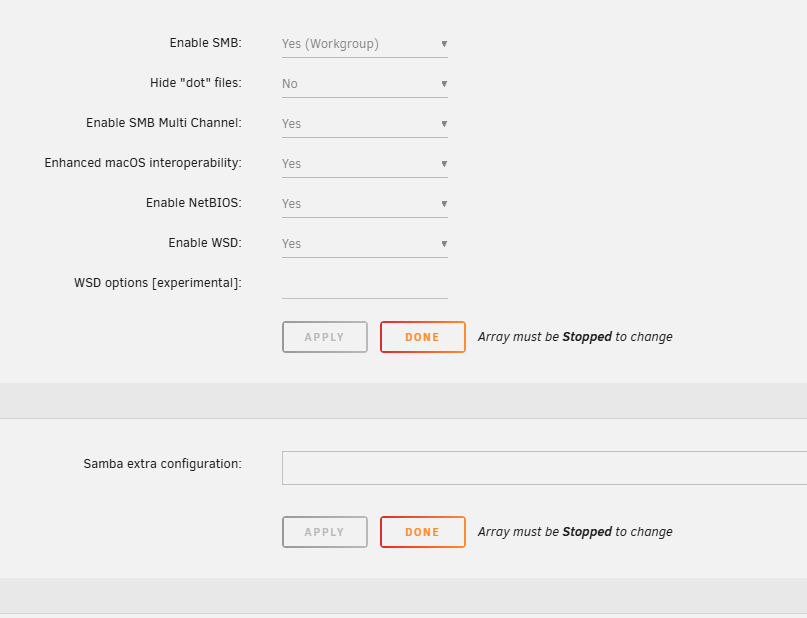
As attached image, if I disable the netbios, Tailscale machine can't reach the machine by \\xxx.xx.xx.xx IP address from Windows 11.
-
As attached image, if I disable the netbios, Tailscale machine can't reach the machine by \\xxx.xx.xx.xx IP address from Windows 11.
-
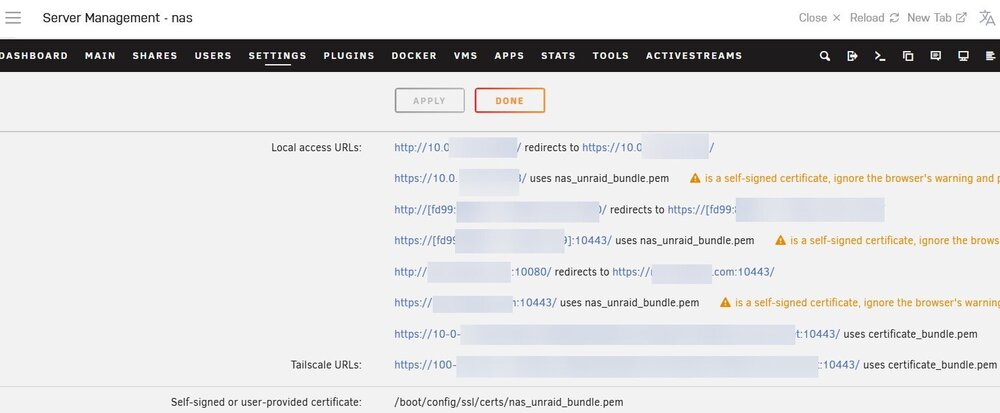
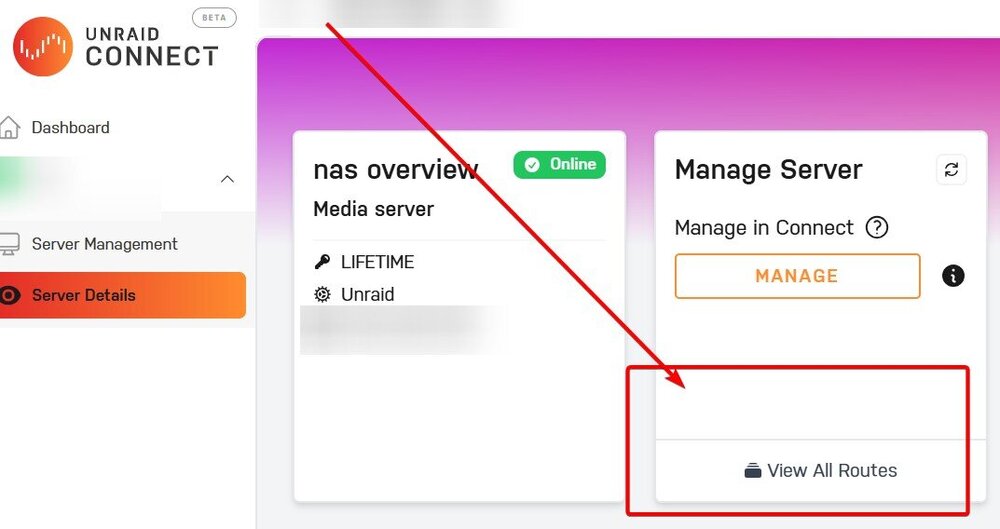
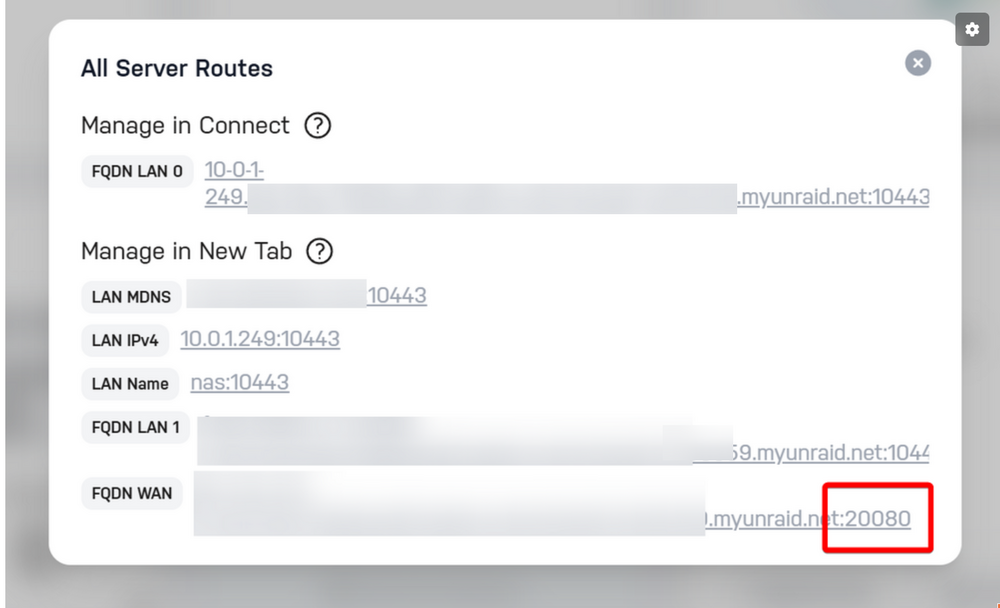
In the management access, it used to be showing the external IP address URL here, but it's no longer showing. The only way you can find that external URL is from this view all route screen only.
-
After I sign in SSO, I can see this section now...so this is good. picture However , I can't login using myunraid because this page keep "loading" picture2 And the external link won't show in setting as well, so I have no way to know what is the external link to get back into unraid from the Internet. It used to show the external link here in previous version.
-
Remote Access | Unraid DocsRemote Access | Unraid DocsRemote Access This can't be found on v7 regarding the remote access link above. I remember there is a way to specify the FQDN WAN port....I set it to 20080 back then, but I can no longer find where to change it now. Uploading Attachment...
-
root@nas:~# lspci -vv | awk '/ASPM/{print $0}' RS= | grep --color -P '(^[a-z0-9:.]+|ASPM )' 00:06.0 PCI bridge: Intel Corporation 12th Gen Core Processor PCI Express x4 Controller #0 (rev 04) (prog-if 00 [Normal decode]) LnkCap: Port #5, Speed 16GT/s, Width x4, ASPM L0s L1, Exit Latency L0s <4us, L1 <16us LnkCtl: ASPM L1 Enabled; RCB 64 bytes, LnkDisable- CommClk+ 00:07.0 PCI bridge: Intel Corporation Alder Lake-P Thunderbolt 4 PCI Express Root Port #0 (rev 04) (prog-if 00 [Normal decode]) LnkCap: Port #2, Speed 2.5GT/s, Width x4, ASPM L1, Exit Latency L1 <16us LnkCtl: ASPM L1 Enabled; RCB 64 bytes, LnkDisable- CommClk- 00:07.2 PCI bridge: Intel Corporation Alder Lake-P Thunderbolt 4 PCI Express Root Port #2 (rev 04) (prog-if 00 [Normal decode]) LnkCap: Port #4, Speed 2.5GT/s, Width x4, ASPM L1, Exit Latency L1 <16us LnkCtl: ASPM L1 Enabled; RCB 64 bytes, LnkDisable- CommClk- 00:1c.0 PCI bridge: Intel Corporation Device 51ba (rev 01) (prog-if 00 [Normal decode]) LnkCap: Port #3, Speed 8GT/s, Width x1, ASPM L0s L1, Exit Latency L0s <1us, L1 <16us LnkCtl: ASPM L1 Enabled; RCB 64 bytes, LnkDisable- CommClk+ 00:1c.6 PCI bridge: Intel Corporation Device 51be (rev 01) (prog-if 00 [Normal decode]) LnkCap: Port #7, Speed 8GT/s, Width x2, ASPM L0s L1, Exit Latency L0s <1us, L1 <16us LnkCtl: ASPM Disabled; RCB 64 bytes, LnkDisable- CommClk+ 00:1d.0 PCI bridge: Intel Corporation Alder Lake PCI Express Root Port #9 (rev 01) (prog-if 00 [Normal decode]) LnkCap: Port #9, Speed 8GT/s, Width x2, ASPM L0s L1, Exit Latency L0s <1us, L1 <16us LnkCtl: ASPM L0s L1 Enabled; RCB 64 bytes, LnkDisable- CommClk+ 01:00.0 Non-Volatile memory controller: Seagate Technology PLC FireCuda 530 SSD (rev 01) (prog-if 02 [NVM Express]) LnkCap: Port #0, Speed 16GT/s, Width x4, ASPM L1, Exit Latency L1 <64us LnkCtl: ASPM L1 Enabled; RCB 64 bytes, LnkDisable- CommClk+ 56:00.0 Non-Volatile memory controller: Phison Electronics Corporation PS5013-E13 PCIe3 NVMe Controller (DRAM-less) (rev 01) (prog-if 02 [NVM Express]) LnkCap: Port #1, Speed 8GT/s, Width x4, ASPM L1, Exit Latency L1 unlimited LnkCtl: ASPM L1 Enabled; RCB 64 bytes, LnkDisable- CommClk+ 57:00.0 Ethernet controller: Aquantia Corp. AQtion AQC113 NBase-T/IEEE 802.3an Ethernet Controller [Antigua 10G] (rev 03) LnkCap: Port #0, Speed 16GT/s, Width x4, ASPM not supported LnkCtl: ASPM Disabled; RCB 64 bytes, LnkDisable- CommClk+ 58:00.0 SATA controller: ASMedia Technology Inc. ASM1164 Serial ATA AHCI Controller (rev 02) (prog-if 01 [AHCI 1.0]) LnkCap: Port #0, Speed 8GT/s, Width x2, ASPM L0s L1, Exit Latency L0s <4us, L1 <64us LnkCtl: ASPM L0s L1 Enabled; RCB 64 bytes, LnkDisable- CommClk+ I wonder if anyone how to enable these two? This is uGreen DXP6800 Pro. Thanks.
-
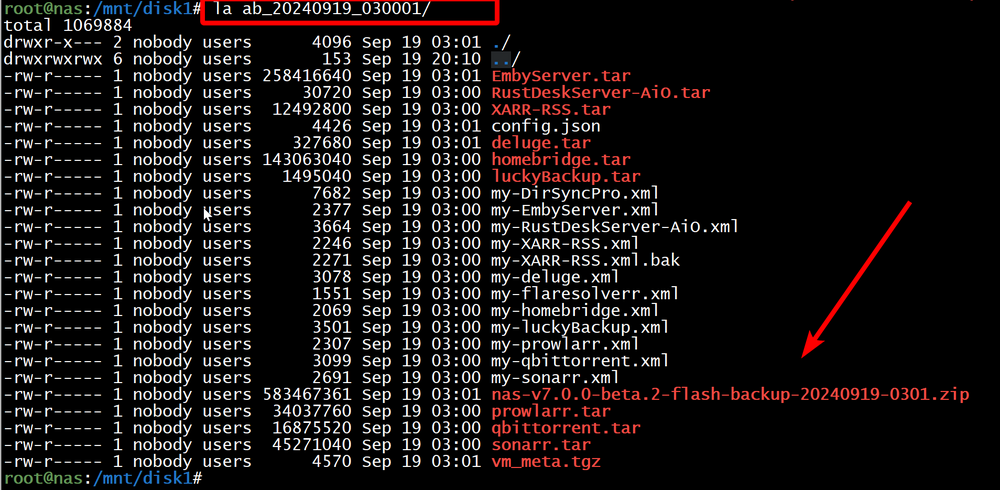
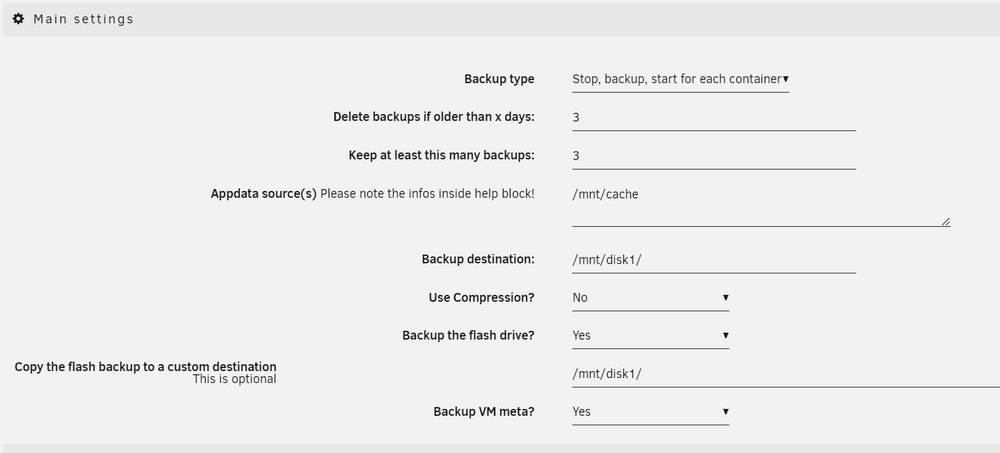
So, you mean even if I don't specify copy the flash backup to a custom destination, it will still backup inside the regular Appdata backup? If that is the case, I will disable the custom destination. Thanks.
-
I wonder why the flash backup twice by Appdata Backup plugin? One location in /mnt/disk1 And then the second location inside the Appdata backup?

-
Regarding the ignore file list, if I want to ignore a couple folders, what should I specify for the latest version of the mover turning plugin? I tried to search in this forum but I found contradict comments. Some suggest to use /mnt/cache/media/downloads/* /mnt/cache/media/incomplete/* Some said /mnt/cache/media/downloads /mnt/cache/media/incomplete I wonder which one is the correct format to put into the ignore file list text file?
-
I wonder what is the proper way to install urllib3 for this? Putting into /boot/config/go might be to early to execute before these binary is in place. Thanks.


