MonadProxy
Members
-
Joined
-
Last visited
-
I just noticed something recently but I did not have time to document it with logs and I will have to wait for a power outage to happen again in order to re-create this scenario: When a power outage occurs and NUT sends the shutdown signal to the server, if the power suddenly comes back, it does not go through with the shut down and aborts it. The problem is if it happens midway is that you will end up with a server that cancelled the shutdown operation, has drives that are spun down and others not, same for the containers. It would be nicer if when the shut down signal is sent by the plugin during a power outage, it would go through completely even if the power comes back during the procedure (happens a lot for regions with small outages) and leave it to the user. That way we could avoid completely having a 'half running server' that stopped it's shutdown process mid procedure and could cause other problems.
-
Thanks, it ended up coming back up by itself after a little while but I will remember this command.
-
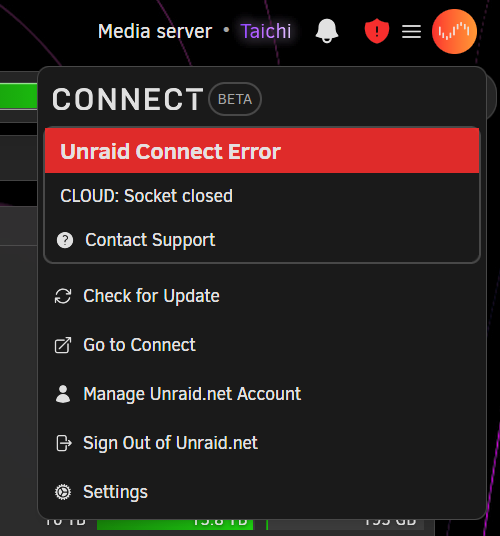
Hi folks, I would like to know, is it possible to reconnect our server to unraid connect after the server lost the connection to the internet? So far as it stands, it stays like this and it seems the only way to get it back up is to register/unregister or reboot the server? Let me know if I missed something. Much thanks.
-
My bad I did one but I forgot about it since it's on another page. I guess all I can do is wait and hope now.
-
You can use the unassigned devices plugin, remove all the 3TB drives from the array but keep the data, create a new array with the 14TB drives, move all the data from the unassigned 3TB drives to the new array? Since everything is pooled together the folder structure should remain the same.
-
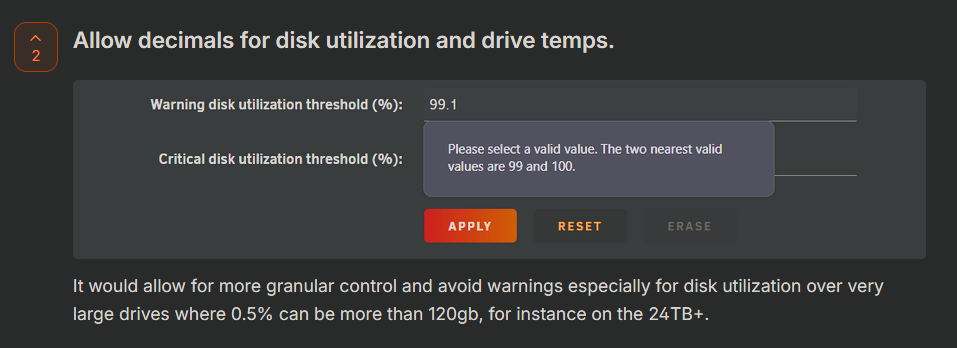
Hi folks, I found this thread from 6 years ago that mention similar things: https://forums.unraid.net/topic/89443-default-critical-disk-utilization-threshold/ That being said I would like to somehow resurrect it for other reasons: These days drives sizes can be huge, not allowing the users to use floating point values for warning thresholds on a 24TB+ drives leaves 240gb+ of space on the table. I understand that it's not a good idea to fill drives to the brim but floating point values would allow to bring this down to maybe 48-64gb which would be much more efficient. 1% these days represent a lot so setting the threshold at 99% just isn't enough. Some people recommend to just set this to 100% and ignore it but then we lose the warning feature completely which makes no sense. This may have been less important 8-10 years ago but now it will matter more and more as drive size increases This should not be a very hard change to implement as this is just changing the type of certain values that are used mostly for display and notifications. Thanks for thanking this into consideration.
-
Did you have Unraid connect set up by any chance? That would be the easiest way to restore the flash drive with a cloud copy to a working condition.
-
I just noticed something recently but I did not have time to document it with logs and I will have to wait for a power outage to happen again in order to re-create this scenario: When a power outage occurs and NUT sends the shutdown signal to the server, if the power suddenly comes back, it does not go through with the shut down and aborts it. The problem if it happens midway is that you will end up with a server that cancelled the shutdown operation, has drives that are spun down and others not, same for the containers. It would be nicer if when the shut down signal is sent by the plugin during a power outage, it would go through completely even if the power comes back during the procedure (happens a lot for regions with small outages) and leave it to the user. That way we could avoid completely having a 'half running server' that stopped it's shutdown process mid procedure and could cause other problems. Another issue I always had is also that the signal is never sent to my windows machine through WinNUT even if it says that I am connected and everything is fine and dandy but I guess that's another story for another day. Thanks in advance if someone has any clue.
-
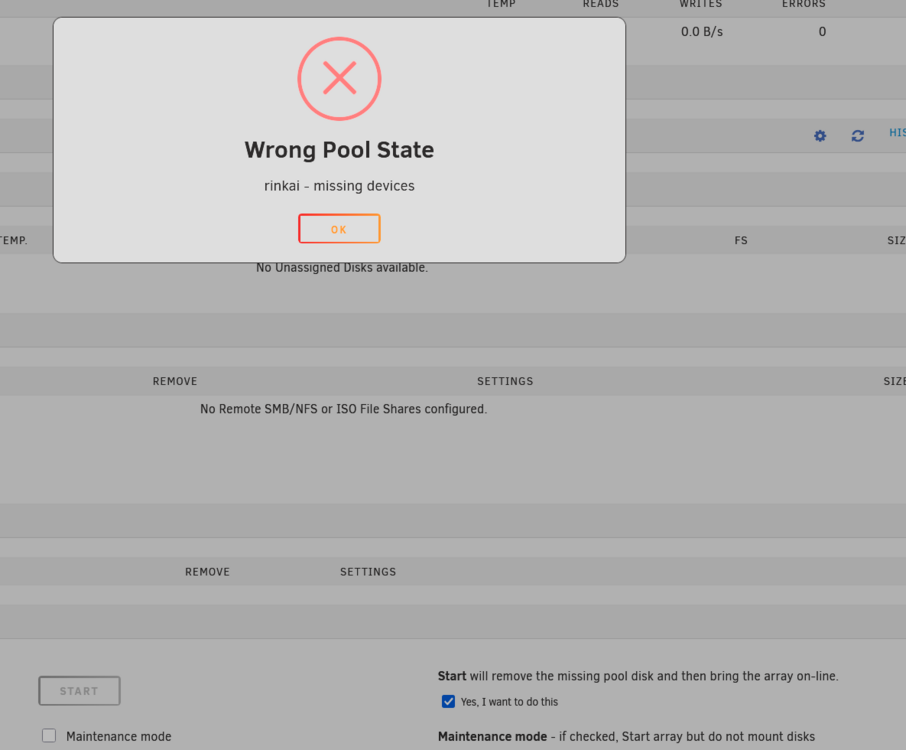
Mhh curiously enough I was not asked for this before upgrading to 7.2.3 (I was on 7.2) and yes you are right I used the wrong term it is remove and not erase. That being said since that was a single drive pool that I use for scratch and the drive died, I just removed it until the replacement arrives so no worries here.
-
I have a pool disk that I use for my downloads pool that went down and to start the array I can't just check "Yes, I want to do this" anymore... I would have to erase that pool to use the main array and re-create it later when I get a new drive.
-
Ok, I went to re-read the docs and yeah I misunderstood what you had said so after I ran the check button on that specific emulated drive and it fixed itself, the second check returned no errors and I could proceed with the parity rebuild. No more unmountable or wrong filesystem messages. Thanks.
-
I am attempting a read check (in maintenance mode for xfs as advised) without disk 2 and if the result is okay should i re-add the disk and attempt a re-build will the unmountable message go away if the read check goes okay?
-
So do you mean by that if I leave disk2 unassigned, start the array in non-maintenance mode, run a read-check on the array and then what if it comes up ok? Sorry I am just trying to make sure before pushing buttons.
-
Thanks for the tip, I don't know if you remember me from a few weeks ago, I was the person with this issue: I took the radical approach of replacing, the mobo, the psu and all related power/sata cables and rebuilding all from scratch, the issues I had seem to be gone now and I don't get anymore read errors so my guess is that it was either the motherboard controller failing, the psu or the cables which I will trouble shoot later. Here are my diagnostics after leaving the drive unassigned and starting the array. taichi-diagnostics-20251225-1428.zip (I stopped the array after generating the diagnostics)
-
Hi folks, so before touching anything further, I wanted to seek some advice. Recently I had some issues with my previous motherboard/psu that made unraid go a little bonkers with the read errors. During my troubleshooting, I attempted to remove a drive that became unmountable, start the array in maintenance mode, turn it off, start it again and rebuild on that same drive but since I started getting more and more errors on more drives, I decided to turn off everything. As it stands now, I replaced all the parts/cables that could be culprits and I stopped getting read errors on all my drives, I want to attempt a rebuild on that drive but it shows as unmountable, should I assign it at the same spot and start a rebuild or do a format and then rebuild?? I would like to know the steps about it, I checked the docs but it seems that my scenario is a bit unusual so I would like to make sure before proceeding. I started the data rebuild initially but from what I've seen in the docs/forums, a data rebuild on an unmountable drive results in an unmountable drive regardless? What should I do then format the drive and the assign it to the same spot in the array? Any help would be appreciated. If I have to lose data on said drive I can take that hit but would rather avoid it if possible. Thanks again for any advice and merry Christmas. As it stands here is the status of my array (stopped, and the unassigned device is the one I wish to put back):