





Morris0
Members
-
Joined
-
Last visited
Everything posted by Morris0
-
Thank you Jorge, I'm going to run the RAM test. That will take some time with 32-GB. When I started the shutdown, I observed that 3 of my HDD did not spin up while the other two did. Interesting that 3 CPU cores are pegged. I have two different SATA controllers in the system. One with 4 ports from the motherboard and the other is an M2 SATA adapter with 6 Ports. When I get the system up, I will look at the relationship of the disks that did not spin up and the controler they are on. Morris
-
Hi Jorge, I have two pools, and the one I'm not writing the backup to has a corrupted file: pool: ssdpool state: ONLINE status: One or more devices has experienced an error resulting in data corruption. Applications may be affected. action: Restore the file in question if possible. Otherwise restore the entire pool from backup. see: https://openzfs.github.io/openzfs-docs/msg/ZFS-8000-8A scan: scrub repaired 0B in 00:20:48 with 0 errors on Thu May 1 04:20:49 2025 config: NAME STATE READ WRITE CKSUM ssdpool ONLINE 0 0 0 mirror-0 ONLINE 0 0 0 sdb1 ONLINE 0 0 0 sdf1 ONLINE 0 0 0 errors: Permanent errors have been detected in the following files: /mnt/ssdpool/system/docker/docker.img Possibly this is the issue. I can delete /mnt/ssdpool/system/docker/docker.img Is there a way for me to get a replacement? Can you tell which pool is the cause of the hang? Thank you, Morris
-
Thank you Jorge, For my education, what told you it's ZFS? I'm attaching the diagsnas-diagnostics-20250602-1104.zip
-
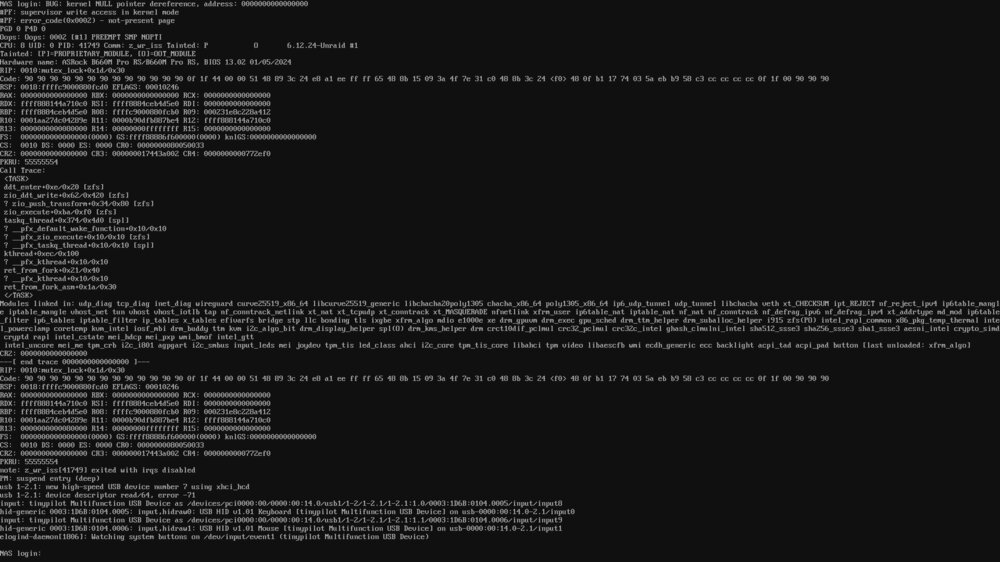
It happened again. By the way this is on V 1.1.1 You may notice a time discrepancy in the log. This is the result of the server sleeping, I use the Dynamix S3 Sleep plugin. I'm attaching a screenshot of the console and the log.syslog-NAS.log Also interesting, I see 3 cores at 100% on the dashboard yet a top from the console shows no process reaching 2% Thank you in advance for looking into this, Morris
-
Thank you Jorge, I set up logging to disk yesterday and also found that the ZFS pool needed to be updated which I did. Neither of them should matter yet I had a full backup complete last night and I have another one running now. We will see what happens. Morris
-
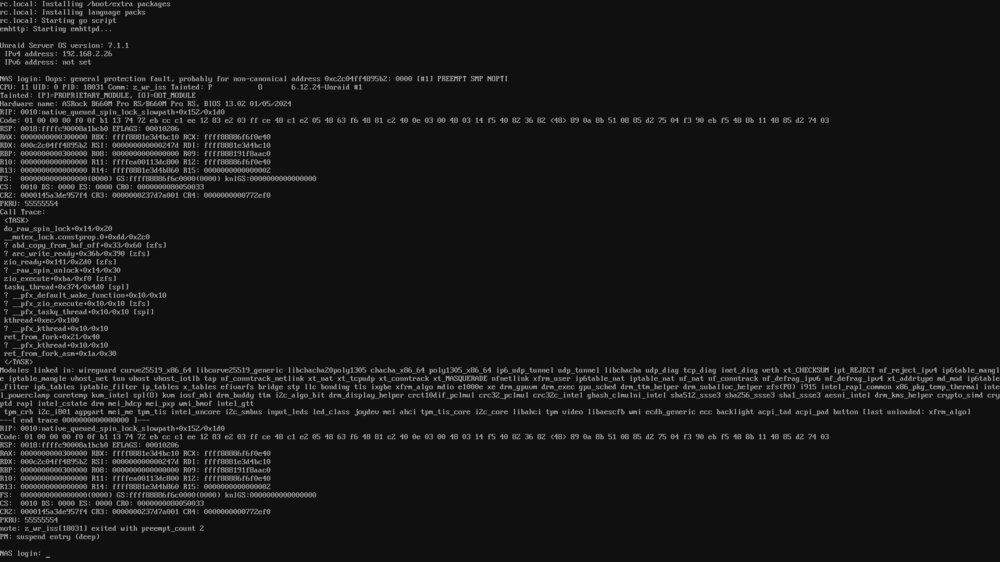
I have a multi disk ZFS portion with shares via SMB. I run daily incremental and monthly full backups. The daily incremental have never failed. I've had a few monthly full backups fail when unraid SMB stops responding and I see at least one core pegged at 100%. The console is responsive yet I've been unable to stop the array as that task never completes. I've tried powerdown -r from the console and that also never completes. This is what I see on the console screen:
-
Upgraded 7.01 --> 7.11 with no issues.
-
That is not a routing issue, you IP is from a NAT, so the bridge is not working as it should. Try deleting the bridge and creating it again.
-
Make shore that you have "Enable WSD" enabled in /Settings /SMB Settings
-
Any time there is any type of error in a ZFS pool or on of it's member drives, an Alert should be generated. Alerts are also needed for AFS Data Corruption. This should happen during normal operation as well as during a scrub. Thank you, Morris
-
By any chance are you encrypting your share or have compression enabled? I'm also at 10-Gb using an i5-12400 which has a base clock of 2.50 GHz vs your 2.10 GHz. Transfering to my RAID Z pool, I'm hitting about 6-Gb and my CPU's cours get to about 50%. I suspect something else is affecting your CPU load, possibly with a busy wait. If your NVME storage and 10-Gb NIC are on the chipset, there may not be enough bandwidth on the lanes between the CPU and the Chipset. I avoid this by placing my NIC on the first PCIe slot which connects to the CPU. Check your motherboard manual for how each slot and M.2 slot connect. Good luck


