





oogasplada
Members
-
Joined
-
Last visited
Everything posted by oogasplada
-
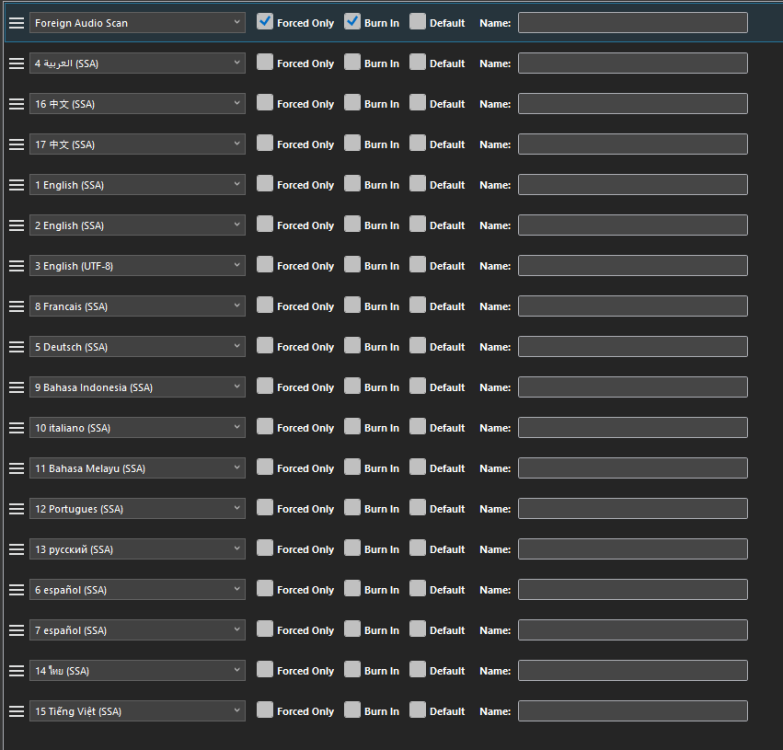
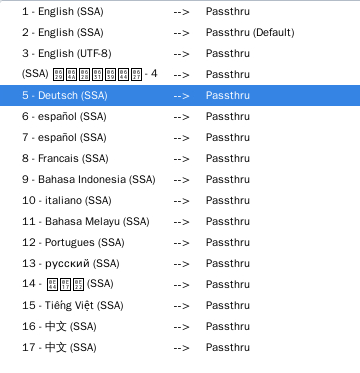
The variable ENABLE_CJK_FONT does fix some languages not showing up, it does not fix them all. For example here are subtitles on handbrake on my PC and one from the docker container.
-
I misunderstood your original comment and thought those variables were for the gluetun container and added them there. Just added to qBittorrent and it's working great now. Thank you for all you do!
-
I can get to qBittorent through deluge with the Glueteun incoming port enabled, but now gluetun seems to be starting the vpn and remaining connected for just over 1 minute, then stopping the VPN and repeat. Not sure where to get the logs gluetun supervisord.log
-
Thank you for the fix, seems to be working
-
Here they are supervisord.log run command.txt
-
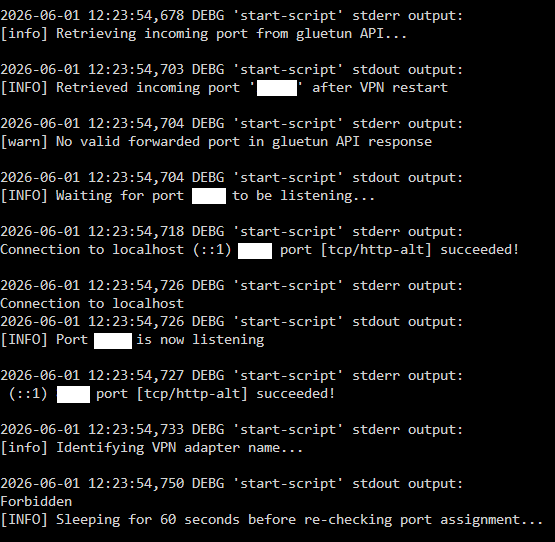
Yes, I meant the forbidden message when I said permissions. I thought it was causing a loop when trying it ~ a week ago but I was wrong there, nothing is looping today. I am on unraid version 7.3.1 if it helps.
-
Hey Binhex, Currently using your deluge container and it's working great. Wanted to replace it with the qBittorrent container because deluge web doesn't allow a most of the plugins. The qBittorrent with container networking through gleutun works as does accessing the UI through gluetun, but when you enable the GLEUTUN_INCOMING_PORT for auto port forwarding one of the scripts gets a permission error and it starts looping.

-
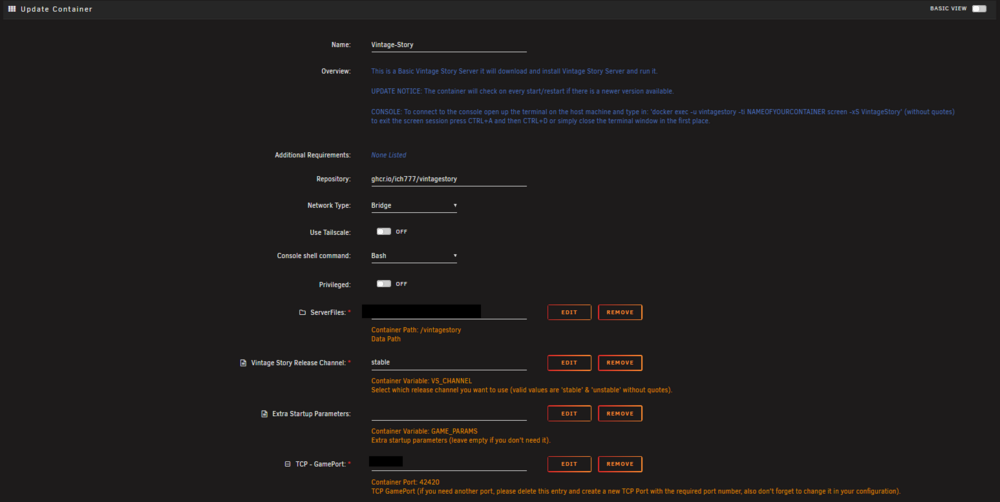
Do I need to remove the "Vintage Story Release Channel" variable if I add that? I guess I have an old template.
-
Hi Ich, I see this has been requested before and you said you would take a look at it but nothing more has been posted. Could we get the ability to specify versions/updates for the vintage story server? The game is very mod focused, and when they update it can break a lot of mods especially on bigger updates. They also update the world gen, which can really mess with existing worlds


