





getgray
Members
-
Joined
Everything posted by getgray
-
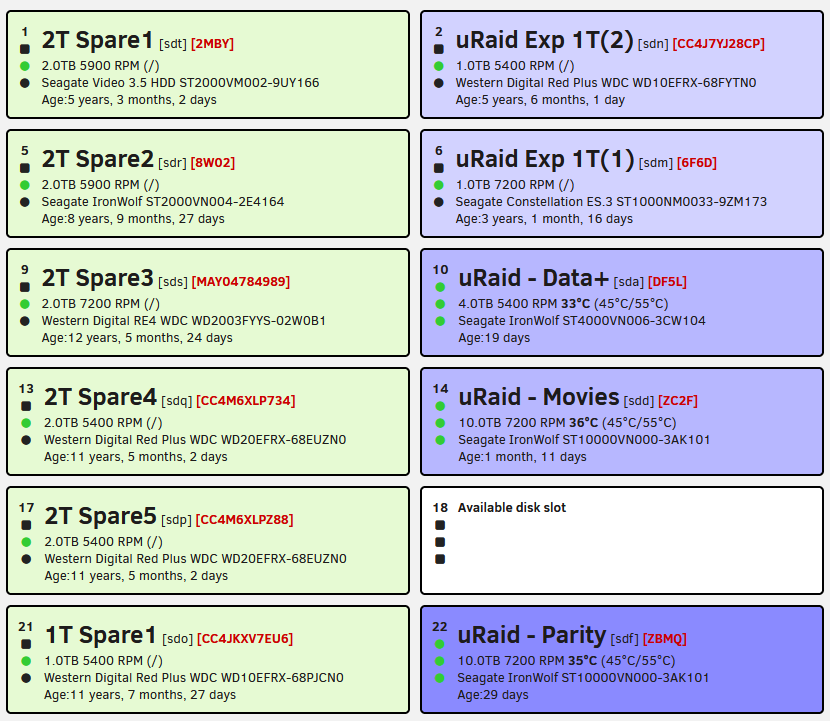
Posted as a feature request at : https://github.com/olehj/disklocation/issues/527 In my configuration I have Trim serial numbers = 4. Thinking it meant something else. Coincidentally it worked as expected on my Seagates due to a 8 char SN. My WD drives only got their leading "WD-W" leading chars removed, but still give the rest of the serial number, not trimmed to last 4. Digging in to see why, in array_devices.php I see: $devices[$hash]["formatted"]["serial"] = ( isset($devices[$hash]["raw"]["serial"]) ? "" . substr($devices[$hash]["raw"]["serial"], $serial_trim) . "" : null ); So, from that I understand Trim 4 means "remove the first 4 characters.", not show the last 4, which is what I was originally expecting. FWIW, I normally chop the serials to their last digits so it's easier to look for the last 4 chars instead of the whole thing. Having a set length would also allow for a consistent length in your Dashboard Formatting's "serial" variable. I've never had a duplicate last 4 on my drives, but if I did I could move to displaying 5 etc. So I'm just throwing it out there for your consideration as an option or a change: In lieu of or an alternate option for "Trim Serial numbers ____" "Show last X chars of serial number ___" Code: $devices[$hash]["formatted"]["serial"] = ( isset($devices[$hash]["raw"]["serial"]) ? "" . substr($devices[$hash]["raw"]["serial"], -$serial_trim) . "" : null ); Thanks, Scott Sample image with my Dashboard formatting:
-
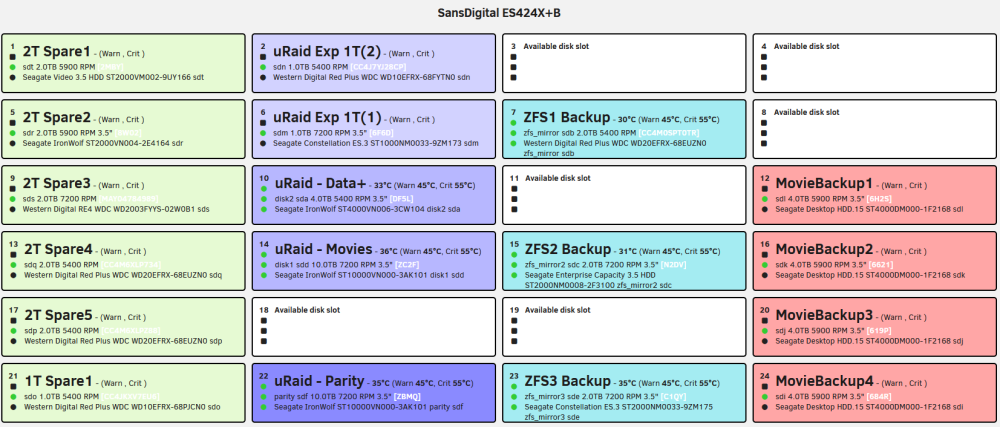
One detail I missed earlier. The update cleared the drive "comment" fields. For both hot and cold drives as shown in my prev replies image. I reset the comment fields, and just double clicking on each line, the last comments (that actually matched the drives or possibly the location of the field) were there to pick so it wasn't hard to do. Once the comments were reset, another force Smart+DB, and even though the cold drives were disconnected, all the comments remained stuck.
-
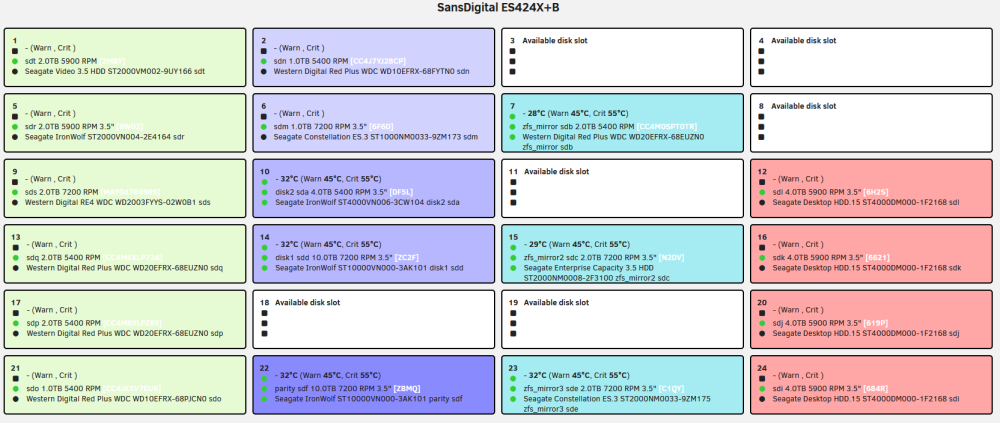
Cold storage seems to work perfectly. Green, light purple, and pink are all retracted/air-gapped in-place. Thank you very much.
-
Thank you. Appreciate the consideration and add. Fingers crossed re timeline. Thanks for the tool.
-
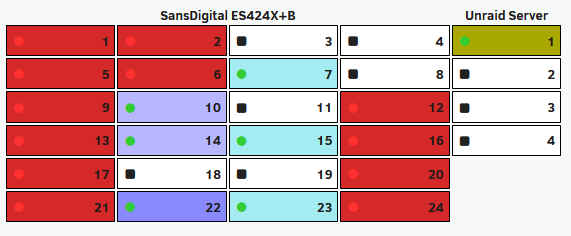
Unraid 7.3.2 with an attached 24 bay SAS enclosure. I had it all configured, my different arrays color coded, my blocks formatted to suit, all good, was very happy, but I was fiddling wit ha detail and somehow the setup got scrambled. Possibly from a lot of previous reconfiguration when I was building the server, dunno. I tried hard to get it all synced up but finally gave up, removed, cleared the old dirs, reinstalled the plugin, and started from scratch. After that and a few weeks of using it w/o issue, I ran into something different... I have 2 sets of drives I keep "parked" in my enclosure, some are spares, arranged in a specific order, some for specific arrays, and some for backups. All of them are cold-storage and air-gapped (drive tray pulled out in disconnected position). All of these cold drives have their physical location setup and recorded in the tool. Previous to today, it was working great and all of those "cold" drives had their "LED" status light changed to a black square showing they were off. A red square would have been good, but black was fine. Today, after a reboot all those air-gapped drives now blink red (the whole drive "box" in the dashboard). Maybe by design, but in the few weeks and a hundred reboots before I didn't get that. So my question and maybe a plea is, is there a way to catalog my "cold" drives in their intended location, and let it "stick" without them being removed to history, or if I set to in Tray Allocations, not having them blink red? Again, before I was getting a square black box for "Off-line" which was fine, A red blinking LED would be preferable to the whole box. Or a checkbox to mark as a cold drive maybe? How can I get back to the square black LED instead of the blazing billboard red blinking?
-
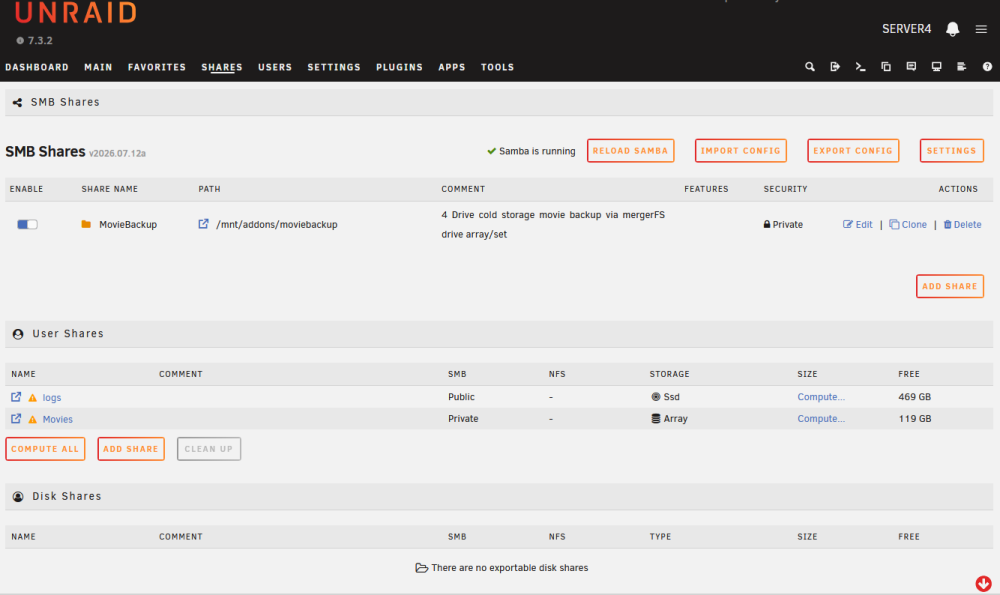
Maybe this has been covered before, in case not, I have a mergerFS set I need to make a share for. I coudl do it via the SMB extra settings but that gives zero UI visibility to the share. Found your plugin and it fits the bill except one thing, it's location. I had it at the apparent default where it made a new tab. Which is an improvemt vs plugin settings etc. But I wanted it more co-located with the stock 7.3.2 "Shares" Figured out that with this adjustment I could put it literally inside Shares, along side the other 2 share groups that are stock. Your button locations re different locations thatn the stock sets but that's not a problem for me. It fits pretty nicely overall. The command I use is this in a script that makes a few checks to see if it's done already etc. sed -i 's/^Menu="Shares:0"$/Menu="Tasks:85"/' \ /usr/local/emhttp/plugins/custom.smb.shares/SMBShares.page Change that Shares:0 to Shares:3 if you want it after the stock 2 groups in Shares, I chose 0 to move it to the top. I'm doing it via /boot/config/go before the UI gets initiated, so a temporary fashion, but it works. And should survive an app update (depending on what's updated). I like i there, right where I'd look for share settings.
-
Is this plugin happy on 7.3? I'm a new Unraid user and intermediate Linux user. I have a need that this plugin seems like it might fit. I've got a 24bay drive chassis, I have some movie data on the primary Unraid Array. I have some backup data on (4) separate 4TB drives that I intend to be "cold storage". The movie data is fairly stagnant, but does get adds and removals. These 4 backup drives are desktop class and my intent is to keep them spun down 99% of the time, and even unplugged/air-gapped. So I can't dedicate these to my main array as it would break it to remove them, and they don't need the exercise from parity recalcs. The data on them now is a backup made when they were setup as a main array so they are XFS as of today. I had been incorrectly advised (no thank you AI) that I was going to be able to mount these 4 XFS drives as a pool which would have been perfect for what I want to do. But I see now I can only add XFS as singles. And the only ZFS options are raid where I lose a lot of backup space, and/or the files get striped across the array/pool's drives. ZFS1 won't be the end of the world but I don't prefer it for the use case. Looking for a solution, I saw this plugin. With it, I envisioned setting up my (4) 4TB backup drives as individual XFS pools in unraid, then using mergerFS to make them appear as one. Then for my backups I'd rsync against my main movie data share to the new mergerfs backup share. Disconnect the drives when not needed, reconnect and redo backups as needed, hopefully without having to reconfigure mergerFS. Does it sound like the plugin is a fit for this specific need? Thank you
-
Anyone had one of these open or has one they could share a photo of its internals? They are USB cases, I'm looking to mod one for a SAS card. I need to know what their drive backplane looks like, whether it's got the USB electronics built in and if I can get to the SATA interface connectors with cables somewhere on the backplane board. Seems to be the same of very similar case for the Amazon version or the Syba version. Mfgr is unresponsive, nothing in the manual. e.g.: https://www.sybausa.com/shop/it-products/external-multi-bay-hdd-enclosure/usb-3-2-10gbps-type-c-8-bay-2-5-inch-and-3-5-inch-sata-hard-drive-external-hard-drive-enclosure-sy-enc50125/ https://a.co/d/0gOdUgqN
-
server4-diagnostics-20260727-1732.zipThanks for the help. I was able to get the missing menu items to appear by adding a pool. I removed the pool and the missing menu items were still there. This was a fresh install, I ha dno issues during install. Worried some other cfg is hosed.
-
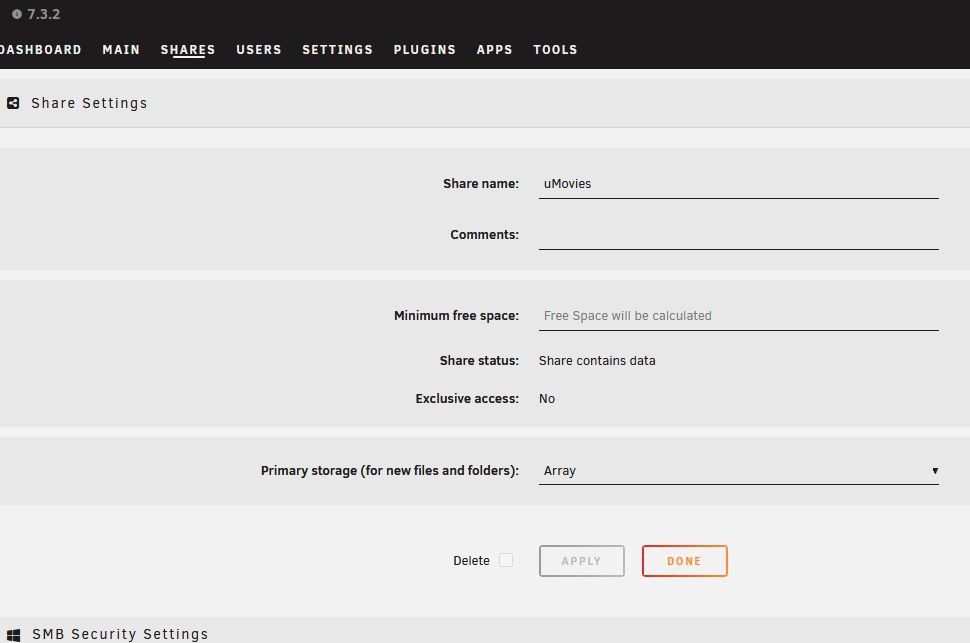
Where are the controls to direct how the data is written to the disk now (Allocation method) . Apparently there used to be a high water setting for example. Not where I've been told to look: And, is there an "Advanced" setting in 7.3.2? Don't see that, either.
-
Here's one tidbit I found by trial and error and from finding a command to send a dummy notice: /usr/local/emhttp/webGui/scripts/notify -s "Test Complete" -d "Test has been completed" -l "/Main" If you have "Browser" set/checked you get a popup on the UI. As it only lasts 5 seconds it is worthless there since all you have to do is look away for 5 seconds and you miss it. In this case the notice goes to the Bell/Notifications/Unread section. If you uncheck that "Browser" setting, then you get no (worthless IMO) pop-up, and instead of the notice going to Bell/Notifications/Unread, it auto-moves to "Archive". The popup should stay unless/until it is dismissed, if you have set it to be on. Still fuzzy on what happens with the rest. I did get an alert out-of-schedule today for a disc capacity, that made me feel a little better about thinking it will alert me out of schedule, but the docs are very weak in this regard. And these events should go to syslog IMO, for searching after the fact as desired, or scripting. And it would be good to have a full list of what is checked, how it is checked, and what constitutes an alert/warning/notice in the docs. notify [-e "event"] [-s "subject"] [-d "description"] [-i "normal|warning|alert"] [-m "message"] [-x] [-t] [-b] [add] create a notification use -e to specify the event use -s to specify a subject use -d to specify a short description use -i to specify the severity use -m to specify a message (long description) use -l to specify a link (clicking the notification will take you to that location) use -x to create a single notification ticket use -r to specify recipients and not use default use -t to force send email only (for testing) use -b to NOT send a browser notification all options are optional
-
Thanks. Appreciate the pointers but... I read all the help popups. They didn't answer my questions. And read the docs section that applies, it's basically the same thing as the popups but adds some errors. I tried RTM first.
-
And... What the "Array status notification" settings seem to me to do, is to report hourly (per my setting). And for that hourly report, it reports it via my what kind of notice setting (Email selected) for Warning or Alert. Not instant as I'd want for an Alert, or warning. Am I misinterpreting?
-
Under Main/(click on a disk)/Smart Settings, I have the defaults set there which appear to just define some thresholds. But at "SMART attribute notifications", there is an empty line that you can enter something, mine is blank, and below that there is a list of attributes, all checked except #188. What those checkbox imply (although it is not clear) to me, is those are the things that go with "SMART attribute notifications". Should I have something additional in the empty line beside that setting? Or am I in the right place you are talking about.
-
Which settings explicitly please? Under settings/Notifications I have "Array status notification" set to hourly, as low as it will go. And I have "Array status" set to Email. And under "Notification entity" I have warnings and Alerts set to email. I had nothing checked on Notices, but I was getting hourly updates anyway.
-
I'm coming form a hardware raid migrating to unraid. If I have a drive in any of my raid arrays get so much as a bad block, I get a notice. It happens via windows event viewer and a EV monitor. I need this same level of monitoring on my unraid disks. I want an email the instant a drive starts having issues so I can swap/remove before it gets worse or fails. I'm new to unraid and the only place I see for any kind of notice is under the web interface Settings, notification settings. For array status I can pick some interval from every hour to every month, and for available notifications I can pick email, and finally for entity I can pick email for warning and alerts. These settings are not intuitive to me. I do not want notices of alerts every hour, I want them immediately. Can someone elaborate on what these setting actually apply to, how the system works in the case of a drive with an issue, and it's notices? And, let me know if there is somewhere else I need further configuration.


