





dgaschk
Moderators
-
Joined
-
Last visited
Everything posted by dgaschk
-
So once Blue Iris writes a file it never has to access that file again?
-
I'm not sure I understand the question. Blue Iris is keeping the disk busy.
-
http://lime-technology.com/wiki/index.php/Troubleshooting#Resolving_a_Pending_Sector
-
There should be no problem using tempfs in this manner as RAM allows. The more the better. How long is the warranty on a hybrid drive?
-
Check for a plugin update.
-
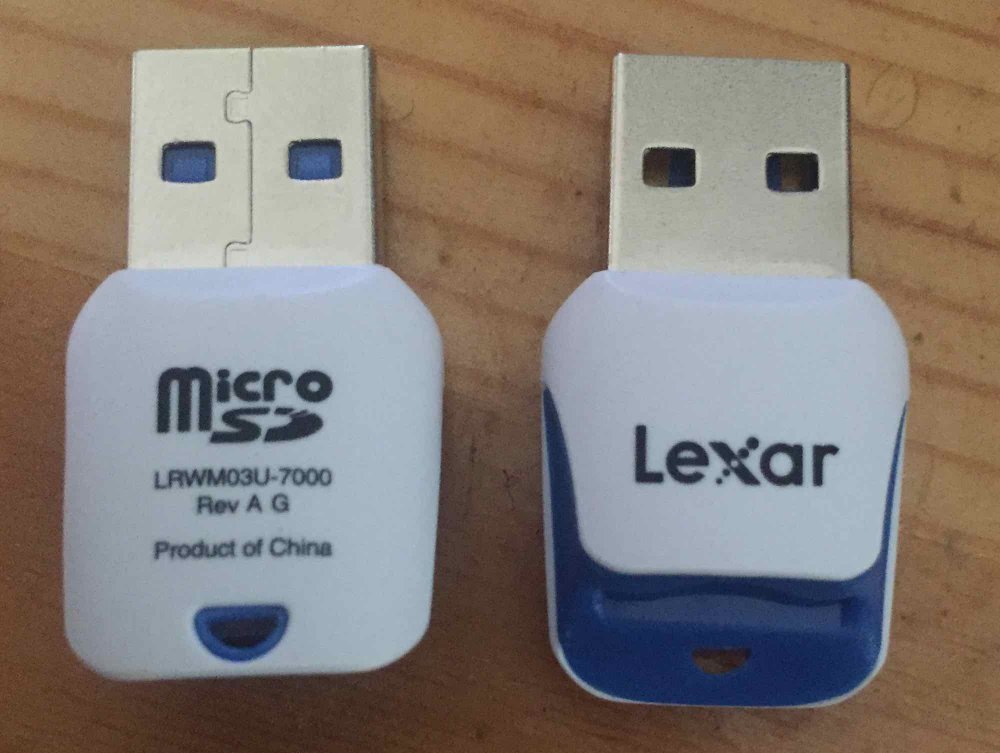
This one works: http://www.rakuten.com/prod/lexar-high-performance-16-gb-microsd-high-capacity-microsdhc-class-10/249372125.html?sku=249372125
-
Yes.New config does not effect the contents of any of the drives.6% is unacceptable. TCP should operate with less than 1% packet loss unless something is wrong with the network. UDP service like VOIP is not relevant unless the server is running a UDP service. This is most likely due to a bad physical connection.A GUI to enable rsync service would be helpful. I currently modify /etc/rsyncd.conf and /etc/inetd.conf to enable the rsync server. A GUI for the rsync client client would also be nice. A simple feature that allows an entire data disk to be mirrored to a second server would be nice. Perhaps an extendible list that includes source and destination would be more flexible. I need to delete on the destination before syncing to get whole disk mirroring to work. This should also be an option.SMART reports may reveal which disk is at fault after a parity check error.Enter the name in lower case. It should still work. Windows is not case sensitive with user names.N40L with new drives. One drive each is on SAS, AHCI SATA, and eSATA. These are fast drives.
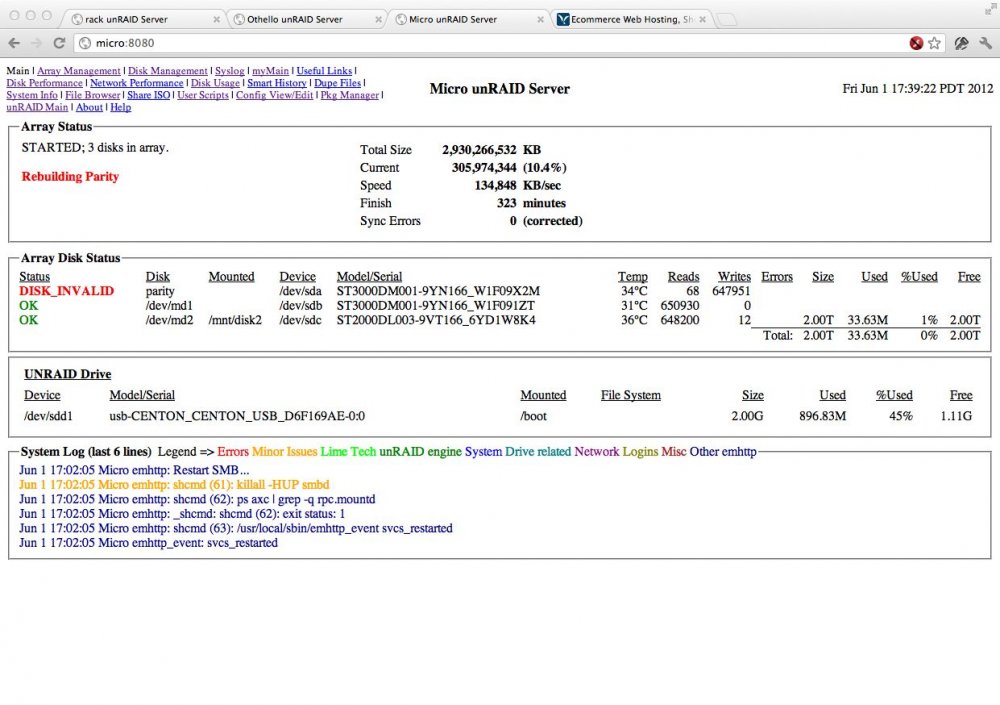 I fit 3 SS-500 in an XCLIO Nighthawk and the door closes.XCLIO Nighthawk $44.99 http://www.newegg.com/Product/Product.aspx?Item=N82E16811103030XCLIO Nighthawk (9)This has 2 12v rails. One has 14A and the other 15A. Assuming the 14A rail powers the drives plan according to the first post. 4 green drives maximum to be safe.The drive is on a SASLP card. The 1.12 version started without complaint.I don't understand why preclear is reporting a smartctl problem. When I run smarctl manually it seems to work fine. root@192:/boot# preclear_disk.sh /dev/sdc Pre-Clear unRAID Disk /dev/sdc ################################################################## 1.11 smartctl may not be able to run on /dev/sdc with the -d ata option. however this should not affect the clearing of a disk. smartctl exit status = 4 smartctl 5.39.1 2010-01-28 r3054 [i486-slackware-linux-gnu] (local build) Copyright (C) 2002-10 by Bruce Allen, http://smartmontools.sourceforge.net === START OF INFORMATION SECTION === Model Family: Seagate DB35.3 Series Device Model: ST3160215SCE Serial Number: 5RX1MFTP Firmware Version: 3.ACF User Capacity: 160,041,885,696 bytes Device is: In smartctl database [for details use: -P show] ATA Version is: 8 ATA Standard is: Exact ATA specification draft version not indicated Local Time is: Wed Jun 29 13:55:16 2011 PDT SMART support is: Available - device has SMART capability. SMART support is: Enabled Error SMART Status command failed Please get assistance from http://smartmontools.sourceforge.net/ Register values returned from SMART Status command are: ST =0x40 ERR=0x00 NS =0x00 SC =0xa0 CL =0x9e CH =0xa1 SEL=0x40 A mandatory SMART command failed: exiting. To continue, add one or more '-T permissive' options.$ Do you wish to continue? (Answer Yes to continue. Capital 'Y', lower case 'es'): root@192:/boot# smartctl -d ata -a /dev/sdc smartctl 5.39.1 2010-01-28 r3054 [i486-slackware-linux-gnu] (local build) Copyright (C) 2002-10 by Bruce Allen, http://smartmontools.sourceforge.net === START OF INFORMATION SECTION === Model Family: Seagate DB35.3 Series Device Model: ST3160215SCE Serial Number: 5RX1MFTP Firmware Version: 3.ACF User Capacity: 160,041,885,696 bytes Device is: In smartctl database [for details use: -P show] ATA Version is: 8 ATA Standard is: Exact ATA specification draft version not indicated Local Time is: Wed Jun 29 13:55:48 2011 PDT SMART support is: Available - device has SMART capability. SMART support is: Enabled === START OF READ SMART DATA SECTION === SMART overall-health self-assessment test result: PASSED See vendor-specific Attribute list for marginal Attributes. General SMART Values: Offline data collection status: (0x82) Offline data collection activity was completed without error. Auto Offline Data Collection: Enabled. Self-test execution status: ( 0) The previous self-test routine completed without error or no self-test has ever been run. Total time to complete Offline data collection: (15556) seconds. Offline data collection capabilities: (0x5b) SMART execute Offline immediate. Auto Offline data collection on/off support. Suspend Offline collection upon new command. Offline surface scan supported. Self-test supported. No Conveyance Self-test supported. Selective Self-test supported. SMART capabilities: (0x0003) Saves SMART data before entering power-saving mode. Supports SMART auto save timer. Error logging capability: (0x01) Error logging supported. General Purpose Logging supported. Short self-test routine recommended polling time: ( 1) minutes. Extended self-test routine recommended polling time: ( 54) minutes. SCT capabilities: (0x0031) SCT Status supported. SCT Feature Control supported. SCT Data Table supported. SMART Attributes Data Structure revision number: 10 Vendor Specific SMART Attributes with Thresholds: ID# ATTRIBUTE_NAME FLAG VALUE WORST THRESH TYPE UPDATED WHEN_FAILED RAW_VALUE 1 Raw_Read_Error_Rate 0x000f 115 072 006 Pre-fail Always - 92652310 3 Spin_Up_Time 0x0003 098 097 000 Pre-fail Always - 0 4 Start_Stop_Count 0x0032 100 100 020 Old_age Always - 79 5 Reallocated_Sector_Ct 0x0033 100 100 036 Pre-fail Always - 0 7 Seek_Error_Rate 0x000f 087 060 030 Pre-fail Always - 498343952 9 Power_On_Hours 0x0032 086 086 000 Old_age Always - 12374 10 Spin_Retry_Count 0x0013 100 100 097 Pre-fail Always - 0 12 Power_Cycle_Count 0x0032 100 100 020 Old_age Always - 79 187 Reported_Uncorrect 0x0032 100 100 000 Old_age Always - 0 189 High_Fly_Writes 0x003a 100 100 000 Old_age Always - 0 190 Airflow_Temperature_Cel 0x0022 064 044 045 Old_age Always In_the_past 36 (Lifetime Min/Max 35/36) 194 Temperature_Celsius 0x0022 036 056 000 Old_age Always - 36 (0 11 0 0) 195 Hardware_ECC_Recovered 0x001a 115 064 000 Old_age Always - 92652310 197 Current_Pending_Sector 0x0012 100 100 000 Old_age Always - 0 198 Offline_Uncorrectable 0x0010 100 100 000 Old_age Offline - 0 199 UDMA_CRC_Error_Count 0x003e 200 200 000 Old_age Always - 0 200 Multi_Zone_Error_Rate 0x0000 100 253 000 Old_age Offline - 0 202 Data_Address_Mark_Errs 0x0032 100 253 000 Old_age Always - 0 SMART Error Log Version: 1 No Errors Logged SMART Self-test log structure revision number 1 SMART Selective self-test log data structure revision number 1 SPAN MIN_LBA MAX_LBA CURRENT_TEST_STATUS 1 0 0 Not_testing 2 0 0 Not_testing 3 0 0 Not_testing 4 0 0 Not_testing 5 0 0 Not_testing Selective self-test flags (0x0): After scanning selected spans, do NOT read-scan remainder of disk. If Selective self-test is pending on power-up, resume after 0 minute delay. root@192:/boot# Why am I seeing this problem?Try NFS on both machines. Disk Utility configures NFS auto-mounts. I've been able to resolve blocked write permissions by restarting my Mac.Which version?It could be a memory issue. Unfortunately, memtest does not detect all possible memory problems. Recently, a user with the same problem tested his memory for 9+ hours and found no problems. But when he used only one memory stick instead of two the problem went away.A good PSU for unRaid has the following: 1. Single 12 volt rail. A subsequent figures refer to the 12 volt rail. 2. The minimum capacity that can power your build. Any more will just waste power. All drives will be in use during startup, shutdown, parity check, parity build, failed drive emulation, and drive rebuild, but startup requires the most power. 3. 2 amps (24 watts) per green drive and 3 amps (36 watts) per non-green drive on the 12 volt rail. 4. 5 amps (60 watts) for the motherboard on the 12 volt rail. Please make comments below and I will incorporate changes in to this post.


