





Fireball3
Members
-
Joined
-
Last visited
Everything posted by Fireball3
-
Got it. After I figured out, that there was no service listening on port 3306, I checked the content of /etc/mysql/mariadb.conf.d/ and found another .cnf file. It seems the NextCloud distro uses a different name for that config file. After removing the bind-address setting in that file and restarting the service, the clients connect as expected. I still haven't found where to fire up the scraper. My expectation is, that the headless codi should do that job or am I wrong? I added a sources.xml pointing to the unRAID share into the userdata folder - is that enough?
-
Yes, you can continue without worries. This backup step is not really necessary if you don't intend to revert back to the original firmware. Make sure you got the adapters.txt with your SAS adress.
-
Thanks for clarifying! I have a mysql running - not the docker though. I followed the instructions in the kodi wiki to set up the mysql as I already have it running with nextcloud. Used the bind-address = 0.0.0.0 setting. Unfortunately I can't connect to the database remotely (console login with the new user/pass is working). I tried HeidiSQL and get "Can't connect to MySQL server(10060)". I opened up iptables "iptables -I INPUT 1 -p tcp --dport 3306 -j ACCEPT". I flushed iptables for testing - all nothing. What's wrong?
-
After looking at the advancedsettings.xml, I'm a bit confused. Do I need another docker that brings the mysql database? Isn't it included in the headless-codi docker? 😮 And finally, where/how can I set up the scraper to work through my sources?
-
Edit: Ignore it, I used the wrong container. (x86 instead of the arm) 🤡 Now the container is running and the log shows this: Warning: MHD_USE_THREAD_PER_CONNECTION must be used only with MHD_USE_INTERNAL_POLLING_THREAD. Flag MHD_USE_INTERNAL_POLLING_THREAD was added. Consider setting MHD_USE_INTERNAL_POLLING_THREAD explicitly. Any advice where to set that flag explicitely? Finally found some time to read through the docker guides and managed to pull the kodi-headless from linuxserverio. This is what I get when trying to start the docker. root@bananapim2:/opt/appdata/kodi# docker start kodi-headless kodi-headless root@bananapim2:/opt/appdata/kodi# docker logs kodi-headless standard_init_linux.go:207: exec user process caused "exec format error" standard_init_linux.go:207: exec user process caused "exec format error" The inspect output is attached. Need help with this.
-
The specs of the banana are similar to the RPi 2: Quad Core ARM Cortex A7 CPU Dual core Mali 400 MP2 GPU 1G DDR3 SDRAM
-
Haven't thought about that tbh. Need to check how to set up the docker environment or whatever is needed. Will the banana be able to pull the docker, resource wise?
-
@sparklyballs I've seen your posts on the Kodi forums. I'm looking for some advice how to get a full kodi stripped down to a headless version. I'm running an Armbian Stretch (Debian) Image on a BananaPi M2 Berry. There is a Kodi available in the repository that I could install right away. My intention is to run a headless Kodi for the DB and since resources on the BananaPi are limited, I would like to remove the overhead. Is it possible? Where should I start?
-
Thanks for your feedback @thespooler! I will prepare a new revision based on your remarks. I also had that DOS4GW issue once and never managed to figure what it was about. At the moment I don't recall how I solved the issue, but I did without DOS32A, which of course is a very elegant workaround. As long as your current controller is adressing the drive by its serial, you should be safe when moving drives. There are Areca controllers that add a layer and obfuscate the drive serial which causes trouble when moving. Of course you can turn parity correction off and see what happens. In case of errors (low count) you probably need to run the correcting check though.
-
Have you tried with the multi thread option set to no? Also give it a try without adaptive. And finally start reading here and follow the troubleshooting instructions that I had to do. Only the ones targetting your issue of course. It's basically providing logs. Better read through the whole posts first as the instructions and scripts evolved and grab the last ones posted. If you have logs that can help to narrow down the issue please upload them here. @Alex R. Berg will take over then, hopefully.
-
You wouldn't believe if I told ya, that I asked for this about 5 years ago. But, well, no, there is no such page yet. Edit: Okay, it's not 5 years - I was guessing yesterday night. It's almost 4 years. IIRC there must be another similar post but I'm lazy... I'm not sure if there is an API that you could use. @jbrodriguez is developing the ControlR app for Android. I guess he can tell how to pull data from the GUI.
-
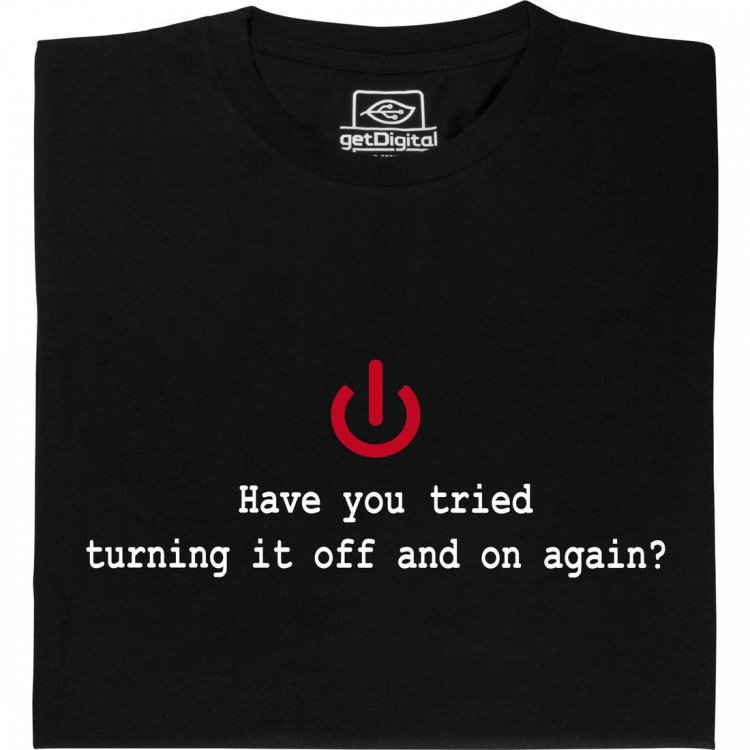
Did you guys "Turn it OFF and ON again" (aka reboot)?
-
You should see an update for the plugin, don't you?
-
There are several different issues in your collection of posts. Your particular issue is that the flash erase is erroring for whatever reason - I have never seen such. May be an issue with the card? Don't know! You can repeat that a couple of times and see if it succeeds anyhow. Another way is to uses sas2flsh, given it's working. sas2flsh.exe -o -e 6 But the script should use sas2flsh first and fall back to megarec if it's not working... I'm not sure if you use the batch files, as your screenshot shows you typed the megarec command manually!? The batch executes the megaRec -writesbr 0 empty.bin prior to the -cleanflash command. If the firmware host boot is failing, you can reboot your machine. This will also boot the card. Once the erase is done, you must use the Dell IT firmware! Then the P7 and finally P20.
-
Have been watching the movie "Skyscraper" just recently. Will also recommends his wife to reboot her mobile because in 90% a reboot will solve the issue. Personally, I often wear this nice T...
-
I'm trying to understand your statement. Your idea might work if you have an SSD, but with a spinner, your write throughput (to the cache) will dramatically slow down once you have reads in parallel! Same and even worse, with your array. Given an SSD cache, you will probably fill up the cache as you can't copy to the array fast enough. You will have to run the numbers to see if it works under any circumstance. Writes to idle cache ~110MB/s (Gbit LAN limit) Writes to idle array ~40-50MB/s Writes to cache while simultaneusly copying to array ~??? Writes to array while simultaneusly reading/streaming data ~??? You can easily lock down your array if you copy mass data during unfavorable times of high user activity - with or without mover. Therefore it's not wise to let the cache run into a high usage level and just rely on this logic.
-
Indeed, in my experience a reboot has solved many mysterious things. You have a point there! Less means, drives are spun down or not? How is it with adaptive depth turned off? How is it with cache pressure set to 1?
-
Is it a computer?
-
Your spin-down delay is properly set? Did you reboot after installing the plugin?
-
Right, try the default settings and see if it runs OK. Scanning user shares did the trick for me. I didn't touch cache pressure. Caching happens very fast. You can spin down the drives manually and browse your shares to see if it works.
-
@Maticks I might be wrong, but seeing at your screenshot tells me you don't have the most recent version of cache_dirs. I can't see the version, it's on the right side, cut in your screenshot. There should be an option for "scan user shares". Please read this thread backwards and install the most recent version. And then, if your issue is persistent, eventually post your diagnostics along with your problem report.
-
Are you running the latest version?
-
See both posts above yours. No need to disable auto update. Consider the arberg repository as the "official" solution as long Alex is maintaining the plugin and script. I'm not sure if @limetech considers this "hack" as a feature to be in the core unRAID. But I agree, without this, the spin-down benefits are killing usability.
-
Quoting @Squid This means, the @Alex R. Berg - "fork" of the plugin is not checking the @bonienl repository for updates and vice versa. If my understanding ist correct, then it should be safe to update the plugin if it checks out from the arberg repository.
-
Guys, why don't you give it a try? After replacing the files you need to reboot - that's right. The script version is 2.2.0d. I'm not sure what's displayed in the GUI - need to check when I'm home. 2018.09.30 should be the right version of the dynamix plugin shown in the GUI. If the plugins page shows a newer version, ignore it! It might bring some GUI changes, but the script file 2.2.0d is not included as of today. Once you're on the arberg fork of the plugin, you can update from GUI as usual. There is a check box to enable scanning of user shares. No need to use additional user options. # - Added disabling of multithreaded scan of disks flag -T # - Added diagnostics generate zip, flag -L (usage: cache_dirs -L) # - Added -P print file count flag (usage: cache_dirs -P -i your_share_name) I'm not sure what's your situation. Given, you are using the posted files you might face some other issue. Then please go back some posts and try the troubleshooting instructions that @Alex R. Berg posted for me. If still buggy post the diagnostics here for Alex so he can check into it.



