





SliMat
Members
-
Joined
-
Last visited
-
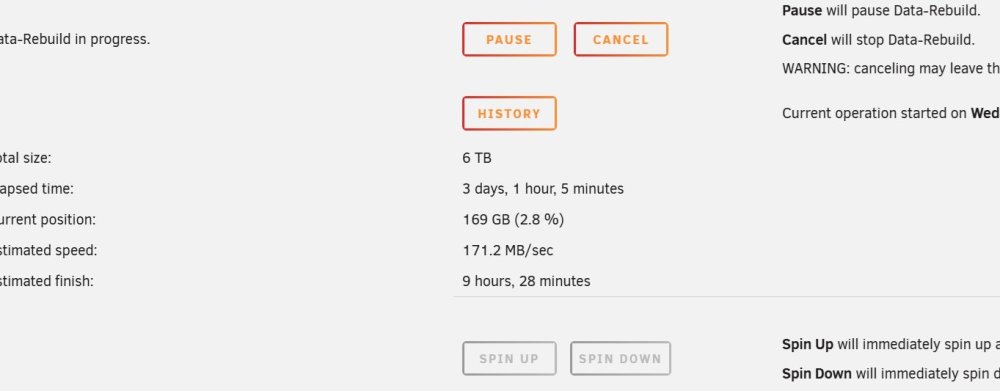
Thanks @JorgeB I will leave those paused for a few hours as the difference was instant and massive... Thanks - it looks like this was the issue... I will monitor for a few hours and mark as solution :)
-
Sorry @Kilrah @JorgeB ... completely forgot the diags... now attached ;-)phoenix-diagnostics-20260815-0942.zip
-
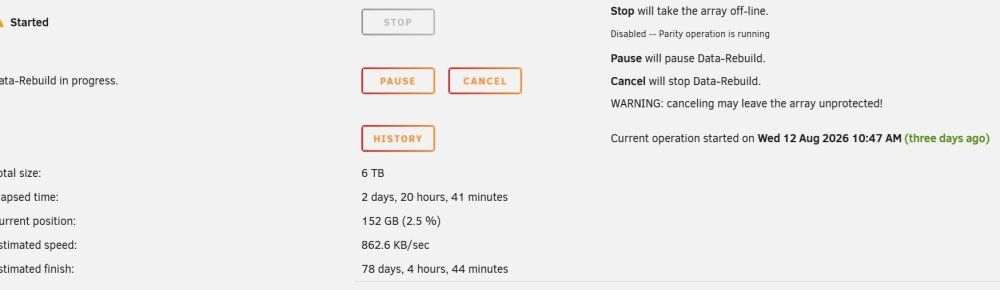
Hi all I was wondering whether anyone has any thoughts on this. I have an UnRAID server in a data centre and recently one disk reported increasing read errors. So, I added a replacement disk to the array and ran preclear. All passed ok, a single pass took 2-3 days. So, I unassigned the failing disk and assigned the replacement one, starting a data rebuild. But it seems to be taking much longer than the last time I did this same operation; I cant believe a 6Tb rebuild is going to take nearly 3 months! Any thoughts, or just let it run? Thanks
-
Thanks, I read it as "you could do that" - and thought there might be a better way ;) The server I am using is an HP ProLiant ML30 Gen10 - I think I fitted an HP P410 RAID card and switched it to JBOD mode... is there a better (newer) SATA controller which anyone can recommend? Thanks again
-
Thanks @JorgeB As it was showing several disks as failed, I went into the room where the server is and it was quite warm, so I turned on the aircon and have left it on, so suspect that it is a heat issue. Assuming that is the cause would my de-assign then re-assign routine be correct? Thanks
-
Would I be correct in thinking that I should; Stop the array Unassign the existing parity disk Start the array to allow UnRAID to see the change Stop the array Assign the originally disabled disk as the parity drive Start the array and allow a parity build on the 'new' disk I just dont want to start something which is going to cause me an issue going forward Thanks
-
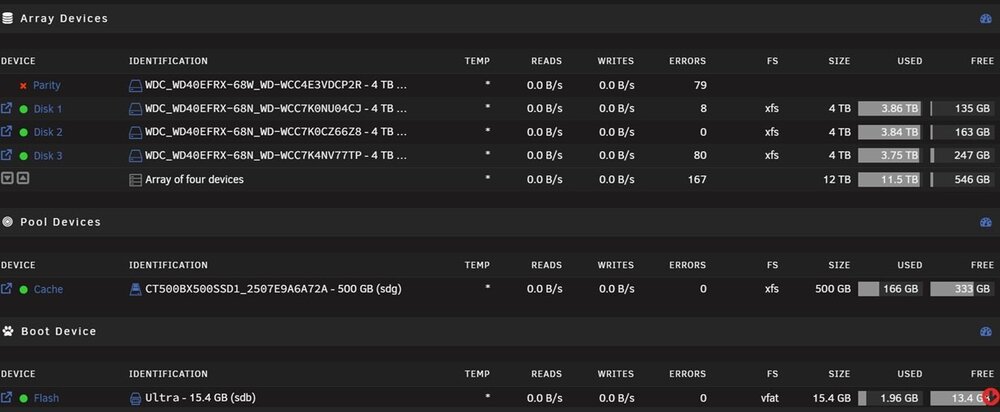
Hi All I got home tonight to find my server was showing read errors on 3 disks!!! This is what the dash showed... All my dockers were disabled. So, I downloaded the diags (attached) and then knowing that a reboot usually fixes most problems I rebooted it. It now shows that the parity disk is disabled... so, I am guessing it will need to rebuild (or check) the parity disk from the data drives... but, I am not sure what to do from here and am very twitchy about not having a working parity disk enabled. Can anyone advise what to do from here please? Thanks hector-2-diagnostics-20260621-1901.zip
-
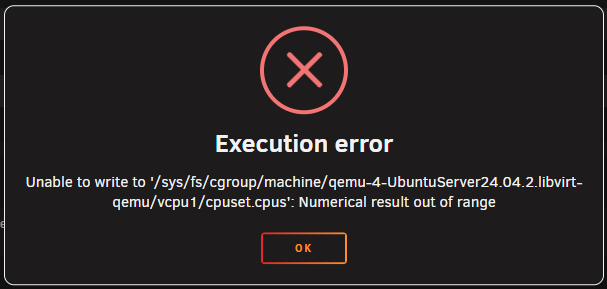
I have just found that my VMs wont boot on the new server and shows this error; I think this is because the old CPU (E3-1210 v3) was 4 physical cores and a total of 8 threads, while the new CPU is E-2224 which is only 4 physical cores and doesn't support hyperthreading... but am not sure how to correct the fact the VMs are (maybe) trying to use cores which no longer exist?!? If anyone can assist in how to diagnose and fix this I would be very grateful Thanks
-
Hi all Just wondered if anyone can explain this... I have got a new Proliant ML30 G10 server and wanted to replace my aging ML310e G8 server which I have been using at home for many years. So swapped everything over and spent 2 hours trying to get it to boot into UnRAID. Out of desperation I made a new USB key with the UnRAID USB Creation app and tried that and the new server booted immediately into UnRAID. So I knew it had to be something about the key. I spotted on the original key the EFI directory was called "EFI-" on the new demo UnRAID key it was called "EFI"... so as I have a backup of my key (thanks UnRAID Connect*)... I just renamed the directory from "EFI-" to "EFI"... immediately it worked fine I was just wondering what the significance of the "-" in the directory name is? My understanding is that Legacy to UEFI is controlled with a "~" prefix? Also thought I would post this in case anyone else has a similar problem and this might help them. Thanks
-
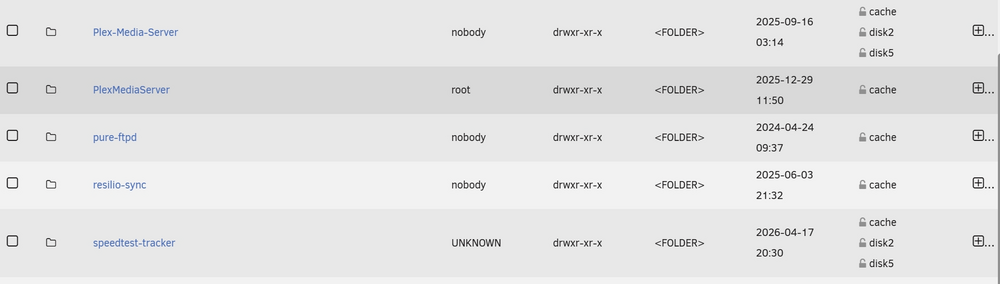
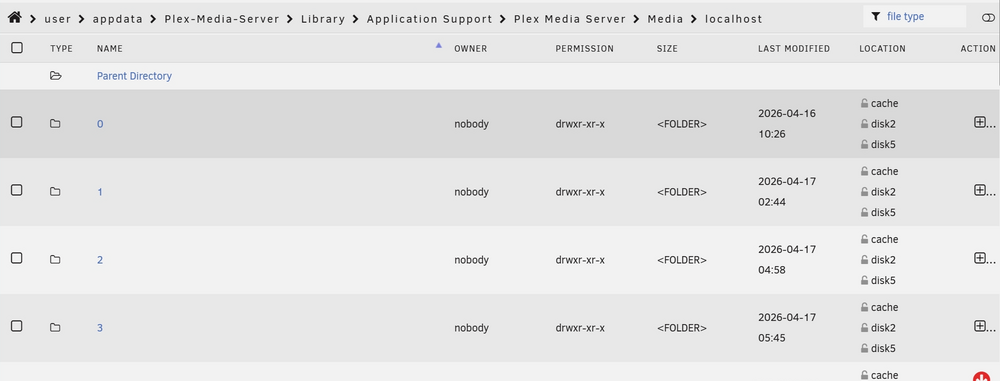
Thanks @JorgeB - I have only just got round to doing this and mover has completed, but when I look at the shares, some of the data is still showing as being stored on array disks. So, I ran mover again and it finished straight away - but moved nothing more... When I drill down in my Plex-Media-Server share, it shows several folders which are still holding data on the array; Is this normal... if not, what do I need to do to correct this? Thanks
-
Thanks - I followed the SpaceInvaderOne Setup video and got him up and running with Tailscale
-
I tried both the tut's above and still its not working... so, will take a look at tailscale as never used this either... I think there is a tut by SpaceInvaderOne... so will try to find this. Thanks
-
This was just as a test to see if the issue was the routing... but it didnt work even when in the DMZ... once tested I brought it back behind the firewall
-
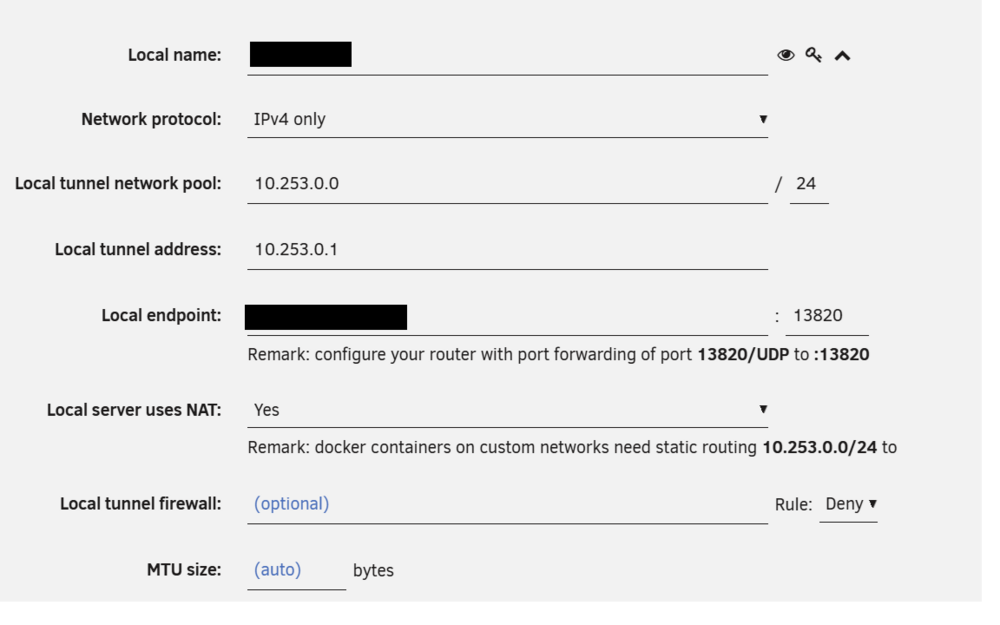
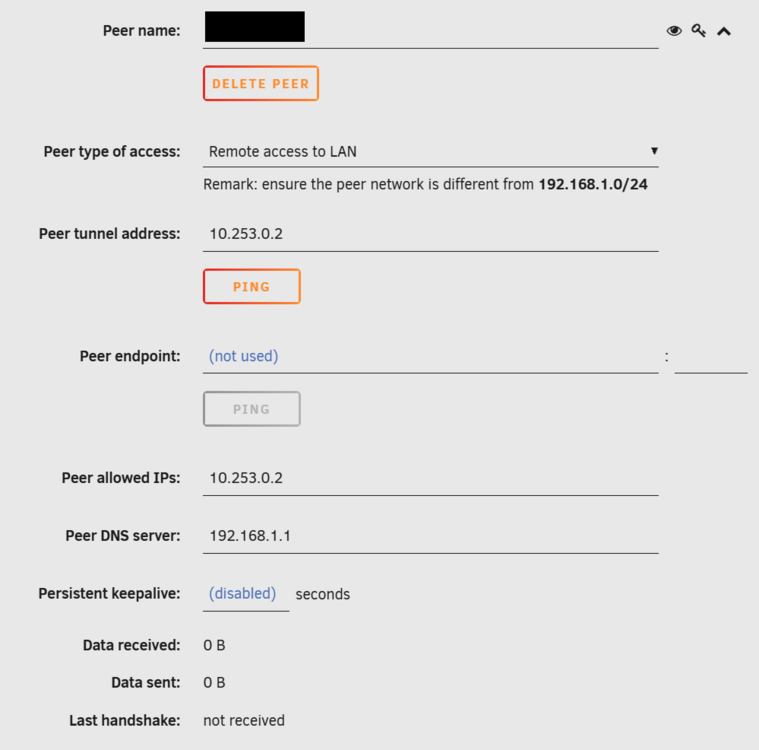
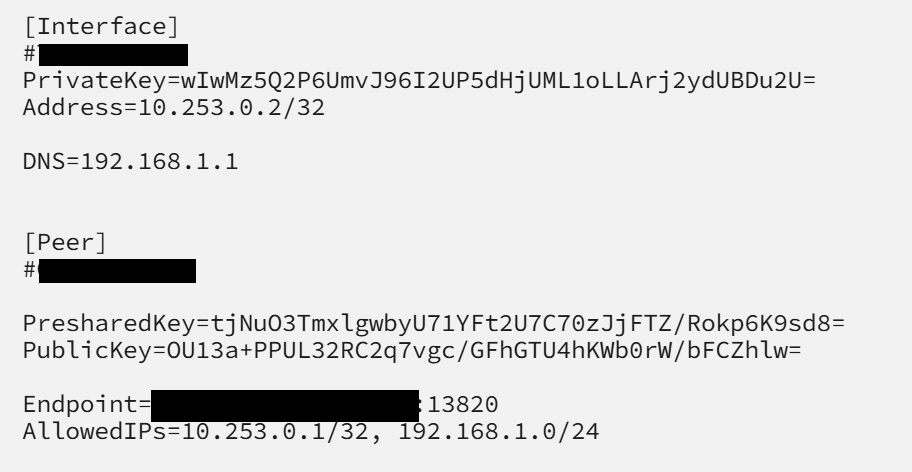
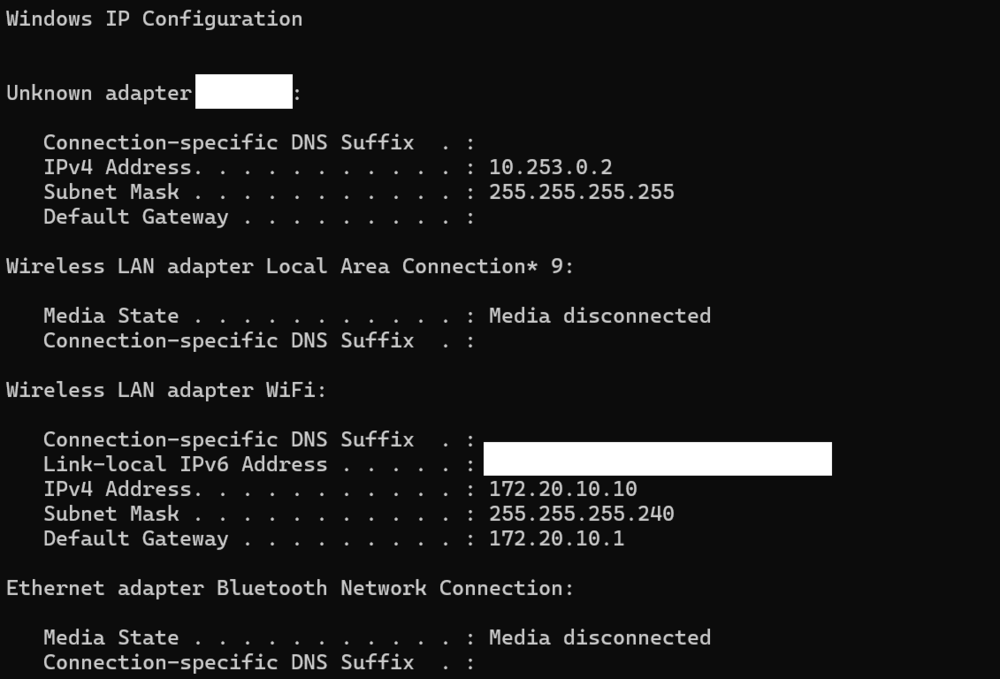
Hi All I am trying to configure the inbuilt Wireguard on a friends server so he can remotely access his LAN... but have spent ages and cant get it to work... I have created a tunnel from settings>vpn manager Added a peer: Then I have tried on a PC and mobile using the QR Code and creating my own tunnel: Forwarded port 13820 to 51820 on the Zyxel Router: But I have not been able to get this to work - can anyone shed any light on this? I am at a loss why this wont work. I have tried putting the server in the DMZ and also using port 51820 as public port - but nothing seem to work. When I am connected IPCONFIG shows; I have travelled 300 miles to visit and set this up, so would really appreciate it if anyone can help. Thanks

-
Thanks I will try this at the weekend when I can take it offline for a while.





