strike
Members
-
Joined
-
Last visited
Everything posted by strike
-
Yes, it's still on the same controller. I haven't got the new LSI controller yet. But I can move them to the MB controller if they need to be on a different controller.
-
Yeah, they were both on the same controller as the rest of the drives which doesn't mount.
-
root@Tower:/mnt# fdisk -l /dev/sdx Disk /dev/sdx: 1.82 TiB, 2000398934016 bytes, 3907029168 sectors Disk model: Samsung SSD 870 Units: sectors of 1 * 512 = 512 bytes Sector size (logical/physical): 512 bytes / 512 bytes I/O size (minimum/optimal): 512 bytes / 512 bytes root@Tower:/mnt# fdisk -l /dev/sdu Disk /dev/sdu: 1.82 TiB, 2000398934016 bytes, 3907029168 sectors Disk model: Samsung SSD 870 Units: sectors of 1 * 512 = 512 bytes Sector size (logical/physical): 512 bytes / 512 bytes I/O size (minimum/optimal): 512 bytes / 512 bytes
-
It just shows my other pool which is not connected to the raid card, but my MB: root@Tower:~# btrfs fi show Label: none uuid: 958e914e-929c-4e2e-af21-a3b4af824726 Total devices 2 FS bytes used 358.16GiB devid 1 size 931.51GiB used 521.01GiB path /dev/sde1 devid 2 size 931.51GiB used 521.01GiB path /dev/sdq1
-
Hmm, ok. Will need to check if more files need to be backed up before I do that then. Maybe just try one disk first on my other unraid licence and see if I can mount it with unassigned devices. Forgot about one thing, my btrfs cache pool is also unmountable as it was on the same raid card. Just run scrub on the pool? There aren't much files I really need there, maybe my appdata, but I have backup from this weekend for that so I guess I could just recreate the pool right away. Will save that for last.Thank you so much for all your help btw, much appreciated!
-
Emulated disk mounted fine now, and seems to have all the files. So I guess just rebuild and do the same for the rest of the drives? One more question, I ordered a proper a HBA so I don't have this issue again. If/when I have everything back and up and running do you think I will have the same problem if I disconnect all the drives from the raid card and move them to the LSI card?
-
Ok, so here is the log from xfs_repair on disk 1. Any advice where to go from here? xfs_repair-disk1.txt
-
Ok, will try it later. Thanks
-
Thanks, will have to check it later. But do I assign the disk before going into maintenance mode?
-
The first and biggest mistake i made when I as started building my server many years ago was to by a raid card instead of a HBA. I Guess I'm paying the price now. So I encountered this issue with the same card: https://forums.unraid.net/topic/127767-71605-unmountable-unsupported-partition-layout-of-drives-hooked-to-card-and-settings-change-to-hba/ Was doing an hardware upgrade, had nothing but troubles and I of course went in the setting and changed to HBA mode at one point.. And now all of my xfs drives on that controller shows up as Unmountable: Unsupported partition layout or no file system. I tried unassigning one drive and start the array, but the emulated disk didn't mount. It said contents emulated but Unmountable: Unsupported partition layout. Now I'm trying to check the file system and started in maintenance mode with disk 1 unassigned. Do I Need to assign it to be able to xun xfs_repair? I thought I was supposed to check filesystem on the emulated disk, I get this when i run xfs_repair -nv /dev/md1 from CLI. /dev/md1: No such file or directory fatal error -- couldn't initialize XFS library If I stop the array and assign it I get as warning about data rebuild even with maintenance mode checked. So I was afraid to do that, but logic says that nothing would happen since it's not mounting any disks so no data rebuild would start. Any advice? I have backup of all my important data so it's just my shows and movies that would get lost if I can't recover and I can get them back. Edit: I see in my syslog now that I got a call trace, maybe that's the reason I couldn't run xfs_repair. Will reboot Edit: No still same error. Will have to continue this later today. Hopefully I'll get som help tower-diagnostics-20240522-0645.zip
-
If bridge mode is not working you are effectively double NAT'ed. If you can't get the bridge mode to work you can work around it by forwarding the ports you need to forward in your "gateway" to your router IP, then again from your router to your unraid server. like you already did.
-
"The router internet IP" is just the internal IP and not your public IP. That IP is probably your gateway as you called it. Or it's your router IP. You can check that. That probably means bridge mode isn't working or is not setup correctly. I might be wrong there as I always just had one router and never had the need to setup brigde mode. But logic says if in bridge mode your public IP should show up and not the IP of your gateway.
-
Or wait I think maybe swag added DNS challenge support for duckdns. A quick google search says so anyway. I didn't read any of it just saw that some people had it working
-
Since port 80 is blocked the only option you have with swag is to use the DNS method with a supported provider. And for that you need your own domain and can't use duckdns as you don't control their DNS servers. OR you can look into cloudflare tunnel, then you don't need to open ports, but need to trust cloudflare with all your data as everything in tunneled through them. Look up IBRACORP's youtube video on how to set up cloudflare tunnel. I don't remember if you need your own domain with cloudflare tunnel or not but it's probably a good idea. You can still use swag with it.
-
As long as it's in bridge mode you should be fine. And I assume your answer is no to 4/5G internet? If so you should maybe check with your ISP if they block any ports. If your port forwarding is now correct there should be no other reason why the ports are not open, other then if your ISP blocks of course. Maybe try rebooting your router.
-
Are you double NAT'ed? Or are you behind CGNAT? By that I mean do you have a another router in front of your TP-Link AX1800? Or are you using some kind of 4 or 5G (mobile) internet? It could also be that your ISP blocks port 80, some do that. But port 443 most are not blocking.
-
Do you have any GEO blocking in place either in your router or configured in swag? And your port forward is wrong, external should be 443 and 80. You can check here if your ports are open: https://www.yougetsignal.com/tools/open-ports/
-
I think I figured it out. There must be something wrong with my cache pool. I deleted my docker image again and changed it's location to another ssd pool. 23 containers installed in under 20 min compared to 2 hours on my cache pool. I'll have to do some speedtest on my cache pool as all my appdata and downloads go there. Either it's the drives themself or my HBA. One of the pools is on my MB SATA connections I just don't remember which one. So it could be my HBA since the mover acted up as well. I ran the mover again manually earlier today and then it was fine. This was before I moved the dockerimage.
-
It's on an ssd pool. And this is just getting worse. Now mover is running very slowly as well. Tried to move some stuff last night, gave up after 2 hours as it just had moved about 100MB. Tried to stop the array, it wouidn't stop so I had to restart in stead. Booted up again and started all containers, started the mover again. Now after 8 hours is has moved another 100MB and it's still running apparantly. Starting to think it must be something wrong with my HBA or something. Or it could be that windows rebooted and aborted my manually started mover script. I have a script that pauses all my downloads, starts the mover and starts all my downloads again when it's finished. Looks like everythings is working as normal when I move stuff manually. Nothing wrong with the speed there. No error is the syslog either. Will try to move some stuff off my cache pool manually as well just to check that too. The test earlier was from array disk to array disk. If my test goes well, I have no clue what the issue with the mover is. Maybe start it manually without my script and see how it behaves.
-
So I tested this. Nuked my docker image and installed a few containers I have never installed before. Worked like normal. Restart/stop of a container took about 30 seconds and no execution error either. Nuked my docker image again and started installing all my previous containers from CA. The first 10-12 installed like normal, then it started acting up again. Not finishing pulling all the layers and complaining about not finding the image locally so it started pulling all the layers again, See attached images. Took me about 2 hours to install all the containers. Normally it would take less then half of that time IIRC. It downloads fast but the rest takes more time then it used to especially when it can't seem to finish pulling all the layers the first time. Then when everything was up an running again I restared one container just to check and yup, same behavior as I have struggled with ever since updating from 6.12.6. Took about 5 min to restart and I was greeted with an nice execution error in the end. I just love my life... Waiting for some new hardware which will arrive next week. Almost up to date CPU and MB. Hope that solves it. If not I'm downgrading or staring over with a new flash drive.
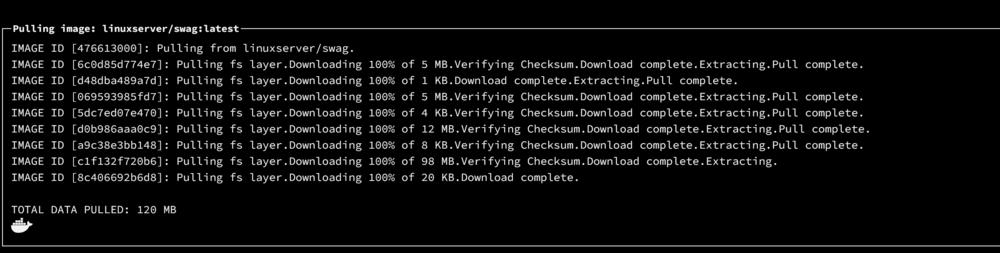
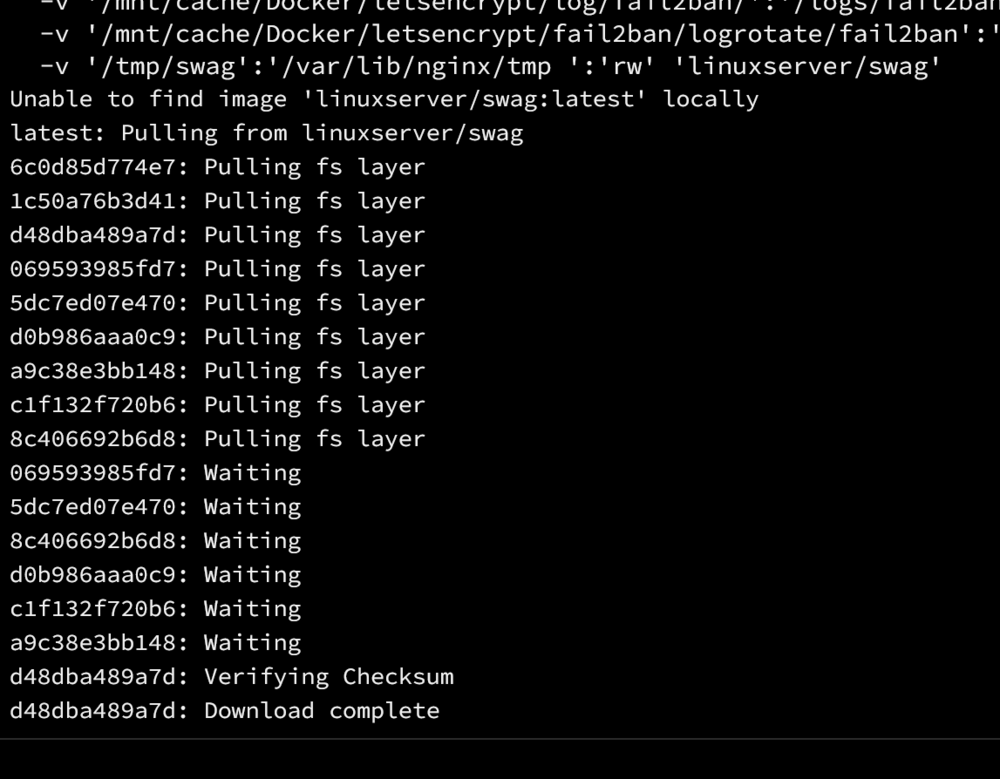
-
I will test this and report back
-
Oh, didn't know that. I still have it in my template and I haven't had any permissions problems.
-
Just edit the template add two new variables like this:

-
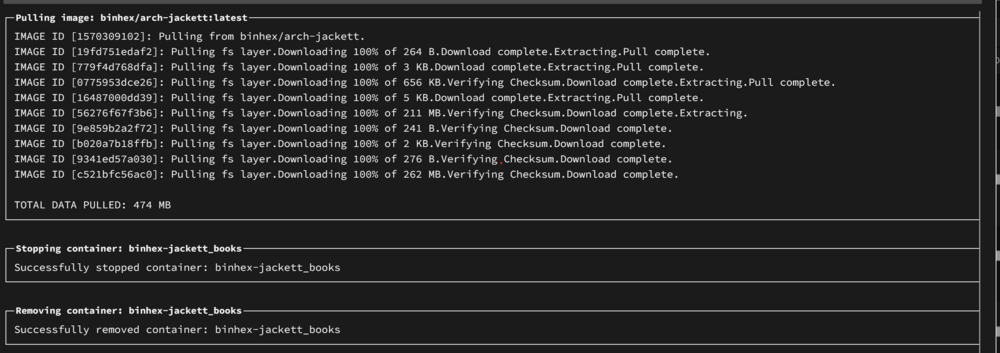
Well it's not caused by any plugins. The issue still remains when running in safe mode. After the array starts it takes almost exactly an hour from when the first container is starting until the last container is started. AN HOUR to start 22 containers. This used to take about 5 min.. Everything docker related is running ridiculously slow. I stopped the appdata backup yesterday as it was not finished after 5 HOURS.. Is it safe to downgrade to 6.12.6? If I were to start from scratch and redo the flash drive, which files do I need to copy over to keep all my settings?
-
Brand new ethernet cable didn't work either. One more thing I forgot to mention. Most of my containers won't update through the webui anymore. It won't finish the pull for all the layers, see the attached image. I have to update via portainer then press the apply update button in the unraid webui which will state the container is up to date and pull 0 bytes. Only then will it show as up to date. This also started right after I updated to 6.12.8. @itimpi You can move my posts to this thread if you want so OP can have his thread back