





strike
Members
-
Joined
-
Last visited
Everything posted by strike
-
I think i means that the support link should be pointed to the unraid forums instead. Not that it should NOT be listed for apps. And I agree. @CorneliousJD should have created his own support thread for this container. The docker container itself are drakkan's official image which can be used by anyone on any platform that supports docker. @CorneliousJD just created the template for unraid so we unraid users can get to easily from community apps. All apps on dockerhub can be used on unraid, but for it to show up in community apps someone must create an unraid template for it. If there is issues with the SFTPGo app itself (like a bug) the right place to ask is on drakkans support channels. But unraid users should ask for support on unraid support channels (this forum). Like for issues with setting up the app or other things than bugs. I guess @CorneliousJD will see this now (since I pinged him 3 times..) if he still is on this forum. So maybe we can get him to create his own thread for this container. Or at least link to the documentation for the app. It's unfair that we push all the support on drakkan when the app is listed under community apps. So I totally agree with drakkan. If you publish an unraid template you should support it as well. There's probably more then a few unraid users that use the app and would be able to help with support here on the forums. Now, what do you need help with? I use SFTPGo myself so maybe I can help.
-
Glad to see you got it working. I see you discovered how docker contaniers work in the process. Containers doesn't know of any folders on your host system so you need to map them in the template. This is called volume mapping and applies to all docker containers, not just this one. You can use tailscale to securely connect to it so the rest of the internet don't have access to it. Or you can set up a whitelist of IP's in sftpfo if you want. Either way it will be locked down.
-
i see.. if you're remote on tailscale you also probably have to enable host access to custom networks in Settings->Docker. Or try when you're home.
-
If you're running it on bridge you probably have another container using post 8080. Change the network type to br0 and set an ipadress f.eks 192.168.1.225 or something (just temporarily so you can get to the setup page), then try again. When you have a user set up you can change it back to bridge if you want. In theory it should also work if you go to http://192.168.1.140:2221/web/admin/setup
-
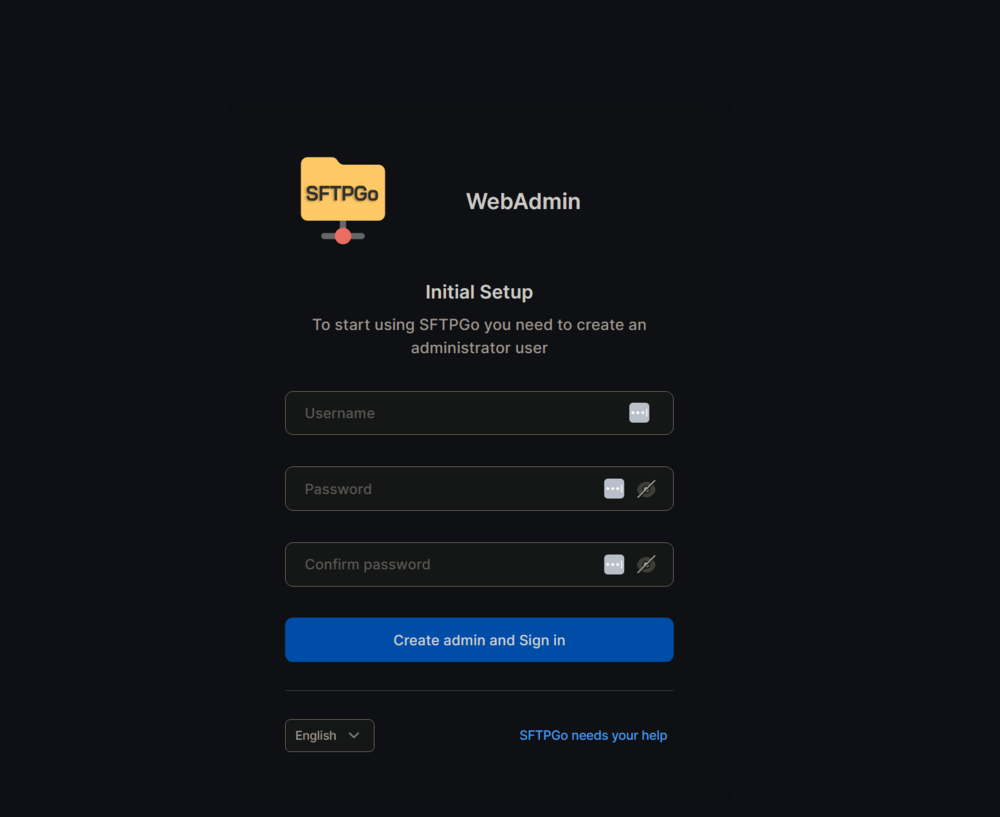
Ah, my bad. Change the port to 8080 and you should get to this page: Just tested it on a fresh container, the URL is then: http://192.168.2.237:8080/web/admin/setup
-
You need to visit the admin webui http://192.168.2.212:2221/web/admin/ to create the admin user. Replace the IP with your unraid IP if running in bridge mode.
-
I recommend the SFTPGo docker container. It can also do plain FTP if that is what you want.
-
Do you mean the tailscale plugin? Yes, that needs to be enabled for tailscale to work.
-
I'm sure there's a reason for it. I guess that's a good solution as any. If there were data on the drive though, it would be gone. But since it was the old parity drive, that holds no data that was probably the easiest fix.
-
Yeah, but when you run it from the webui the default option is to run it with the -v and -n flags IIRC. You need to run it without -n or else it won't do anything
-
Did you run it without -n?
-
The big main thing would be for media apps like plex,emby,jellyfin,audiobookshelf and even photo apps. It's against cloudflare's TOS to stream audio,video and big pictures files. They can and will throttle your speed which can result in buffering for media apps. Cloudflare can also see all your traffic if they want to. Tailscale does not have this limitation.
-
Change the container port to 80. Then switch to advanced view in the top right,where you see webui change the port to 13378 and apply.
-
Sure, just click the "arrow" on one of the columns,select columns and add whatever you like. You may need to adjust the size of the columns by dragging them to get the new ones to appear.
-
Yeah, I know. But I make sure the startup order is such an order that there won't be any issues. If I find that one container is in the wrong order I just change the IP of one or more containers. It's not an ideal solution, but it works.
-
+1 For this feature request. My workaround for now is to arrange the containers by IP on the docker page manually, by moving them up/down. So whenever I add a new contaier I first go to the docker page and see what IP is next in line for usage.
-
DVR is also missing from the path
-
You have a upper case A in "AgentDVR" in your webui, but in the mapped path you have lower case a. Linux is case sensitive so in essence they are two different paths. And the upper case path is not mapped to anything so it puts it in the docker image.
-
Do you have cache setup as the primary storage on the remote machine? Do you have any disks in the included/excluded setting and if yes what are those? If split level and the included/excludes settings are set correctly it should hop to the next drive when the minimum space is reached. Maybe post your diagnostics?
-
What is the split level set to? What happens with rsync is that it creates all the directories first before transferring any files. So if you have anything other then "Automatically split any dictreory as required" as split level, it will try to keep files together until it runs out of space as split level trumps allocation method.
-
If it's not mapped in the container template then yes, it's in the docker image. You have to map the path yourself.
-
I bought my LSI 9305-16i on ebay for $155 from this seller: https://www.ebay.com/str/gogreenremarketing I see he still has 10 available. Now for $80. Just don't by anything from china. Stick to US sellers and you should be good. I also read somewhere, I think from @JorgeB that all 9305 are in IT mode. And he knows what he's talking about. Very happy with my card, I don't need a extra fan on it either. Which is an issue with other popular LSI cards as the 9300-16 I for example, as they run very hot.
-
You can start the array as normal and the missing drive will be emulated and you will have access to all of the data. But if one more disk fails before you replace the missing disk you will lose all the data on that drive. If you have backup you can just use your array as normal, if not and you have important files you can not lose, do a backup ASAP.
-
You need to check if your vpn provider offers port forwarding and then open up a port and put that port as the incoming port in Deluge. Torrenting without an open incoming port will always be slow.
-
Have you enabled "host access to custom networks" in the network settings? Or it could be in the docker settings. Sure, just hook up a monitor to the server and boot in gui mode.



