





Everything posted by [email protected]
-
I am having the same issue. I started when i moved the server to a my new house. I can still access the websites and other hosted services but i am getting the NETWORK: Unable to connect to mothership at https://mothership.unraid.net CLOUD: Socket closed and i can not update the plugins or access the APPs page. Also the Tailscale plugin does not let me login. I am on 7.1.4, but even if i was on an ealier version i could not upgrade since when i click upgrade OS in the tools it just keeps spinning for ever. Any ides on how to resolve? thank you in advance. production-diagnostics-20251010-1217.zip EDIT: I did notice that i can not access any sites, like google.com, from a browser running on the Unraid server directly. However, the sites i host on various VMs and the docker services like the reverse proxy all work fine and i can access them remotely. Its the "other way" accessing the internet from the server that appears to be broken.
-
Does anyone have any ideas on how to run 2 duplicaticontainers at the same time connecting to various tailvaults?
-
Hi all, I am trying to create multiple duplicati instances. I am using tailscale to connect to the remove tailvaults. However only the first container i created was able to connect to the remote tailvault. the second one is throwing an error saying its unable to connect. I exported the backcup config from the first instance and imported to the second, just to make sure the settings are the same, and i still would not connect. Is there some special config i need to have more than 1 duplicati instance running at the same time and connecting to the same vault? Thanks.
-
I am so F******g do**** ****** stupid... When checking the box make sure you press the "save" button and make SURE it gets clicked, it saves and the message comes up... sorry for wasting your time
-
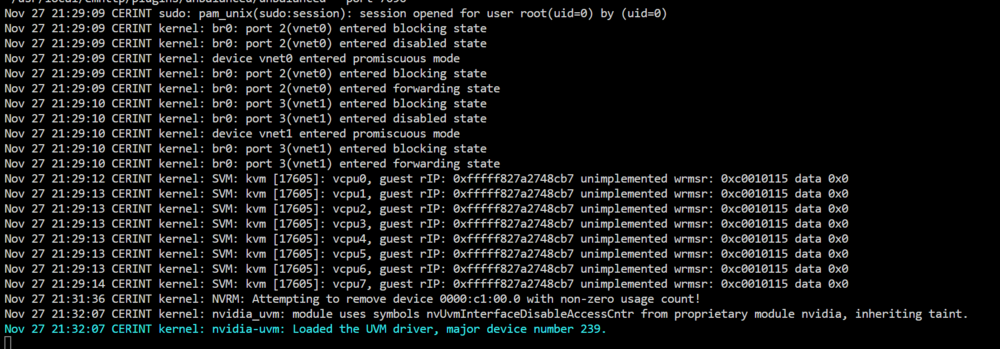
Epyc CPUs do not have a integrated iGPU unfortunately. No, the P100 is not used by docker. Also there is not display connected to the GPU as it has no display ports and no sound. Its a Nvidia Tesla. I don't need it for display. I plan use it for compute. I checked the box in the tools and rebooted the server. Assigned the GPU to the VM Started the VM For a minute or so the server was still responsive but eventually the GUI froze again. However i opened the logs before starting the VM.
-
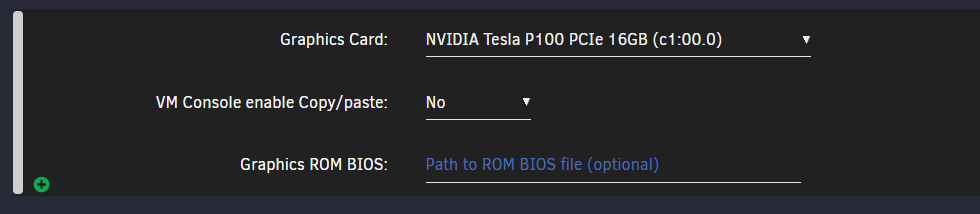
Hello, I am having an issue with trying to passthrough a gpu to a VM. I have an UnRaid server with: 1) ASRockRack ROMED8-2T/BCM 2) AMD EPYC 7282 16-Core 3) Nvidia tesla P4 & Tesla P100 I am already running a couple of VMs with no gpus. I installed a fresh ubuntu server 22.04 VM with no issues. Then i tried to passthrough the P100 gpu. the moment i start the VM the unraid GUI freezes. Any tab i try to go to it just keeps loading and never loads the page. My only option is to do hard reboot. The interesting bit is that the services / websites running on the other VMs run fine. Even with the unraid gui unresponsive / not loading. I wonder if i need to do anything extra than just selecting the GPU in the dropdown? If I select the GPU the server gui freezes and i can not reconnect to this vm. So any config needs to happen on the xml? Thanks, George
-
It was the SAS ports on the motherboard. If i had drives connected to those ports the array would become unstable. What was odd was that not only drives connected to those 2 ports would be throwing errors. As soon as I connected the drives to a new pcie HBA it all sorted it self out. No more read errors, parity sync completes fine, etc... Thanks everyone for their help, G
-
Its a modular PSU so i'll get a second psu to molex cable and remove the sata completely.
-
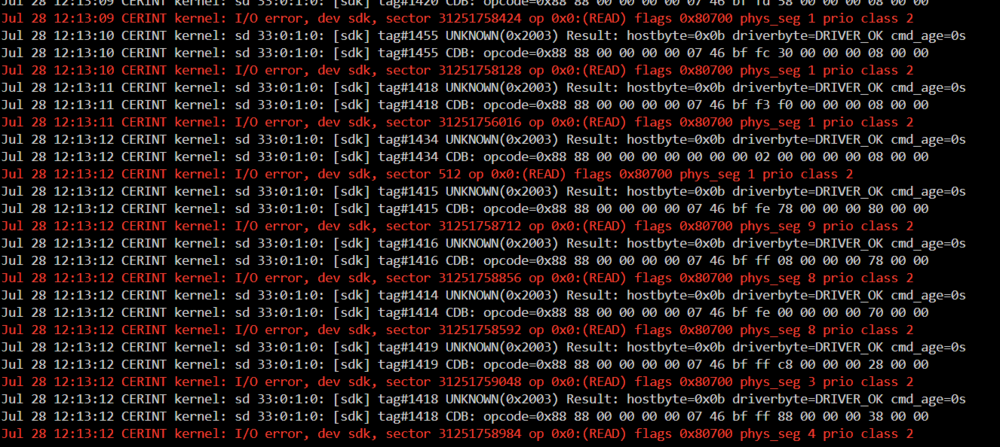
Got a corsair 850watt brand new. in total its 12SSDs and 12HDDs 2 power leads from the PSU, 1 molex and 1 sata with adaptor. Also i run a parity sync the day before and was fine (no read errors, and no errors in logs) and today with the same drives same config, run parity sync again and i am getting : kernel: I/O error, dev sdk, sector 31251758424 op 0x0:(READ) flags 0x80700 phys_seg 1 prio class 2 on an array drive that never before had any errors. can figure this out. from the moment i build this new server it has been a pain. I may need to scrap it and start new at this point.
-
I am trying to move back to XFS but its going to be a slow process. need to empty each drive, remove from the array, and add it back with xfs format it's going to take weeks...
-
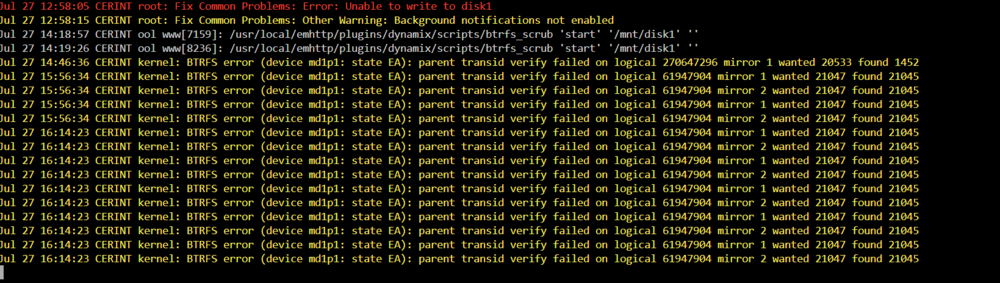
Moving the data out of disk1 causes more errors:
-
I did a reboot and got some new errors now: For some reason disk 1 is now read only

-
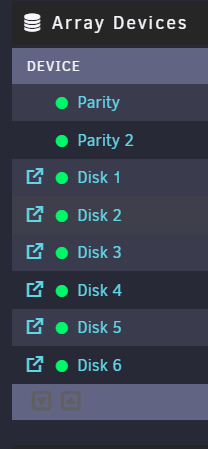
Ok more updates. I added 3 x 4TB drives to my array using the new config tool. I started a parity sync and almost immediately one of the existing 16TB drives and one of the newly added 4TB drives started with the read errors. I stopped the sync, removed 2 of the 4 TB drives and started the sync again. the 16TB drive did NOT throw any errors and the sync completed. I have no idea why the 16TB gave read errors when the 3x4tb drives got added at the same time. I have ordered some replacement drives and will remove the last 4tb drive. Very odd behaviour.
-
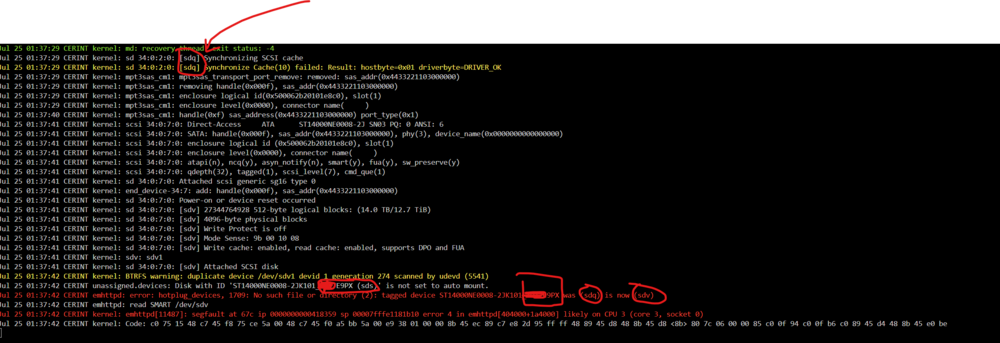
Pausing and resuming the sync and pausing again created the following log: sdq is the drive in the array that now was the read errors. no idea what this log actually means and why it is saying that sdq is now sdv when in the array its still sdq

-
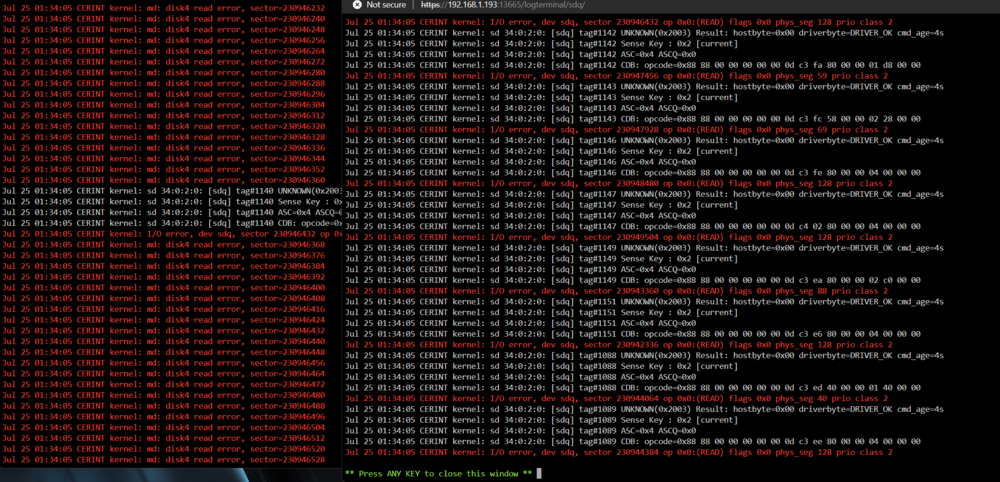
SO i removed all the drives and started adding them back in one by one. Each time doing a "new config" and re-creating the parity. I am at the point where i added drive number 6 and during the parity sync it started showing read errors. I moved the drive to a different slot in tha case and got read errors again. So its not the cables as each slot is connected to a different port/cable. Any other thoughts? Thanks, G
-
These cables connect to a back plane and not individual drives. https://www.amazon.co.uk/ipolex-Internal-SFF-8643-SFF-8087-Foldable/dp/B0868H6L9D/ref=sr_1_4 I would expect thigs to happen in groups of 4 drives. i will move the cables around and see if another drive on another row starts throwing read errors an report back.
-
I am using Mini SAS HD SFF-8643 toSFF-8087 cables. Each on is connected to 4 drives. If it was an issue with the cable shouldn't more than one drives have errors?
-
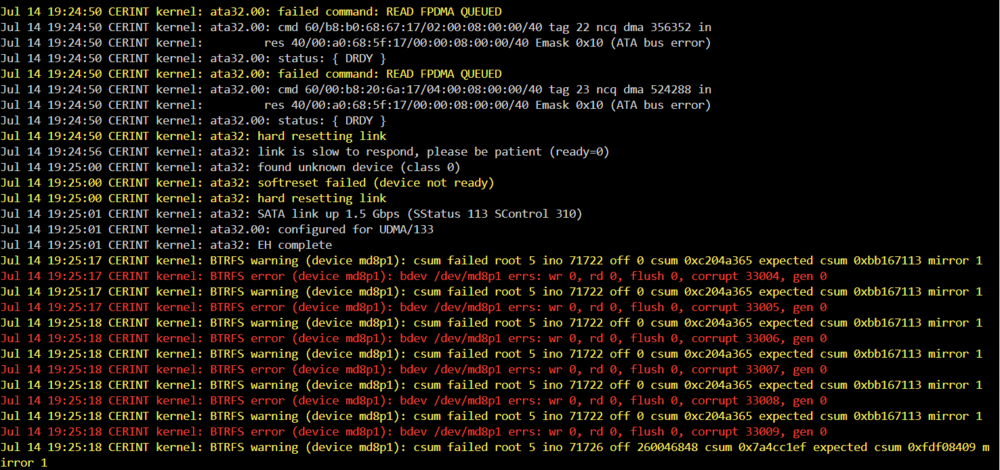
I am getting the logs filled with errors all of the sudden. kernel: BTRFS error (device md8p1): bdev /dev/md8p1 errs: wr 0, rd 0, flush 0, corrupt 32996, gen 0 and failed command: READ FPDMA QUEUED something very odds that I can not find what device is md8p1. its not listed in the tools-> system devices page. I can find the ata32, i think, its the [32:0:0:0] disk ATA ST4000NE001-2MA1 EN01 /dev/sdi 4.00TB but no idea what the md8p1 could be. Also a prity sync is running at the moment and the speed varies from 140 MB/sec to under 5 MB/sec. Any help figuring out what the problem is would be greatly appreciated. Diagnostics are attached. cerint-diagnostics-20240714-1923.zip
-
thanks!
-
Hi all. I have a cache pool made up of 1 and 2 TB drives in raid 1 mode with a total reported space of 8TB. I want to create a VM with a 4TB vdisk. is that possible or does the vdisk need to be smaller that the largest single drive? Same goes for the array? Since UnRaid stores files as a single file and not split among other drives.
-
Thank you @ChatNoir that was a good idea. I disabled the VGA so it was forced to grab the spare GPU. Sad that i need to "lose" my m4000 for display duty but its better than not having output. Maybe now i can fix the IPMI and not need a gpu output.
-
Small update, I did manage to download the IPMIView app. did a search on the network and it didn't find the server. I guess IPMI is turned off. At this point the only option would be a motherboard swap unless there is a way to force the system to switch from the onboard to the spare gpu without using the BIOS.
-
I have already installed a spare GPU that i have but yes my problem is i can't get into the bios and it is still grabbing the onboard first. I also connected the IPMI but i am not seeing a new IP lease in my rooter. So it could be off. I tried to find the IPMIView software tha supermicro provides that can do lookup on the network but the download button on their page (https://www.supermicro.com/en/support/resources/downloadcenter/smsdownload) does not work.
-
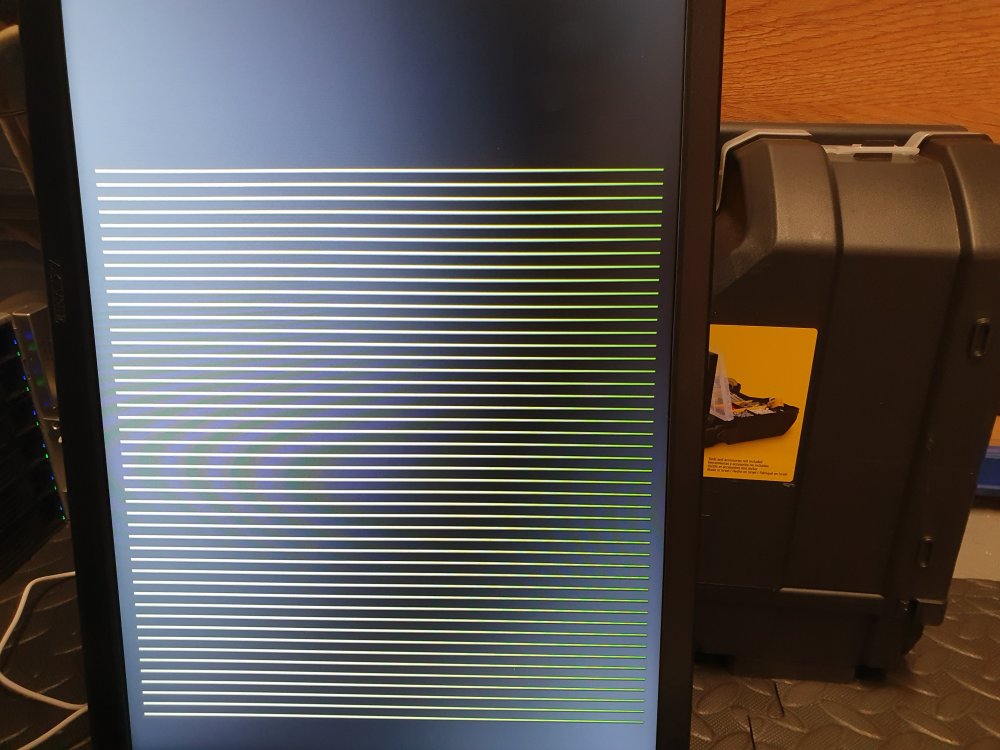
Hello everyone, I am having an issue with my unraid server. For some reason the onboard VGA is outputting a corrupted signal. The monitor recognizes that there is an output but it only displays vertical green lines (see image). I have: Rebooted, changed the vga cable, added a vga to hdmi adapter to use the other port on the monitor, swapped monitors completelly. The server works fine and i have no issues in the UI when i access it via the network. However, i wanted to change some bios settings and swap some hardware and i can't do that if i can not see the direct output of the server. Any help would be appreciated. Server details: Supermicro X9DRH-7TF , Version 1.02 American Megatrends Inc., Version 3.3 BIOS dated: Fri 13 Jul 2018 12:00:00 AM BST Intel® Xeon® CPU E5-2620 v2 @ 2.10GHz Memory: 128 GiB DDR3 Multi-bit ECCstorage-diagnostics-20230902-1701.zip Thanks, George
-
Turns out the problem was the GPU passthrough. Having plex on the vm with a gpu did not work well. I moved plex on docker and used the nvidia driver plugin and now plex is rock solid. I delete the VM as it was only running plex. I dont know why it was freezing before but as it works with docker i'm gona drop it and see if it happens again on another vm with a gpu.


