Everything posted by RGGauld
-
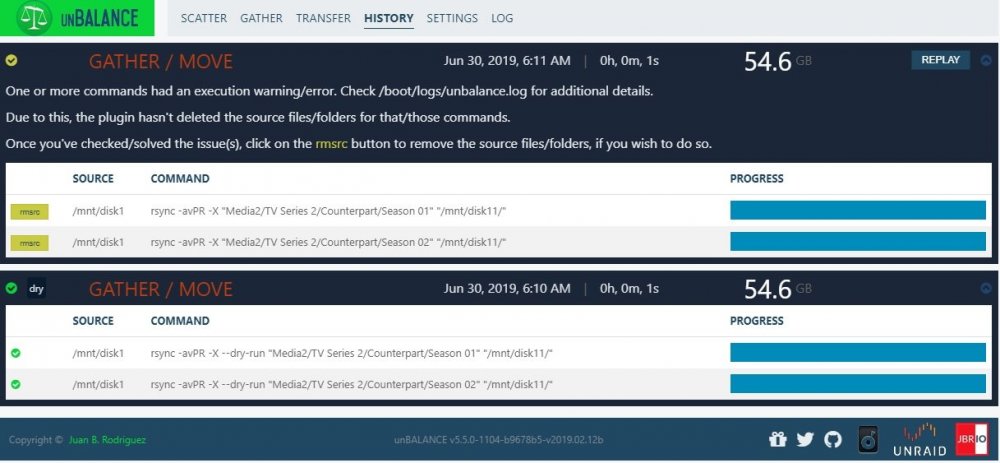
I seem to be having an issue with unbalance... Whenever I run it to move files across my disks, it always ends with an error... After checking the disk the files were supposed to be moved to, I see it made the directory and sub-directories but there are no files within them. It doesn't matter if I use scatter or gather, I end up with the same error... I have tried deleting the .conf file, as well as uninstalling and reinstalling the plugin... unbalance.hist
-
I'm not sure if this is the proper area to post this, but I'm getting this notice from "Fix Common Problems": Write Cache is disabled on disk1: You may experience slow read/writes to disk1. Write Cache should be enabled for better results. Post your diagnostics for other users to confirm this test and advise. NOTE: If this drive is connected to your server via USB, then this test and the fix may or may not work / be accurate as USB support for smartctl and hdparm is hit and miss Write Cache is disabled on disk12: You may experience slow read/writes to disk12. Write Cache should be enabled for better results. Post your diagnostics for other users to confirm this test and advise. NOTE: If this drive is connected to your server via USB, then this test and the fix may or may not work / be accurate as USB support for smartctl and hdparm is hit and miss Also notice the same information when checking Disk 11... All three drives are in external drive bays connected via USB 3. Including screen shot and diagnostics... rg-server-diagnostics-20190518-1524.zip
-
This has been ongoing for the last several releases, I was hoping someone else would have noticed it by now.... The video output from my server's on-board video is way too large... When unRaid gets to the login (GUI) screen, after logging in, I have to decrease the screen size to the smallest possible zoom setting to see all of the screen... This is only in the native video output using the built-in Firefox browser, although the main unRaid login screen is overly large as well... rg-server-diagnostics-20190511-1523.zip
-
No reason, other than I guess they thought i wanted to cancel my account... I just dont like the auto-renewal option... I prefer to renew manually...
-
No, the account was in good standing, and had 20 months left on it... I simply didn't want the auto-renewal on...
-
After all of the issues I've had, it would appear that PIA went ahead and cancelled my account, which was the reason that I couldn't get the docker to work properly... After some time spent with PIA support, they finally refunded my purchase, and I decided to go with another vpn provider... I have since re-configured all the docker containers to the new vpn provider, and they work perfectly! My thanks to Binhex and everyone else who helped me with this problem!
-
My apologies to all who have helped me with this issue.... I finally received a response to my support ticket from PIA.... It seems that because I turned off the auto-renewal option on my account, they decided that my account was no longer active... I'm sorry for suggesting it was an unRAID issue, or a docker issue, as I had no idea PIA would cancel my account... I have since informed PIA that my account is not to be cancelled, considering I paid for a 2 year subscription, and that I'd appreciate it if they would re-enable my account.... I will let you all know what the results are as soon as they fix their error...
-
I am not cutting and pasting (I thought of that some time ago...), I made sure to type in the login details manually... I'm currently waiting on a support ticket with PIA to see if it's something on their end, although I can log into my account on their website using the exact same credentials with no problems.... This issue is becoming more and more frustrating, to say the least... I'm hoping it has something to do with PIA at this point...
-
If its not related to unRAID, then perhaps the docker image itself (current version is 18.06.1-ce), as I remember someone saying I should revert to a previous version of the docker image (not sure how to do that...). I have a support case running with PIA to make sure it is not on their end, and I'm waiting to hear back from them...
-
I have done all of this... I have triple checked all the login details, my account with PIA is active and working... I also run Sabnzbd-vpn and I get exactly the same error, which is why I believe it to be an issue with unRAID or the docker itself....
-
No, there are no non-alpha numerics in my password, just consists of letters and numbers.... I still get the same error... I would really like to get this problem fixed, as paying for a vpn service I cant use is frustrating to say the least.... I still think it has something to do with unRAID, as this docker worked before unRAID updated to version 6.6.x supervisord.log
-
I have changed my password with PIA, and in the settings for Deluge, and I still get: "AUTH: Received control message: AUTH_FAILED" Am I missing something?
-
As per instructions from "theDrell'', here is the supervisord.log log file... supervisord.log
-
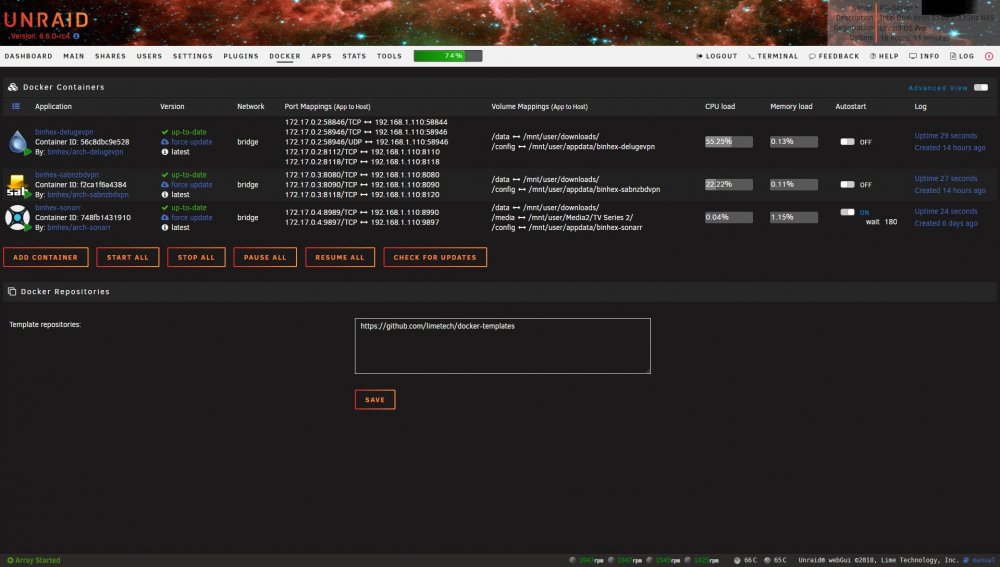
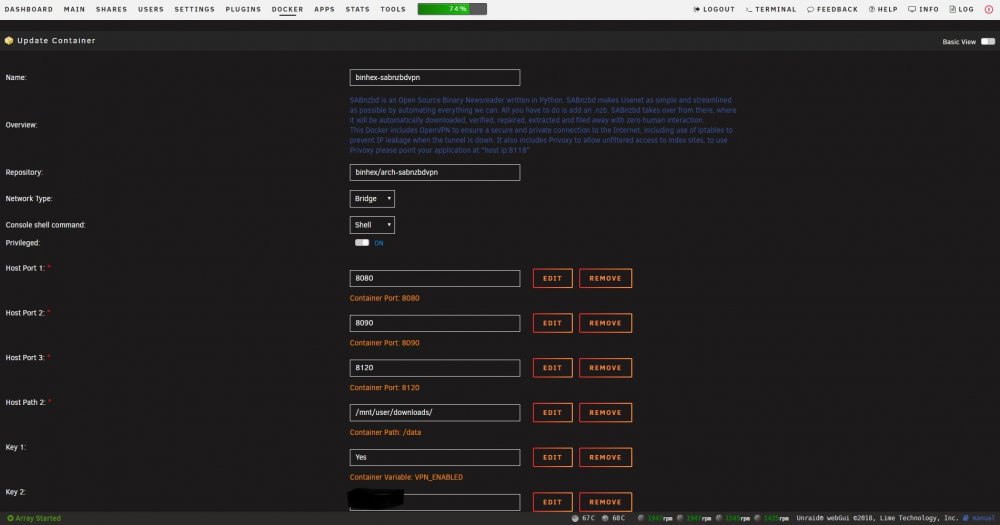
I seem to be having trouble getting binhex-sabnzbdvpn to work in UNRAID v6.6.0.... I have setup my vpn account with PIA and know it to be working... When I try to open the docker with the vpn option enabled, it refuses to connect (unable to open the WebUI), however when I disable the vpn, it connects fine... I had this all working in the previous release of UNRAID, but with this release candidate, I can't get the docker to work when I try to enable the vpn connection. I'm not sure how I can fix this, and would rather not revert to the previous version of UNRAID, as I like this new version. Image 1 shows the docker page. Image 2 shows binhexx-sabnzbdvpn settings. Image 3 shows the error when i try open the WebUI with the "VPN_ENABLED" set to yes. rg-server-diagnostics-20180922-0641b.zip

-
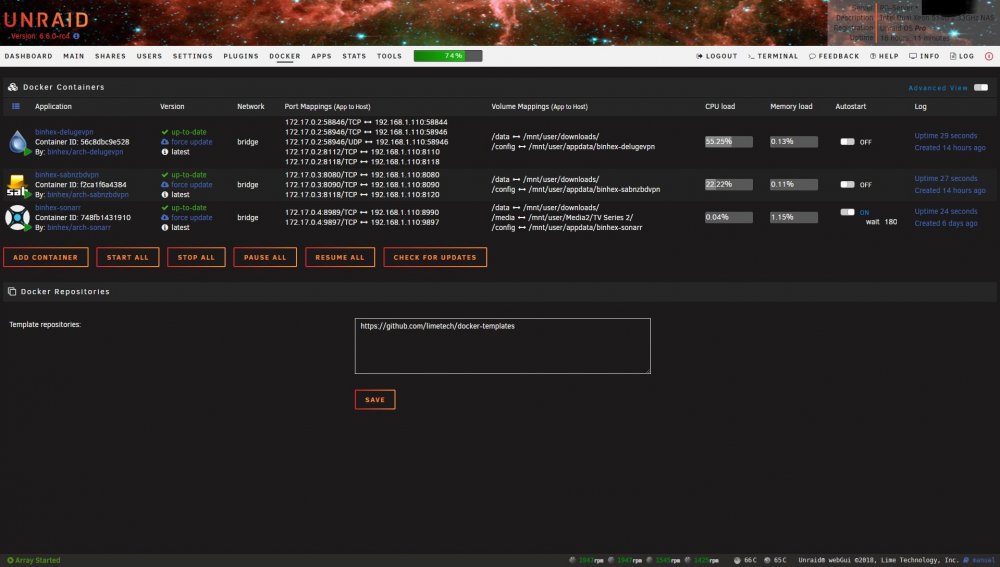
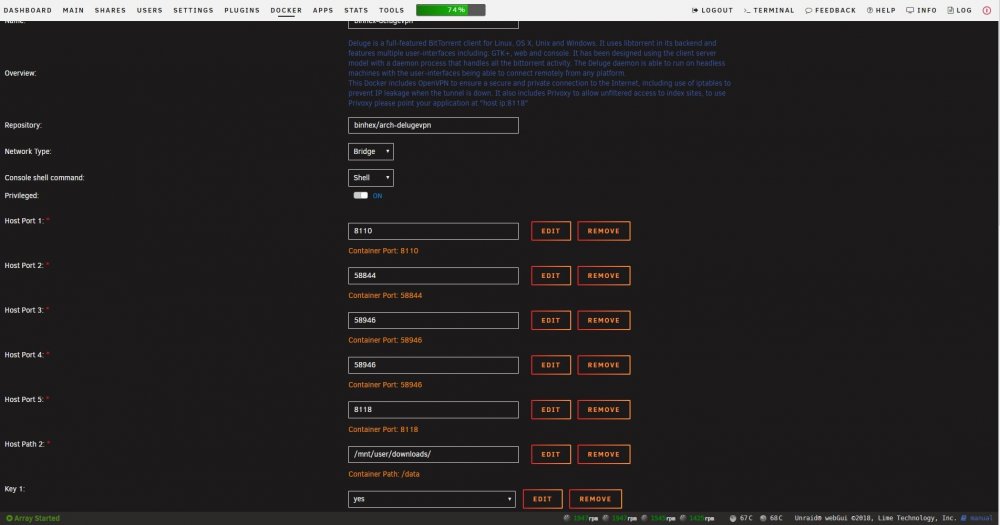
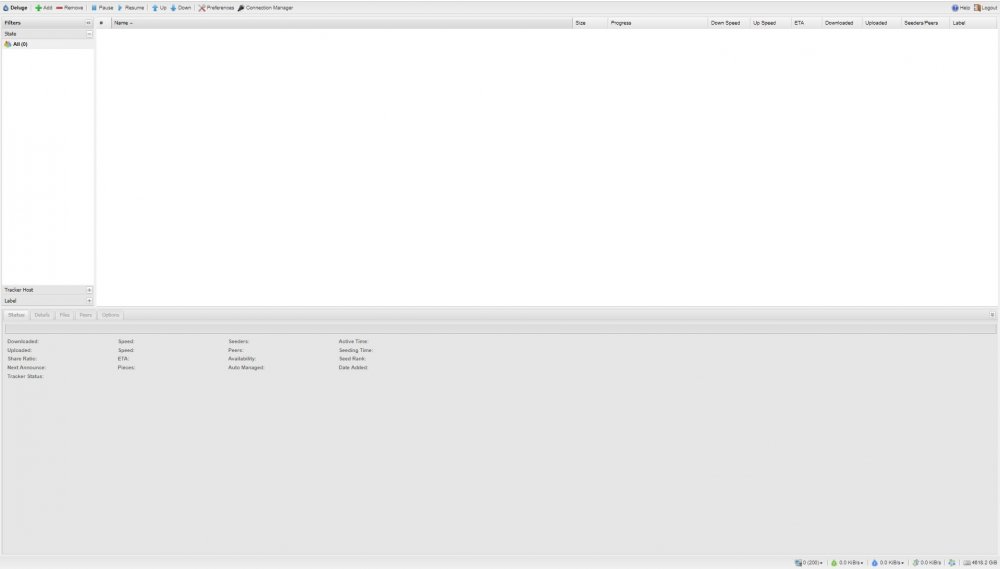
I seem to be having trouble getting binhex-delugevpn to work in UNRAID v6.6.0.... I have setup my vpn account with PIA and know it to be working... When I try to open the docker with the vpn option enabled, it refuses to connect (unable to open the WebUI), however when I disable the vpn, it connects fine... I had this all working in the previous release of UNRAID, but with this release candidate, I can't get the docker to work when I try to enable the vpn connection. I'm not sure how I can fix this, and would rather not revert to the previous version of UNRAID, as I like this new version. Image 1 shows the docker page. Image 2 shows Deluge-vpn settings. Image 3 shows the error when i try open the WebUI with the "VPN_ENABLED" set to yes. Image 4 shows the WebUI when the "VPN_ENABLED" set to no. rg-server-diagnostics-20180922-0641b.zip

-
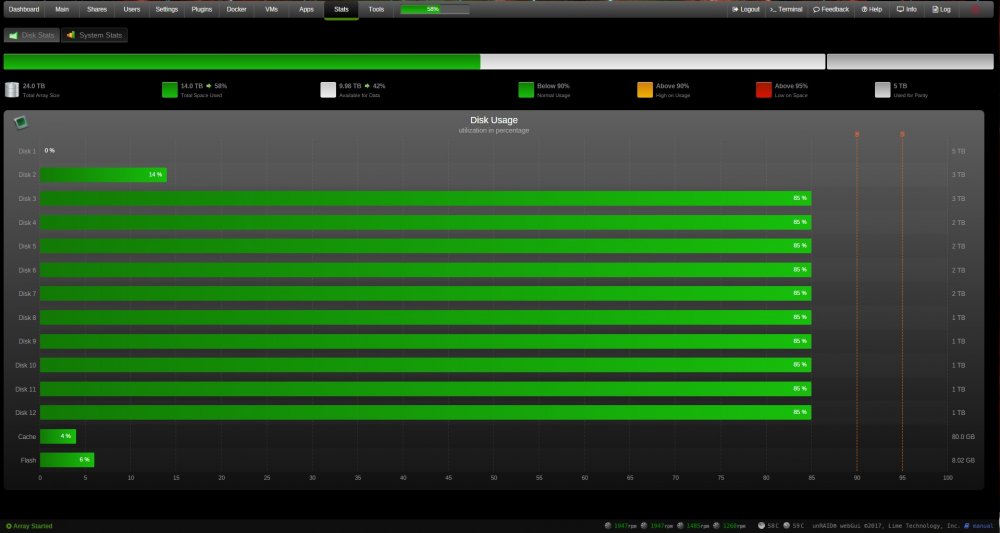
What would you suggest filling the available hard drives to? I have my array set to fill approx. 85% of my drives....
-
thanks for the update! I no longer receive that message when I boot unRAID now... Boot up screen show no errors, and the unBALANACE interface works great! Thanks for your help!
-
I seem to be getting this every time I start unRAID: "/bin/bash: line 3: /usr/local/emhttp/plugins/unbalance/scripts/stop: No such file or directory"