





Everything posted by RGGauld
-
I don't have the CA config editor plugin installed....
-
to reply to both issues, with your help I've solved the array autostart issue. It was an external eSATA Raid enclosure that was causing the problem. I've removed it from the array, and the autostart is working properly again, (although I'm at a loss to explain why, as it was working fine before). As to the slow WebUI, I've narrowed it down to the "Unraid Connect" plugin... After installing it, the slow WebUI issue returned... I uninstalled it, and the WebUI response time went back to normal... obviously there is an issue with the "Unraid Connect" plugin.
-
ok, I've removed all the plugins, and the problem seems to be fixed... I've reinstalled a few of the plugins I had before, and so far, so good... However, now for the life of me, I can't get the array to autostart... configuration is valid (although I'm not running a parity disk, as I have no need for it). I have "autostart" enabled in disk settings, but the array just won't start automatically... I've tried using the "new config" option, but still no joy... I'm at a loss... posting diagnostics... rg-server-diagnostics-20230916-1036.zip
-
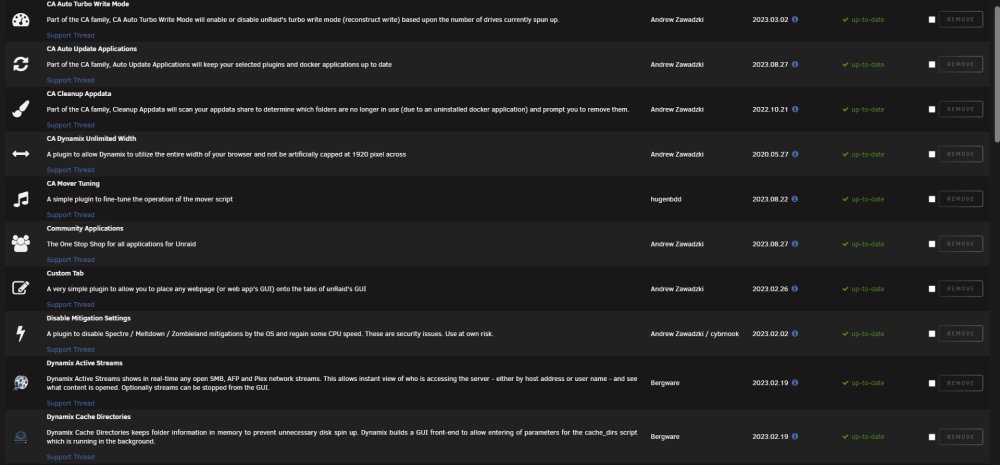
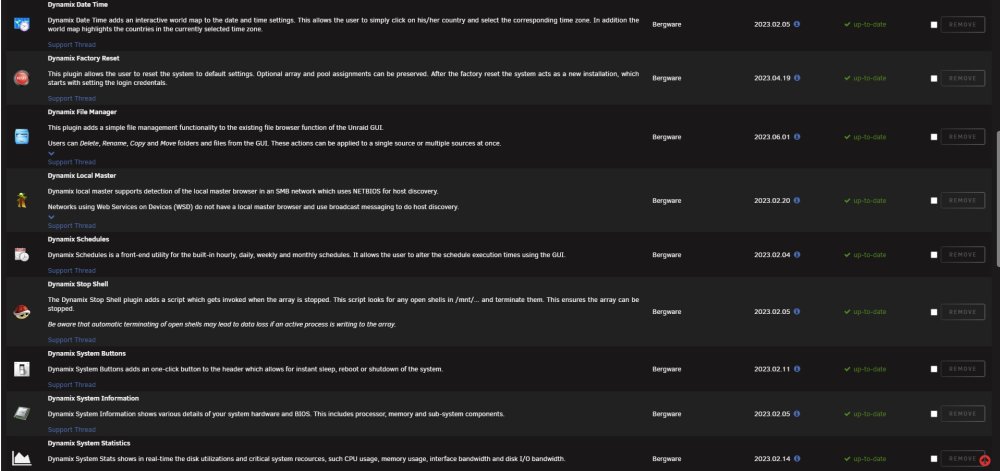
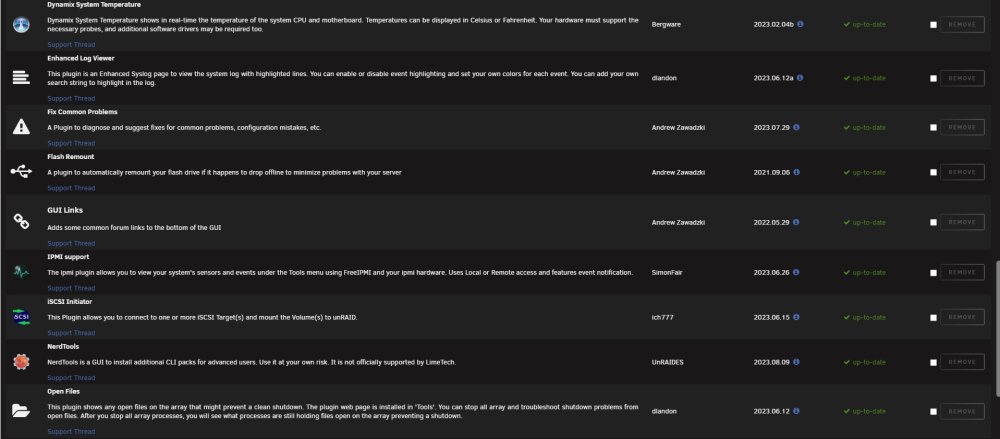
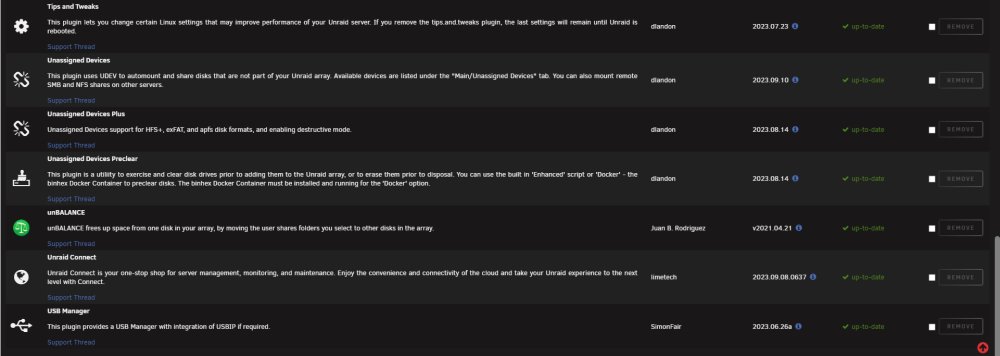
ummmm, because I find them useful... I assume I have to remove all of them?
-
So I have to remove them all? I have several pages of them...
-
No, I don't see the same running in safe mode... So what do I do from here? upon a regular boot, web ui response is brutally slow, but in safe mode, the problem is no longer there... Is it ok/safe to run in safe mode for the time being? at least until the problem is resolved? All I can see is the plugins are not loaded, but all the docker containers still run...
-
I have also tried using different browsers (Chrome, Edge, etc.), with no difference in the unraid webui... it's still slow to respond...
-
This has only happened recently... (possibly after upgrading unraid to v6.12.4)? Any tab I click on takes a lot longer to respond and change the webui... attaching diagnostics as well as the syslog... rg-server-diagnostics-20230909-0946.zip syslog
-
Thank you everyone for your help! I've uninstalled and re-installed the app, which has reset the initiator name back to default. As for Unraid not being able to connect, it was because the Windows 11 iSCSI initiator was connected... As soon as I disconnected it, Unraid connected to it no problem! Problem solved! thanks again for all the help!
-
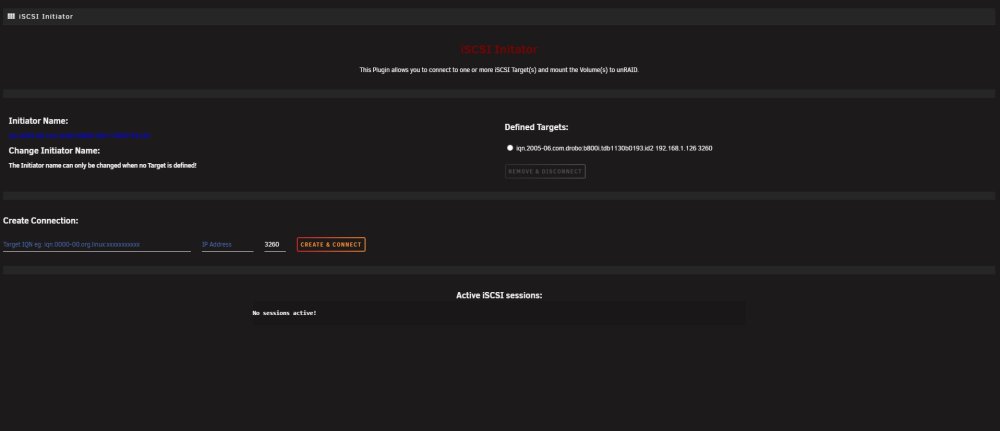
I tried it with both... The first time I left it at the default (iqn.unraid.etc), then changed it to match the drobo unit... There isn't a lot of help on the Drobo unit, and it's not ideal.... However, I got it for free, so... Still would like to figure out why I can't get Unraid to connect to it, considering the Windows 11 iSCSI initiator connects to it just fine, without having to change any ACL settings... MTU is set to 1500, as Windows 11 is, and the port is 3260.... Any other ideas?
-
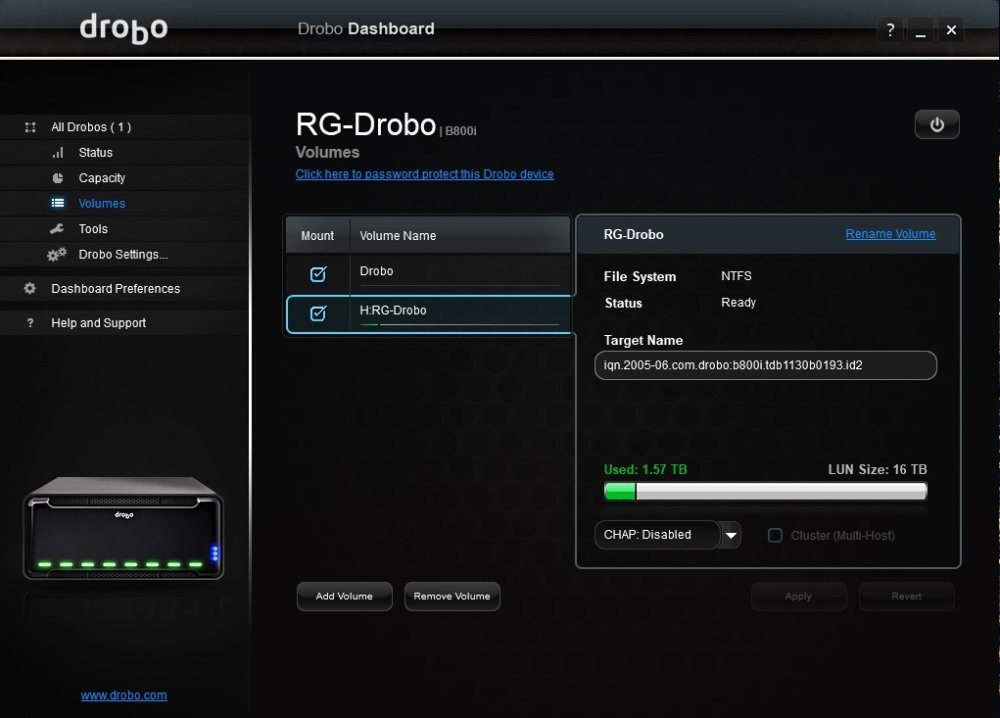
There is no ACL on the Drobo target that I can find...
-
I have double checked my setup... as far as I know, the Drobo unit I'm trying to connect to has no authorization settings enabled... The iSCSI initiator running on my windows desktop connects to it just fine, and doesn't require any authorization.
-
seems I can't get my drobo b800i to connect.... Jan 2 10:36:22 RG-SERVER kernel: connection1:0: detected conn error (1020) Jan 2 10:36:22 RG-SERVER iscsid: connection1:0 login rejected: initiator failed authorization with target Jan 2 10:36:22 RG-SERVER iscsid: Connection1:0 to [target: iqn.2005-06.com.drobo:b800i.tdb1130b0193.id2, portal: 192.168.1.126,3260] through [iface: default] is shutdown. Jan 2 10:36:25 RG-SERVER flash_backup: adding task: /usr/local/emhttp/plugins/dynamix.my.servers/scripts/UpdateFlashBackup update Jan 2 10:36:57 RG-SERVER kernel: scsi host43: iSCSI Initiator over TCP/IP Jan 2 10:36:57 RG-SERVER kernel: connection2:0: detected conn error (1020) Jan 2 10:36:57 RG-SERVER iscsid: connection2:0 login rejected: initiator failed authorization with target Jan 2 10:36:57 RG-SERVER iscsid: Connection2:0 to [target: iqn.2005-06.com.drobo:b800i.tdb1130b0193.id2, portal: 192.168.1.128,3260] through [iface: default] is shutdown. Jan 2 10:38:19 RG-SERVER emhttpd: spinning down /dev/sdc Jan 2 10:38:24 RG-SERVER iscsid: semop down failed 22 Jan 2 10:38:24 RG-SERVER iscsid: iSCSI logger with pid=5250 started! Jan 2 10:38:25 RG-SERVER flash_backup: adding task: /usr/local/emhttp/plugins/dynamix.my.servers/scripts/UpdateFlashBackup update Jan 2 10:38:25 RG-SERVER iscsid: iSCSI daemon with pid=5251 started! Jan 2 10:38:57 RG-SERVER kernel: scsi host43: iSCSI Initiator over TCP/IP Jan 2 10:38:57 RG-SERVER kernel: connection3:0: detected conn error (1020) Jan 2 10:38:58 RG-SERVER iscsid: connection3:0 login rejected: initiator failed authorization with target Jan 2 10:38:58 RG-SERVER iscsid: Connection3:0 to [target: iqn.2005-06.com.drobo:b800i.tdb1130b0193.id2, portal: 192.168.1.126,3260] through [iface: default] is shutdown. Jan 2 10:39:09 RG-SERVER kernel: scsi host43: iSCSI Initiator over TCP/IP Jan 2 10:39:09 RG-SERVER kernel: connection4:0: detected conn error (1020) Jan 2 10:39:10 RG-SERVER iscsid: connection4:0 login rejected: initiator failed authorization with target
-
anyone? it appears over and over: "May 1 07:44:14 RG-SERVER rsyslogd: omfwd/udp: socket 5: sendto() error: Network is unreachable [v8.2102.0 try https://www.rsyslog.com/e/2354" and this: "May 1 07:44:14 RG-SERVER kernel: ACPI BIOS Error (bug): AE_AML_BUFFER_LIMIT, Field [CPB3] at bit offset/length 64/32 exceeds size of target Buffer (64 bits) (20210730/dsopcode-198)" "May 1 07:44:17 RG-SERVER kernel: bond0: Warning: No 802.3ad response from the link partner for any adapters in the bond" "May 1 07:45:39 RG-SERVER emhttpd: Warning: Invalid argument supplied for foreach() in /usr/local/emhttp/plugins/customtab/scripts/createTab.php on line 33"
-
sorry for the delay... here is my syslog and a new diagnostics... rg-server-diagnostics-20220514-0832.zip syslog.log
-
I don't have it enabled, but I will re-enable it and post it when it's ready to upload...
-
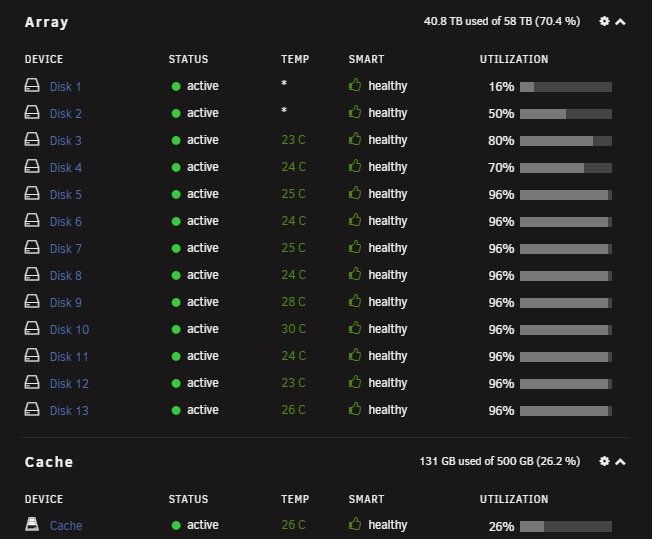
No, I have no warnings on the dashboard... I do see this a lot in the log file, it appears over and over: "May 1 07:44:14 RG-SERVER rsyslogd: omfwd/udp: socket 5: sendto() error: Network is unreachable [v8.2102.0 try https://www.rsyslog.com/e/2354" and this: "May 1 07:44:14 RG-SERVER kernel: ACPI BIOS Error (bug): AE_AML_BUFFER_LIMIT, Field [CPB3] at bit offset/length 64/32 exceeds size of target Buffer (64 bits) (20210730/dsopcode-198)" "May 1 07:44:17 RG-SERVER kernel: bond0: Warning: No 802.3ad response from the link partner for any adapters in the bond" "May 1 07:45:39 RG-SERVER emhttpd: Warning: Invalid argument supplied for foreach() in /usr/local/emhttp/plugins/customtab/scripts/createTab.php on line 33" I'm posting my diagnostics again as well as my syslog... And no, I guess I'm not quite a noob, but I'm no master either! rg-server-diagnostics-20220501-0907.zip rg-server-syslog-20220501-1505.zip
-
ok, attaching diagnostics... rg-server-diagnostics-20220430-0932.zip
-
Success!! I was able to still access the files in the config folder of the failing drive and copy it's contents to the new flash drive... Thank you your help!
-
ok, I will look into that... bear with the noob...
-
How do I copy my configuration to the new flash?
-
I recently had to replace the main flash drive UnRaid is installed on, and while the transfer to the new flash drive was relatively painless, I'm having trouble getting the docker apps to work... They show up on the docker list, but I'm unable to start them, or restore them from a backup.
-
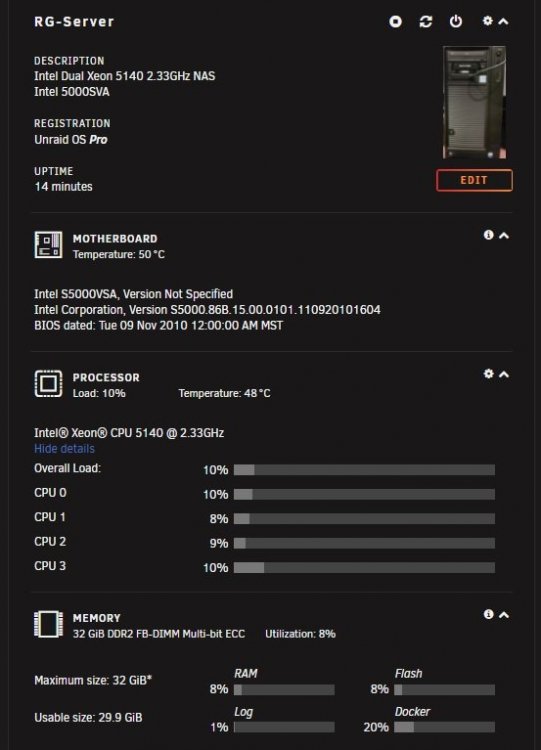
I recently upgraded my server's memory from 16GB ECC to 32GB ECC and I'm not sure if it's all being recognized/used. The BIOS only shows 16GB, but when I start UnRaid the dashboard shows 32GB. I'm including logs... I was hoping someone could tell me if UnRaid is using all 32GB, or only 16GB... rg-server-diagnostics-20220221-1109.zip syslog.log
-
Finally figured out the issue! Turns out the power supply was the problem... I guess it's time was up... Replaced it, and so far, so good! no more random lockups....
-
great... that figures! I don't understand how a system that used to run perfectly now is basically a giant friggin paperweight!





