





Everything posted by RGGauld
-
Could someone please look at this and tell me why my P.O.S. server is randomly locking up? I'm sick and tired of having to reboot it 4 or 5 times in one day, and then it'll run fine for the next 3-4 days, then it'll randomly lock up again... I've tried everything! new SATA controllers, new memory, new cabling... I'm at my wits end! rg-server-diagnostics-20211228-0734.zip syslog.log
-
strange thing is, these random lockups only just started happening in the last month... it was rock solid before that....
-
Ok, I'm at a loss.... a previous post here mentioned that marvell based controllers are not recommended, hence replacing it with the Asmedia ASM1166 controller. "There are a few port multiplier related errors but there's nothing crash relevant logged, this usually indicates a hardware problem." any other suggestions then? is there anything in the logs?
-
I replaced the marvell based 6 port controller card with the recommended Asmedia ASM1166 6 port controller... However, I'm still experiencing random lockups... and then frustration set in as this was another expense that hasn't solved the problem... Including diagnostics and syslog... rg-server-diagnostics-20211220-0613.zip syslog-192.168.1.110.log
-
do'h! posted the wrong logs... these are the correct ones.... rg-server-diagnostics-20211113-1301.zip syslog.log
-
One thing I have tried is disabling the disk spin down... seems to have helped for the most part, until the other day when it locked up again... I'm including diagnostics and syslog again... rg-server-diagnostics-20211030-0630.zip rg-server-syslog-20211030-1243.zip
-
So what can I do at this point... I can't change the hardware, so is there any changes I can make to the settings to prevent the server from locking up? It is happening much more frequently now...
-
-
and again... another random lockup... posting diagnostics and system log... rg-server-diagnostics-20211102-1219.zip syslog-192.168.1.110.log
-
this has been ongoing for some time now... literally just did it again... posting diagnostics and syslog... (there appears to be 2? posting both) rg-server-diagnostics-20211031-1156.zip syslog.log syslog.txt
-
I had syslog server running when I posted the diagnostics....
-
Also getting random server lockups... including diagnostics... rg-server-diagnostics-20211023-0833.zip
-
Also getting random server lockups... I have no idea as to why, as this has only just recently started happening... Including a diagnostics report.... rg-server-diagnostics-20211023-0833.zip
-
Thank you... I did have that /data path mapped to the NAS instead of the server... now that I have changed it, it appears to be working now... Thanks a million for your help!
-
the log shows: "Import failed, path does not exist or is not accessible by Sonarr: /data/complete/*****************US S16E01 1080p WEB H264-XLF" But what confuses me is Radarr is also set to move files to the NAS, and also uses the same SABnzbd that both versions of Sonarr use... Whenever Radarr downloads a file through SABnzbd, it moves the file to the NAS with no issues, and I don't have any remote paths setup there... Radarr is set to "movies" as a category in it's download client setups, just as Sonarr is set to your suggestion of "tv-current" and "tv-ended"...
-
Recent update... just tried it and after SABnzbd finished downloading the file, it wont move it to the NAS... when I check the activity tab in Sonarr, I see this: (Soanrr error.jpg). Weird thing is, I have Radarr setup an running as well, and it also has to send the files to the NAS, which it does with no problems...

-
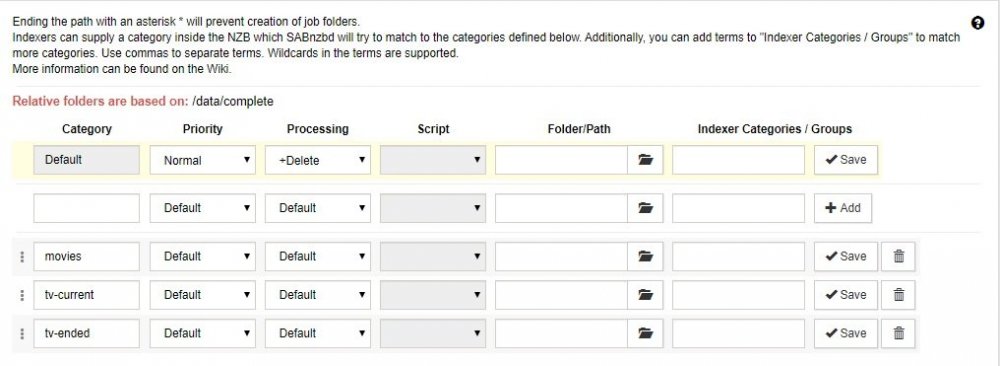
so, I don't need to setup different paths in the one running version of SABnzbd? (see SAB setup.jpg)… My question is the "Folder/Path" section... just leave it blank or do I have to input paths... Also note that tying all this together, the tv-current shows are on a Asustor NAS, while the tv-ended shows, as well as all the apps are on the UnRaid server. So the tv-current running version of Sonarr media is mapped to the NAS... I assume that means Sonarr will do all the file moving, etc?
-
I have a question: Is it possible to run 2 copies of this app? The reason is hard to explain, suffice to say I have 2 copies of Sonarr running to monitor 2 sets of TV Shows and I need to know if I can run 2 copies of SABnzbdvpn… the TV Shows I have split between current and ended, and one copy of Sonarr monitors the current TV Shows while the other copy of Sonarr monitors the ended TV Shows... I'm trying to setup the Sonarr that monitors the current TV shows, and as it has different paths, etc, I can't use the same SABnzbdvpn that is running with the other Sonarr that monitors the ended TV Shows... I'm hoping this makes sense to someone, and that I can get some help with this...
-
Excellent job! your new version does the trick! I just wanted to say thanks, as I use your program a lot! Thank You very much! 😁
-
thank you! I appreciate it!
-
any word on a fix on this issue yet? I notice that with the new unRaid version 6.8.0-rc3 it still won't work...
-
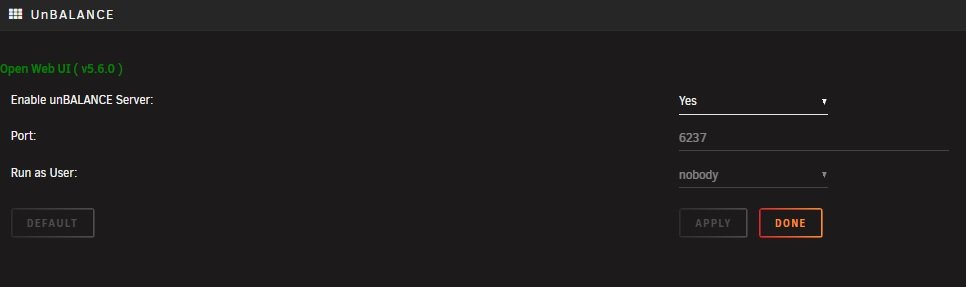
So, in the unbalance settings on the settings page, should I change it from 6237 to 6238?
-
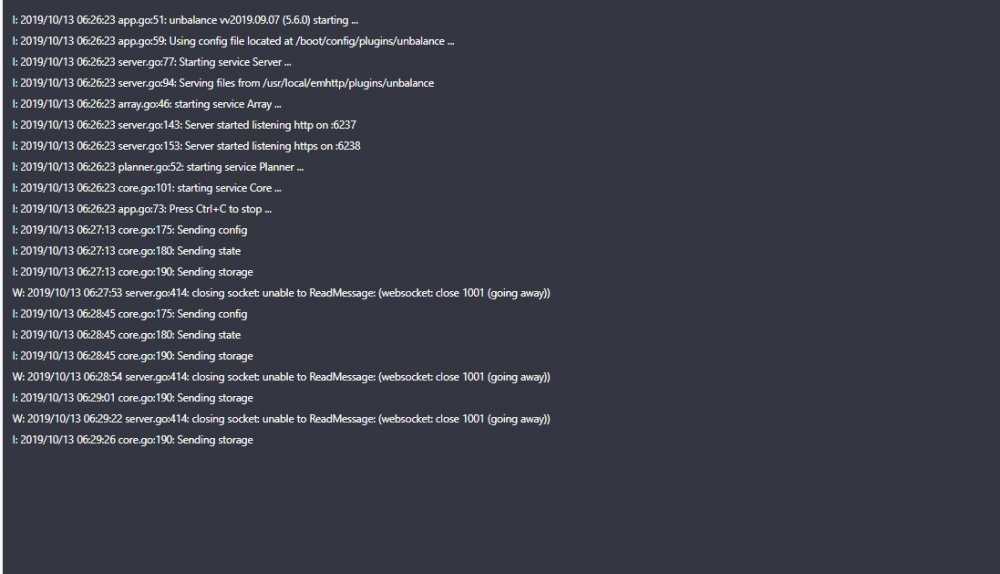
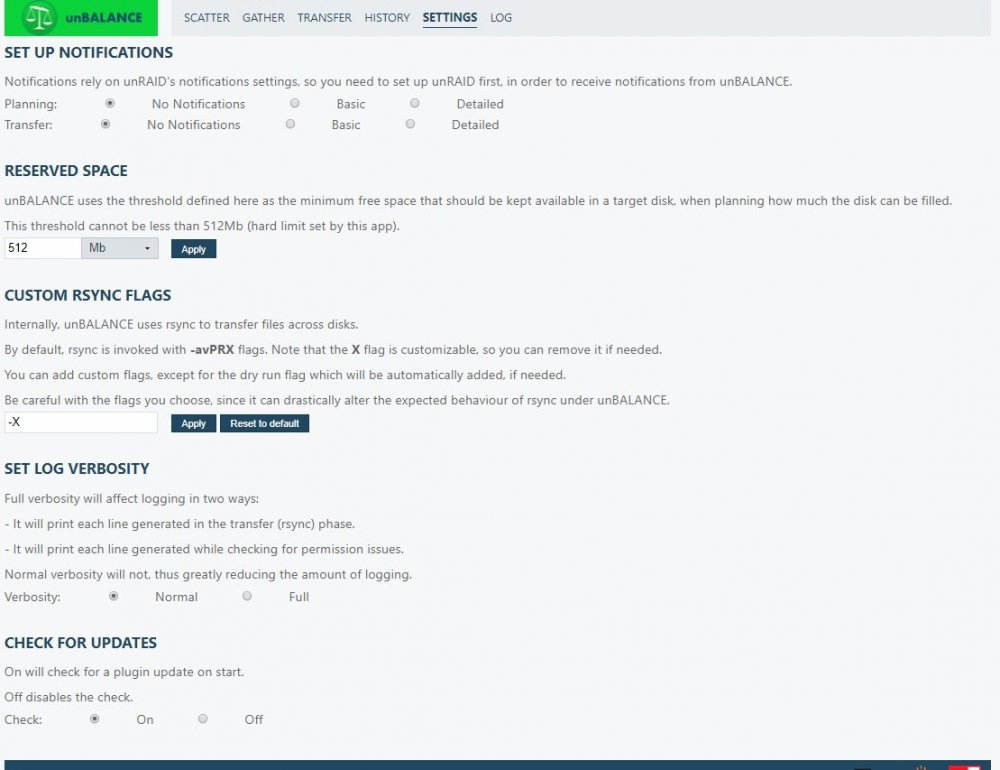
Having the same issue as well... unbalance wont run unless started from a command line... Also, I've been having this problem for a while now... unbalance is set to use port 6237, and yet when I try to open it using said port, it won't run... However, if I run it using port 6238, it works fine... Am I missing something here? I've attached image files and the log in the hopes this can be fixed... unbalance.log
-
In regards to unbalance not working, this was your response: "Hi, checked the logs, there are several successful gathers, and towards the end of the log, some attempts that get flagged due to flag:(rsync: failed to set times on "/mnt/disk11/Media2": Operation not permitted (1)) Not sure what's the issue with that share (Media2), but for some reason rsync can't set times on it." I added the -O switch to the settings, Custom RSYNC Flags, and it appears to have solved the problem... Also, I've had an issue where the setup for unbalance specifies port 6237, but I can't get the plugin to work unless the web page I open uses ********:6238.... not a big deal, just weird....
-
Log file as requested... unbalance.log




