





Siwat2545
Members
-
Joined
-
Last visited
Everything posted by Siwat2545
-
Try to install, deleting all related directory and file then start fresh.
-
Screenshot the onlyoffice container config page for me. also is this the onlyofficeds container of the onlyofficecs container
-
Logs would be very helpful Sent from my Pixel 3 using Tapatalk
-
This should not happen, try nslookup in the morning and the other time when it work and check if it's the same (Use wireshark to find the domain) You could set it to adguard dns but you will have no data log on the dashboard and no permissive block
-
The onlyoffice container only serve as an editor, It does not store your document. The only attack vector is flooding.
-
Oh!: run "rm -rv /mnt/user/appdata/onlyofficeds" while the container is stopped and try again. Sent from my Pixel 3 using Tapatalk
-
Click on the container icon and click edit the take a screenshot
-
Can I have a screenshot of your onlyoffice document server configuration? Sent from my Pixel 3 using Tapatalk
-
Can you try "rm -rv /mnt/user/onlyofficeds" and try again? Sent from my Pixel 3 using Tapatalk
-
Container Template Updated , Temp Directory added.
-
Try nuking the onlyoffice directory Sent from my Pixel 3 using Tapatalk
-
Click show more settings and take a screen shot also run tree on your appdata onlyoffice folder and post the output Sent from my Pixel 3 using Tapatalk
-
Can I have your Container Config page screen shot? Also can you try enabling priverage mode Sent from my Pixel 3 using Tapatalk
-
Can I see your log and config tree?
-
Your config is utilizing a plug-in that is not installed please install it by adding the package name in the packages field
-
Can I have your container log please
-
Set it to host mode and send me the container log
-
You could try to fork my Dockerfile and add your custom ffmpeg to it use FROM siwatinc/homebridge_gui_unraid RUN [YOUR COMMAND]
-
Just change the port to any free one
-
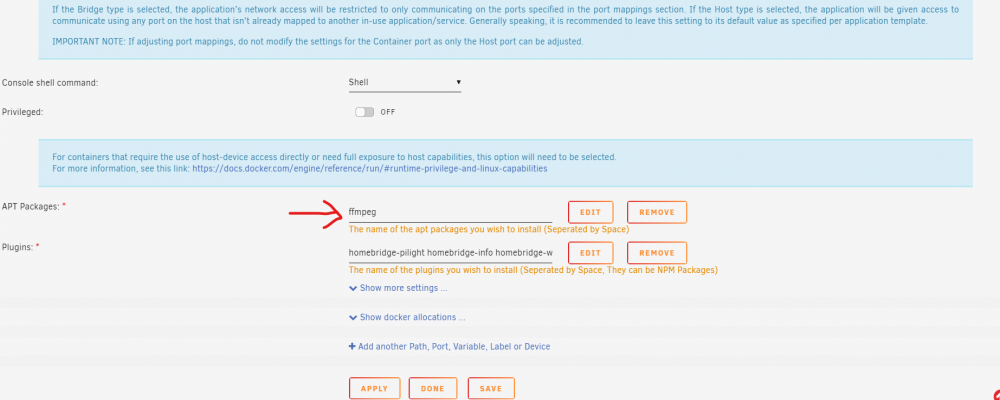
add libfdk-aac-dev to the end of that box
-
Add it to apk packages environment variable Sent from my Pixel 3 using Tapatalk
-
Yea Its my fault I need to edit the [WebUI=
-
What exactly is the output (error message)? btw set it to 192.168.0.1.3 no 192.168.1.3:80
-
No change the network type to custom and the IP is (container static IP):80
-
The default network value must be changed to use its own IP address
