





Kewjoe
Members
-
Joined
-
Last visited
-
1. Remove the current plugin 2. go to Plugins section > Install Plugins 3. Enter the below URL and Press "Install" https://raw.githubusercontent.com/b3rs3rk/gpustat-unraid/6cf1b1e96bc8cd5c1cf7ac8fefea1271d8891e26/gpustat.plg
-
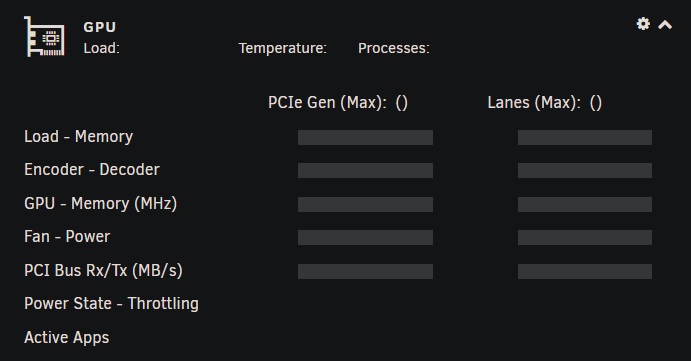
I'm having the N/A issue. Running 'cd /usr/local/emhttp/plugins/gpustat/ && php ./gpustatus.php' gave a fatal error. Running 6.11.5, latest Nvidia and GPU Stat plugin. Plugin was working fine since it came out. While running the commands i've attached, there was an Emby transcoding going on. gpustat.txt gpustatus.txt nvidia-smi.xml
-
Thanks @ljm42 I had the latest version on both servers. The 'unraid-api restart' fixed it. Needed to run it twice on one of the servers, but now both are working.
-
Both of my servers have a message in the dropdown "My Servers Error - Graphql is offline". In the Servers Dashboard on the forum both servers show as offline. I tried logging out and logging back in but it didn't help. Anyone seen this before?
-
I'm using the cloudflare ddns docker. It was working fine, but i noticed today it was not updating my ip with cloudflare any longer. I get the following error in the logs: ERROR: Failed to update CloudFlare DNS record <redacted zone> from <redacted ip> to ;; connection timed out; no servers could be reached I've tried restarting the docker. All other dockers or anything else on my unraid server is not having any kind of connectivity issue.
-
Is this true for everyone? or only @Kopernikus?
-
You shouldn't be using the internal docker IP for any of the configs. You need a custom docker network, then you'll be able to refer to the docker name instead of an IP address. Check out Ibracorp's video on Docker Custom networks: or Spaceinvaderone's video on Reverse Proxy with Swag:
-
Anyone having an issue where embystat doesn't remember your password? i get logged out.. and it won't log me back in. i reset, get the password from log and i get it.. Next time, i try that same password and nothing again. I tried changing it once i get in after resetting to no avail. Every logout requires a password reset.
-
I think you'll be to enable encryption again and try running the decrypt again. Then disable again after. Sent from my ONEPLUS A3000 using Tapatalk
-
The data is decrypted in place. Wherever you mounted your Nextcloud so /mnt/user/Nextcloud/<username>/files/ You can do it either way. 1) leave the data where it is, wipe your container and your appdata and start over. and just mount the data again. or 2) move the data out, somewhere (verify it looks fine) and wipe it all out and start over.
-
Yes, exactly. Sent from my ONEPLUS A3000 using Tapatalk
-
run occ encryption:status and ensure encryption is enabled. Then run occ encryption:decrypt-all. If it finishes without error and all files are decrypted you can disable encryption.
-
@Tucubanito07 I'm not sure. With the amount of problems you're having, I would consider backing up your data and starting over from scratch. Verify your backup to ensure the files aren't encrypted after copying them out.
-
ah. Preview Generator doesn't work when using encryption. I used to be encrypted, but decrypted and disabled it. I realized, i was already on an encrypted drive in unraid, didn't need the double encryption. can you be more specific about the www-data? Where are you seeing it?
-
I don't notice anything wrong. Maybe try upgrading to 16.0.9 first. If that works, then try jumping to 17? https://nextcloud.com/changelog/#latest16

