TechMed
Members
-
Joined
-
Last visited
-
-
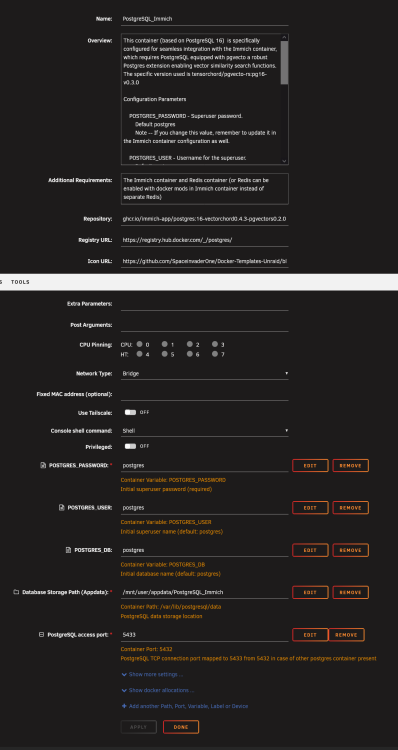
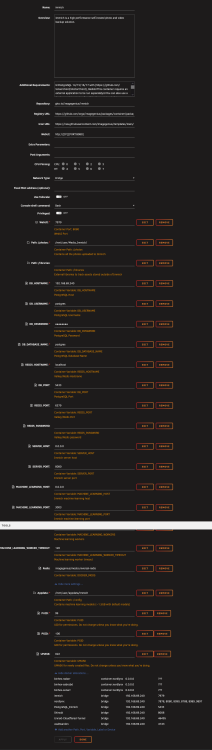
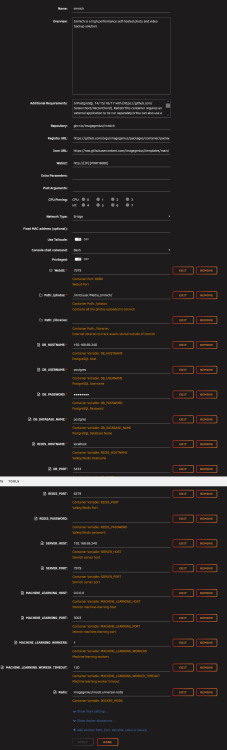
@JorgeB Finally! 🎆 Many many many thanks!!!! I haven't uploaded anything yet as I still have a few questions. What are your thoughts on container "updates"? For example, Immich has an update right now. Do I avoid it/them or wait until there is an update for the db AND Immich, or... If you have any additional info to impart, generally speaking, I'd appreciate it. (I now need to work on VaultWarden; they both took a dump simultaneously...UGH) I am attaching pdf's of my ProgressSQL and Immich container setup files so if anyone else runs across similar issues. Really appreciate you hanging in there with me to get this working!!! 🍻🍻 on it's way!

-
@JorgeB Good evening... Thanks again.... Please see attach. This run of code just keeps looping... Immich_log_for_JorgeB.txt
-
Hi Jorge, No good. It/they ran for 8-10 hours before I touched them. I am attaching a video of the log to show "IMMICH" just looping and based on what I can tell, never attaching to the db. Nothing has been changed since here... I am going to be gone for the day, but would like to work through this. During my initial research it appears others are having semi-similar issues and perhaps this will help them get it running. Like I mentioned, I liked Immich (save the video upload issue) very much. I have no problem tossing a couple of bucks someone's way too, if it gets stable...for me. All that said...thanks again for hanging in there with me. immich (DarkTowerBeams) — Mozilla Firefox 2026-10-17 10-47-07.mp4 PostgresSQL_1017_log.pdf Immich_1017_log.pdf
-
Got it. I have to go out for a while today, so I am going to start them now and check them when I get home. Until then... 👍
-
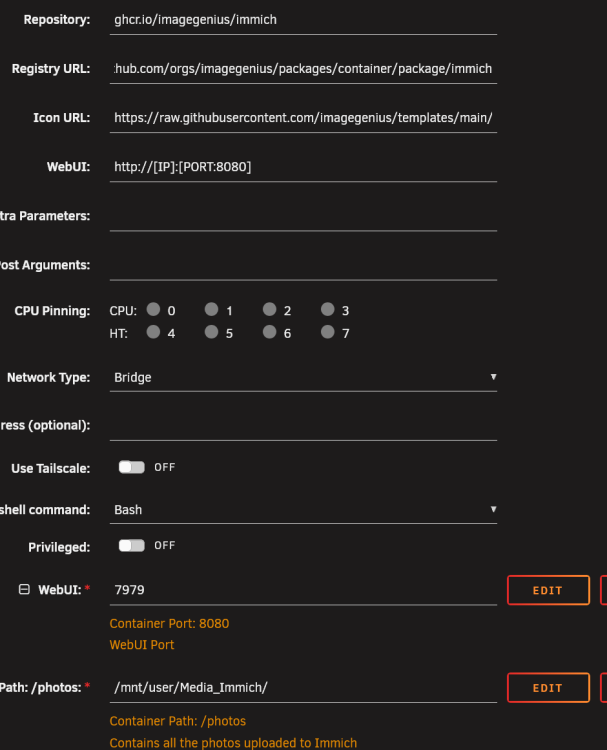
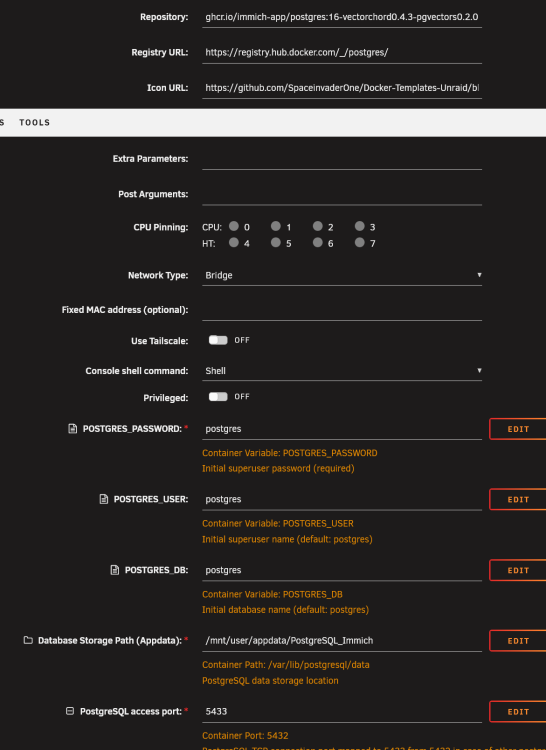
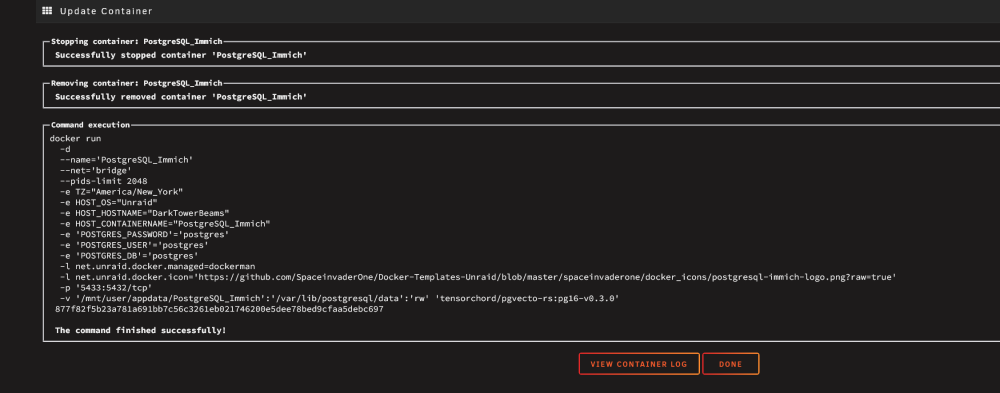
Hi Jorge, First, I cannot thank you enough for your assistance!!! Seriously! So I tried twice to utilize your instructions. However, the database (PostgresSQL) keeps stopping (Log attached). The curious point is, log does show "database system is ready to accept connections", then makes a U-Turn and receives a "fast shutdown request". It appears to be coming from command "/usr/local/bin/docker-entrypoint.sh: ignoring /docker-entrypoint-initdb.d/*" Why is it ignoring it? was it not created? Here are the items you requested... (A million 'thanks' again!) >>>>>>>>>>>>>>>>>>>>>>>>>>>>>>>>>>>>Immich Repo>>>>>>>>>>>>>>>>>>>>>>>>>>>>>>>>>>>> (LOG BELOW) <<<<<<<<<<<<<<<<<<<<<<<<<<<<<<<<<<<<<<<<<<<<<<<<<<<<<<<<<<<<<<<<<<<<<<<<<<<<<<<<<<<<<<<<<<<<<<< >>>>>>>>>>>>>>>>>>>>>>>>>>>>>>>>>>>>>>PostgresSQL Repo >>>>>>>>>>>>>>>>>>>>>>>>>>>>>>>>>>>>>>>> (LOG BELOW) <<<<<<<<<<<<<<<<<<<<<<<<<<<<<<<<<<<<<<<<<<<<<<<<<<<<<<<<<<<<<<<<<<<<<<<<<<<<<<<<<<<<<<<<<<<< Immich_log.pdf PostgresSQL_log.pdf
-
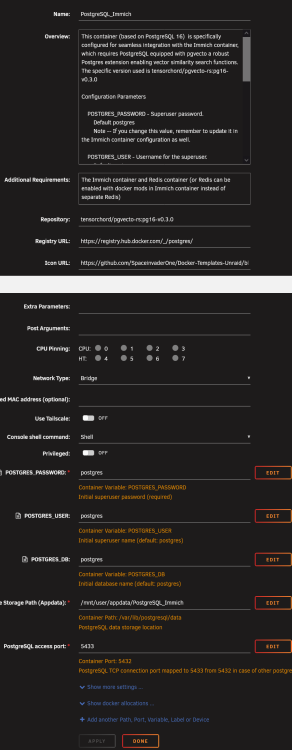
Thank you @JorgeB for responding , Apologies for the late reply. This annoying thing called 'work' got in the way. So I 'mostly' understand what you are referring to in the error. I have been following all of the "Update Available" notifications. In hind sight, I probably should not have. My original install posted by Ed (SI1) did 'mostly' work fine. It had issues with uploading large files (primarily videos) from my phone, but again, it did work. I did keep all of that media on my phone as I was still testing Immich; had major issues with Nextcloud and learned my lesson about saving the original data until I trusted the new install(s). All that said, I uninstalled/deleted everything and it still didn't want to work after a fresh install. (Both Immich and Postgres) Anyway, I hope this is what you are looking for: (PLEASE let me know if not as I really liked Immich and would like to get it working again) >>>>>>>>>>>>>>>>>>>>>>>>>>>>>>>>>>>>>>>>>>>>>>>>>>>>>>>>>>>>>>>>>>>>>>>>>>>> Immich Log >>>>>>>>>>>> text error warn system array login api worker exited with code 1 Connection to 192.168.69.240 7979 port [tcp/*] succeeded! Error: No vector extension found. Available extensions: vchord, vector at getVectorExtension (file:///app/immich/server/dist/repositories/database.repository.js:46:15) at process.processTicksAndRejections (node:internal/process/task_queues:104:5) at async file:///app/immich/server/dist/services/database.service.js:56:31 at async file:///app/immich/server/dist/repositories/database.repository.js:378:27 at async #props.executor.provideConnection.freeze.signal (file:///app/immich/server/node_modules/.pnpm/[email protected]/node_modules/kysely/dist/kysely.js:647:20) at async DefaultConnectionProvider.provideConnection (file:///app/immich/server/node_modules/.pnpm/[email protected]/node_modules/kysely/dist/driver/default-connection-provider.js:10:20) at async file:///app/immich/server/dist/repositories/database.repository.js:375:13 microservices worker error: Error: No vector extension found. Available extensions: vchord, vector, stack: Error: No vector extension found. Available extensions: vchord, vector at getVectorExtension (file:///app/immich/server/dist/repositories/database.repository.js:46:15) at process.processTicksAndRejections (node:internal/process/task_queues:104:5) at async file:///app/immich/server/dist/services/database.service.js:56:31 at async file:///app/immich/server/dist/repositories/database.repository.js:378:27 at async #props.executor.provideConnection.freeze.signal (file:///app/immich/server/node_modules/.pnpm/[email protected]/node_modules/kysely/dist/kysely.js:647:20) at async DefaultConnectionProvider.provideConnection (file:///app/immich/server/node_modules/.pnpm/[email protected]/node_modules/kysely/dist/driver/default-connection-provider.js:10:20) at async file:///app/immich/server/dist/repositories/database.repository.js:375:13 microservices worker exited with code 1 (node:750) ExperimentalWarning: WASI is an experimental feature and might change at any time (Use node --trace-warnings ... to show where the warning was created) node:internal/process/promises:394 triggerUncaughtException(err, true /* fromPromise */); ^ Error: connect ECONNREFUSED 192.168.69.240:5433 at TCPConnectWrap.afterConnect [as oncomplete] (node:net:2021:16) { errno: -111, code: 'ECONNREFUSED', syscall: 'connect', address: '192.168.69.240', port: 5433 } Node.js v24.21.0 node:internal/process/promises:394 triggerUncaughtException(err, true /* fromPromise */); ^ Error: connect ECONNREFUSED 192.168.69.240:5433 at TCPConnectWrap.afterConnect [as oncomplete] (node:net:2021:16) { errno: -111, code: 'ECONNREFUSED', syscall: 'connect', address: '192.168.69.240', port: 5433 } Node.js v24.21.0 api worker exited with code 1 Connection to 192.168.69.240 7979 port [tcp/*] succeeded! node:internal/process/promises:394 triggerUncaughtException(err, true /* fromPromise */); ^ Error: connect ECONNREFUSED 192.168.69.240:5433 at TCPConnectWrap.afterConnect [as oncomplete] (node:net:2021:16) { errno: -111, code: 'ECONNREFUSED', syscall: 'connect', address: '192.168.69.240', port: 5433 } Node.js v24.21.0 node:internal/process/promises:394 triggerUncaughtException(err, true /* fromPromise */); ^ Error: connect ECONNREFUSED 192.168.69.240:5433 at TCPConnectWrap.afterConnect [as oncomplete] (node:net:2021:16) { errno: -111, code: 'ECONNREFUSED', syscall: 'connect', address: '192.168.69.240', port: 5433 } Node.js v24.21.0 Connection to 192.168.69.240 7979 port [tcp/*] succeeded! [Nest] 699 - 10/13/2026, 9:45:14 PM LOG [Microservices:WebsocketRepository] Initialized websocket server Starting api worker [Nest] 750 - 10/13/2026, 9:45:19 PM LOG [Api:WebsocketRepository] Initialized websocket server [10/13/26 21:45:21] INFO Handling signal: term [10/13/26 21:45:21] INFO Shutting down [10/13/26 21:45:21] INFO Waiting for application shutdown. [10/13/26 21:45:21] INFO Application shutdown complete. [10/13/26 21:45:21] INFO Finished server process [338] [10/13/26 21:45:21] INFO Worker (pid:338) was sent SIGTERM! [10/13/26 21:45:21] INFO Shutting down: Master Press ANY KEY to close this window <<<<<<<<<<<<<<<<<<<<<<<<<<<<<<<<<<<<<<<<<<<<<<<<<<<<<<<<<<<<<<<<<<<<<<<<<<<<<<<<<<<<<<<<<<<<<<<<<< >>>>>>>>>>>>>>>>>>>>>>>>>>>>>>>>>>>>>>>>>>>>>>>>>>>>>>>>>>Postgres Log >>>>>>>>>>>>>> postgresql-2026-10-13_214423.log <<<<<<<<<<<<<<<<<<<<<<<<<<<<<<<<<<<<<<<<<<<<<<<<<<<<<<<<<<<<<<<<<<<<<<<<<<<<<<<<<<<<<<< >>>>>>>>>>>>>>>>>>>>>>>>>>>>>>>>>>>>>>>>>>>>>>>>>>>>>>>>>Postgres Install log BELOW>>>>>>>>>>>>>>>>>>>>> <<<<<<<<<<<<<<<<<<<<<<<<<<<<<<<<<<<<<<<<<<<<<<<<<<<<<<<<<<<<<<<<<<<<<<<<<<<<<<<<<<<<<<<<<<<<<<<<<<<<<< Thanks again!!! J
-
Hi @JorgeB Thanks for the reply! I read through (eyes now glassy) the two links, and I think I may have found something... This (unreadable by me) seems to be the source of the issue as the word "ERROR" pops up a lot! >>>>> Node.js v24.21.0 api worker exited with code 1 (node:61322) ExperimentalWarning: WASI is an experimental feature and might change at any time (Use node --trace-warnings ... to show where the warning was created) Starting api worker [Nest] 61227 - 10/13/2026, 2:38:09 PM LOG [Api:WebsocketRepository] Initialized websocket server Starting api worker [Nest] 61259 - 10/13/2026, 2:38:15 PM LOG [Api:WebsocketRepository] Initialized websocket server Starting api worker [Nest] 61290 - 10/13/2026, 2:38:21 PM LOG [Api:WebsocketRepository] Initialized websocket server Starting api worker [Nest] 61322 - 10/13/2026, 2:38:27 PM LOG [Api:WebsocketRepository] Initialized websocket server missing 'error' handler on this Redis client missing 'error' handler on this Redis client missing 'error' handler on this Redis client missing 'error' handler on this Redis client file:///app/immich/server/dist/repositories/database.repository.js:46 throw new Error(No vector extension found. Available extensions: ${VECTOR_EXTENSIONS.join(', ')}); ^ Error: No vector extension found. Available extensions: vchord, vector at getVectorExtension (file:///app/immich/server/dist/repositories/database.repository.js:46:15) at process.processTicksAndRejections (node:internal/process/task_queues:104:5) at async file:///app/immich/server/dist/services/database.service.js:56:31 at async file:///app/immich/server/dist/repositories/database.repository.js:378:27 at async #props.executor.provideConnection.freeze.signal (file:///app/immich/server/node_modules/.pnpm/[email protected]/node_modules/kysely/dist/kysely.js:647:20) at async DefaultConnectionProvider.provideConnection (file:///app/immich/server/node_modules/.pnpm/[email protected]/node_modules/kysely/dist/driver/default-connection-provider.js:10:20) at async file:///app/immich/server/dist/repositories/database.repository.js:375:13 <<<<<<< I have no idea if anyone can read this and decipher it. If so I would appreciate the education!!! Thanks again!!!
-
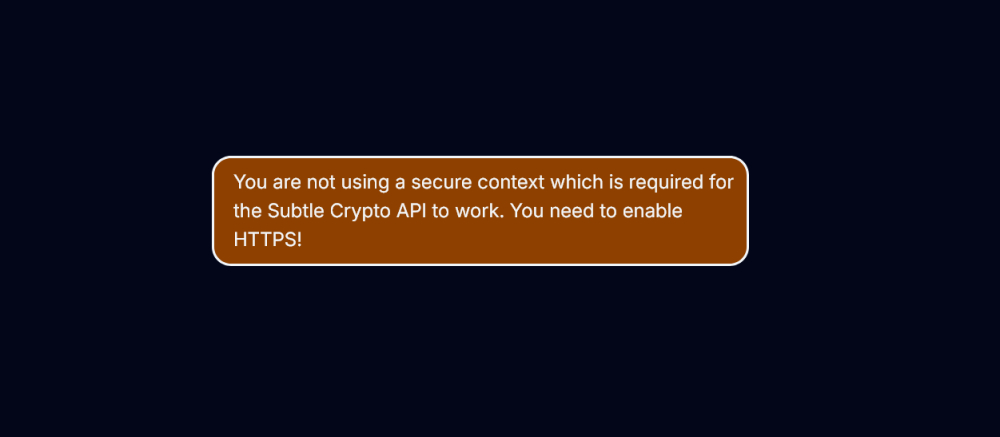
HI all. I have been trying various methods to restore my Vaultwarden instance. Remove via program and reinstall via Docker Add Container. No good. I can login to Admin, but every time I try to access the vault, I receive this error... I know this is probably an issue... But I do not kow how to fix it. Also, I can no longer login into my browser extension either "An unknown error has occurred." Any help is appreciated!

-
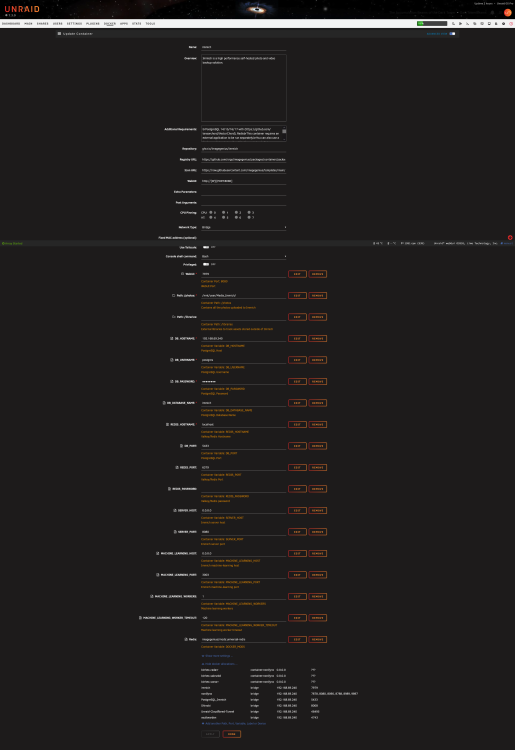
Hi all I have tried for hours to fix this myself and have given up. I tried searching Google and the forums here (Wish there was a way to search a specific support thread for a specific container). Anyway, I have completely wiped my install of Immich, along with Postgres to no avail. I simply do not know what else to do. My Vaultwarden is also trashed. That REALLY has me concerned. Here are screenshots of my (attempts) to get Immich up and RE-running... Any help is appreciated! Thanks!
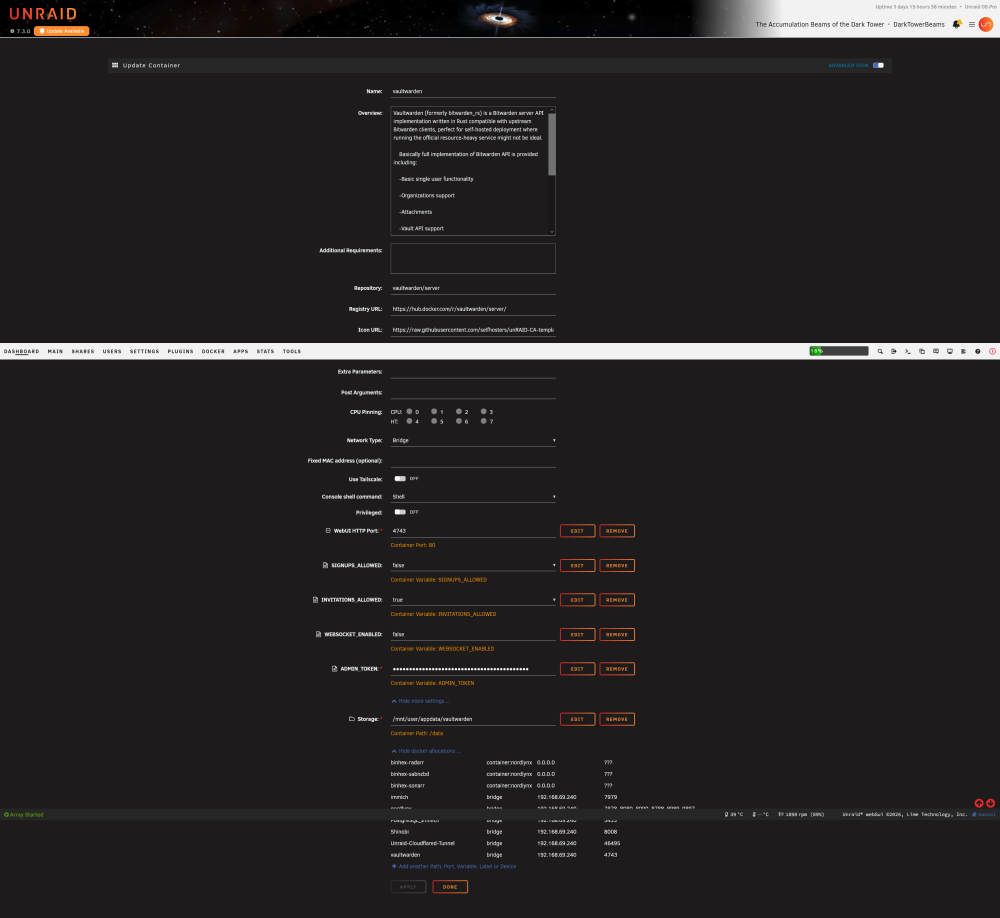
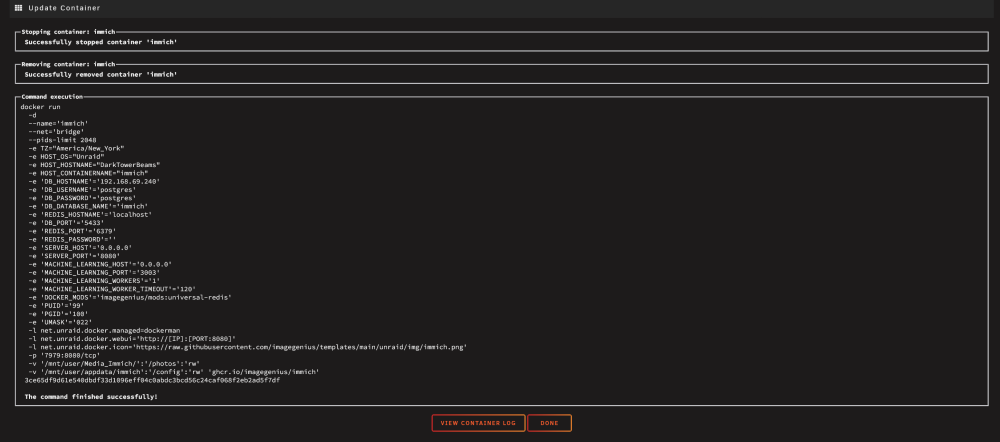

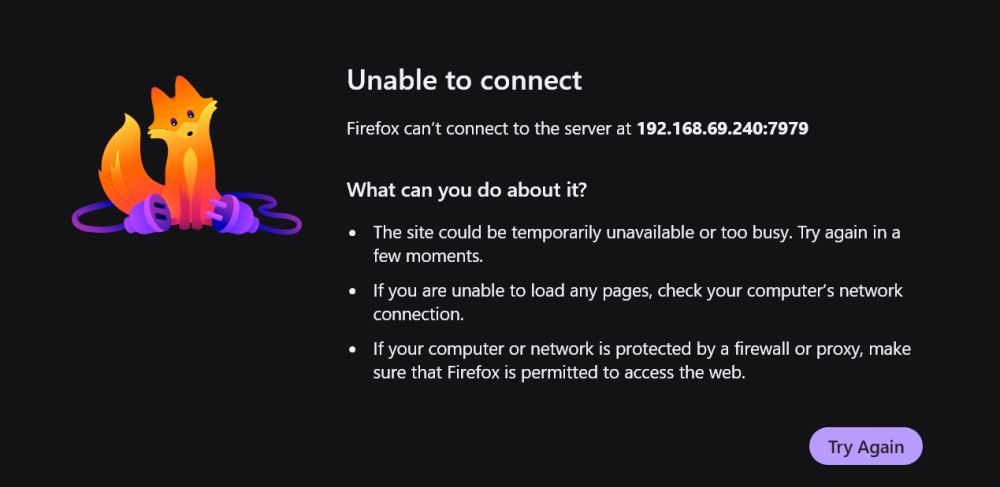
-
*** CLOSED *** @trurl *sigh that's what I was afraid of. Still would like to know what happened during the unraid OS update that hosed it. Many thanks again for trying to help...it is appreciated!
-
Hi @trurl - I tried that a while back and all it did was replace the existing broken instance. My logic, which may very well be incorrect, makes me think I need to reinstall Plex from scratch. Ergo, removing all traces of the program before installing again. Thoughts? Thanks again for your assistance.
-
Thanks @trurl for the db repair option. Read it all, installed it, ran it, but alas it did not restore my db; at least to its original state. I suppose, grudgingly, I am relegated to re-installing Plex from scratch. That said, other than deleting the Plex folder, is there anything within 'system' I need to remove as well? I am guessing I will need to delete and create a new Docker.img file as well, correct? I suppose I am asking what all needs to go to get a fresh install of Plex? Thanks again! [edit] Oh...I did search for any "uninstall" or reinstall" options; couldn't find anything specific.
-
@MowMdown Geez...that's disappointing actually. As for the appdata/system shares that is strange though. I have paid close attention to this since back when there 4 options. I will look into this and change them back. So as for the Plex wreck, who would you suggest I reach out to so as to try and figure how to proceed without losing any of my actual data. If I have to go through the pain of a fresh install of Plex, I would like to be able to get some direction. Thank you for your time. Jeff
-
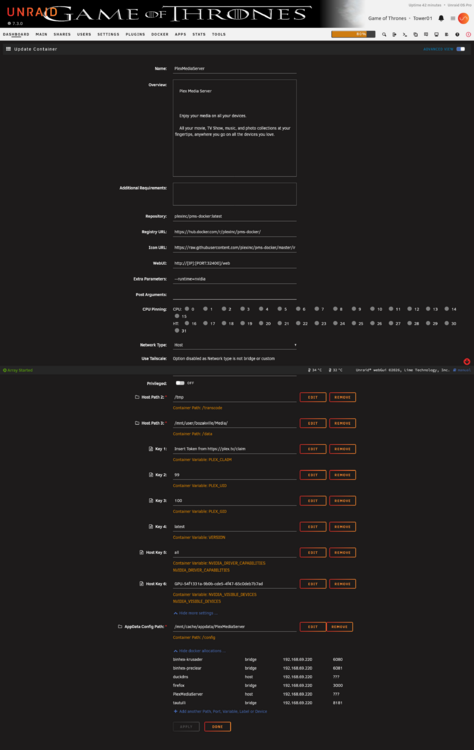
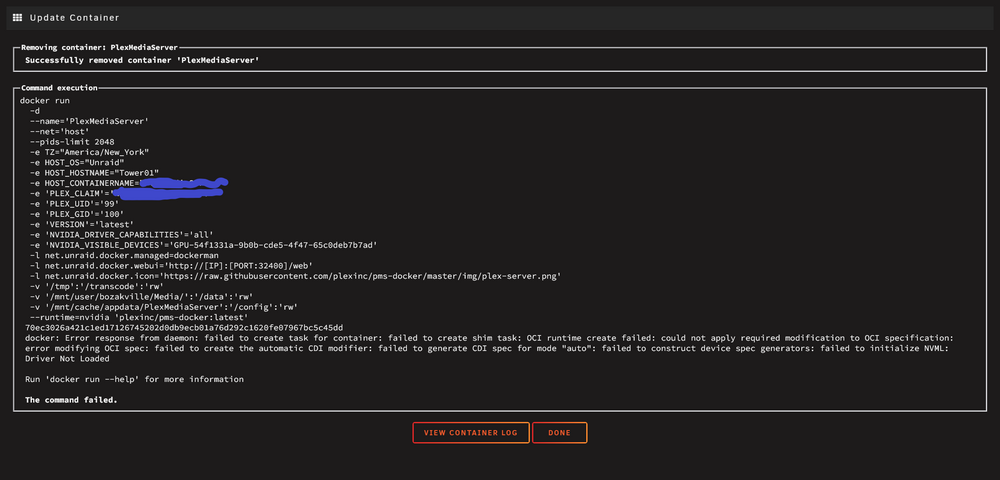
@MowMdown thank you for responding. Diags attached. (I did manage to get the Plex Docker to start by RE-installing the Nvidia driver. If I need to post an updated Diag, let me know. Thank you again.) text error warn system array login kill: usage: kill [-s sigspec | -n signum | -sigspec] pid | jobspec ... or kill -l [sigspec] kill: usage: kill [-s sigspec | -n signum | -sigspec] pid | jobspec ... or kill -l [sigspec] Generated new chapter thumbnails for A Murder of Gods. Generated new chapter thumbnails for The Bicameral Mind. Generated new chapter thumbnails for The Well-Tempered Clavier. Generated new chapter thumbnails for Trace Decay. Generated new chapter thumbnails for Trompe L'Oeil. Generated new chapter thumbnails for The Adversary. Generated new chapter thumbnails for Contrapasso. Generated new chapter thumbnails for Dissonance Theory. Generated new chapter thumbnails for The Stray. Generated new chapter thumbnails for Chestnut. Generated new chapter thumbnails for The Original. Generated new chapter thumbnails for We All Fall Down. Generated new chapter thumbnails for The Ones You Love. Generated new chapter thumbnails for Second Chance. Generated new chapter thumbnails for Endless Wonder. Generated new chapter thumbnails for Fractures. Generated new chapter thumbnails for Merge with Caution. Generated new chapter thumbnails for For the Team. Generated new chapter thumbnails for Around the Bend. Generated new chapter thumbnails for 13.1. Generated new chapter thumbnails for Age Before Beauty. Generated new chapter thumbnails for Beyond Our Control. Generated new chapter thumbnails for Mild Mannered. Generated new chapter thumbnails for Time Will Tell. Generated new chapter thumbnails for Coming Back. Generated new chapter thumbnails for Call and Response. Generated new chapter thumbnails for Finish the Song. Generated new chapter thumbnails for Monster Swamp. Generated new chapter thumbnails for The Possibilities. Generated new chapter thumbnails for See. Generated new chapter thumbnails for Pilot. Generated new chapter thumbnails for Enter Sandman. Generated new chapter thumbnails for Lemon Scented You. Generated new chapter thumbnails for Git Gone. Generated new chapter thumbnails for Head Full of Snow. Generated new chapter thumbnails for The Secret of Spoons. Generated new chapter thumbnails for The Bone Orchard. Generated new chapter thumbnails for High Life. Generated new chapter thumbnails for Pilot. Generated new chapter thumbnails for Babysitter Wanted. Generated new chapter thumbnails for X2: X-Men United. Generated new chapter thumbnails for The Bourne Supremacy. Generated new chapter thumbnails for The Kidnapping. Generated new chapter thumbnails for Goliath. Generated new chapter thumbnails for The Island. Generated new chapter thumbnails for The Manhunt. Generated new chapter thumbnails for Love in the Time of Hydra. Generated new chapter thumbnails for Chapter 14. Generated new chapter thumbnails for Chapter 15. Generated new chapter thumbnails for Chapter 16. Generated new chapter thumbnails for Chapter 17. Generated new chapter thumbnails for Chapter 18. Generated new chapter thumbnails for Chapter 20. Generated new chapter thumbnails for Chapter 19. Generated new chapter thumbnails for Chapter 21. Generated new chapter thumbnails for Chapter 22. Generated new chapter thumbnails for Chapter 23. Generated new chapter thumbnails for Chapter 24. Generated new chapter thumbnails for Chapter 26. Generated new chapter thumbnails for Chapter 25. Stopping Plex Media Server. [cont-finish.d] executing container finish scripts... [cont-finish.d] done. [s6-finish] waiting for services. [s6-finish] sending all processes the TERM signal. [s6-finish] sending all processes the KILL signal and exiting. [s6-init] making user provided files available at /var/run/s6/etc...exited 0. [s6-init] ensuring user provided files have correct perms...exited 0. [fix-attrs.d] applying ownership & permissions fixes... [fix-attrs.d] done. [cont-init.d] executing container initialization scripts... [cont-init.d] 40-plex-first-run: executing... [cont-init.d] 40-plex-first-run: exited 0. [cont-init.d] 45-plex-hw-transcode-and-connected-tuner: executing... [cont-init.d] 45-plex-hw-transcode-and-connected-tuner: exited 0. [cont-init.d] 50-plex-update: executing... [cont-init.d] 50-plex-update: exited 0. [cont-init.d] done. [services.d] starting services Starting Plex Media Server. [services.d] done. Critical: libusb_init failed Stopping Plex Media Server. [cont-finish.d] executing container finish scripts... [cont-finish.d] done. [s6-finish] waiting for services. [s6-finish] sending all processes the TERM signal. [s6-finish] sending all processes the KILL signal and exiting. Press ANY KEY to close this window tower01-diagnostics-20260526-1800.zip