





runraid
Members
-
Joined
-
I was able to get it working by following this thread I installed "nerd tools" via community apps, went to the plugins tab in unraid and clicked the "nerd tools" icon... and then i searched for "bluez" and turned it on. Next I putting the following in my /boot/config/go file. I also ran all it manually once # Configure the Bluetooth driver sudo curl -L https://raw.githubusercontent.com/Realtek-OpenSource/android_hardware_realtek/rtk1395/bt/rtkbt/Firmware/BT/rtl8761b_config -o /tmp/rtl8761bu_config.bin sudo mv /tmp/rtl8761bu_config.bin /lib/firmware/rtl_bt/rtl8761bu_config.bin sudo curl -L https://raw.githubusercontent.com/Realtek-OpenSource/android_hardware_realtek/rtk1395/bt/rtkbt/Firmware/BT/rtl8761b_fw -o /tmp/rtl8761bu_fw.bin sudo mv /tmp/rtl8761bu_fw.bin /lib/firmware/rtl_bt/rtl8761bu_fw.bin # Start Bluetooth /etc/rc.d/rc.bluetooth start Then I had to unplug the usb device, plug it back in and running some combination of the following made it work /etc/rc.d/rc.bluetooth stop /etc/rc.d/rc.bluetooth start sudo bluetoothctl
-
Also +1'ing this. Home assistant now supports Bluetooth. Those of us running Home Assistant via docker will hit this issue. I'm not sure how to get the above work arounds working so as for now, I can't use the USB bluetooth receiver I bought to control bluetooth devices with Home Assistant.
-
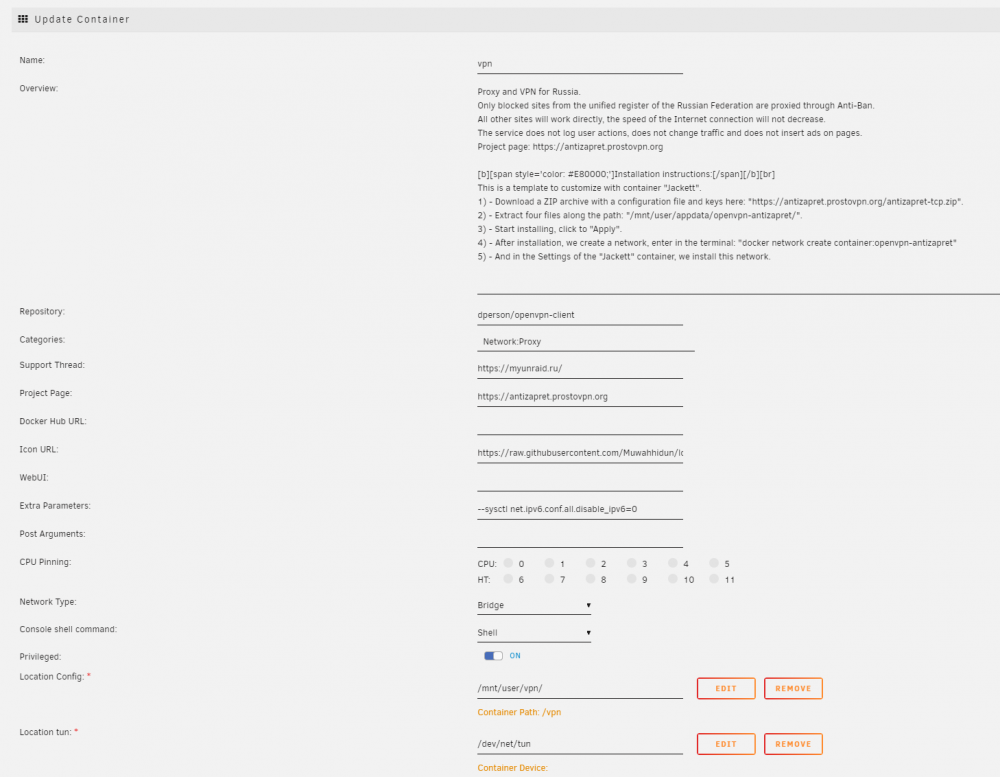
Yeah but what I'm concerned about is the fact that something was changed from underneath me. I didn't make these changes but suddenly there's this https://myunraid.ru/ showing up in my unraid templates. My template completely changed, seemed to be changed by a 3rd party actor. These templates are weird - https://github.com/Muwahhidun/unraid-docker-templates and something nefarious seems to be going on. The githistory on that repo is very recent. Yet I was using the VPN template for two years. So how did my unraid switch to a new template? Let me know if this thread isn't the right place to talk about this. I will switch to your template (Thanks for providing it!)
-
Thanks. Looking at the history of this https://github.com/Muwahhidun/unraid-docker-templates/commits/main/my-openvpn-antizapret.xml i don't see how I would have switched to this container. I've been using this VPN container for like 2 years... and the git history shows it was recently created. I didn't make any changes to my VPN config at all... Do you have any idea how this could have been switched?
-
This is the template URL -- No idea how this was added https://raw.githubusercontent.com/Muwahhidun/unraid-docker-templates/main/my-openvpn-antizapret.xml
-
@ich777i'm very concerned and not sure what's going on right now. I upgraded my dperson/openvpn-client via the unraid "update all containers" and it's now pointing at something russia related. See the screenshot... anyone have any idea what this is?
-
I got this figured out and am able to use the MariaDB inside the container to make this work. No need to run a dedicated MariaDB docker instance. First, make sure the shinobipro docker container is running. Log into the console of the container, either by using the unraid feature or by this command: docker exec -ti shinobipro sh Next, create the database and tables... mysql source sql/framework.sql; source sql/user.sql; exit Now restart the container and it will work.
-
This should be, PRIVILEGES not PRIVILAGES. GRANT ALL PRIVILEGES ON shinobi.* TO 'shinobi' IDENTIFIED BY 'password';
-
Upgrading in hopes it fixes the SQLite db corruption problem many of us are plagued by since upgrading to 6.7.0
-
Support thread for the pgadmin Docker template. Application Name: pgadmin Application Site: https://www.pgadmin.org/ Docker Hub: https://hub.docker.com/r/fenglc/pgadmin4/ Application Github: https://github.com/postgres/pgadmin4 Template Github: https://github.com/rroller/unraid-templates Admins: Please configure https://github.com/rroller/unraid-templates for use with CA. Thanks!
-
USB stick is now in a USB 2.0 port (was a 3.0). Stopped the array. Rebooted the system. Came up with "unclean shutdown detected". It's now doing a full parity check. Nothing appears to have been lost (I love unraid). > Array Started•Parity-Check 0.1 %• Dynamix webGui v2017.03.30 I'm going to purchase a high quality USB stick. I wish unraid didn't depend on the USB stick though
-
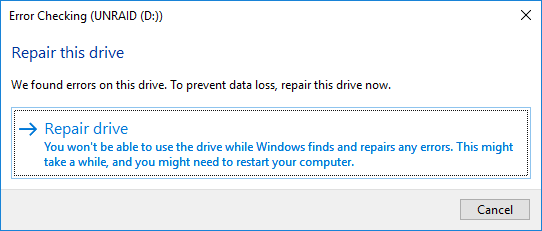
Put the USB drive into my PC and it immediately said it had errors. Running checkdisk now. This is two USB sticks with issues in about 4 days.
-
Thanks all. I'll do a shutdown, USB swap, then parity check. I'll report back if it this happens again.
-
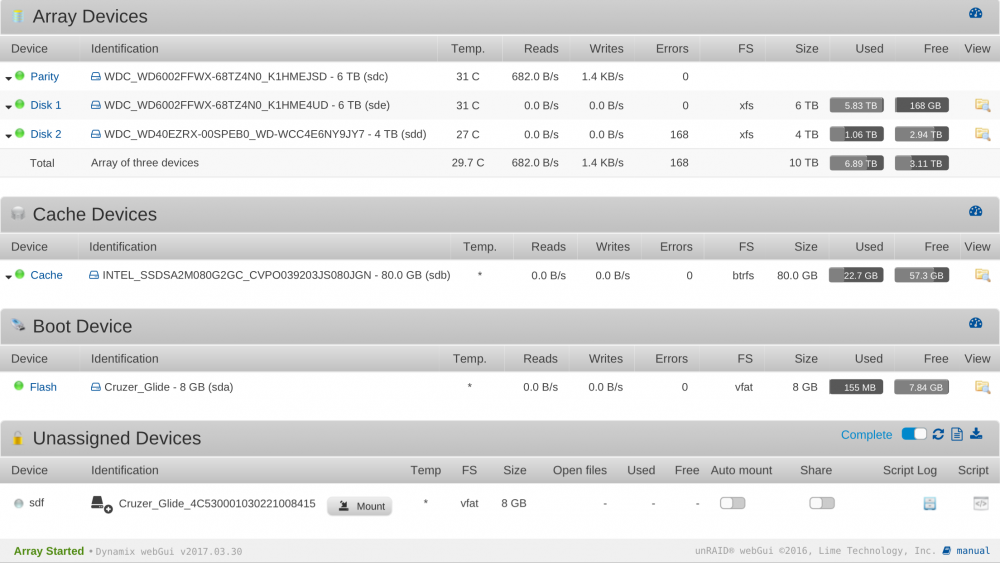
Also, it's showing as a flash drive and as Unmounted. See the attached pic.
-
@Squid when I did a shut down in the UI, at that time I was not having any USB issues. A day later (right now) I've started having the issue




