





J89eu
Members
-
Joined
-
Last visited
Everything posted by J89eu
-
So I found I was using the old method of stubbing, changed it to the new VFIO method and now the server hasn't come back up after a reboot.. Hopefully nothing too bad to sort once I get home... I wish it was easy to do this haha
-
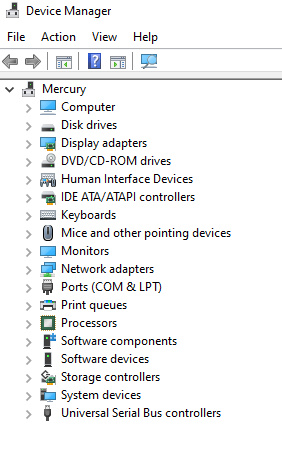
Well, I said the sound card was working, it's passing through but then isn't seen in Windows, but nor is the Vega graphics card (for HDMI) Any ideas? I also have an issue where it seems to forget to boot from the NVME as well and the only way I can get it to boot again is to remove the passthrough of the NVME and then add the following hostdev: <hostdev mode='subsystem' type='pci' managed='yes'> <driver name='vfio'/> <source> <address domain='0x0000' bus='0x01' slot='0x00' function='0x0'/> </source> <alias name='hostdev5'/> <address type='pci' domain='0x0000' bus='0x00' slot='0x06' function='0x0'/> </hostdev> So something changes in the XML when it boots I guess. I need to do a compare between a booting XML and then when it breaks. Though I know I can fix this, the soundcard is a show stopper currently
-
Sound card now working, had to renable "both" on the ACS override, not sure what that does vs downstream but there ya go
-
Thanks for that, will work my way through. Now to just get the soundcard working! (and confirm it's all working when at home!)
-
Ok, that seems to have fixed it... VNC still fails but remote desktop came up and I was at the desktop, this is via my phone so difficult to give it a proper test but that's looking good. If that works, I think I'll un-stub the devices and see how it goes and ramp it back up if it fails. Thank you for the suggestion, Thomas, I wonder why Q35 works..!
-
Ok more testing this morning I thought I'd start up a new installation completely and see where I got. I managed to install Windows and the VM drivers but then when installing the AMD Vega drivers the screen went black and after a reboot I'm stuck in the same situation as before. Does this lead to any suggestions from anyone? Appears it could be the GPU causing the issues.... I still have it stubbed alongside the GPU soundcard and the dedicated soundcard. ACS override is off but this doesn't seem to change anything for me anyway
-
Ok just reading through some other posts on the forum I was lead to a post that got me further... Still testing with it as I've only managed to get it into startup repair and then have to run it again after to get it up but then gets stuck again. Still, it's some progress EDIT: So with this script I can get the spinning windows loading dots which crashes and then if I run the commands again I get into startup repair and then get in the same loop. I've tried adding a VNC graphics card and then completing startup repair, getting to the desktop and then shutting it down, running the script then adding in the Vega but then it freezes again. When it does crash the 1 core I passed through goes to 100% as well
-
Back in front of the monitor now and sadly still have the exact same issues after stubbing the GPU... I'm really struggling !
-
Sure, I am still rebooting just in case. I've just stubbed the GPU sound card and the Creative soundcard but still not working, still getting stuck at the Tianocore screen, I do get the spinning dots but they've froze... Argh.. I've also redeuced to 1 core in case that would be causing the issue but nope. Driving me mad!! Almost at the point of returning the CPU and motherboard now
-
Just testing this from work so a little difficult via a phone but I've stubbed the GPU (not the GPU sound card or the dedicated sound card) and as I cannot see the monitor I added VNC as primary GPU and the vega as secondary, seemed to attempt to boot Windows but still getting stuck at the TianoCore screen and my Chrome remote desktop isn't showing the OS as up so I think it's still not working though I should probably best testing from in front of the monitor. Should I be stubbing the GPU's graphics card alongside the GPU?
-
I used to experienec this a lot so I do tend to do this each time it gets "stuck" but as per the more recent post I believe the fix is now in the OS I will try this, never stubbed before so I'll learn how and report back!
-
I've just started from scratch essentially and added all my devices apart from the Vega 56 as GPU and my soundcard. When I add my GPU I get stuck at Tianocore. When I add the soundcard I get a big long error: internal error: qemu unexpectedly closed the monitor: 2019-10-20T18:56:12.173272Z qemu-system-x86_64: -device vfio-pci,host=0000:26:00.0,id=hostdev1,bus=pci.0,addr=0x6: vfio 0000:26:00.0: group 17 is not viable Please ensure all devices within the iommu_group are bound to their vfio bus driver. This is the XML that worked to this point <?xml version='1.0' encoding='UTF-8'?> <domain type='kvm'> <name>Windows 10</name> <uuid>44f91578-798e-d35f-6e72-d5193ca57643</uuid> <metadata> <vmtemplate xmlns="unraid" name="Windows 10" icon="windows.png" os="windows10"/> </metadata> <memory unit='KiB'>2097152</memory> <currentMemory unit='KiB'>2097152</currentMemory> <memoryBacking> <nosharepages/> </memoryBacking> <vcpu placement='static'>8</vcpu> <cputune> <vcpupin vcpu='0' cpuset='4'/> <vcpupin vcpu='1' cpuset='12'/> <vcpupin vcpu='2' cpuset='5'/> <vcpupin vcpu='3' cpuset='13'/> <vcpupin vcpu='4' cpuset='6'/> <vcpupin vcpu='5' cpuset='14'/> <vcpupin vcpu='6' cpuset='7'/> <vcpupin vcpu='7' cpuset='15'/> </cputune> <os> <type arch='x86_64' machine='pc-i440fx-4.1'>hvm</type> <loader readonly='yes' type='pflash'>/usr/share/qemu/ovmf-x64/OVMF_CODE-pure-efi.fd</loader> <nvram>/etc/libvirt/qemu/nvram/44f91578-798e-d35f-6e72-d5193ca57643_VARS-pure-efi.fd</nvram> <boot dev='hd'/> </os> <features> <acpi/> <apic/> <hyperv> <relaxed state='on'/> <vapic state='on'/> <spinlocks state='on' retries='8191'/> <vendor_id state='on' value='none'/> </hyperv> </features> <cpu mode='host-passthrough' check='none'> <topology sockets='1' cores='8' threads='1'/> </cpu> <clock offset='localtime'> <timer name='hypervclock' present='yes'/> <timer name='hpet' present='no'/> </clock> <on_poweroff>destroy</on_poweroff> <on_reboot>restart</on_reboot> <on_crash>restart</on_crash> <devices> <emulator>/usr/local/sbin/qemu</emulator> <disk type='file' device='cdrom'> <driver name='qemu' type='raw'/> <source file='/mnt/user/isos/virtio-win-0.1.160-1.iso'/> <target dev='hdb' bus='ide'/> <readonly/> <address type='drive' controller='0' bus='0' target='0' unit='1'/> </disk> <controller type='usb' index='0' model='ich9-ehci1'> <address type='pci' domain='0x0000' bus='0x00' slot='0x07' function='0x7'/> </controller> <controller type='usb' index='0' model='ich9-uhci1'> <master startport='0'/> <address type='pci' domain='0x0000' bus='0x00' slot='0x07' function='0x0' multifunction='on'/> </controller> <controller type='usb' index='0' model='ich9-uhci2'> <master startport='2'/> <address type='pci' domain='0x0000' bus='0x00' slot='0x07' function='0x1'/> </controller> <controller type='usb' index='0' model='ich9-uhci3'> <master startport='4'/> <address type='pci' domain='0x0000' bus='0x00' slot='0x07' function='0x2'/> </controller> <controller type='pci' index='0' model='pci-root'/> <controller type='ide' index='0'> <address type='pci' domain='0x0000' bus='0x00' slot='0x01' function='0x1'/> </controller> <controller type='virtio-serial' index='0'> <address type='pci' domain='0x0000' bus='0x00' slot='0x04' function='0x0'/> </controller> <interface type='bridge'> <mac address='52:54:00:89:fe:bf'/> <source bridge='br0'/> <model type='virtio'/> <address type='pci' domain='0x0000' bus='0x00' slot='0x03' function='0x0'/> </interface> <serial type='pty'> <target type='isa-serial' port='0'> <model name='isa-serial'/> </target> </serial> <console type='pty'> <target type='serial' port='0'/> </console> <channel type='unix'> <target type='virtio' name='org.qemu.guest_agent.0'/> <address type='virtio-serial' controller='0' bus='0' port='1'/> </channel> <input type='tablet' bus='usb'> <address type='usb' bus='0' port='1'/> </input> <input type='mouse' bus='ps2'/> <input type='keyboard' bus='ps2'/> <graphics type='vnc' port='-1' autoport='yes' websocket='-1' listen='0.0.0.0' keymap='en-gb'> <listen type='address' address='0.0.0.0'/> </graphics> <video> <model type='qxl' ram='65536' vram='65536' vgamem='16384' heads='1' primary='yes'/> <address type='pci' domain='0x0000' bus='0x00' slot='0x02' function='0x0'/> </video> <hostdev mode='subsystem' type='pci' managed='yes'> <driver name='vfio'/> <source> <address domain='0x0000' bus='0x2b' slot='0x00' function='0x1'/> </source> <address type='pci' domain='0x0000' bus='0x00' slot='0x05' function='0x0'/> </hostdev> <hostdev mode='subsystem' type='pci' managed='yes'> <driver name='vfio'/> <source> <address domain='0x0000' bus='0x01' slot='0x00' function='0x0'/> </source> <address type='pci' domain='0x0000' bus='0x00' slot='0x06' function='0x0'/> </hostdev> <hostdev mode='subsystem' type='usb' managed='no'> <source> <vendor id='0x0424'/> <product id='0x2228'/> </source> <address type='usb' bus='0' port='2'/> </hostdev> <hostdev mode='subsystem' type='usb' managed='no'> <source> <vendor id='0x1462'/> <product id='0x7b85'/> </source> <address type='usb' bus='0' port='3'/> </hostdev> <hostdev mode='subsystem' type='usb' managed='no'> <source> <vendor id='0x1e7d'/> <product id='0x2dcd'/> </source> <address type='usb' bus='0' port='4'/> </hostdev> <hostdev mode='subsystem' type='usb' managed='no'> <source> <vendor id='0x2516'/> <product id='0x0004'/> </source> <address type='usb' bus='0' port='5'/> </hostdev> <memballoon model='none'/> </devices> </domain> This is where it then gets stuck at Tianocore but with no dedicated soundcard: <?xml version='1.0' encoding='UTF-8'?> <domain type='kvm'> <name>Windows 10</name> <uuid>44f91578-798e-d35f-6e72-d5193ca57643</uuid> <metadata> <vmtemplate xmlns="unraid" name="Windows 10" icon="windows.png" os="windows10"/> </metadata> <memory unit='KiB'>2097152</memory> <currentMemory unit='KiB'>2097152</currentMemory> <memoryBacking> <nosharepages/> </memoryBacking> <vcpu placement='static'>8</vcpu> <cputune> <vcpupin vcpu='0' cpuset='4'/> <vcpupin vcpu='1' cpuset='12'/> <vcpupin vcpu='2' cpuset='5'/> <vcpupin vcpu='3' cpuset='13'/> <vcpupin vcpu='4' cpuset='6'/> <vcpupin vcpu='5' cpuset='14'/> <vcpupin vcpu='6' cpuset='7'/> <vcpupin vcpu='7' cpuset='15'/> </cputune> <os> <type arch='x86_64' machine='pc-i440fx-4.1'>hvm</type> <loader readonly='yes' type='pflash'>/usr/share/qemu/ovmf-x64/OVMF_CODE-pure-efi.fd</loader> <nvram>/etc/libvirt/qemu/nvram/44f91578-798e-d35f-6e72-d5193ca57643_VARS-pure-efi.fd</nvram> <boot dev='hd'/> </os> <features> <acpi/> <apic/> <hyperv> <relaxed state='on'/> <vapic state='on'/> <spinlocks state='on' retries='8191'/> <vendor_id state='on' value='none'/> </hyperv> </features> <cpu mode='host-passthrough' check='none'> <topology sockets='1' cores='8' threads='1'/> </cpu> <clock offset='localtime'> <timer name='hypervclock' present='yes'/> <timer name='hpet' present='no'/> </clock> <on_poweroff>destroy</on_poweroff> <on_reboot>restart</on_reboot> <on_crash>restart</on_crash> <devices> <emulator>/usr/local/sbin/qemu</emulator> <disk type='file' device='cdrom'> <driver name='qemu' type='raw'/> <source file='/mnt/user/isos/virtio-win-0.1.160-1.iso'/> <target dev='hdb' bus='ide'/> <readonly/> <address type='drive' controller='0' bus='0' target='0' unit='1'/> </disk> <controller type='usb' index='0' model='ich9-ehci1'> <address type='pci' domain='0x0000' bus='0x00' slot='0x07' function='0x7'/> </controller> <controller type='usb' index='0' model='ich9-uhci1'> <master startport='0'/> <address type='pci' domain='0x0000' bus='0x00' slot='0x07' function='0x0' multifunction='on'/> </controller> <controller type='usb' index='0' model='ich9-uhci2'> <master startport='2'/> <address type='pci' domain='0x0000' bus='0x00' slot='0x07' function='0x1'/> </controller> <controller type='usb' index='0' model='ich9-uhci3'> <master startport='4'/> <address type='pci' domain='0x0000' bus='0x00' slot='0x07' function='0x2'/> </controller> <controller type='pci' index='0' model='pci-root'/> <controller type='ide' index='0'> <address type='pci' domain='0x0000' bus='0x00' slot='0x01' function='0x1'/> </controller> <controller type='virtio-serial' index='0'> <address type='pci' domain='0x0000' bus='0x00' slot='0x03' function='0x0'/> </controller> <interface type='bridge'> <mac address='52:54:00:89:fe:bf'/> <source bridge='br0'/> <model type='virtio'/> <address type='pci' domain='0x0000' bus='0x00' slot='0x02' function='0x0'/> </interface> <serial type='pty'> <target type='isa-serial' port='0'> <model name='isa-serial'/> </target> </serial> <console type='pty'> <target type='serial' port='0'/> </console> <channel type='unix'> <target type='virtio' name='org.qemu.guest_agent.0'/> <address type='virtio-serial' controller='0' bus='0' port='1'/> </channel> <input type='tablet' bus='usb'> <address type='usb' bus='0' port='1'/> </input> <input type='mouse' bus='ps2'/> <input type='keyboard' bus='ps2'/> <hostdev mode='subsystem' type='pci' managed='yes'> <driver name='vfio'/> <source> <address domain='0x0000' bus='0x2b' slot='0x00' function='0x0'/> </source> <rom file='/mnt/user/isos/Powercolor.RXVega56.8176.170730.rom'/> <address type='pci' domain='0x0000' bus='0x00' slot='0x04' function='0x0'/> </hostdev> <hostdev mode='subsystem' type='pci' managed='yes'> <driver name='vfio'/> <source> <address domain='0x0000' bus='0x2b' slot='0x00' function='0x1'/> </source> <address type='pci' domain='0x0000' bus='0x00' slot='0x05' function='0x0'/> </hostdev> <hostdev mode='subsystem' type='pci' managed='yes'> <driver name='vfio'/> <source> <address domain='0x0000' bus='0x01' slot='0x00' function='0x0'/> </source> <address type='pci' domain='0x0000' bus='0x00' slot='0x06' function='0x0'/> </hostdev> <hostdev mode='subsystem' type='usb' managed='no'> <source> <vendor id='0x0424'/> <product id='0x2228'/> </source> <address type='usb' bus='0' port='2'/> </hostdev> <hostdev mode='subsystem' type='usb' managed='no'> <source> <vendor id='0x1462'/> <product id='0x7b85'/> </source> <address type='usb' bus='0' port='3'/> </hostdev> <hostdev mode='subsystem' type='usb' managed='no'> <source> <vendor id='0x1e7d'/> <product id='0x2dcd'/> </source> <address type='usb' bus='0' port='4'/> </hostdev> <hostdev mode='subsystem' type='usb' managed='no'> <source> <vendor id='0x2516'/> <product id='0x0004'/> </source> <address type='usb' bus='0' port='5'/> </hostdev> <memballoon model='none'/> </devices> </domain> I also get the following in the VM log: 2019-10-20T19:08:26.282598Z qemu-system-x86_64: vfio_region_write(0000:2b:00.0:region0+0x185938, 0xff000000ff000000,8) failed: Device or resource busy 2019-10-20T19:08:26.282605Z qemu-system-x86_64: vfio_region_write(0000:2b:00.0:region0+0x185940, 0xff000000ff000000,8) failed: Device or resource busy 2019-10-20T19:08:26.282611Z qemu-system-x86_64: vfio_region_write(0000:2b:00.0:region0+0x185948, 0xff000000ff000000,8) failed: Device or resource busy 2019-10-20T19:08:26.282619Z qemu-system-x86_64: vfio_region_write(0000:2b:00.0:region0+0x185950, 0xff000000ff000000,8) failed: Device or resource busy 2019-10-20T19:08:26.282625Z qemu-system-x86_64: vfio_region_write(0000:2b:00.0:region0+0x185958, 0xff000000ff000000,8) failed: Device or resource busy 2019-10-20T19:08:26.282633Z qemu-system-x86_64: vfio_region_write(0000:2b:00.0:region0+0x185960, 0xff000000ff000000,8) failed: Device or resource busy 2019-10-20T19:08:26.282640Z qemu-system-x86_64: vfio_region_write(0000:2b:00.0:region0+0x185968, 0x0,1) failed: Device or resource busy 2019-10-20T19:08:26.282648Z qemu-system-x86_64: vfio_region_write(0000:2b:00.0:region0+0x185969, 0x0,1) failed: Device or resource busy 2019-10-20T19:08:26.282655Z qemu-system-x86_64: vfio_region_write(0000:2b:00.0:region0+0x18596a, 0x0,1) failed: Device or resource busy 2019-10-20T19:08:26.282662Z qemu-system-x86_64: vfio_region_write(0000:2b:00.0:region0+0x18596b, 0xff,1) failed: Device or resource busy 2019-10-20T19:08:26.282670Z qemu-system-x86_64: vfio_region_write(0000:2b:00.0:region0+0x186618, 0xff000000ff000000,8) failed: Device or resource busy 2019-10-20T19:08:26.282676Z qemu-system-x86_64: vfio_region_write(0000:2b:00.0:region0+0x186620, 0xff000000ff000000,8) failed: Device or resource busy 2019-10-20T19:08:26.282684Z qemu-system-x86_64: vfio_region_write(0000:2b:00.0:region0+0x186620, 0xff000000ff000000,8) failed: Device or resource busy 2019-10-20T19:08:26.282690Z qemu-system-x86_64: vfio_region_write(0000:2b:00.0:region0+0x186628, 0xff000000ff000000,8) failed: Device or resource busy 2019-10-20T19:08:26.282698Z qemu-system-x86_64: vfio_region_write(0000:2b:00.0:region0+0x186630, 0xff000000ff000000,8) failed: Device or resource busy 2019-10-20T19:08:26.282704Z qemu-system-x86_64: vfio_region_write(0000:2b:00.0:region0+0x186638, 0xff000000ff000000,8) failed: Device or resource busy 2019-10-20T19:08:26.282711Z qemu-system-x86_64: vfio_region_write(0000:2b:00.0:region0+0x186640, 0xff000000ff000000,8) failed: Device or resource busy 2019-10-20T19:08:26.282718Z qemu-system-x86_64: vfio_region_write(0000:2b:00.0:region0+0x186648, 0xff000000ff000000,8) failed: Device or resource busy 2019-10-20T19:08:26.282725Z qemu-system-x86_64: vfio_region_write(0000:2b:00.0:region0+0x186650, 0xff000000ff000000,8) failed: Device or resource busy 2019-10-20T19:08:26.282731Z qemu-system-x86_64: vfio_region_write(0000:2b:00.0:region0+0x186658, 0xff000000ff000000,8) failed: Device or resource busy 2019-10-20T19:08:26.282739Z qemu-system-x86_64: vfio_region_write(0000:2b:00.0:region0+0x186660, 0xff000000ff000000,8) failed: Device or resource busy 2019-10-20T19:08:26.282746Z qemu-system-x86_64: vfio_region_write(0000:2b:00.0:region0+0x186668, 0x0,1) failed: Device or resource busy 2019-10-20T19:08:26.282754Z qemu-system-x86_64: vfio_region_write(0000:2b:00.0:region0+0x186669, 0x0,1) failed: Device or resource busy 2019-10-20T19:08:26.282761Z qemu-system-x86_64: vfio_region_write(0000:2b:00.0:region0+0x18666a, 0x0,1) failed: Device or resource busy 2019-10-20T19:08:26.282769Z qemu-system-x86_64: vfio_region_write(0000:2b:00.0:region0+0x18666b, 0xff,1) failed: Device or resource busy 2019-10-20T19:08:26.282777Z qemu-system-x86_64: vfio_region_write(0000:2b:00.0:region0+0x187318, 0xff000000ff000000,8) failed: Device or resource busy 2019-10-20T19:08:26.282783Z qemu-system-x86_64: vfio_region_write(0000:2b:00.0:region0+0x187320, 0xff000000ff000000,8) failed: Device or resource busy 2019-10-20T19:08:26.282790Z qemu-system-x86_64: vfio_region_write(0000:2b:00.0:region0+0x187320, 0xff000000ff000000,8) failed: Device or resource busy 2019-10-20T19:08:26.282797Z qemu-system-x86_64: vfio_region_write(0000:2b:00.0:region0+0x187328, 0xff000000ff000000,8) failed: Device or resource busy 2019-10-20T19:08:26.282804Z qemu-system-x86_64: vfio_region_write(0000:2b:00.0:region0+0x187330, 0xff000000ff000000,8) failed: Device or resource busy 2019-10-20T19:08:26.282810Z qemu-system-x86_64: vfio_region_write(0000:2b:00.0:region0+0x187338, 0xff000000ff000000,8) failed: Device or resource busy 2019-10-20T19:08:26.282818Z qemu-system-x86_64: vfio_region_write(0000:2b:00.0:region0+0x187340, 0xff000000ff000000,8) failed: Device or resource busy 2019-10-20T19:08:26.282830Z qemu-system-x86_64: vfio_region_write(0000:2b:00.0:region0+0x187348, 0xff000000ff000000,8) failed: Device or resource busy 2019-10-20T19:08:26.282840Z qemu-system-x86_64: vfio_region_write(0000:2b:00.0:region0+0x187350, 0xff000000ff000000,8) failed: Device or resource busy 2019-10-20T19:08:26.282849Z qemu-system-x86_64: vfio_region_write(0000:2b:00.0:region0+0x187358, 0xff000000ff000000,8) failed: Device or resource busy 2019-10-20T19:08:26.282858Z qemu-system-x86_64: vfio_region_write(0000:2b:00.0:region0+0x187360, 0xff000000ff000000,8) failed: Device or resource busy 2019-10-20T19:08:26.282868Z qemu-system-x86_64: vfio_region_write(0000:2b:00.0:region0+0x187368, 0x0,1) failed: Device or resource busy 2019-10-20T19:08:26.282881Z qemu-system-x86_64: vfio_region_write(0000:2b:00.0:region0+0x187369, 0x0,1) failed: Device or resource busy 2019-10-20T19:08:26.282892Z qemu-system-x86_64: vfio_region_write(0000:2b:00.0:region0+0x18736a, 0x0,1) failed: Device or resource busy 2019-10-20T19:08:26.282901Z qemu-system-x86_64: vfio_region_write(0000:2b:00.0:region0+0x18736b, 0xff,1) failed: Device or resource busy Also added the latest diagnostics as that can't hurt to add atlas-diagnostics-20191020-1857.zip
-
That didn't work but I didn't think it would as without the GPU passthrough and instead using VNC it works. I already have the OS installed on the NVMe from using it in my last setup. Still struggling
-
Ok so I've now found that this isn't the NVME passthrough but I am still having issues with the VM in general, I've managed to pass through the VM but not all my devices, when I have just the GPU and the NVME in the VM settings I just get stuck at TianoCore. Can't figure it out
-
Hi all Since located the issue so the strikethrough is just there for the old info Please see later posts for full info but I am stuck at Tianocore when booting my VM with a Vega56 Most info is here: I've just swapped my system from Intel to AMD 3700x and just trying to get my NVME drive working so the VM is back in business. I've added the following XML in place of the virtual disk System specs: AMD Ryzen 3700x MSI B450 Carbon AC Vega 56 Creative soundcard NVME M.2 Rest is typical kind of setup, 2 SSDs for cache, drives, RAM etc. Currently running 6.8 RC3 but I don't think that has any bearing for this issue as it was working fine with the old mobo and CPU on 6.8 RC2 My diagnostics are attached and the IOMMU Group for the NVME drive is as follows: IOMMU group 12:[144d:a804] 01:00.0 Non-Volatile memory controller: Samsung Electronics Co Ltd NVMe SSD Controller SM961/PM961 Any help most appreciated! atlas-diagnostics-20191019-1222.zip
-
I still can't get unpacking to work automatically on this docker.. I have it all ticked to do so in the settings but it never works. If I rightclick the torrent and hit "unpack" it works....
-
That's great though I can't find the grafana.ini file as I said in the original post.. I am not sure where it is on the unraid server.
-
Could anyone be so kind as to help me with getting Grafana working behind this? I have Radarr and Sonarr working so LetsEncrypt side seems all good, I added a new line to my config for Nginx: location /grafana { include /config/nginx/proxy.conf; proxy_pass http://192.168.1.5:3000/; } However I am not sure where to tell Grafana that it needs to use /grafana as I did for Sonarr and Radarr, looking online it seems to be I need to edit the grafana.ini file though I cannot find this! I am using the official Grafana docker. I may be missing something obvious but I am new to this so appreciate any help I may get! I Thank you.
-
Anyone having any issues with unzipping not working? I'm on the version that doesn't make your CPU core go to 100% but the unzip doesn't appear to be working for me for the past few months meaning I have to keep going onto my host and extracting stuff, annoying!
-
Any word on the newer versions fixing the CPU usages and unpack yet? Though I downgraded to an older version as recommended in previous posts my unpacking is still not working... I have to turn sonarr off and extract everything manually then turn sonarr back on otherwise it imports stuff before it's finished unpacking
-
Also wondering this, anyone know? To note it had stopped working for me recently anyway, despite being ticked, it stopped unpacking...
-
Hi All Having some weird issues that seem to be related to my metadata, I'm getting the below errors when starting Plex, I reinstalled and copied everything back but still got the same errors so I copied each folder in the PMS root one at a time to the new location and it only stopped working when I copied over the MetaData, any ideas? 018-11-05 20:49:09,013 INFO Included extra file "/etc/supervisor/conf.d/plexmediaserver.conf" during parsing 2018-11-05 20:49:09,013 INFO Set uid to user 0 succeeded 2018-11-05 20:49:09,024 INFO supervisord started with pid 7 2018-11-05 20:49:10,026 INFO spawned: 'plexmediaserver' with pid 48 2018-11-05 20:49:10,026 INFO reaped unknown pid 8 2018-11-05 20:49:10,752 DEBG fd 8 closed, stopped monitoring <POutputDispatcher at 22384794686672 for <Subprocess at 22384794686456 with name plexmediaserver in state STARTING> (stdout)> 2018-11-05 20:49:10,752 DEBG fd 10 closed, stopped monitoring <POutputDispatcher at 22384794664616 for <Subprocess at 22384794686456 with name plexmediaserver in state STARTING> (stderr)> 2018-11-05 20:49:10,752 INFO exited: plexmediaserver (exit status 255; not expected) 2018-11-05 20:49:10,752 DEBG received SIGCLD indicating a child quit 2018-11-05 20:49:11,755 INFO spawned: 'plexmediaserver' with pid 52 2018-11-05 20:49:12,073 DEBG fd 8 closed, stopped monitoring <POutputDispatcher at 22384794746320 for <Subprocess at 22384794686456 with name plexmediaserver in state STARTING> (stdout)> 2018-11-05 20:49:12,074 DEBG fd 10 closed, stopped monitoring <POutputDispatcher at 22384792186248 for <Subprocess at 22384794686456 with name plexmediaserver in state STARTING> (stderr)> 2018-11-05 20:49:12,074 INFO exited: plexmediaserver (exit status 255; not expected) 2018-11-05 20:49:12,074 DEBG received SIGCLD indicating a child quit 2018-11-05 20:49:14,077 INFO spawned: 'plexmediaserver' with pid 56 2018-11-05 20:49:14,480 DEBG fd 8 closed, stopped monitoring <POutputDispatcher at 22384794746320 for <Subprocess at 22384794686456 with name plexmediaserver in state STARTING> (stdout)> 2018-11-05 20:49:14,481 DEBG fd 10 closed, stopped monitoring <POutputDispatcher at 22384794664760 for <Subprocess at 22384794686456 with name plexmediaserver in state STARTING> (stderr)> 2018-11-05 20:49:14,482 INFO exited: plexmediaserver (exit status 255; not expected) 2018-11-05 20:49:14,482 DEBG received SIGCLD indicating a child quit 2018-11-05 20:49:17,485 INFO spawned: 'plexmediaserver' with pid 60 2018-11-05 20:49:17,931 DEBG fd 10 closed, stopped monitoring <POutputDispatcher at 22384792186248 for <Subprocess at 22384794686456 with name plexmediaserver in state STARTING> (stderr)> 2018-11-05 20:49:17,932 DEBG fd 8 closed, stopped monitoring <POutputDispatcher at 22384794746320 for <Subprocess at 22384794686456 with name plexmediaserver in state STARTING> (stdout)> 2018-11-05 20:49:17,932 INFO exited: plexmediaserver (exit status 255; not expected) 2018-11-05 20:49:17,932 DEBG received SIGCLD indicating a child quit 2018-11-05 20:49:17,932 INFO gave up: plexmediaserver entered FATAL state, too many start retries too quickly
-
Hi all This issue has been discussed on and off around the forum but it doesn't seem anyone has made an actual bug report post so here we go. Essentially the issue goes as follows, you pass through an AMD GPU, in my case a Vega 56 and then whenever you shutdown or reboot the VM, it will not turn back on until the unRAID system has been fully rebooted. Now looking around the forums it appears that the VM or unRAID doesn't release the GPU when the host reboots, this does tie in with what I have experienced as my GPU has a "tachometer" that shows the live GPU utilisation by way of LEDs that illuminate increasingly. If I boot unRAID up and do not turn on the VM, there are no LEDs illuminated, showing it's not being used at all, if I then turn on the VM and it sits idle, I have a single LED illuminated. If I then shut it down that LED stays illuminated, to me, showing it's still being held somewhere in the system. I then reboot the whole server and then no LEDs are present and I can power up the VM fine. This is obviously rather annoying as ANY reboot of the VM, for updates, driver installs etc, result in the whole server needing a bounce. So what can we do to resolve this? I was hoping that the new linux kernel would help out with this but seemingly no changes! Here is my XML and diagnostics <?xml version='1.0' encoding='UTF-8'?> <domain type='kvm' id='1'> <name>Pluto</name> <uuid>0adf4fd5-0b47-d431-1345-cedc9c73294d</uuid> <metadata> <vmtemplate xmlns="unraid" name="Windows 7" icon="windows7.png" os="windows7"/> </metadata> <memory unit='KiB'>8388608</memory> <currentMemory unit='KiB'>8388608</currentMemory> <memoryBacking> <nosharepages/> </memoryBacking> <vcpu placement='static'>5</vcpu> <cputune> <vcpupin vcpu='0' cpuset='1'/> <vcpupin vcpu='1' cpuset='2'/> <vcpupin vcpu='2' cpuset='3'/> <vcpupin vcpu='3' cpuset='4'/> <vcpupin vcpu='4' cpuset='5'/> </cputune> <resource> <partition>/machine</partition> </resource> <os> <type arch='x86_64' machine='pc-i440fx-3.0'>hvm</type> <loader readonly='yes' type='pflash'>/usr/share/qemu/ovmf-x64/OVMF_CODE-pure-efi.fd</loader> <nvram>/etc/libvirt/qemu/nvram/0adf4fd5-0b47-d431-1345-cedc9c73294d_VARS-pure-efi.fd</nvram> </os> <features> <acpi/> <apic/> <hyperv> <relaxed state='on'/> <vapic state='on'/> <spinlocks state='on' retries='8191'/> <vendor_id state='on' value='none'/> </hyperv> </features> <cpu mode='host-passthrough' check='none'> <topology sockets='1' cores='5' threads='1'/> </cpu> <clock offset='localtime'> <timer name='hypervclock' present='yes'/> <timer name='hpet' present='no'/> </clock> <on_poweroff>destroy</on_poweroff> <on_reboot>restart</on_reboot> <on_crash>restart</on_crash> <devices> <emulator>/usr/local/sbin/qemu</emulator> <disk type='file' device='cdrom'> <driver name='qemu' type='raw'/> <source file='/mnt/user/isos/Windows 7 64bit Ultimate.iso'/> <backingStore/> <target dev='hda' bus='ide'/> <readonly/> <boot order='2'/> <alias name='ide0-0-0'/> <address type='drive' controller='0' bus='0' target='0' unit='0'/> </disk> <disk type='file' device='cdrom'> <driver name='qemu' type='raw'/> <source file='/mnt/user/isos/virtio-win-0.1.141-1.iso'/> <backingStore/> <target dev='hdb' bus='ide'/> <readonly/> <alias name='ide0-0-1'/> <address type='drive' controller='0' bus='0' target='0' unit='1'/> </disk> <controller type='usb' index='0' model='ich9-ehci1'> <alias name='usb'/> <address type='pci' domain='0x0000' bus='0x00' slot='0x07' function='0x7'/> </controller> <controller type='usb' index='0' model='ich9-uhci1'> <alias name='usb'/> <master startport='0'/> <address type='pci' domain='0x0000' bus='0x00' slot='0x07' function='0x0' multifunction='on'/> </controller> <controller type='usb' index='0' model='ich9-uhci2'> <alias name='usb'/> <master startport='2'/> <address type='pci' domain='0x0000' bus='0x00' slot='0x07' function='0x1'/> </controller> <controller type='usb' index='0' model='ich9-uhci3'> <alias name='usb'/> <master startport='4'/> <address type='pci' domain='0x0000' bus='0x00' slot='0x07' function='0x2'/> </controller> <controller type='pci' index='0' model='pci-root'> <alias name='pci.0'/> </controller> <controller type='ide' index='0'> <alias name='ide'/> <address type='pci' domain='0x0000' bus='0x00' slot='0x01' function='0x1'/> </controller> <controller type='virtio-serial' index='0'> <alias name='virtio-serial0'/> <address type='pci' domain='0x0000' bus='0x00' slot='0x03' function='0x0'/> </controller> <interface type='bridge'> <mac address='52:54:00:1b:5b:a6'/> <source bridge='br0'/> <target dev='vnet0'/> <model type='virtio'/> <alias name='net0'/> <address type='pci' domain='0x0000' bus='0x00' slot='0x02' function='0x0'/> </interface> <serial type='pty'> <source path='/dev/pts/0'/> <target type='isa-serial' port='0'> <model name='isa-serial'/> </target> <alias name='serial0'/> </serial> <console type='pty' tty='/dev/pts/0'> <source path='/dev/pts/0'/> <target type='serial' port='0'/> <alias name='serial0'/> </console> <channel type='unix'> <source mode='bind' path='/var/lib/libvirt/qemu/channel/target/domain-1-Pluto/org.qemu.guest_agent.0'/> <target type='virtio' name='org.qemu.guest_agent.0' state='connected'/> <alias name='channel0'/> <address type='virtio-serial' controller='0' bus='0' port='1'/> </channel> <input type='tablet' bus='usb'> <alias name='input0'/> <address type='usb' bus='0' port='4'/> </input> <input type='mouse' bus='ps2'> <alias name='input1'/> </input> <input type='keyboard' bus='ps2'> <alias name='input2'/> </input> <hostdev mode='subsystem' type='pci' managed='yes'> <driver name='vfio'/> <source> <address domain='0x0000' bus='0x05' slot='0x00' function='0x0'/> </source> <boot order='1'/> <alias name='hostdev0'/> <address type='pci' domain='0x0000' bus='0x00' slot='0x0a' function='0x0'/> </hostdev> <hostdev mode='subsystem' type='pci' managed='yes'> <driver name='vfio'/> <source> <address domain='0x0000' bus='0x03' slot='0x00' function='0x0'/> </source> <alias name='hostdev1'/> <rom file='/mnt/user/isos/Powercolor.RXVega56.8176.170730.rom'/> <address type='pci' domain='0x0000' bus='0x00' slot='0x04' function='0x0'/> </hostdev> <hostdev mode='subsystem' type='pci' managed='yes'> <driver name='vfio'/> <source> <address domain='0x0000' bus='0x09' slot='0x00' function='0x0'/> </source> <alias name='hostdev2'/> <address type='pci' domain='0x0000' bus='0x00' slot='0x05' function='0x0'/> </hostdev> <hostdev mode='subsystem' type='pci' managed='yes'> <driver name='vfio'/> <source> <address domain='0x0000' bus='0x03' slot='0x00' function='0x1'/> </source> <alias name='hostdev3'/> <address type='pci' domain='0x0000' bus='0x00' slot='0x06' function='0x0'/> </hostdev> <hostdev mode='subsystem' type='usb' managed='no'> <source> <vendor id='0x0424'/> <product id='0x2228'/> <address bus='1' device='8'/> </source> <alias name='hostdev4'/> <address type='usb' bus='0' port='1'/> </hostdev> <hostdev mode='subsystem' type='usb' managed='no'> <source> <vendor id='0x1e7d'/> <product id='0x2dcd'/> <address bus='1' device='3'/> </source> <alias name='hostdev5'/> <address type='usb' bus='0' port='2'/> </hostdev> <hostdev mode='subsystem' type='usb' managed='no'> <source> <vendor id='0x2516'/> <product id='0x0004'/> <address bus='1' device='4'/> </source> <alias name='hostdev6'/> <address type='usb' bus='0' port='3'/> </hostdev> <memballoon model='virtio'> <alias name='balloon0'/> <address type='pci' domain='0x0000' bus='0x00' slot='0x09' function='0x0'/> </memballoon> </devices> <seclabel type='dynamic' model='dac' relabel='yes'> <label>+0:+100</label> <imagelabel>+0:+100</imagelabel> </seclabel> </domain> atlas-diagnostics-20180925-1006.zip
