





ProZac
Members
-
Joined
-
Last visited
Everything posted by ProZac
-
So let me start by saying I'm still learning aswell But from what I can see in your log you have a database corruption, ref: SQLITE3:(nil), 11, database corruption at line 65066 of [bf8c1b2b7a] I do see al ot of people fix database bugs by changing the mapping folder from /mnt/user/appdata/Plex to /mnt/cache/appdata/Plex because of the file system. Maybe someone else ( @binhex?) can confirm this, but changing the mapping folder can't hurt either way, so I would start there
-
Some log files would be needed to investigate this. Fresh supervisor log file as minimum, maybe run command?
-
He got auto build, so as soon as its finished, it will update, no need to say this every time
-
Thanks, as I stated above, Krusader at just over 2GB and plex at a bit over 1GB, full info in new thread here
-
Hmmm sounds weird, I have never changed the config from when I first set it up in any of the dockers, so it should have been full ages ago if I did a wrong path shouldn't it? Sorry @binhex for the deviation from plex here, I'l make a post in general support
-
Preclear was finally done and I could do some testing, also tested an old backup I had, and seems I was just below the 70% mark before, so was just a few more files and a new docker that tipped me over the 70% hehe As I said, increased the img to 40GB and all is well
-
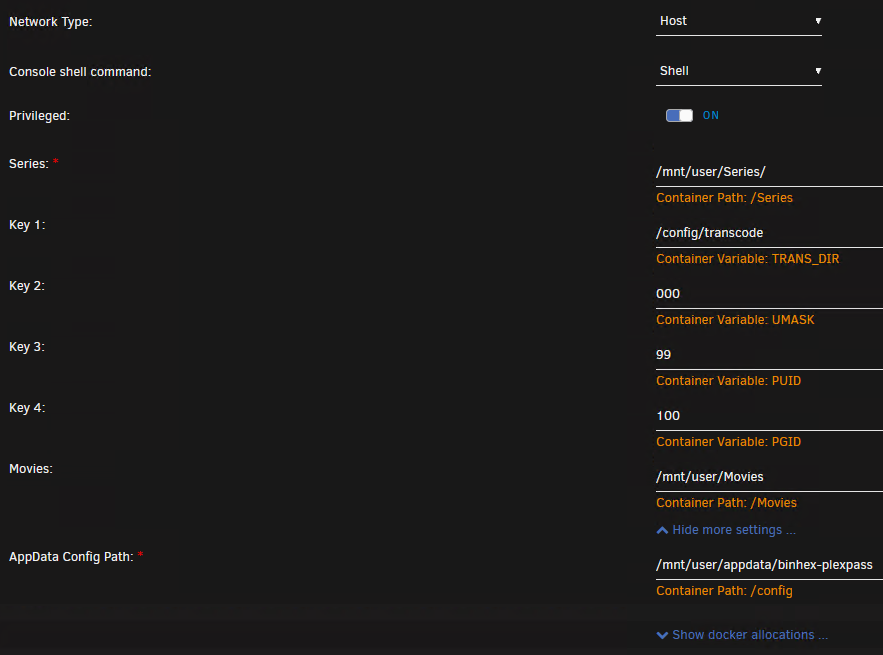
Hmmm it is in my appdata/ folder, thought this would fill the img file. Tried to get Container Size from docker tab in GUI, but it just loads and loads (gave up after 20min, did this earlier). Atm running preclear, maybe that is causing it to freak out, but what is then filling my docker img file? From what I can see my plex docker is configured correct even if im still runing "user" and not "cache". Never seen the warning before so not sure how much space it was taking before. No changes lately except swapping my cache drive out for a bigger one and adding a new drive to the array (atm in preclear) I was sure this was because of plex taking so much space for metadata Ok just got the docker size window to open after a few tries, this lists plex at only 1.45 as my 2nd biggest, with your Krusader being the biggest at 2.23GB. Total of all my 17 dockers are just over 12GB, not 75% used as Unraid said, but I guess increasing it to 40GB woun't hurt any1
-
Hehe ok, was thinking it was this way, but wanted to be sure Expanding docker img size ftw
-
Hey all So no, this is not a problem, but I was wondering how much space your plex docker was using? I don't transcode so I haven't bothered changing that path (checked folder, its empty), but my plexpass docker now just passed 10GB in total. Around 5GB in Metadata and same in Media. I do collect a lot of media, but still, 10GB? No other folder in my plex folder containts more than a few kb.
-
Bah didn't think to check the ip he actually got, bastard ISP *Edit On a sidenote, you say the ISP hijacks his DNS? Wouldnt setting specific dns in either the router or on the server itself bypass what the ISP is running?
-
From first glance, I would edit your ovpn file, this should be plenty of info, remove the rest (or just copy paste this) remote sweden.privateinternetaccess.com 1198 client dev tun proto udp resolv-retry infinite nobind persist-key cipher aes-128-cbc auth sha1 tls-client remote-cert-tls server auth-user-pass credentials.conf comp-lzo verb 1 crl-verify crl.rsa.2048.pem ca ca.rsa.2048.crt disable-occ Then make sure ur firewall dont block anything, you can see from your log file that it times out on ping. Hopefully it's just from the ovpn file (not sure doh) The error comes here: 2019-06-01 18:47:58,282 DEBG 'start-script' stdout output: Sat Jun 1 18:47:58 2019 [UNDEF] Inactivity timeout (--ping-restart), restarting 2019-06-01 18:47:58,283 DEBG 'start-script' stdout output: Sat Jun 1 18:47:58 2019 SIGHUP[soft,ping-restart] received, process restarting Can't really see anything else other than that you only resolve one ip, sounds kinda weird, when I test PIA's sweden server I get several. Maybe try and remove the name servers to cloudflare (1.1.1.1 and 1.0.0.1) Your log shows it resolved trough 1.0.0.1.
-
Not to sound like a brokren record, but did you add your subnet in the routing info in the server, as the new ovpn spits out an ip in the subnet of the docker as default.
-
I understand that some IP addresses will be banned due to bots, spammers etc, but this never used to happen. Not sure if that's because it never changed ip before?
-
Hi all So no, this is probably not deluge's fault, but in the last few weeks my delgue keeps getting a new IP at random from PIA. Not sure if this used to happen before, but my problem now is that "some" of the ip's by PIA is banned by some trackers. So I can get Deluge up and running, no blocks, then suddenly a few days later it updates ip address and I receive an ip that's blocked by tracker. Only solution I've found so far is to restart the docker, or even sometimes I have to change the server I connect too. I have some log files, but not sure if this is Deluge or PIA's fault? Any1 else experienced this?
-
This has been gone over several times in the last few pages. You need to add your subnet in the settings page under routing
-
Sounds awsome A side note, when you are done and the docker works as planned, take a backup. So if you in the future mess things up or an update crashes anything, you can revert back
-
As the new docker is so easy to setup I would just start from scratch Took me about 3min.
-
Just a quick sidenote, not sure if you have looked into this, what is your plex set to do when files in the database is changed? I assume you have set plex to scan it's library? Might it be that plex is starting to scan the files as this can take alot of resource and it might be plex itself that stalls and not the server?
-
This is talked about alot in the last two pages, you just need to add your subnet in the routing list. It's just below the image you posted. If you run 192.168.0.x ip's just add the subnet 192.168.0.0/24.
-
From your last post it seems you did what is needed, as I did exactly the same thing and it worked. Might be some configuration error somewhere, are you sure the 192.168.1.0/24 is correct? As you can connect to the VPN the main configuration should be ok.
-
Quick google gives me this link, have you gone trough this? https://www.digitalocean.com/community/questions/help-with-the-following-error-tls-error-cannot-locate-hmac-in-incoming-packet-from-af_inet
-
I assume u downloaded the new cert files after you reinstalled the docker and use those too connect? Or are you trying with the old ones?
-
Hey So I've been using this docker for a while, and most of the time it works with no issues. I have limited sab to only use cores 10 of 12 threads so that my server never runs out of juice as of such (done in the docker settings, quite easy after the new update ) This is the same as I have done on several other dockers so that unraid and a few small things always have 2 threads to run on alone. BUT When sab finds a better version of a show I already have and it grabs this, the CPU spikes to 100% on all 12 threads when it starts to process these files. Not sure how or why, but it takes all the threads and several dockers are affected (teamspeak crashes and kicks all users, plex laggy AF and such ) Posted the script that starts running when the first episodes is grabbed (this is when the cpu spikes to 100% on all threads). /usr/sbin/python2 /opt/sabnzbd/SABnzbd.py --config-file /config --server + Sab is only set to download, sonarr and radarr is set to rename and move, they never use any more than a few % of the cpu while working, neither does Plex. Currently running unRaid 6.6.1 BTW: Big thanks to all of ur work on the dockers, using 99% ur dockers and loving them hehe
-
Ah ofc, I already added ports in docker page, shoulda figured haha Normaly there is a folder on the "server" side with a config file and whitelist etc that can be edited, not sure where that went on Unraid, checked all the docker folders, but can't find this anywhere. Maybe not there as most is configured in docker itself and I can just add extra whitelist file, will do some more research. Tnx agan for quick and well explained respons
-
Ah was afraid of that. I have been in telnet already, but was hoping they had like a normal config file of sorts that I could edit ports and such for several servers instead of doing it all manual from telnet. A nice .ini file or sommit with the port settings and such hehe. Where should the whitelist/banlist etc be saved? Would this also be in the mysql database? Read that whitelists normaly are a txt file of sorts? On docker start it lists /etc/supervisor/conf.d/teamspeak.conf but this folder /etc/supervisor/ don't exist? Sorry if all theese are weird/noob questions

