





Anne
Members
-
Joined
-
Last visited
-
The trial version that I used let me "see" the data I could recover and yes I had to purchase the program to get my files.. I use Linux Mint as my operating system, and I do not remember if I had to use the NTFS at any point during the recovery. The current software from the company is ; Recovery Explorer (r-explorer.com) - & - UFS Explorer (UFSexplorer.com) ---- There is a comparison page showing differences in each of their respective editions.. link below,, https://www.r-explorer.com/compare-standard-editions/ These two branded products are from the same company and are very similar, but there are big differences between the individual editions of each brand (Recovery Explorer vs USFexplorer ) .. Good Luck Anne
-
Tried to accept invite but process REQUIRES a cell phone so they can send some information... Problem is my phone is a land based line,,,, so I can not get verified using my phone number...... My other accounts do not even have my land line phone number attached....... what now???
-
T he program I used saved everything in correct structure format, except where the data had been written over from trying other rescue attempts before I found the program I used, and even that data was rescued , but as single files that you would need to know where they belong... I used the program several years ago now so I would hope it has improved since I purchased it , and who knows, it may do everything you need now.. They had a trial version that let you see if you could rescue your files..... Maybe they still do..... give them a try. Hope you are successful.... Anne
-
Happy posting my original recovery success using Recovery Explorer is still helping others ...... I am a little confuded by your statement concerning directories, as the majority of my files were placed in their correct directories with few files or directories being orphaned in any way .. Anne
-
Good Luck....
-
Sorry, but I can not speak to your situation as my array is not set up the same way as yours, meaning I did not spread data over many disks.. My solution to deleted unraid server data may be unique because of that, I do not know.. My main purpose in putting forth my deleted data incident was to let people know that contrary to the popular theory of, " there is no way to recover deleted data on an unraid server ", that 1. recovery of deleted data on an unraid server is possible, 2. to let others know of the software product I used to successfully recover my deleted data, and 3. the recovery procedure I used was the procedure recommended in the version of the software I purchased. My deleted data situation was fairly simple, Your situation may require one of the more advanced versions of the software and the procedures that are recommended for that version of the software.. The software version I used, recovered my deleted data and allowed me to rebuild my array without loss of my data.
-
I used the singular "HD" because I was desribing my problem and the solution to my problem where I determined the deleted information was on a single HD within my array. The solution shown was for corrective action on that single HD within a multiple HD array
-
How to Recover Deleted Files from an UNRAID server running the XFS file system I deleted about 1.9TB of data consisting of several directories and their contents and multiple individual files, I was told there was no way to "undelete" the data in a XFS file system in unraid. I found a program called Recovery Explorer 8.4 which recovered all of my data. https://www.sysdevlabs.com/product.php?id=rxs6 REMEMBER... do NOT do ANYTHING that will write to the array after the files are deleted or you may write over the files you want to recover Below are the steps I took to recover my data 1. Stopped doing anything that might write to the array 2. Determined which HD the deleted data had been on 3. Stopped array 4. Power off server 5. Removed the HD determined in step 2, from the server 6. Connect the server HD to a different computer 7. Install Recovery Explorer software on this computer, not the server 8. Run the recover software and when the scan is finished the data is recovered. 9. Do a COPY of the recovered directories and files from the software to a hard drive 10. Install the hard drive with the recovered data in the server as an Unassigned Device 11. Reinstall the server array HD 12. Power the server back on 13. Mounted the Unassigned drive 13. Transferred the recovered data from the unassigned drive to the array , in my case back to HD it had been deleted from WARNING the scan process is LONG .. The array HD I scanned was a 10TB drive and it took about 22 hours BUT the program recovered ALL my data
-
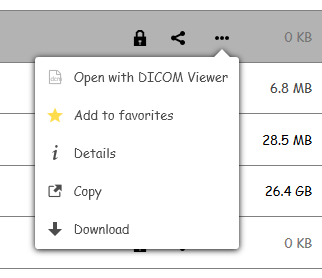
NextCloud - External Storages App - I am unable to "delete" FOLDERS that I created using the External Storages App . When I delete a FOLDER using the External Storages App, the FOLDER seems to be deleted as it is no longer visible within the App. However, The deleted Folder is still available in the ALL FILES section of Next Cloud, The folder in the All Files section still functions as I can add / remove files and sub-folders. The folder menu associated with the deleted folder does not have a delete function available SO.... how do I DELETE a folder created by the External Storages App as the External Sorages App does not show the folder exists? I have restarted NextCloud and MariaDB several times.. I have restarted the Unraid server, no changes.... I have visited the Next Cloud forum and several people seem to have this same problem. Could someone please fix this problem .... Anne This is what I have found so far, ----- - when a folder created by the External Storages App is NOT successful,,, ie: ( get the red ball instead of the green check ball ) - the External Storages App creates the folder in the "ALL FILES" section of NextCloud. - Deleting the folder using the External Storages App, seems successful as the entry is removed from the External Storages App. - However, the deleted folder is active in the "ALL FILES" section of NextCloud in that files and subfolders can added or deleted - Clicking on the 3 horizontal dots associated with the "deleted folder", reveals no DELETE available as in other folder menus.
-
Anne changed their profile photo
-
Thanks, but I would rather stay with a docker app if there might be one, for a solution.. Do not want to go off in too many directions.
-
High John_M, Yes it works, however without some form of automation in the selection of what link paths to attribute to a specific user, it would take hours and hours and wear out my kybd. but for my purpose I think it would be a maintenance nightmare, unless I can script something that just asks what location to link to what user or what link location to remove from a user..... Thanks for the idea.. and the script does the work... hmmmm
-
No, it was restricted to an 8TB array size, and FTP was inadequate at best and it had no capabilities for hosting a website. Plex, Emby and software like that is not available. And I did ask a lot of questions. I was told my solution to FTP was Owncloud or Nextcloud, and that I could host my own web site on unraid and Plex or Emby would take care of the media. I have not even finished loading software for Plex but already I like it. I am having problems with Nextcloud but that is on hold until I figure a way to arrange files that will allow me more flexibility with security, thus the problem I have with no user groups. Unraid seems to be working well for me until I encountered this problem of groups Just to say where I am going with all this... My primary usage will be that of a NAS File Server, then website server, then the Plex goodies, I hope that helps you understand what I am trying to do
-
My prior server had "user groups" built in and access to the data was smb or nfs. The server was linux based as is unraid. The use of groups made permissions down to the file level an easy task. I do not seem to be able to change either the user or the group in unraid.
-
I will give that a try.. It will be a lot of work considering I now have 68 shares and and each share has an average of 100 directories with each directory with an average of 25 sub directories and I am only about one third finished with loading data to the server
-
Hi John_M, Thanks for the thought, however that would entail duplicate files. as in file abc.xx needing to be available for each permitted users share if I understand your thought correctly



