





sittingmongoose
Members
-
Joined
-
Last visited
-
odroidnas-diagnostics-20250921-0151.zipI am using an Odroid H2+(https://www.hardkernel.com/shop/odroid-h2plus/) and this eMMC (https://www.hardkernel.com/shop/256gb-emmc-module-h3-h2/).
-
My emmc storage didnt show up, is there something I am supposed to be doing something like downloading a plugin?
-
I tried this and it didn't help. Further more, I had someone who is extremely talented with networking and these apps help me and he was also stumped. To clarify, I can access through reverse proxy. I can access without the VPN enabled, and I can access with PIA OpenVPN enabled. But if I enable Wireguard VPN through PIA, it stops working with my local ip(Reverse Proxy still works). This was not the behavior about a month ago. Something was updated or changed that broke it and it wasn't my config which didnt change at all. Edit: I didn't look that this the last few days, just looked again and it all magically works??? Maybe PIA changed something and then fixed it?
-
Correct, if I turn off the vpn option in the docker config, it works.
-
Yes. Tried both and different computers. Tried brave, safari and Firefox. They all do the same thing. Tried private browsers in them as well.
-
Didn't work unfortunately. It does skip the login screen now, but then it just doesn't load.
-
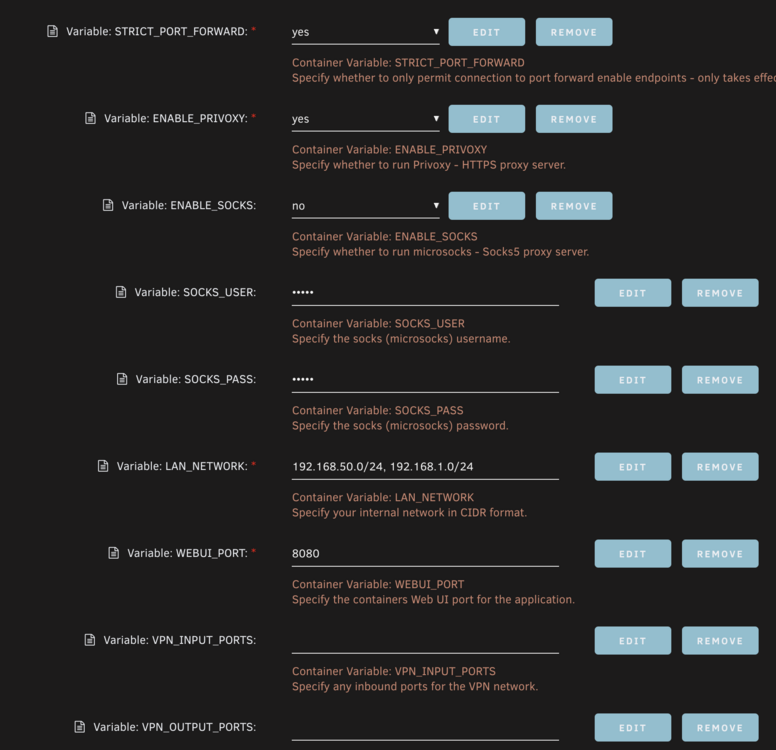
So I am accessing my server from the same network as my server. I whitelisted my network in the LAN_Network setting. Doing that loads the webgui via the IP...but only the login page. I enter my cred, click login, and nothing happens.
-
I partially figured it out. Don’t have a solution though. Cloudflare rocket loader was stopping it from loading through reverse proxy. Turning that off fixed it. The other thing I can’t figure out is, I can’t access it through my local lan with the vpn enabled. When I disable it, I can access qbit at 192.168.50.119:8080, but when I enable the vpn, it’s not working with the above error. But the reverse proxy works fine.
-
This site can’t be reached 192.xxx.xx.xxx took too long to respond. Try: Checking the connection Checking the proxy and the firewall ERR_CONNECTION_TIMED_OUT Tried multiple computers, browsers and cleared cache and cookies. Same result on all. Yes I am trying to connect using the ip and port. I also double checked the LAN in the config and it's as expected.
-
I am also not able to get to my GUI. It seems to be working in the background though. This was all working a few weeks ago, so an update seems to have broken it. It was broken on unraid 6.12.10 and now on 7. qbitlog.txt supervisord.log
-
I am also having this issue.
-
I am having this issue on 5.0 as well. Worked fine before.
-
This was the problem, thank you!
-
So my media share started changing its minimum free space again to 1.3TB. Cache is still set to 200 gb. It seems to be changing every 12 hours or so.
-
This was the problem, cache was set to 1.3tb, I dont understand why this changed though? I havent touched my server in like a month, its just been running without being touched. I didnt update anything. I am happy its fixed, I am just confused why it changed in the first place.

