





tcwatson
Members
-
Joined
-
Last visited
-
Sorry, I misspoke. I do indeed have NerdTools installed, not NerdPack. Issue is nonetheless present. Lftp is the only package I have installed from it. Seems like maybe it is a version issue with openssl?
-
LFTP doesn't work, missing the libssl dependency lftp: error while loading shared libraries: libssl.so.3: cannot open shared object file: No such file or directory Recently updated my unraid server to 6.12.6 from something pretty old, at least a year or two since I last updated. Had to reinstall the NerdPack plugin. Re-installed lftp with it, and got the above error.
-
Just wanted to chime in saying that after updating to 6.12.6 (from something over a year old) my lftp script no longer works. Reinstalled the nerd tools plugin, installed lftp, but the script aborts with lftp: error while loading shared libraries: libssl.so.3: cannot open shared object file: No such file or directory
-
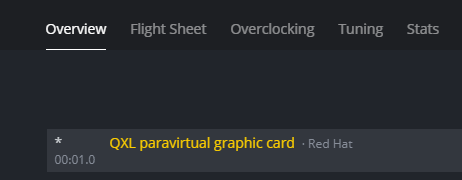
I have been trying to get this working, but there is some issue with how my GPU is passed through. I have tried this with both a 3090 and 1660 Super, and both end up with the GPU only kind of being recognized (or maybe not being recognized at all) No GPU is listed when I first sign in via ShellInABox, either. Any ideas?
-
Thank you! Seems like there's not a lot of information on how to do this around, so I was glad to find your solution. It worked for me on Unraid 6.8.3.
-
Just in case this helps someone... I recently upgraded my motherboard, cpu, and ram, but kept the same 1050ti I had been using before. Previously, to get the video card to pass through, I had to disable HyperV and use the edited vbios method described in the method above. I also was already booting in Legacy mode, and had separated out my IOMMU groups so that the video card was in its own group. I also am passing through the audio portion of the GPU as the sound card. After the hardware upgrade, I was again getting the error 43. After a few days of googling around and trying different things, what ended up working for me was actually REMOVING the manual vbios override, and letting it use whatever was the default. Not sure why this worked, but hey, I'm happy. For what it's worth, I was upgrading from an old Dell t5610 with dual xeon e5-2680v2 (20 total cores, 40 threads) to an asus z390 with an i9-9900k. Good luck!
-
I feel like I must be missing something obvious, but after I use pip via the PyCharm Terminal to install anything, if I restart the docker container I lose all the installed packages. Any way around this?
