





pr85
Members
-
Joined
-
Last visited
Everything posted by pr85
-
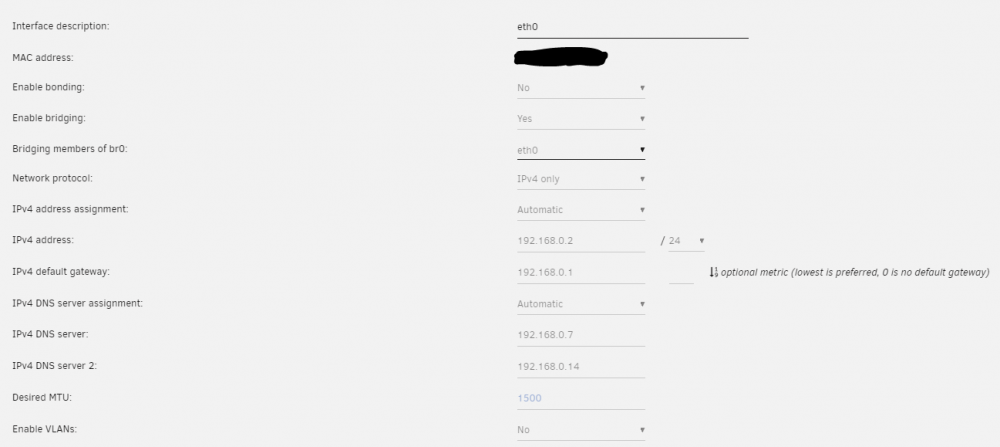
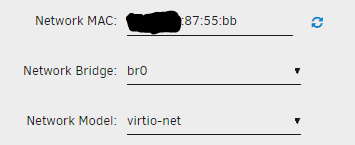
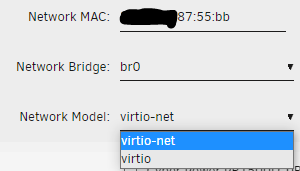
Hello all, I will try to keep this short. I recently changed out my Unraid hardware, and moved everything over. Everything seems to be working fine with the exception that now all of my VMs are unable to access the internet. After some troubleshooting they can get an IP address in the correct subnet and can access the Unraid server and a few other machines on the network, but cannot reach out. For testing purposes, I have a container that uses a privoxy port, and was able to force my VM to use that as a proxy and that worked getting out to the internet. Not sure what else to try, and I have attached some of my settings here. Thank you all so much, and please let me know what else you need from me.

-
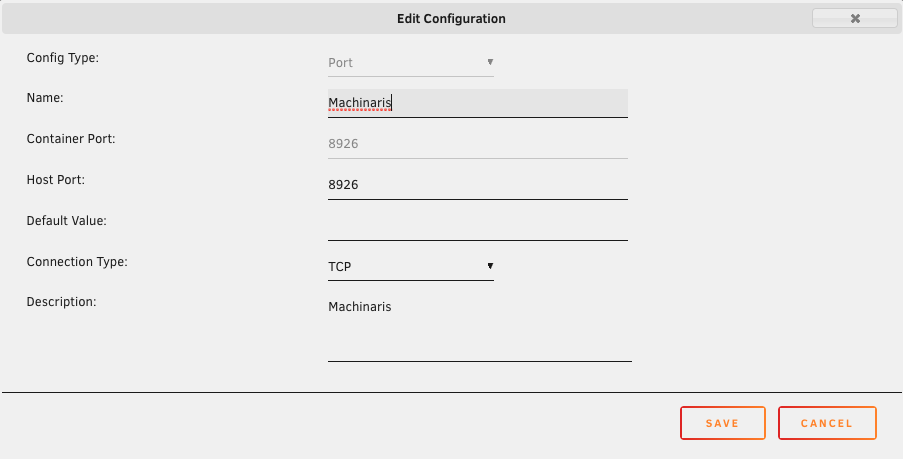
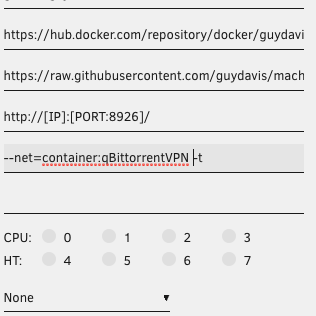
I just wanted to give you a shout out for this! I do have a quick question though. I am trying to route this container through a Binhex VPN container, and cannot seem to get the webpage to ever come up. VPN Container and Machinaris config below:
-
Hi everyone, Finally got this container up and running, but I have what seems like a stupid question. I have run the following command to start a plot: chia plots create -b 5000 -r 2 -n 1 -t /plotting/plot1 -d /plots Let's say I have to restart Unraid or the container. How would I farm plots that have already finished plotting?
-
I understand there is alot of movement going on in this thread, but I wanted to add another issue that I found when using the latest version of this container. I am currently using this with PIA, and everything works fine when I use 4.1.9, however, when using the latest version, the port in the settings does not change to the port forwarded when running through its setup process. The container starts up just fine, and the logs look the same as if I were running 4.1.9, but the port does not change in the qbit settings. Sorry if this is hard to understand, but I will gladly answer any questions that anyone has. Thank you very much for the awesome work you guys do, and just wanted to bring this to someone's attentions.
-
After some additional testing, I noticed the script that gets executed is the following: spawn ./easyrsa <USER> nopass I was able to go into the cmd prompt, create my own user using the command above without "nopass", and set a password. The issue with doing it this way, is that you have to create your own .ovpn file, and place that in the clients directory on the root directory for the plugin. Not a huge deal, but was wondering how easy it would be to modify the plugin, to remove the "nopass" option when creating a user. If needed, I can provide more information on how the process worked, and what I did to manually create my password protected user profile. Thanks!
-
Here is the link that I used: https://forums.openvpn.net/viewtopic.php?t=21766 In the post, it states to use the ./sa command, however, when checking the help menu of that command, it shows that it is used for testing. The actual command that I used was: "/usr/local/openvpn_as/scripts/sacli --keysize=4096 Init" Keep in mind, that using the command above will generate new keys, and will kick anyone off the VPN. You will have to reissue the OVPN files to all users. Also, my experience with this is that when updating the docker, it will fail to boot up, and you will have to reinstall it, and rerun that command. It is not a huge issue, as I can script out what I need, but would love it if it was as easy as everything else in Unraid, and used 4096 by default. Thanks!
-
Update: I did find a command that allowed me to change the RSA to 4096. However, when the docker is updated, it no longer starts up. I wanted to ask if there was a way to set the default RSA to 4096, and keep it persistent across updates. Thank you!
-
peter_sm, Thank you for the response. Is there any update in the works that will enable an inline file to prompt for username and password when connecting? Or do you know of a way to force that within the plugin? Thanks again!
-
Hi all, I just installed server plugin, and love the ease of use. I am not having any issues connecting to my VPN server, however, I did want to ask if there was a way to create a single-line OVPN file, and have it prompt you for a username and password. I am not sure if there is something that I am overlooking, but did not see it when messing with the settings. Thank you in advance for your assistant, and I really appreciate the plugin.
-
Hi all, First time poster, and new to Unraid after being on Debian for many years. I just started using the openvpn-as docker, and love the simplicity and great UI. However, I did have a question about RSA implementation. It appears that the application is using RSA 2048, and I was wondering if there was a way to change that when generating keys, and setting up the server, preferrably to use RSA 4096 or higher. I searched for quite some time, and was unable to find out any information about it. Thank you once again for this great app!


