





Ong Hui Hoong
Members
-
Joined
-
Last visited
Everything posted by Ong Hui Hoong
-
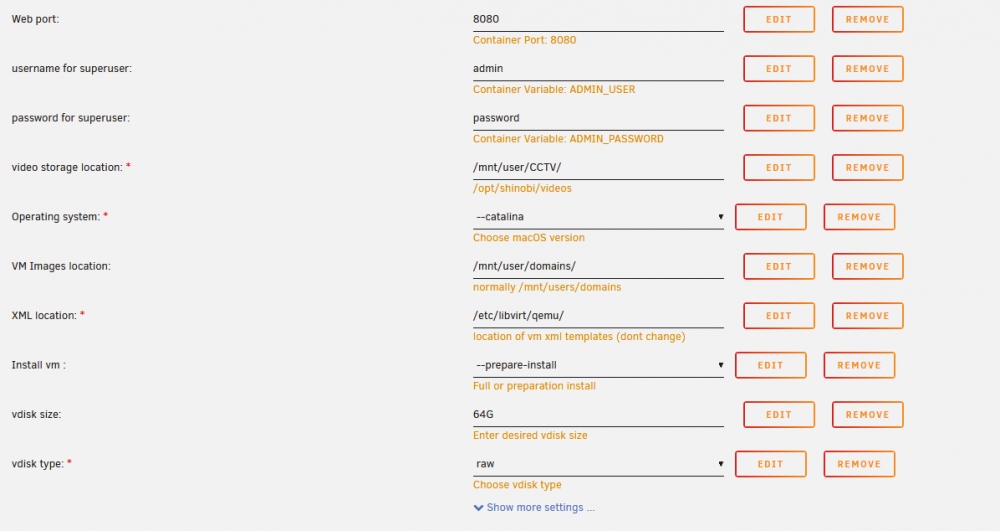
latest update break the docker, config seem to ave more thing now, @SpaceInvaderOne might need to make a new tutorial for all the new option
-
Hi, thanks for the guide! the limited size ram folder created without issue, now just need to wait more people streaming to confirm thanks again
-
qustion, can i add this under the /boot/config/go files? im not very good in linus CLI
-
wow nice, let me test this out, thanks ya
-
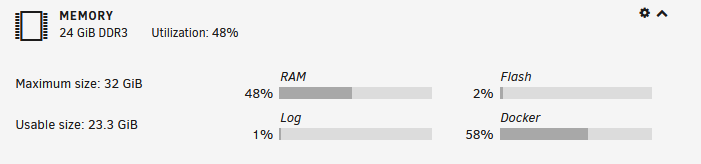
i did what everyone did, do the host path to the /tmp and map to container path (/transcode or something), but it will cause my RAM to use up to 99% then my server crash @_@ i think i have more then enough RAM to do ram transcoding right? i got about 12G of ram standing by.
-
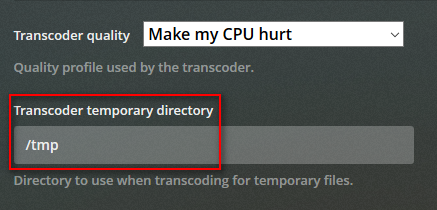
Hi All, just to check, in my docker i didnt add any docker path for my plex, but when i console in to my plex docker, i saw a tmp folder (i presume is the RAM), can we just point my plex in transcode setting directly to this /tmp?

-
Hi All, need some help if is not too troublesome, i dunno what i have done and now it wont send recently added notification out. is was a new eps for a series.

-
What is your default network bridge in the vm settings? The plugin relies on that. I seem to remember to remember something about dockers and vm's not being about to see unraid. Something to do with network isolation. Try waking with another device on the same network as your unraid server. i just tried to wake the VM from my physical PC also, cannot
-
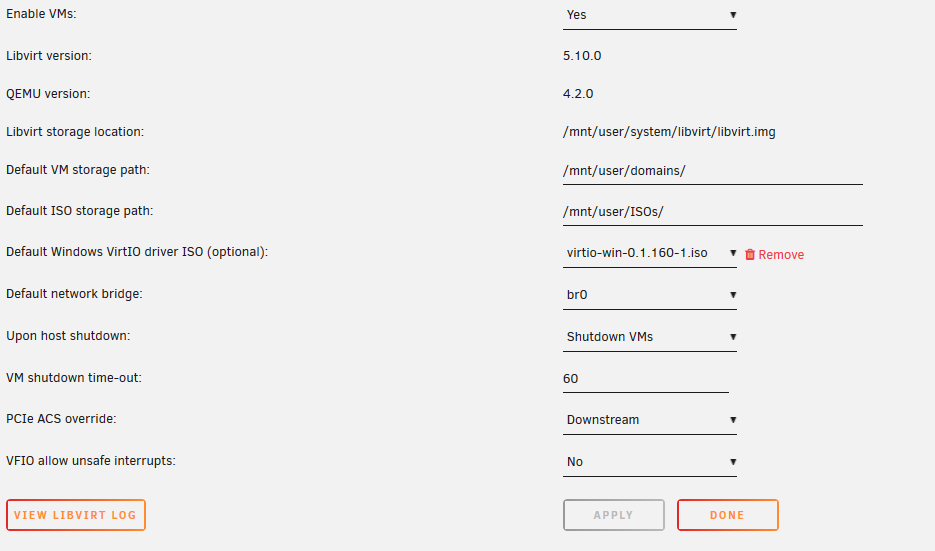
What is your default network bridge in the vm settings? The plugin relies on that. I seem to remember to remember something about dockers and vm's not being about to see unraid. Something to do with network isolation. Try waking with another device on the same network as your unraid server. i did try, and it work on my physical PC, the WoL from the VM (pfsense) br0 to wake my PC over the network. but i cannot wake another VM within the unraid Server. pfsense (UNRAID VM) - another PC on the same network - can wake Pfsense (UNRAID VM) - another VM (UNRAID VM) - cannot wake all 3 is on the same network, pfsense (VM in UNRAID) - 192.168.1.1/24 - Br0 physical PC - 192.168.1.10/24 - connect directly to Br0 (Eth0) on UNRAID server VM PC - 192.168.1.31/24 - Br0 UNRAID Network setting VM Setting VM PC Pfsense



-
Hi, i was not able to WoL with my VM, i run a pfsense router as VM, i have my pfsense interface as vnet0 as the same ip address as the VM and the UNRAID GUI also another PC with the same ip address range, my pfsense was able to wake the physical PC but not the VM not sure where i did wrong.
-
Hi, May i know how to change the time zone? on the GUI it show the correct time, but when i open console and type 'date', it show 8 hour late (my time is GMT+8). anywhere i can correct this? i try add "utcOffset": "8" in conf.json but not working, do i have the syntax wrong? need help
-
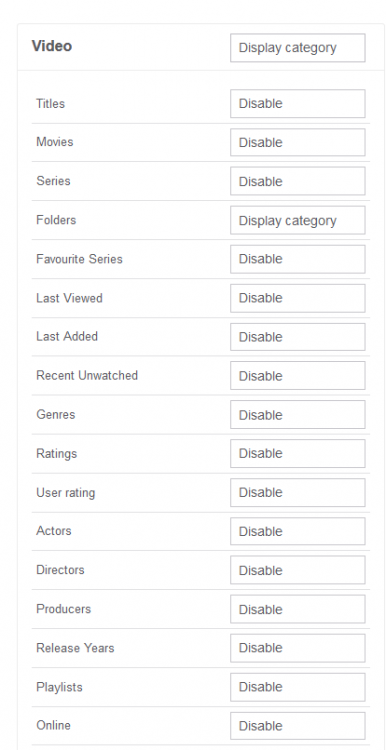
I do have a Plex running at home and the DLNA is messy. In Serviio i can disable all the "Categories" and only show 'folder' Serviio served me well all this year on Windows desktop app, until recently I build a UNRAID system (damn I'm excited!) and migrated my Serviio server to UNRAID docker. My old 'smart' TV only capable of runnung DLNA client >.< So until I upgraded my TV to a Plex apps capable one, I will continue using this Serviio DLNA Server
-
So sad got to know serviio docker is deprecated This is one of the DNLA server i can find that allow streaming without transcoding (fully disable transcoding). Anyway, thanks for all the hard work
-
Hi, i have to say, you have make a nice plugin, I'm not sure if this has been asked before or not. i having some issue with the network setting, it work fine for internet tunneling, I setup my unraid server to use 192.168.1.10, i have some of my docker running on 192.168.1.x (custom: br0) and i was not able to access to those docker (cant event ping), but internet is working without issue. i have some other vlan (192.168.11.0/24) where i also having problem accessing too. Do need assistance on that

