





mwoods98
Members
-
Joined
-
Last visited
Everything posted by mwoods98
-
Hey there! I had a question to the group: I have moved over just about every application I had running on separate computers and this is the last one. I have this up and working happily on unraid and would like to move over the directory from the "old" server. Is there a procedure for copying things over or do I just copy the directories over and call it a day? I guess what I'm worried about is mylar not picking the existing or new existing books up. Any advice?
-
Here is where I'm getting it: I'm also on 6.7.0
-
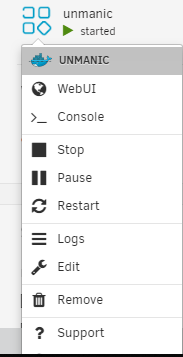
@Night_Fury Make sure you Edit the container and click the advanced switch in the upper right. Make sure this line is filled in: Then save the container and you should be able to get tot he web UI

-
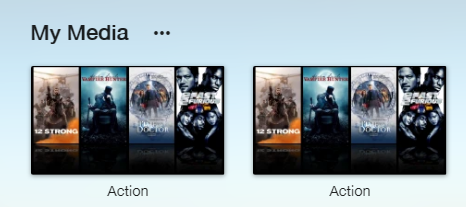
So, weird question here: I installed Emby to compare to plex so I began setting up my libraries. I have a folder called action. I set this up but only to discover that TWO action folders have been created.??? There is no option to remove one without deleting it. Am I stuck deleting this and then resetting this up and going thru the long process of image downloading etc? Thanks
-
Odd recent issue: So I have been using this and its been great. After about a month I have one library that has re-encoded and its saved me a ton of space. So, one weekend I decide to let the machine rest a little. It can get the fans revved up pretty fast when converting a 1080p file. So I stopped the container. When I went to start it back up, nothing had been processed. No errors nothing. I knew I had some files left and I checked and event pointed the container right to that directory. Still nothing. I checked the logs and there are no errors. Right now it says its not finding anything to convert. Anyone else experience this? I also even deleted the container and re-installed it. Still no luck. I'm going to restart it and turn the debug logs on and see what it says.
-
Thanks @Josh.5 I know I speak for everyone when I say Thanks! I love this tool and it's helping a lot. Still being an unraid newb, is there a place where I can see what was fixed or added for a new push?
-
@Josh.5 is there a way to have this container spin up with only 2 workers? I have found that 2 work just fine without having the fans on my machine prepare for takeoff. However, when I start it up I have to tick down the number of workers each time.
-
Thanks I just wanted to check as if I que this bad boy up and let it run then stop it and run it again, it would load shows that already have been encoded. I haven't watched closely enough to see if its skipping them or processing them.
-
One other question: Does the optimizer skip shows that have already been h265 encoded?
-
So.. one more question on this: Is there a utility that will stop and start this docker on command? It would be nice to let it chug away at the library during the night when everyone is asleep then have it turn off in the morning.
-
Thanks @itimpi That did it!!
-
So I need a small bit of help for something that is more of an annoyance than a problem: This is the WebUI setting I have for this container. But, when I go to the webUI for this container I get sent here: http://192.168.1.5/:8888 I'm not sure why it puts this slash in, and I have to delete it so that I can get to the GUI. Is there a way to fix this?

-
So I have recently set up LL. I got it up and running no problems but I just happened to look at my Sabnzb container yesterday and I saw about 1000 downloads that were in the que. What seemed to be happening is, Magazines that I searched for were being selected but they were grabbing every issue that matched, going back as far as my news service could keep them. Some of these were 9 years old. I did check the configuration and Mags have a default setting of 31 days if I remember right. I'm looking for a way to have this working, hopefully to have the magazines go in their own directory (some of them did end up in a sub directory called _Magazines) but not have it completely flood my sab que with old issues. I have been looking for a good guide that explains this but so far have not been able to find anything. Thanks
-
I just installed the container. Should I copy over the the setting from the beta libraryoptimiser? Also is there a GUI? for viewing the que?
-
Probably a good idea. Can you post the link here as one last interruption to the thread? With apologies to @SpaceInvaderOne
-
@Josh.5 Thats looking great! Is there anything I or the form can do to help you? Need some testers?
-
@josh.5 I am also trying this project out. So far so good with me but I noticed on thing: I have this variable set: SUPPORTED_CONTAINERS=mkv,avi,mov,ts,rmvb,mp4 but I noticed only the mkv files were being processed. So, I stopped the container and deleted everything and just left mp4 and it worked! Are we sure we should be using files types that are separated by commas? Or do you think I may have stumbled across a bug? Thanks for the hard work. PS: @SpaceInvaderOne you rock! I have you to thank and your videos for getting me interested in unraid and building my first server!!

