





EArroyo
Members
-
Joined
-
Last visited
Everything posted by EArroyo
-
-
ethtool root@MMPC1:/etc/rc.d# ethtool eth0 Settings for eth0: Supported ports: [ TP MII ] Supported link modes: 10baseT/Half 10baseT/Full 100baseT/Half 100baseT/Full 1000baseT/Half 1000baseT/Full Supported pause frame use: No Supports auto-negotiation: Yes Supported FEC modes: Not reported Advertised link modes: 10baseT/Half 10baseT/Full 100baseT/Half 100baseT/Full 1000baseT/Full Advertised pause frame use: No Advertised auto-negotiation: Yes Advertised FEC modes: Not reported Link partner advertised link modes: 10baseT/Half 10baseT/Full 100baseT/Half 100baseT/Full 1000baseT/Full Link partner advertised pause frame use: Symmetric Receive-only Link partner advertised auto-negotiation: Yes Link partner advertised FEC modes: Not reported Speed: 1000Mb/s Duplex: Full Auto-negotiation: on Port: MII PHYAD: 3 Transceiver: internal Supports Wake-on: pg Wake-on: g Current message level: 0x00000007 (7) drv probe link Link detected: yes arp -a root@MMPC1:~# arp -a ? (192.168.25.254) at <incomplete> on eth0 What's very intriguing is from VM I can actually access 192.168.25 network, but not from outside... Is there a firewall block maybe??? I'm out of ideas.... UGH! EDIT: BTW, I just tried bridged (br0) and I get same results...
-
No, can't give up on USB NIC, I don't have PCIe available on machine and both VM's are legit Windows 10 (now Windows 11) and Server 2019 licenses I paid money for and don't want to replace MB and have to purchase licenses again. This is with USB NIC. Is there something I should know about USB NICs and unRAID? I read UGREEN were compatible, but not sure if that is true with unRAID v6?
-
Can someone please tell me I did something wrong here so I can fix it? ifconfig (no bridge to simplify things) root@MMPC1:~# ifconfig eth0: flags=4163<UP,BROADCAST,RUNNING,MULTICAST> mtu 1500 inet 192.168.25.1 netmask 255.255.255.0 broadcast 192.168.25.255 ether 00:0e:c6:30:64:be txqueuelen 1000 (Ethernet) RX packets 21 bytes 4045 (3.9 KiB) RX errors 0 dropped 0 overruns 0 frame 0 TX packets 14531 bytes 835997 (816.4 KiB) TX errors 0 dropped 0 overruns 0 carrier 0 collisions 0 lo: flags=73<UP,LOOPBACK,RUNNING> mtu 65536 inet 127.0.0.1 netmask 255.0.0.0 inet6 ::1 prefixlen 128 scopeid 0x10<host> loop txqueuelen 1000 (Local Loopback) RX packets 77277 bytes 28890364 (27.5 MiB) RX errors 0 dropped 0 overruns 0 frame 0 TX packets 77277 bytes 28890364 (27.5 MiB) TX errors 0 dropped 0 overruns 0 carrier 0 collisions 0 route table root@MMPC1:~# route Kernel IP routing table Destination Gateway Genmask Flags Metric Ref Use Iface default 192.168.25.254 0.0.0.0 UG 209 0 0 eth0 192.168.25.0 0.0.0.0 255.255.255.0 U 209 0 0 eth0 ping gateway/router root@MMPC1:~# ping 192.168.25.254 PING 192.168.25.254 (192.168.25.254) 56(84) bytes of data. From 192.168.25.1 icmp_seq=1 Destination Host Unreachable From 192.168.25.1 icmp_seq=2 Destination Host Unreachable From 192.168.25.1 icmp_seq=5 Destination Host Unreachable From 192.168.25.1 icmp_seq=6 Destination Host Unreachable ^C --- 192.168.25.254 ping statistics --- 7 packets transmitted, 0 received, +4 errors, 100% packet loss, time 6175ms pipe 4 ping local IP root@MMPC1:~# ping 192.168.25.1 PING 192.168.25.1 (192.168.25.1) 56(84) bytes of data. 64 bytes from 192.168.25.1: icmp_seq=1 ttl=64 time=0.019 ms 64 bytes from 192.168.25.1: icmp_seq=2 ttl=64 time=0.050 ms 64 bytes from 192.168.25.1: icmp_seq=3 ttl=64 time=0.049 ms ^C --- 192.168.25.1 ping statistics --- 3 packets transmitted, 3 received, 0% packet loss, time 2053ms rtt min/avg/max/mdev = 0.019/0.039/0.050/0.014 ms
-
My onbaord nic just died. I tried to use a TPLink USB 3.0 to Ethernet adapter but it did not work after booting it never shows MAC address. I returned the TPLink and got the UGREEN. Problem is, it will not get IP or DNS from DHCP server. I tried setting static IP but I get "No route to host." And I can't just slap on a PCIe because I am using them all... HORRIBLE USB Nic support.... UGH! BTW my router sees the USB Nic and shows the correct IP address I statically assigned to it. It's the "in-betweens" like routing and gateway stuff that's not allowing me to use my unRAID online. This is getting frustrating.... No dhclient, no systemctl, no nmcli, what can I do here? /etc/rc.d/rc.inet1 says RTNETLINK ansers: File exists / dhcpd already running. rc.inet1 restart doesn't work either, always gets a 169.254 ip address. 😤 I just tried a 10/100 USB 2.0 with same results. This does not seem to be hardware related. Can we get USB Nic support fixed?
-
I do have a UPS, I guess I need to plug it in on my unRAID box and enable the feature to shutdown at certain percentage. Luckily I backup my /mnt/cache/custom folder and VM images every 6 months, I can recover, but it's a waste of time. I feel I had better luck on xfs single cache drive, less damage on power outages. This server is at my mother's house and I didn't know about the power outages until it was too late and noticed my VM's were offline but I could connect to unRAID and saw "Could not start cache, no filesystem." Could you please point me in the right direction? I already have ZFS plugin installed, all I need are some How-To's to get me started doing a ZFS Raid-1 cache. Thanks!
-
Is there any other filesystem I can use besides BTRFS for cache pool of 2 SSD drives? I have had very bad luck with BTRFS, power outages have corrupted my cache drive and it can't recover, what good is it when it can't recover? Can I do a RAID-1 xfs?
-
I think a 2FA on the Web login would be a VERY useful and wise addition to unRAID. Right now username/password is limiting me to have to connect to my VPN in order to peek at my server and see how it's doing...
-
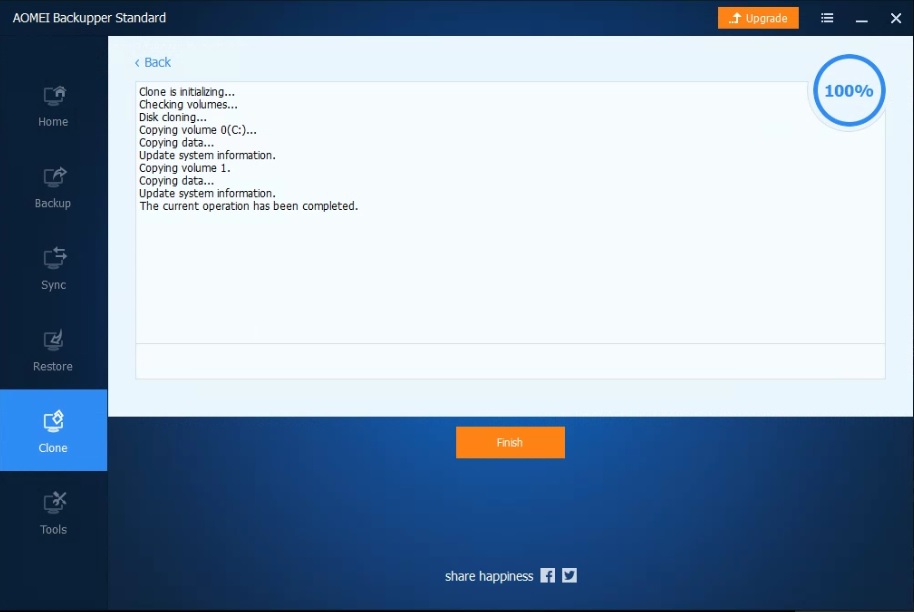
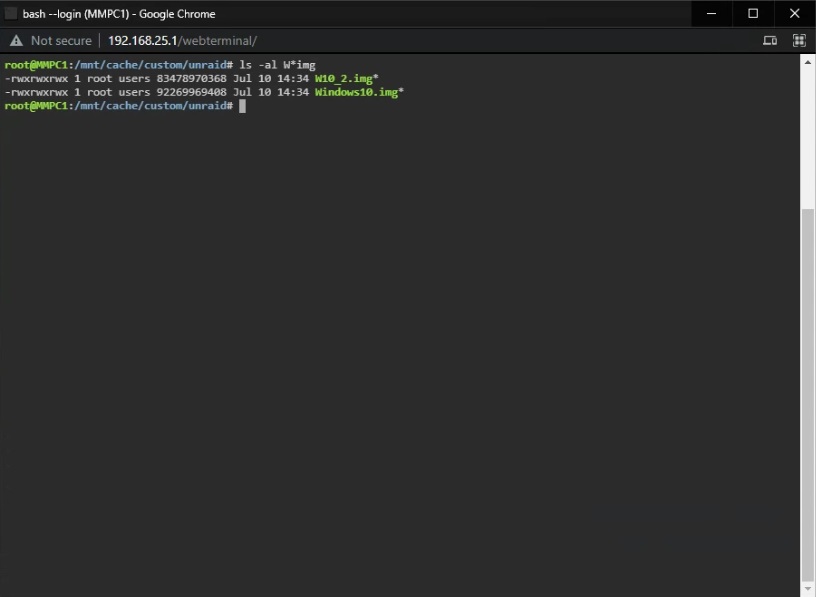
SUCCESS! Cloned image booted perfect, created smaller image (90% size) and no more CSUM errors on scrub after deleting file. Hopefully this helps anybody with scrub issues and VM images.
-
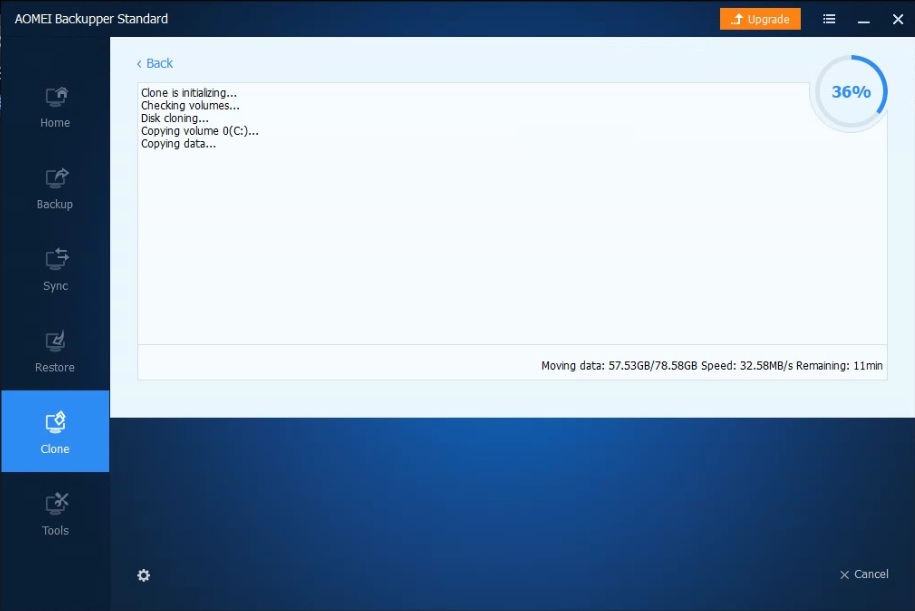
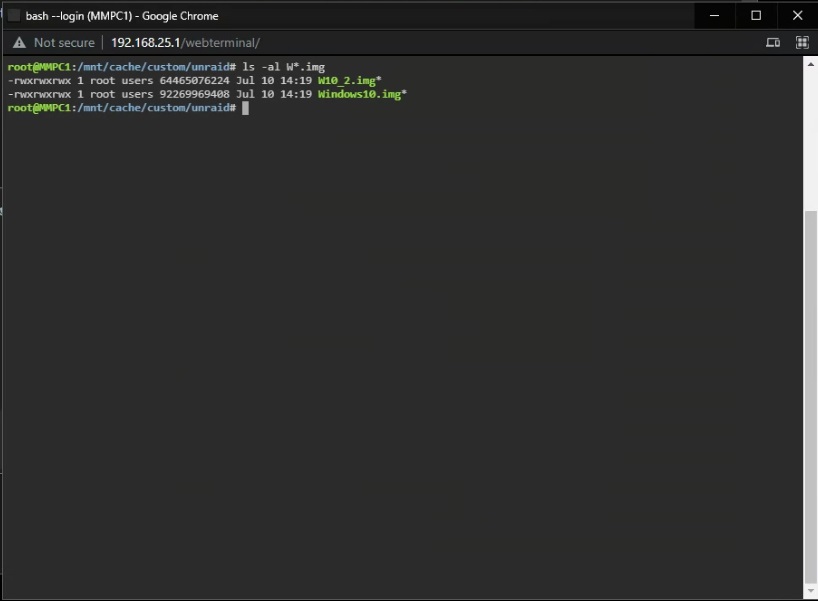
Well, just an update.... This looks very promising. Downloaded AOMEI Backupper Standard (free) and it's cloning from one image to the other. Hopefully the result boots when I set it as main drive and possibly smaller in size?
-
Well, let's say the corruption are in sections of the image file that has no "data" the VM uses. Would it be safe to do then? Is there any qcow2 utility to repair a corrupted image and not mark it unusable (if that's the case?) EDIT: I'm about to try to add a 2nd image drive to my VM and try to clone it to the new image file, maybe that will save my VM (because even though it works, I don't want to hit a wall) I'm also very disappointed that btrfs cache pool raid1 is not as safe and I feel it might just be a waste of time and money if same scenario that corrupted it will corrupt a non btrfs cache pool raid1 the same way, I may as well just spend the money and get twice as much space... 🤔
-
No errors on parity check, only these 3 checksum errors and all 3 on both SSDs. I did have some power spikes during this stupid storm that just passed (live @ Florida) and also found out my UPS needs battery replacement (go figure, everything going to crap all at once) so I ran a drive check on Windows 10 (VM) and found no errors and VM works fine. Is there any way I can copy without getting the input/output error but not messing up image integrity so I can reformat the cache pool? As last resort, can I mount a new image on VM and clone the main drive to the new image?
-
My questions are how? or why? I forked $130 for an extra 1TB ssd to create a cache pool (raid1) so I could have redundancy and not worry about data corruption on my cache (where I have my VM images,) but seems like I wasted my money? I never had issues with my cache drives (ssd) until I went cache pool. I checked it with scrub and I got this: Jul 10 01:13:38 MMPC1 ool www[25457]: /usr/local/emhttp/plugins/dynamix/scripts/btrfs_scrub 'start' '/mnt/cache' '' Jul 10 01:13:38 MMPC1 kernel: BTRFS info (device sdl1): scrub: started on devid 1 Jul 10 01:13:38 MMPC1 kernel: BTRFS info (device sdl1): scrub: started on devid 2 Jul 10 01:28:38 MMPC1 kernel: BTRFS warning (device sdl1): checksum error at logical 5525486284800 on dev /dev/sdm1, physical 197491273728, root 5, inode 279, offset 31180976128, length 4096, links 1 (path: custom/unraid/Windows10.img) Jul 10 01:28:38 MMPC1 kernel: BTRFS error (device sdl1): bdev /dev/sdm1 errs: wr 0, rd 0, flush 0, corrupt 22, gen 0 Jul 10 01:28:38 MMPC1 kernel: BTRFS error (device sdl1): unable to fixup (regular) error at logical 5525486284800 on dev /dev/sdm1 Jul 10 01:28:41 MMPC1 kernel: BTRFS warning (device sdl1): checksum error at logical 5523090034688 on dev /dev/sdm1, physical 198316249088, root 5, inode 279, offset 63094951936, length 4096, links 1 (path: custom/unraid/Windows10.img) Jul 10 01:28:41 MMPC1 kernel: BTRFS error (device sdl1): bdev /dev/sdm1 errs: wr 0, rd 0, flush 0, corrupt 23, gen 0 Jul 10 01:28:41 MMPC1 kernel: BTRFS error (device sdl1): unable to fixup (regular) error at logical 5523090034688 on dev /dev/sdm1 Jul 10 01:28:53 MMPC1 kernel: BTRFS warning (device sdl1): checksum error at logical 5525486284800 on dev /dev/sdl1, physical 197512245248, root 5, inode 279, offset 31180976128, length 4096, links 1 (path: custom/unraid/Windows10.img) Jul 10 01:28:53 MMPC1 kernel: BTRFS error (device sdl1): bdev /dev/sdl1 errs: wr 0, rd 0, flush 0, corrupt 32, gen 0 Jul 10 01:28:53 MMPC1 kernel: BTRFS error (device sdl1): unable to fixup (regular) error at logical 5525486284800 on dev /dev/sdl1 Jul 10 01:28:57 MMPC1 kernel: BTRFS warning (device sdl1): checksum error at logical 5523090034688 on dev /dev/sdl1, physical 198337220608, root 5, inode 279, offset 63094951936, length 4096, links 1 (path: custom/unraid/Windows10.img) Jul 10 01:28:57 MMPC1 kernel: BTRFS error (device sdl1): bdev /dev/sdl1 errs: wr 0, rd 0, flush 0, corrupt 33, gen 0 Jul 10 01:28:57 MMPC1 kernel: BTRFS error (device sdl1): unable to fixup (regular) error at logical 5523090034688 on dev /dev/sdl1 Jul 10 01:35:10 MMPC1 kernel: BTRFS warning (device sdl1): checksum error at logical 5690545643520 on dev /dev/sdm1, physical 280946253824, root 5, inode 279, offset 37611438080, length 4096, links 1 (path: custom/unraid/Windows10.img) Jul 10 01:35:10 MMPC1 kernel: BTRFS error (device sdl1): bdev /dev/sdm1 errs: wr 0, rd 0, flush 0, corrupt 24, gen 0 Jul 10 01:35:11 MMPC1 kernel: BTRFS error (device sdl1): unable to fixup (regular) error at logical 5690545643520 on dev /dev/sdm1 Jul 10 01:35:20 MMPC1 kernel: BTRFS warning (device sdl1): checksum error at logical 5690545643520 on dev /dev/sdl1, physical 280967225344, root 5, inode 279, offset 37611438080, length 4096, links 1 (path: custom/unraid/Windows10.img) Jul 10 01:35:20 MMPC1 kernel: BTRFS error (device sdl1): bdev /dev/sdl1 errs: wr 0, rd 0, flush 0, corrupt 34, gen 0 Jul 10 01:35:20 MMPC1 kernel: BTRFS error (device sdl1): unable to fixup (regular) error at logical 5690545643520 on dev /dev/sdl1 Jul 10 01:40:21 MMPC1 kernel: BTRFS info (device sdl1): scrub: finished on devid 2 with status: 0 Jul 10 01:40:32 MMPC1 kernel: BTRFS info (device sdl1): scrub: finished on devid 1 with status: 0 GRRR! This is soooo annoying!!!! Looks like errors are on BOTH drives, shows as 6 errors, but 3 on sdl1 and same 3 on sdm1. Is there ANYTHING I can do or can I run another setup that's more bullet proof???
-
I would like to see this as well.
-
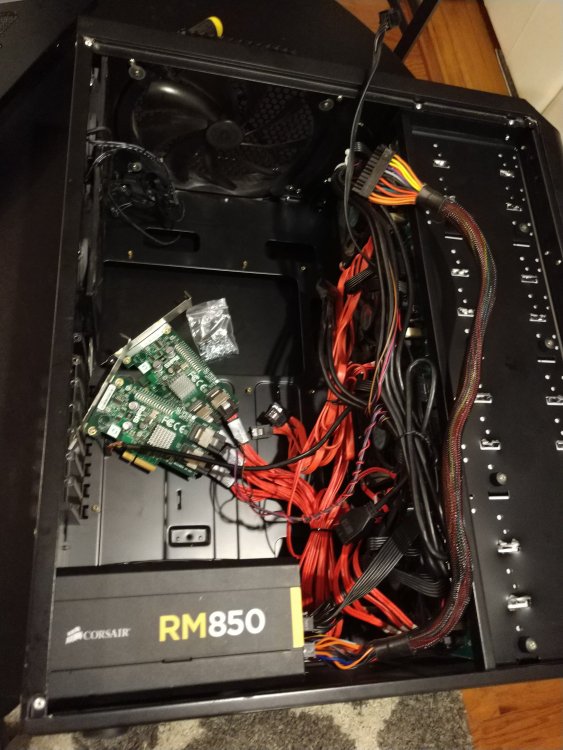
Already replaced case, power supply, drives and controller on my backup unRAID system. Ready to be sold.
-
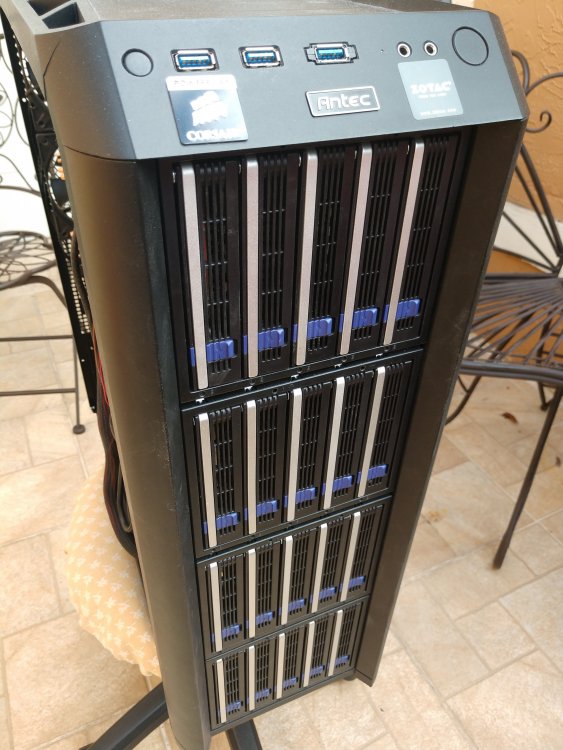
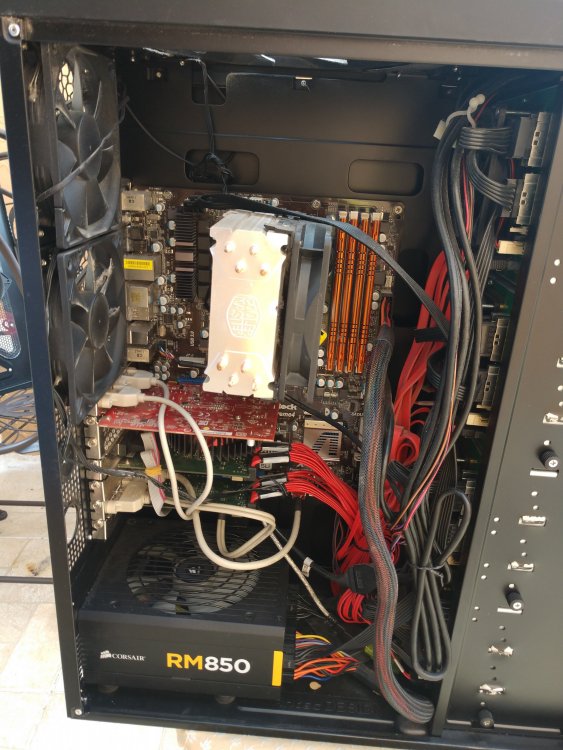
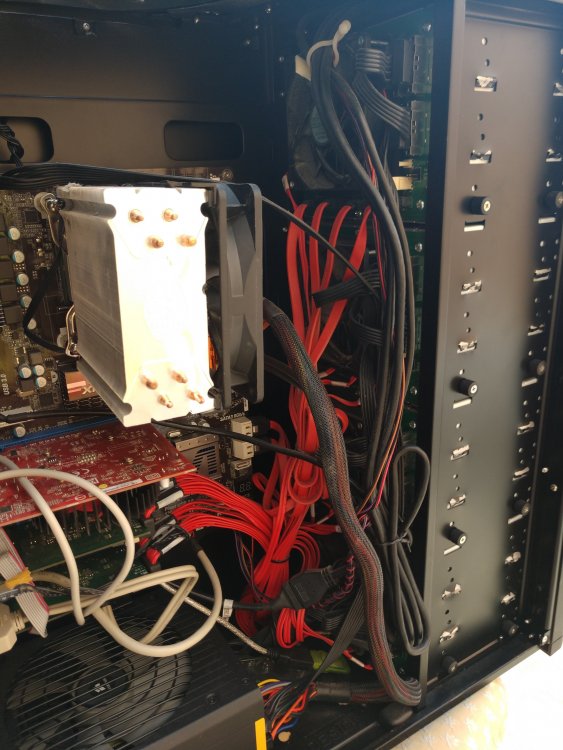
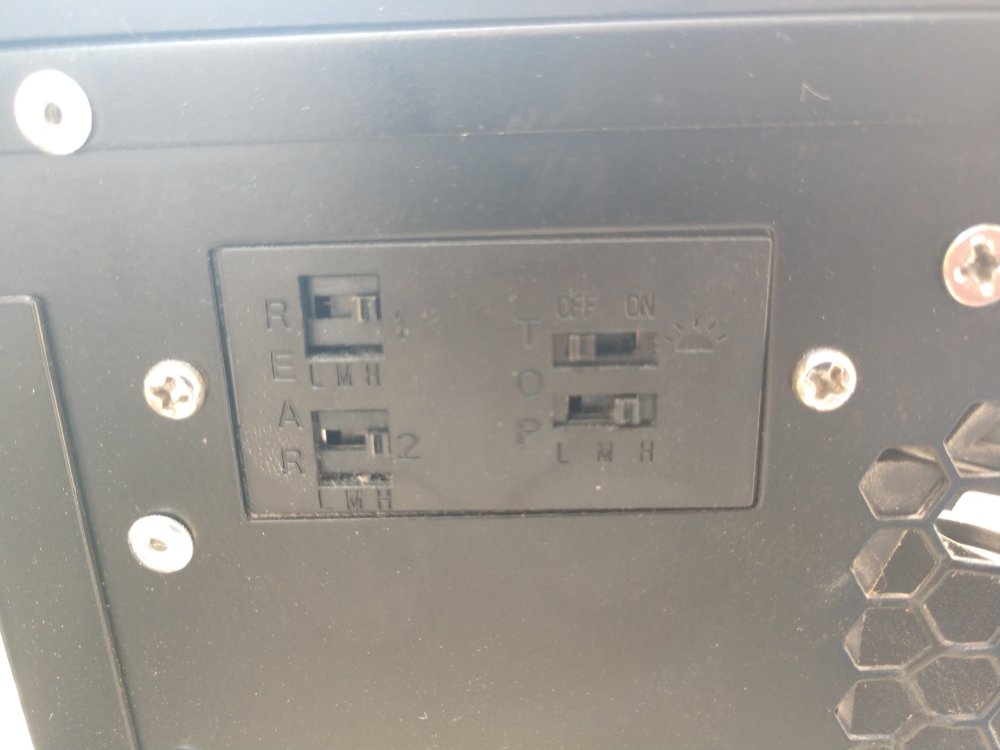
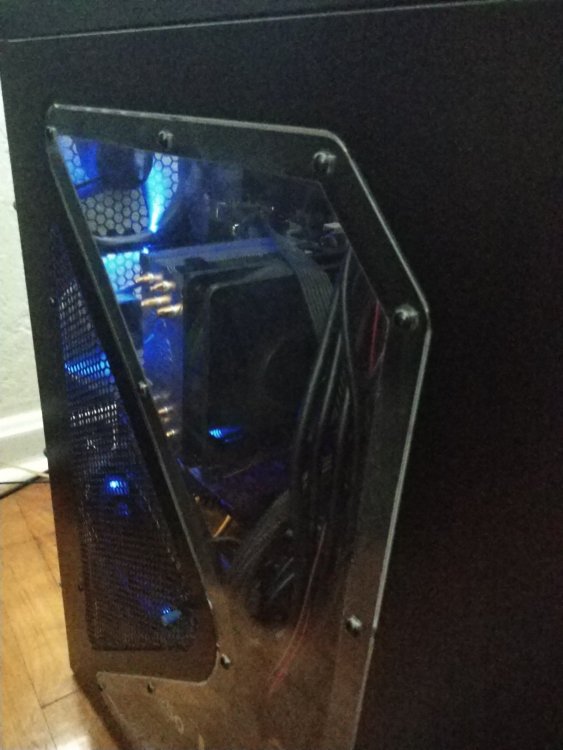
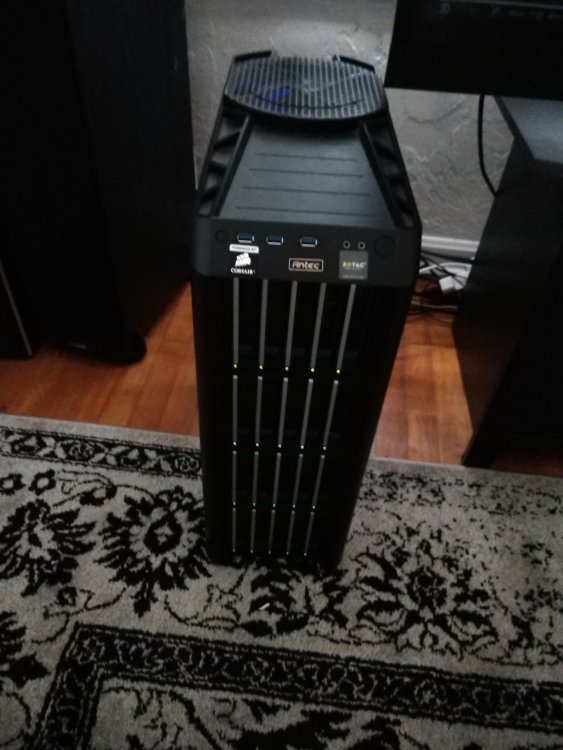
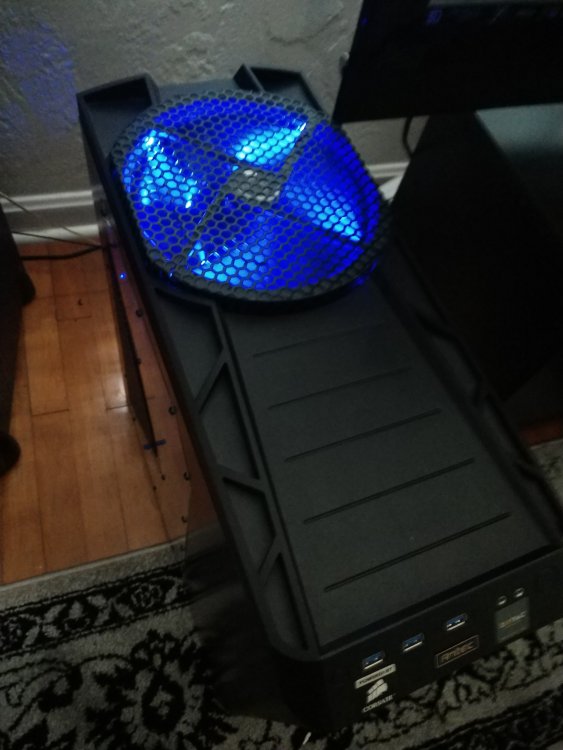
I am moving away from hot-swap on my backup unRAID server to internal hd, mid-tower and larger drives, need to sell my RM850 Zero RPM PSU, Antec 1200 and x4 5-drive ICY Dock backplane bays. Antec 1200v3 case (no power supply) $250 shipped to US. ICY Dock DataCage Classic MB455SPF-B $150 each shipped to US. Corsair RM850 80+ Gold Zero RPM $150 shipped to US. If you buy the case, docks and PSU I will throw in both SAS controllers for free. I also have 19 out of 21 WD20E(A/Z)RX drives left for $50 each, if interested please contact me to see how many I have left, have potential buyers. This is a very elegant 20-drive hot-swap setup, I'm just not into "looks" since I am planning on moving this backup unRAID server to co-location and staying at 40TB. I had parity drive and cache SSD internal, using x2 SAS 8-port adpaters and 6 internal SATA motherboard. If you are in Orlando, Florida or close and would like to pickup please contact me for pricing.
-
Removed.... Somehow I moved the domain inside a group by accident and it wasn't finding it. All is working.





