






yayitazale
Members
-
Joined
-
Last visited
Everything posted by yayitazale
-
Seems we have the exactly the same issue then... I'm not alone!
-
Still having some trouble. The gmap.html gives a 404 not found error, MLAT is not starting and same error getting aircrafts GET /data/aircraft.json?_=1563474594589 HTTP/1.1" 404 - code 404, message File not found I have manually created the file on the /usr/lib/fr24/public_html/data path (by the way, the folder is empty) and the error disapears but the feeder is not writting anything on that file so there is no tracked planes... I think something is not being configured properly by the initial script....
-
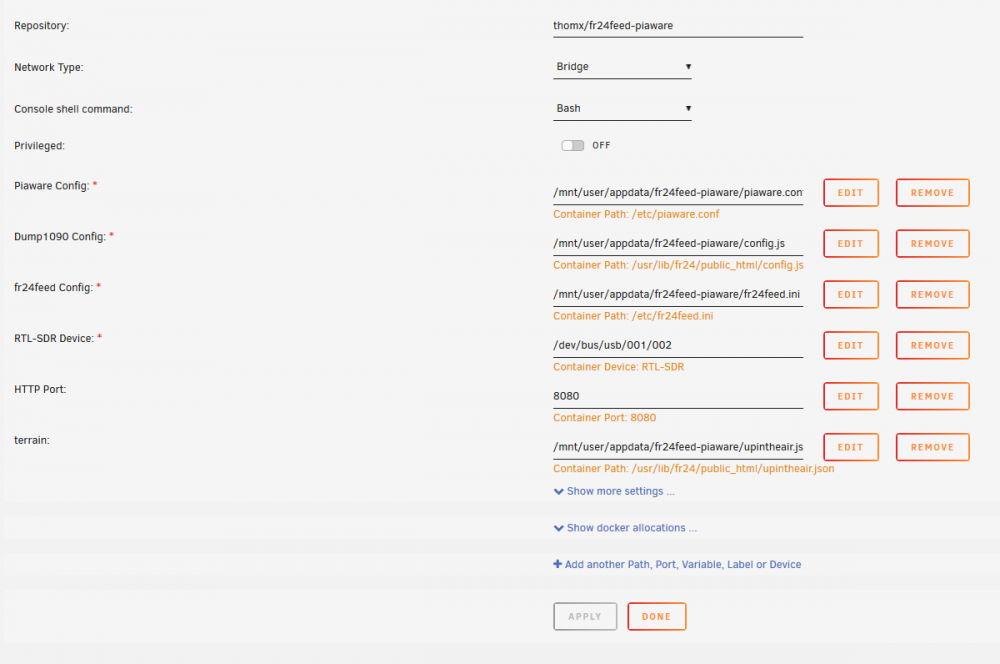
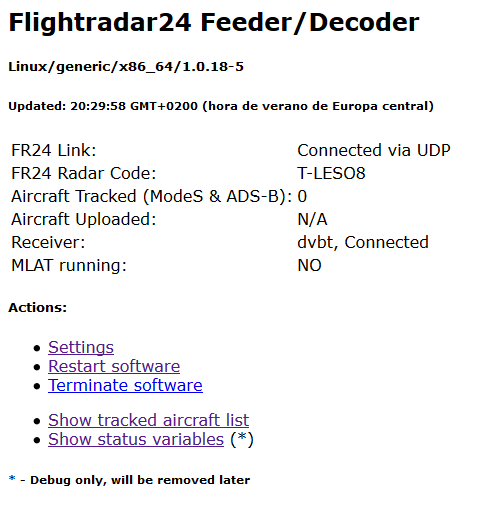
I'm following your stetps as you describe: Downloaded and edited the config.js changing only the LAT and LON values. Downloaded and edited the fr24feed.ini adding the fr24 key Downloaded and edited the piaware.conf adding the user password and ID Created a upintheair.json. The binding are host file path to your template defined container path, I didn't change anything. The port binding are untouched, as you can see at the screen capture. I attached the container log and the screen captures of what I'm getting. I can't understand what I'm doing wrong, I ust followed your steps one by one. Thanks log.txt
-
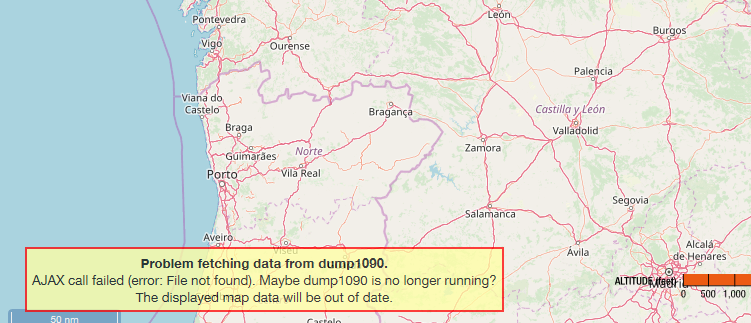
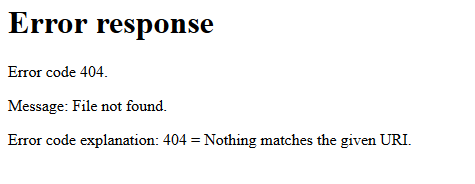
There is a part of the log that I'm getting: [24/Jun/2019 21:10:08] code 404, message File not found 192.168.1.50 - - [24/Jun/2019 21:10:08] "GET /data/aircraft.json?_=1561403246044 HTTP/1.1" 404 - 2019-06-24 21:10:09,204 INFO success: piaware entered RUNNING state, process has stayed up for > than 1 seconds (startsecs) 2019-06-24 21:10:09,204 INFO success: piaware entered RUNNING state, process has stayed up for > than 1 seconds (startsecs) 192.168.1.50 - - [24/Jun/2019 21:10:10] code 404, message File not found 192.168.1.50 - - [24/Jun/2019 21:10:10] "GET /data/aircraft.json?_=1561403246045 HTTP/1.1" 404 - 2019-06-24 21:10:10,879 INFO exited: piaware (exit status 4; not expected) 2019-06-24 21:10:11,880 INFO spawned: 'piaware' with pid 549 192.168.1.50 - - [24/Jun/2019 21:10:12] code 404, message File not found 192.168.1.50 - - [24/Jun/2019 21:10:12] "GET /data/aircraft.json?_=1561403246046 HTTP/1.1" 404 - If I go to http://miserverIP:httpPort/gmap.html It gives me this: Error response Error code 404. Message: File not found. Error code explanation: 404 = Nothing matches the given URI. And on http://miserverIP:httpPort I see this: Problem fetching data from dump1090. AJAX call failed (error: File not found). Maybe dump1090 is no longer running? The displayed map data will be out of date. No way to kill the container, it gets zombie, the only way to kill it is to restar the host...
-
Hi: I'm strugglin with this docker with no succes. I have passsed the RTL adding the device route, and the log says it have started, but it gets stucked saying that dump1090 is not reporting anything. With the same antena using RPI and natively instaled packegs (no docker) i'm seeing plenty of planes. Then I look to your instructions and I see this: Where I have to place that code? I have to create all the config.py file and so? Thanks. PD: Is this working on unraid? Is there any template or installing instructions?
-
Hi: I'm having some problems to configure my BT dongle on a Homeassistant docker. Going to tools->system devices on unraid shows me this: Bus 001 Device 008:ID 0a12:0001 Cambridge Silicon Radio, Ltd Bluetooth Dongle (HCI mode) I'm passing the following comands to the container: --net=host --device='/dev/bus/usb/001/008' After restarting the container, running the following command under the container console is not showing up any BT dongle: # hcitool dev Devices: Runing this, it gets stuck on waiting: # bluetoothctl Waiting to connect to bluetoothd... I also tryed the container in Privilege mode with no succes. Rebooting the host is not working neither. I tryed those same commands on unraid host console to check that this dongle is usable but the is no hcitool installed... What I'm doing wrong? Is there anyway to check if BT USB passtrought into the container is working? Thanks


