





jcarre
Members
-
Joined
-
Last visited
Everything posted by jcarre
-
I repaired the 3 drives, on disk2 and disk4 I had a bunch of errors and files moved to lost+found but the repair finished successfully. Just as I was writing this reply I lost connection to the server, it doesn't respond to a ping command. I'll try to press the power button and wait for it to shutdown. ivpiter-diagnostics-20220615-1936.zip
-
I have attached diagnostics below. I'll start checking the filesystems, but disk4 is not currently installed in the array. Yes I do have another sever with the important data, but I also don't wanna lose all "unimportant" media. ivpiter-diagnostics-20220615-1709.zip
-
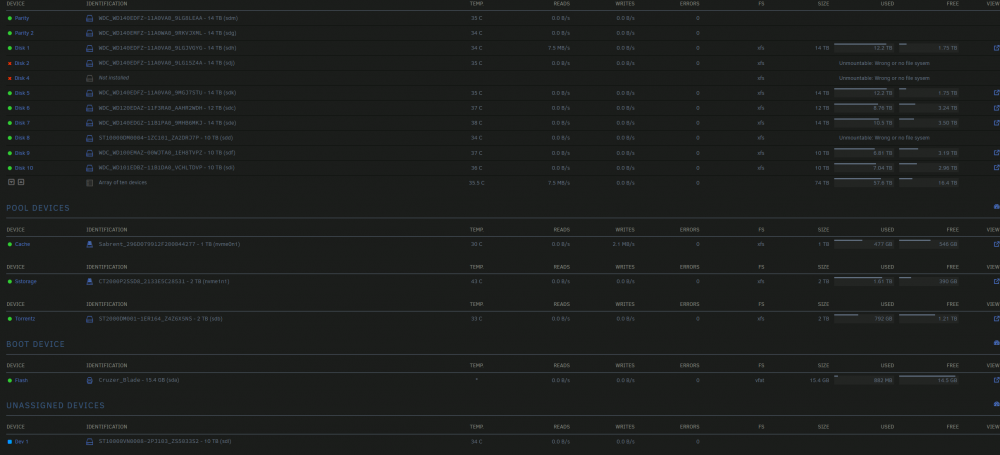
I replaced a whole MiniSAS cable that I had on my other computer and connected the 2TB drive with a sata cable directly to the motherboard. I also took out the LSI card and reseated it just in case (it looked good though). Now I have disk2 disabled and disk8 with "Unmontable". Disk4 was taken out of the array. ivpiter-syslog-20220615-1449.zip
-
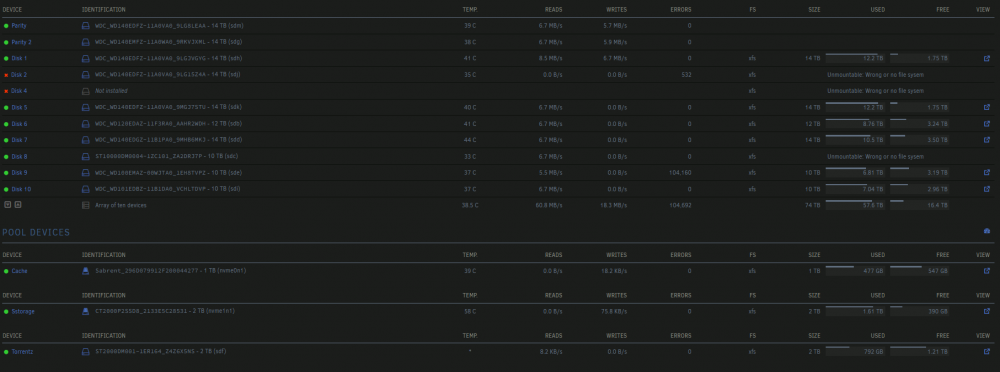
Hello everyone, A couple days ago I posted in here because I had two disks fail in this topic: Everything seemed to be working fine, but yesterday the disk that had had problems started showing errors again. So I bit the bullet and decided to order a new drive (thas currently underway) and just take the faulty disk out of the array. I have 2 parity drives, so it should be good. Yesterday though, out of nowhere, some of my share became unaccesible, and in the GUI they were marked as not present. I restarted and they came back up, but after a while the same thing happened. Today I did another restart and after a few hours I find the array in the following state: Something is clearly wrong and I don't know what it might be. All my drives except the Seagate drives are connected through the "LSI SAS2116 PCI-Express Fusion-MPT SAS-2" card, could it be that that it's faulty? I'm getting scared 😟. What steps should I take? I attached both the system logs the diagnostics below. Thank you very much for your help! ivpiter-diagnostics-20220615-1316.zip ivpiter-syslog-20220615-1116.zip
-
The parity rebuild finished succesfully, the array Is now working properly. Thank you very much for you help!
-
Disk4 just have the lost+found folder which has 990 files on it: root@ivpiter:/mnt/disk4/lost+found# ls | wc -l 990 The device is disabled and the contents emulated.
-
The repair is done (it took a long time!) I uploaded the results in a file below, but it looks that a lot of things happened. Don't know if it would be wise to just start the array with this drives. What do you think? Other option is taking the drive out and putting it back to let it rebuild from parity right? Thanks!. Edit: uploaded file seems to not be working. Use: https://sharetext.me/mnzyojsjlt xfs_repair results.txt
-
Restarting in normal made made disk8 come back! Thanks! I now have disk4 disabled with the wrong filesystem. Do I try the same procedure? Or I format it and start a rebuild?
-
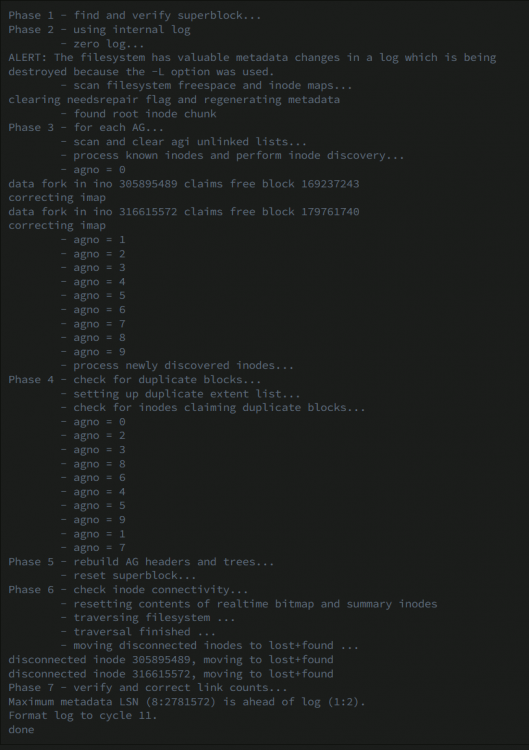
Ok, just did (had to add the -L option) and this is the result. The disk still shows as unmontable
-
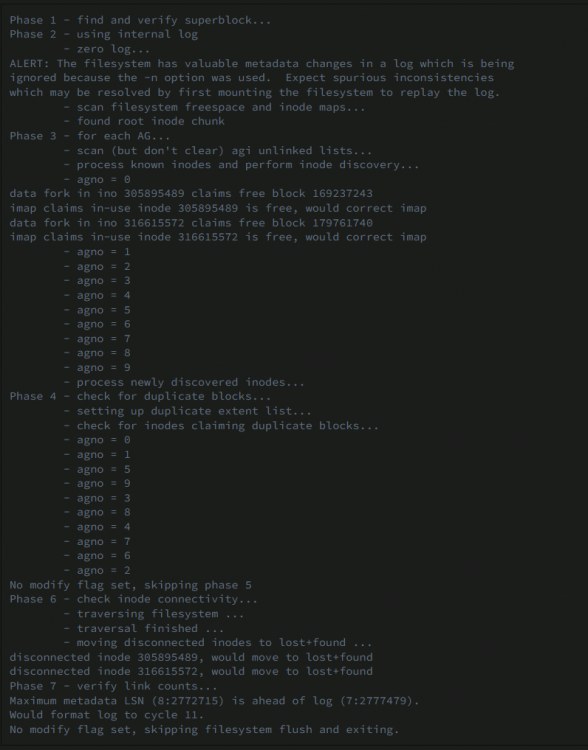
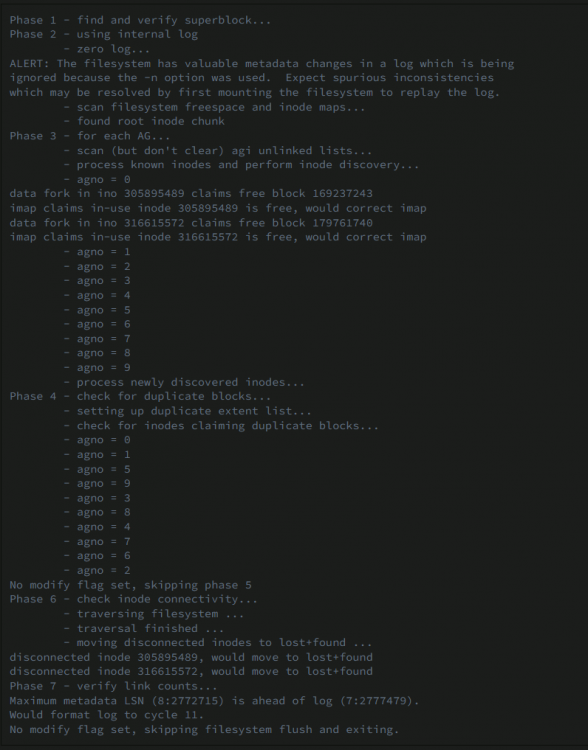
Ok, ram seems to be ok! Ran a test run of xfs_repair on disk8 the results are as follows: Do I now run the check without the "-n" option, should I add any additional option? Thanks! ivpiter-syslog-20220608-0937.zip
-
Doing the test right now, so far so good (nearly 1 pass done). Will leave it overnight to make sure. What should I do if memory turns out ok?
-
No, I haven't. Had the system for +1 year. Do you suggest me doing it?
-
No I have regular DDR4 sticks
-
Yes, sorry I forgot! ivpiter-diagnostics-20220607-1941.zip
-
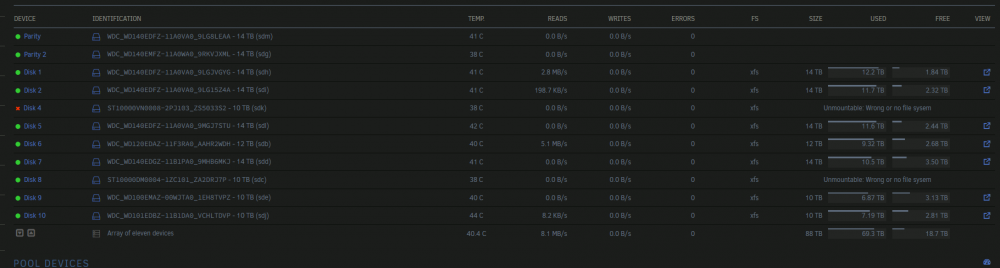
Hello, Today I received a message that disk 4 had errors on it. I looked at the smart report and it had a bunch of UDMA CRC errors, so I thought it was just a bad connection and was no big deal. I tooked the array down, to take it out, but it got stucked, so I did a normal reboot (with the GUI). When it came back online it now shows that another disk has an unmontable file system, and the errors of the first one disappeared. As you can see both drives are Seagate drives. All the other drives are connected to a HBA card, but those two where having problems with it so I connected them directly with sata cables. What's the best approach I can take dealing with this situation? Do I try changing the cables, the port and just start rebuilding? I cannot understand why another drive went unmontable. Thank you!
-
Just did and it seems it completed without error. Started the array and the disk mounted normally. Thanks for your help! Should I be looking for signs of failure in the future? Right now the UDMA CRC error count is 1329.
-
Phase 1 - find and verify superblock... - block cache size set to 3010232 entries Phase 2 - using internal log - zero log... zero_log: head block 2481638 tail block 2481624 ERROR: The filesystem has valuable metadata changes in a log which needs to be replayed. Mount the filesystem to replay the log, and unmount it before re-running xfs_repair. If you are unable to mount the filesystem, then use the -L option to destroy the log and attempt a repair. Note that destroying the log may cause corruption -- please attempt a mount of the filesystem before doing this.
-
Ok, I just changed the sata cable and did the test and got what I believe is a bunch of errors: imap claims a free inode 1164611144 is in use, would correct imap and clear inode (a lot of these) inode identifier 8918548065924071487 mismatch on inode 1320212291 bad CRC for inode 1320212292 bad magic number 0x54be on inode 1320212292 bad version number 0xffffffa1 on inode 1320212292 imap claims inode 1320212288 is present, but inode cluster is sparse, correcting imap entry "fanart-180.jpg" in shortform directory 12189153274 references free inode 12189169408 would have junked entry "fanart-180.jpg" in directory inode 12189153274 would have corrected i8 count in directory 12189153274 from 7 to 6 entry "17507" at block 3 offset 736 in directory inode 1320088957 references free inode 1320212295 would clear inode number in entry at offset 736... And at the end: No modify flag set, skipping phase 5 Inode allocation btrees are too corrupted, skipping phases 6 and 7 Maximum metadata LSN (4:2483963) is ahead of log (4:2481638). Would format log to cycle 7. No modify flag set, skipping filesystem flush and exiting. XFS_REPAIR Summary Mon Jul 12 19:20:08 2021 Phase Start End Duration Phase 1: 07/12 19:19:21 07/12 19:19:21 Phase 2: 07/12 19:19:21 07/12 19:19:22 1 second Phase 3: 07/12 19:19:22 07/12 19:20:08 46 seconds Phase 4: 07/12 19:20:08 07/12 19:20:08 Phase 5: Skipped Phase 6: Skipped Phase 7: Skipped Total run time: 47 seconds
-
Hello, I woke up with a message that a disk had errors, and this message has been spamming my logs all day: Jul 12 15:42:59 ivpiter kernel: XFS (md8): metadata I/O error in "xfs_da_read_buf+0x9e/0xfe [xfs]" at daddr 0x456ab2c0 len 8 error 74 Jul 12 15:42:59 ivpiter kernel: XFS (md8): Metadata CRC error detected at xfs_dir3_data_read_verify+0x7d/0xc6 [xfs], xfs_dir3_data block 0x456ab2c0 Jul 12 15:42:59 ivpiter kernel: XFS (md8): Unmount and run xfs_repair Jul 12 15:42:59 ivpiter kernel: XFS (md8): First 128 bytes of corrupted metadata buffer: Jul 12 15:42:59 ivpiter kernel: 00000000: 19 fc 7c 6f db aa 4d 76 ad 39 6e 81 40 47 fd 0a ..|o..Mv.9n.@G.. Jul 12 15:42:59 ivpiter kernel: 00000010: 59 dc dd c9 db 7d 95 dc dc 77 a8 77 42 63 35 9e Y....}...w.wBc5. Jul 12 15:42:59 ivpiter kernel: 00000020: 3c 49 71 43 25 53 09 44 12 6a 07 ef 46 a0 da b8 <IqC%S.D.j..F... Jul 12 15:42:59 ivpiter kernel: 00000030: 2f 65 72 ba 15 54 73 5b 10 0a af 4a 28 ae 22 60 /er..Ts[...J(."` Jul 12 15:42:59 ivpiter kernel: 00000040: e5 c2 e2 9c 08 18 ef c9 e0 76 18 1a 5f e5 93 eb .........v.._... Jul 12 15:42:59 ivpiter kernel: 00000050: 24 68 21 fe f3 e8 96 cb 75 93 56 c6 f3 6a 56 2b $h!.....u.V..jV+ Jul 12 15:42:59 ivpiter kernel: 00000060: 51 97 f7 59 6c 3c e8 bb 6f 5c a4 3c 74 62 3b ab Q..Yl<..o\.<tb;. Jul 12 15:42:59 ivpiter kernel: 00000070: e2 c3 67 0a 73 49 49 5d be bd 38 46 e0 9a 45 8c ..g.sII]..8F..E. I also attached the logs and the diagnositcs files. What should I do? ivpiter-diagnostics-20210712-1544.zip ivpiter-syslog-20210712-1343.zip
-
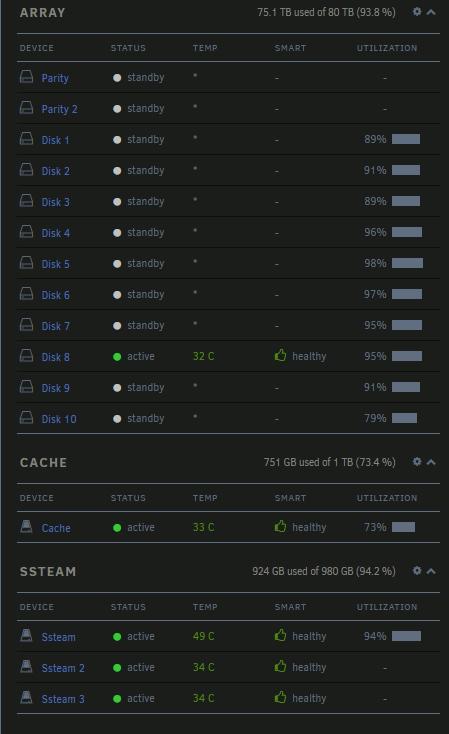
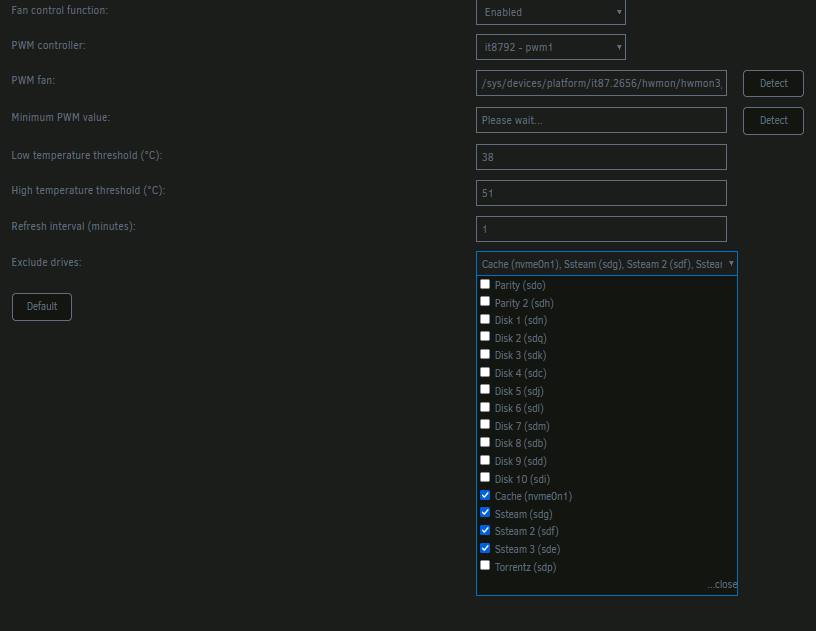
I'm having trouble with autofan as well, all seems to be working fine, but even though I exclude the ssd, it's still being reported as the device with the highest temperature, and thus the fans stay at 100% at all times. The device in question is placed in a pool with other ssds.

-
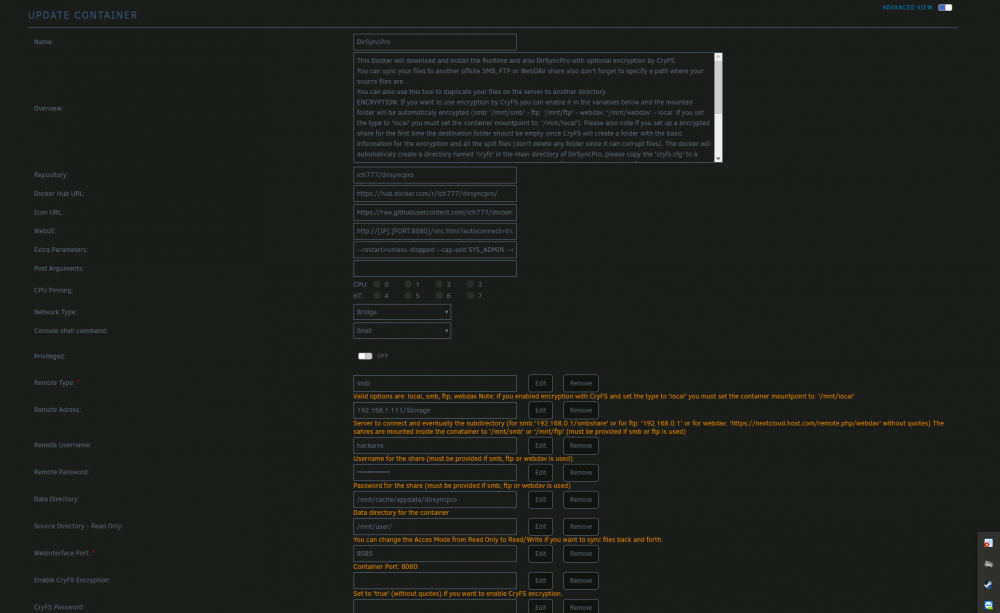
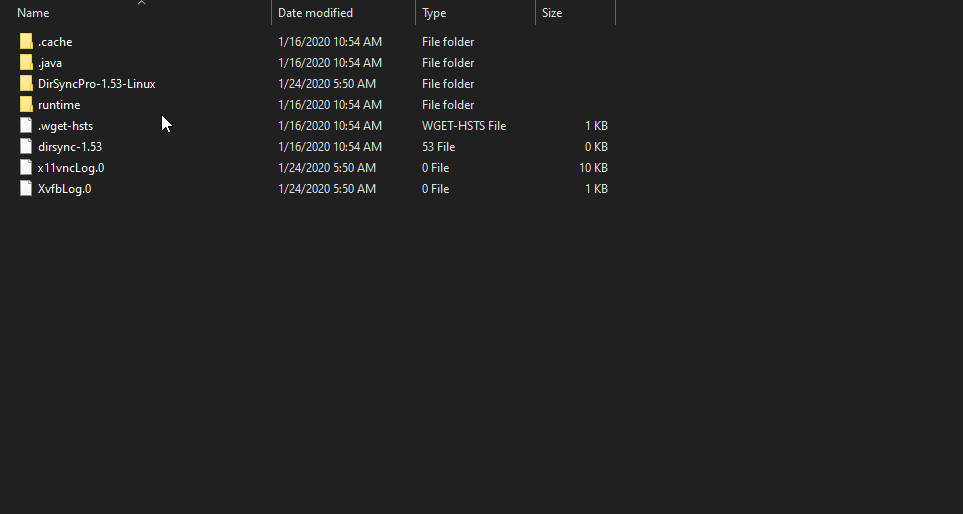
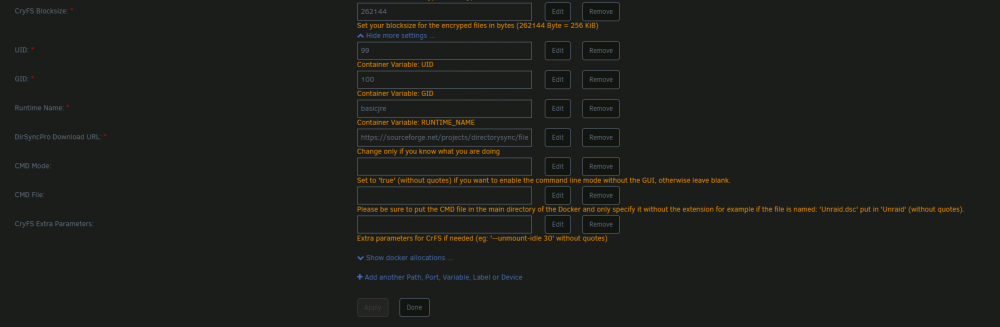
I tried saving the file both at the appdata folder and inside my main unraid share with the same result. It does create a folder inside appdata, as the screenshot shows. Let me know if you need something else. Thanks for the help
-
Hello! I just installed dirsyncpro and I'm having trouble saving the configuration. I did an initial run and everything worked correctly, but after restarting the server the configuration was lost. I tried saving the configuration inside the docker but i get this "error while saving configuration '/*.dsc'. As far as I can see the docker configuration is the same as other apps that can write appdata. Thanks in advance!





