Steve Croft
Members
-
Joined
-
Last visited
-
Thanks @coreylane all sorted!
-
Hey, my Vector docker has recently stopped working despite no configuration changes. It looks like its failing to recognise the vector.toml configuration file being present and potentially expecting a .yaml or .json version. All three appear valid according to the docs. https://vector.dev/docs/reference/configuration/ Error 2023-12-04T22:36:01.486966Z ERROR vector::config::loading: Config file not found in path. path="/etc/vector/vector.yaml"
-
Legend thanks @Djoss, new image seems to have done the job
-
I'm seeing an identical issue on Unraid 6.11.5. Tried re-installing the docker, restarting the server - didn't resolve. Running the above command works, however not an ideal long term fix to enter the terminal manually whenever it fails to start. Any ideas?
-
Thanks @jbartlett. No antivirus/malware unfortunately. I do have a Aeotec Z-Wave USB Z-Stick Plus and USB connection to my ups but can't think of anything else that would cause this.
-
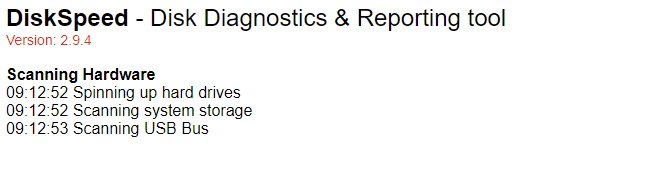
I've just done a fresh install of the DiskSpeed docker and on docker start no errors are shown in the log however when you browse to the Web UI I can't get past the "Scanning USB Bus" line and it starts throwing errors in the log "ERROR","http-apr-8888-exec-3","12/16/2021","09:24:37","",";java.io.IOException: APR error: -32;lucee.runtime.exp.NativeException: java.io.IOException: APR error: -32 ... Caused by: org.apache.catalina.connector.ClientAbortException: java.io.IOException: APR error: -32 ... Caused by: java.io.IOException: APR error: -32 Any ideas? diskspeed_error.txt