





geekdomo
Members
-
Joined
-
Last visited
Everything posted by geekdomo
-
So the parity drive will function at that point? Thanks a ton I’ll give it a go tomorrow morning!
-
I do have a functioning spare 3tb drive I can put into place of the failed drive 8. Let’s say that I can get drive 9 to work again ( it seems super intermittent probably a loose cable). What steps do I have to do to bring it all back online? I’ve had drives fail before but never saw parity disabled. Please share the steps and I’ll try tomorrow to bring it back to life.
-
So the parity drive is there? How can I reenable it? how can I fix this? We seem to be going around in circles. Maybe I’m not explaining it right. I have 3 drives with red astrix on them. 2 now say missing. The parity drive has as astrix and says “parity device disabled”. What is the procedure to bring this back online? thanks for trying to help me it seems we are stuck on semantics. I am probably using wrong terms.
-
Scroll up a few posts. Specifically the parity drive. When I have it plugged in it says “parity device disabled”. Then I shut the server down. Unplug that drive, start it back up and that drive is gone. It’s not even seeing anything there (I shared a screenshot )
-
They do not. How is it unraid/system see the disks but I cannot enable them? If I unplug one then reboot the drive shows up as not even installed. Plug it back in and it says missing. I’m at a loss
-
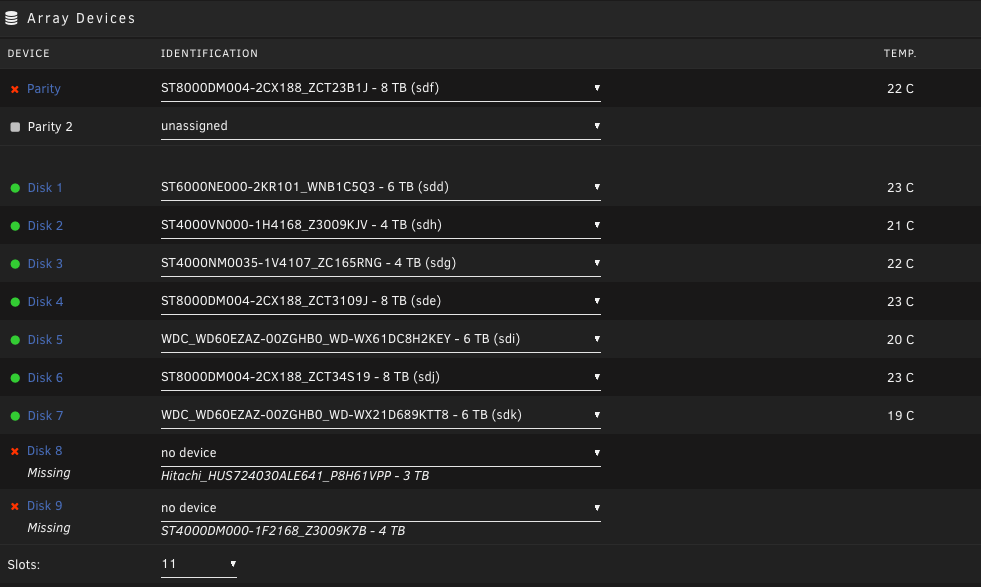
I am so confused right now. I reconnected my parity drive. Its still "Parity Device Disabled". The motherboard/sas recognizes it right? Now I somehow lost the 3rd disk again while reconnecting the parity back up. I swapped SATA cables and its still not coming back. I need to walk away from this for a bit. If you have any tips on how I can fix this I would really appreciate it because I am not doing too well right now.
-
Sorry my brain is a mess right now trying to deal with this. I meant that its red, yet when I unplugged it it showed that its not there. So how does unraid see it when its plugged in yet won't accept that its the right one for parity? I just shut the server back down Ill plug it back in and see what is happening. I am also going to try a spare old 3TB drive I have in disk 8 spot because I genuinely think that one died.
-
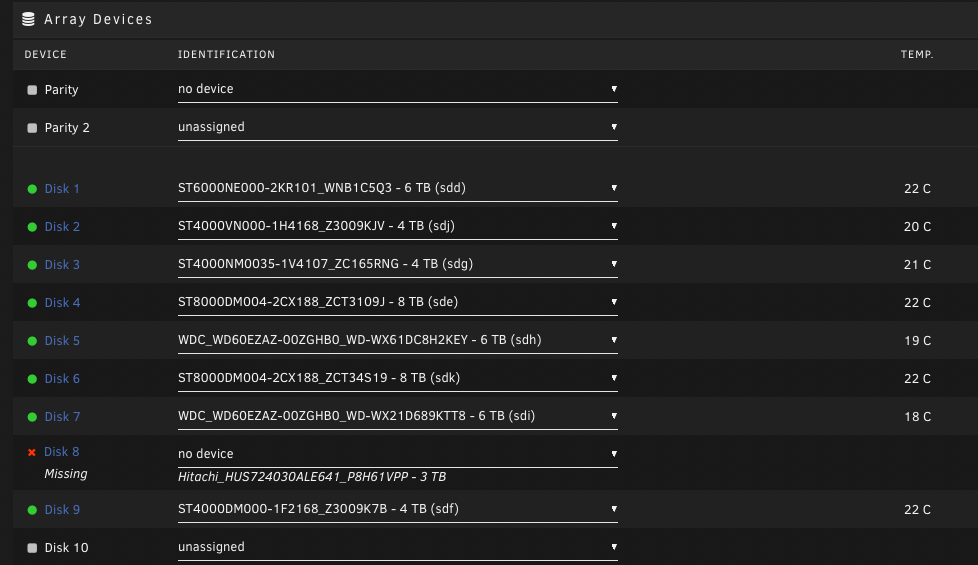
Ok I disconnected the parity drive and connected disk 8 up to the SAS cable that Parity was attached to. Its still showing as dead. Parity however is not showing at all. Was it just the wrong disk before? I have not changed the position of the SAS cable for the drives other than to trouble shoot them (see if the bad drive moved from parity to some other one thinking maybe the cable was bad).
-
Ok I am going to try to connect disk 8 to the SAS card directly (It was SATA). I have not been able to write anything to any disk so I hope they are all synced. Ill let you know what happens with Disk 8 and the SAS connection
-
I have See OP:I have tried power, SAS connections, SATA cables and anything else I can think of to figure this out.
-
As you see I was attempting to transfer to another separate array. I shoot in RAW the files are pretty massive. I cannot upload them to a cloud based system due to bandwidth issues. tank-diagnostics-20220108-1929.zip
-
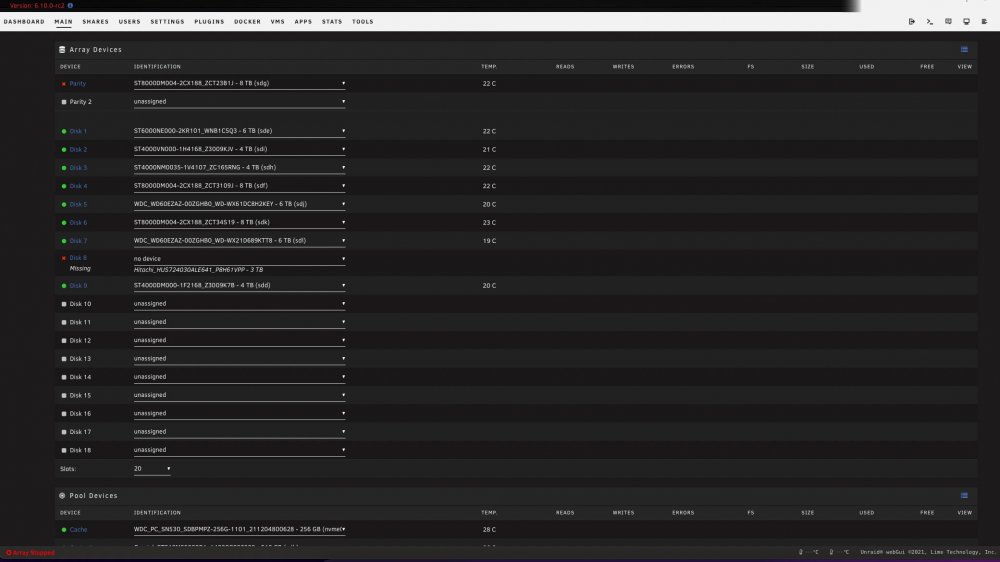
I have been running unraid for years with no problems at all. I am a photographer and wanted to transfer all of my photos (20TB or so) to a 5 disk array on my desk. It was obviously taking forever to move from my unraid server so I got a 10GB Nic card for it (my Mac has 10GBe). I shut down safely and then put the card in. Upon boot up I had 3 red drives one being the parity. I tried to troubleshoot it and tried other SAS cards, plugging my parity directly into the motherboard (I have 2 disks that way because my SAS was full). I removed the new Nic and some other troubleshooting techniques. I have tried multiple cables, swapping power plugs everything I can think of to get my basically brand new parity drive back. Not sure what happened to the 3TB Drive. All of the drives are in cages and sleds. Parity is a 3 month old drive, the 2nd one is quite old and I have a spare already in the mail. I managed through moving cables to get 1 drive back. I am still unable to get my fairly new 8TB parity drive to respond. If I can get it back I can just rebuild the 3TB one. I am at a loss what to do. I have my entire career on these drives. Any way I can restore this somehow?
-
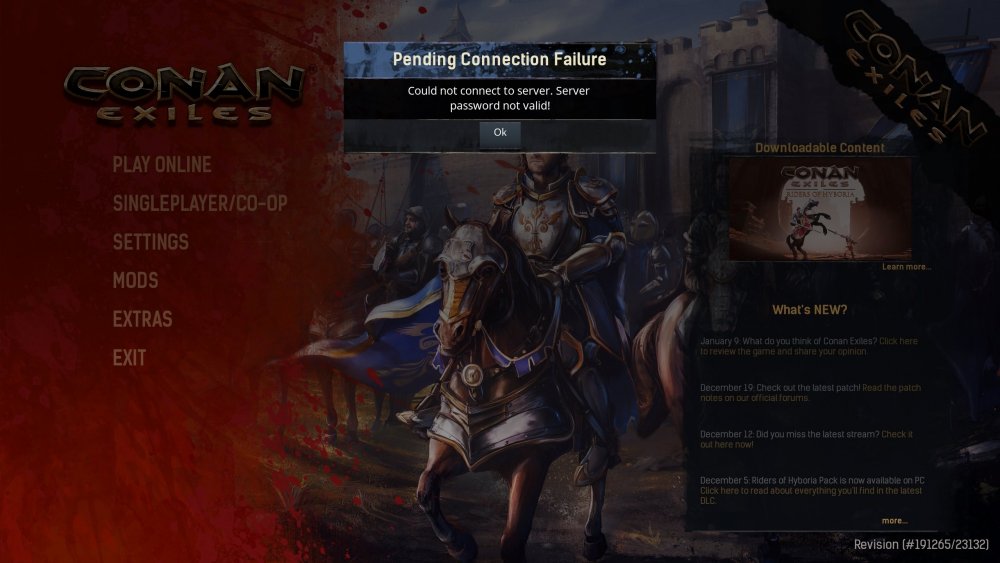
Couple of issues. How can I set resources for my server? I cant seem to set up number of cores, ram etc. This is thrashing my server on a single core. 2nd. When I go to login to Conan Exiles I get "Incorrect Password" This is for the main password and the admin password. To be honest I would prefer no password while I am setting this up locally before I deploy it Thank you
-
I have been using the release candidates since RC1 and no issues at all. I saw there was a new RC so I tried updating and it comes up with wrong MD5. I have all of my plugins upgraded and everything else is stable. tank-diagnostics-20190404-0136.zip

