





sanfark
Members
-
Joined
-
Last visited
-
So what you most people do to backup tons of TB? Another gosh darn Unraid server!?!?!
-
Got it. Ty. Will report back shortly I wanted to have the two parity drives because the data is somewhat important and do not want to risk losing it because a second drive dies. I know it's a rarity, but it is possible
-
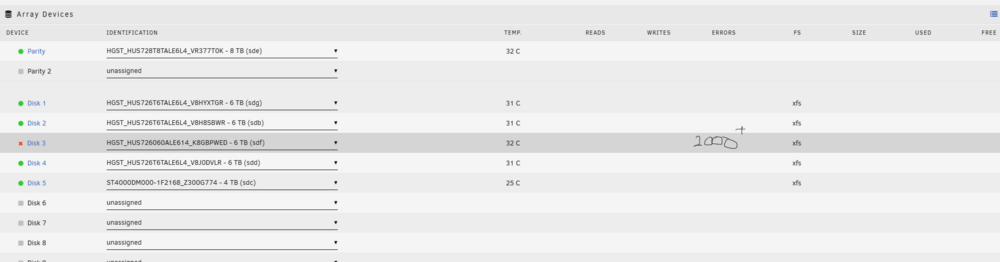
1x Parity 5x Data disks One of the data disks randomly is down, passes smart and has 2000 errors on the disks page. I have been told that from the diagnostic results, there is no issue with the drive. I panicked and bought a WD RED Pro the same size as my parity and was going to use it to replace the bad data disk. Let's scrap that idea, can I have my pool with one down drive and use it to add a second parity instead? Is that dumb? Is it wise? It's an 8TB drive and I do not need the extra space tower-diagnostics-20260101-1231.ziptower-smart-20260101-1227.zip
-
Even with all those errors? It says over 2000 errors on the disks page Would be great news if the disk was fine. Everything on this build is brand spanking new as of 2 months ago, except the drives. They're used HGST
-
Oh my. I just noticed the 2000+ errors. That just came out of nowhere. how the hell are there 2000+ errors but SMART passed?
-
Woke up this morning to a disabled disk 3. There were a few errors that have always been there for years and have not increased, not sure what to do here. I think it failed at 9am EST while the monthly parity check was running Do you replace it? Do you run steps to just reenable it? Smart report and system diagnostic attached. Any help or next steps would be greatly appreciated tower-diagnostics-20260101-1231.zip HGST_HUS726060ALE614_K8GBPWED-20260101-1227.txt
-
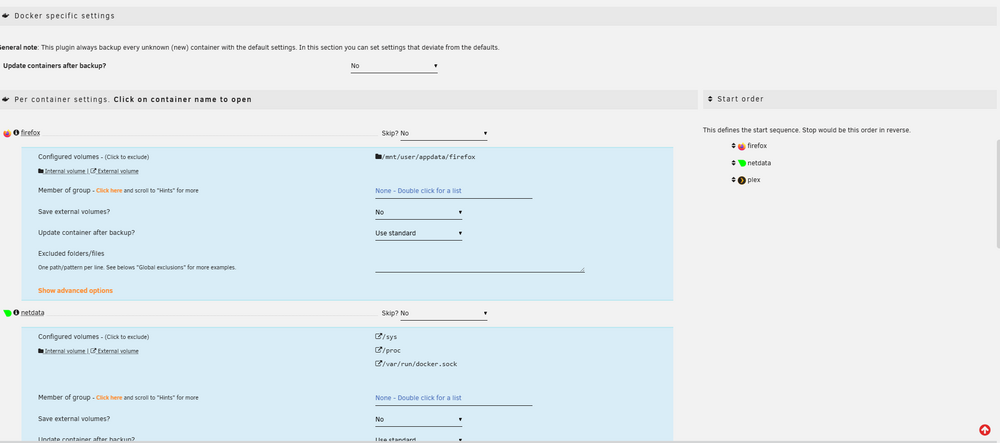
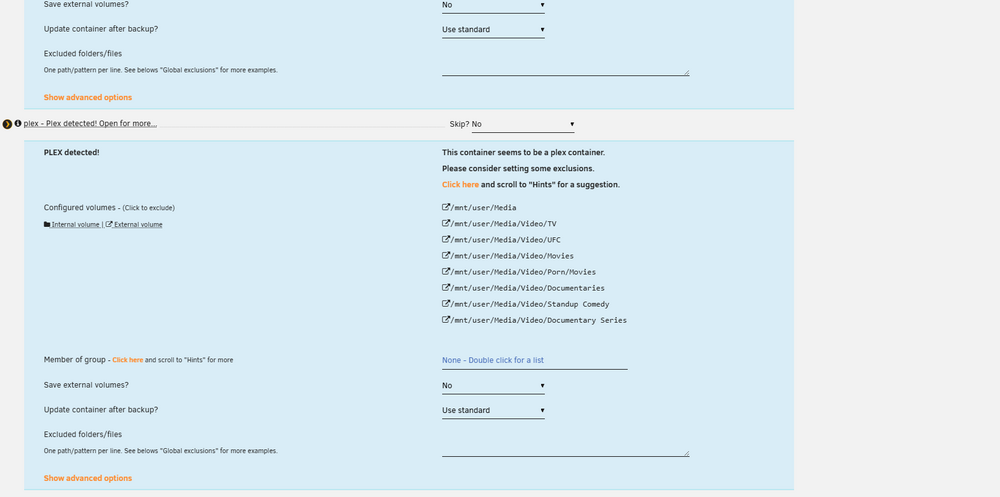
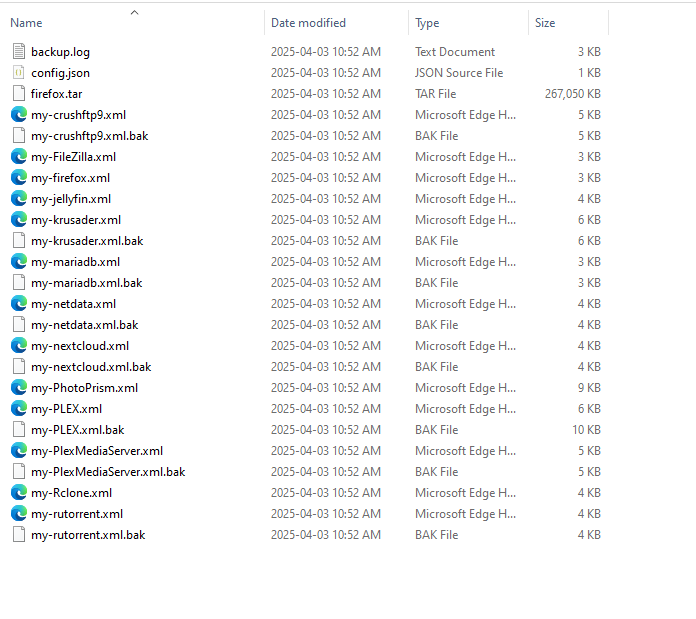
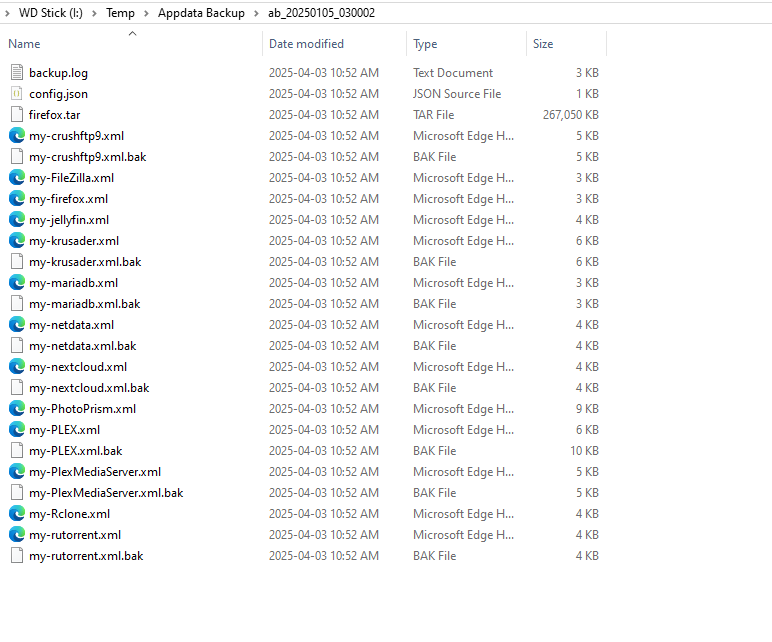
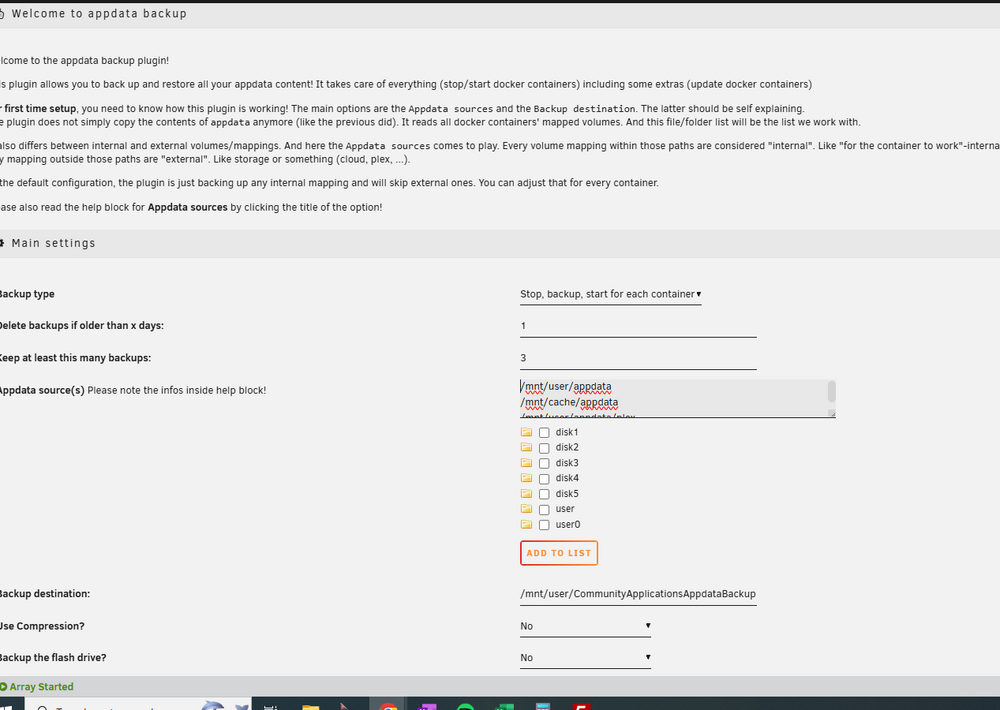
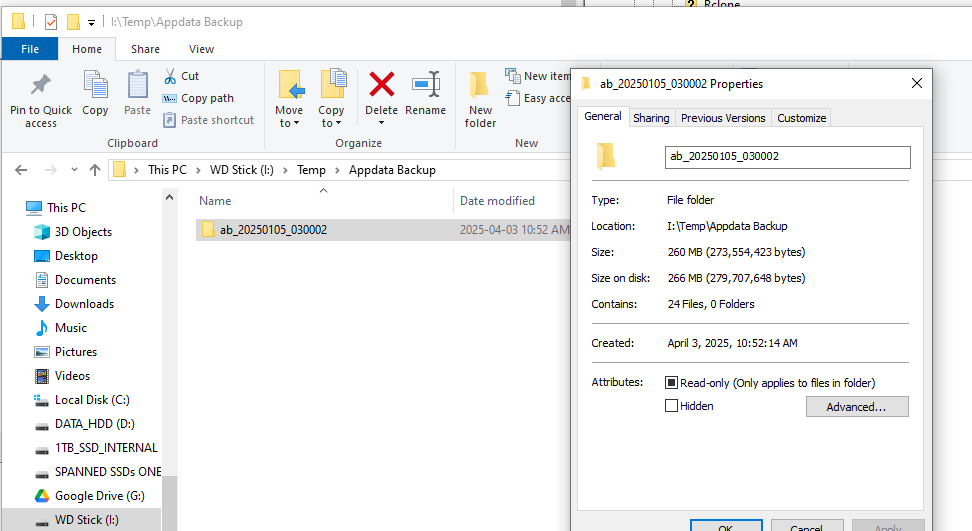
How does stuff end up on your I: drive?I It does not. just copied appdata backup from server to my I drive so I could see the size and look through it in windows. I:\ drive is a separate windows PC You still didn't show how you set it up. I don't know what else you are looking for, let me know and I can provide I am backing up (just realize I essentially have /mnt/user/appdata/plex twice): /mnt/user/appdata /mnt/cache/appdata /mnt/user/appdata/plex What are the container-specific settings? What data is on the set destination itself? The data was the one in picture I shared.
-
So my appdata is not actually being backed up. Plex is at risk (all I care about)? Is there some sort of logs I can provide that can help? I simply downloaded this plugin, set it up once and let it go. Doesn't seem like it's doing what it's supposed to be doing
-
It's set to the 5th of the month, which makes sense about monthly now this is in the folders:
-
I am trying to figure out the current license situation I have but am confused on how it works. I am under the impression there is a monthly cost now for something to do with licenses? I am currently on a lifetime "basic" license and am trying to figure out how many drives I am allowed on this license. I currently have six drives including parity. I would like to add more in the new future (1-2 years) Can someone help clear this topic up?
-
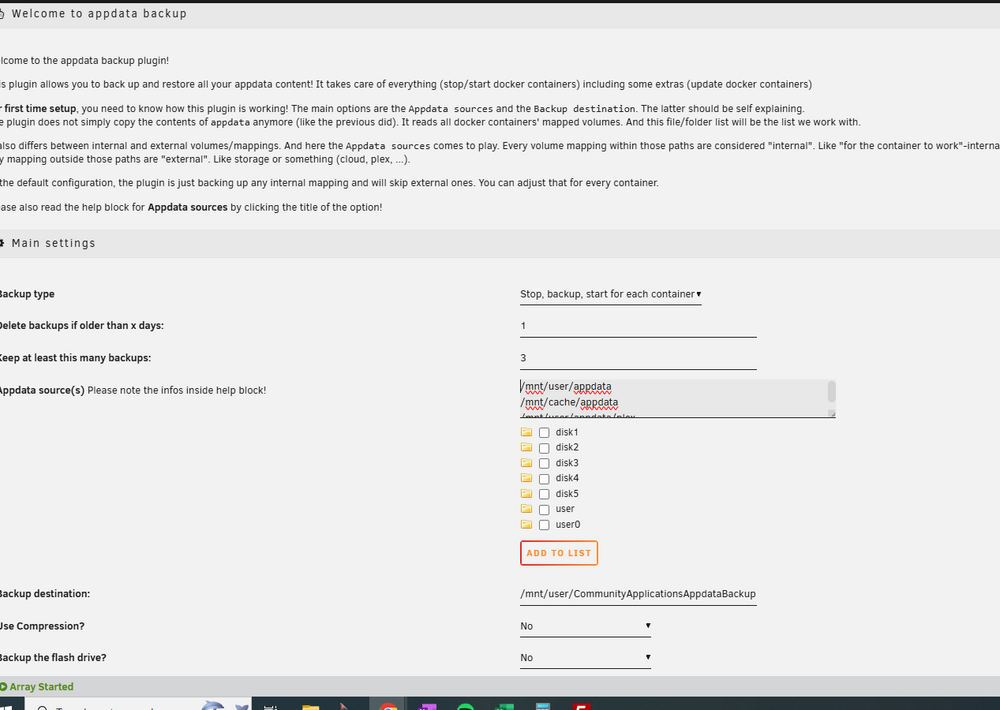
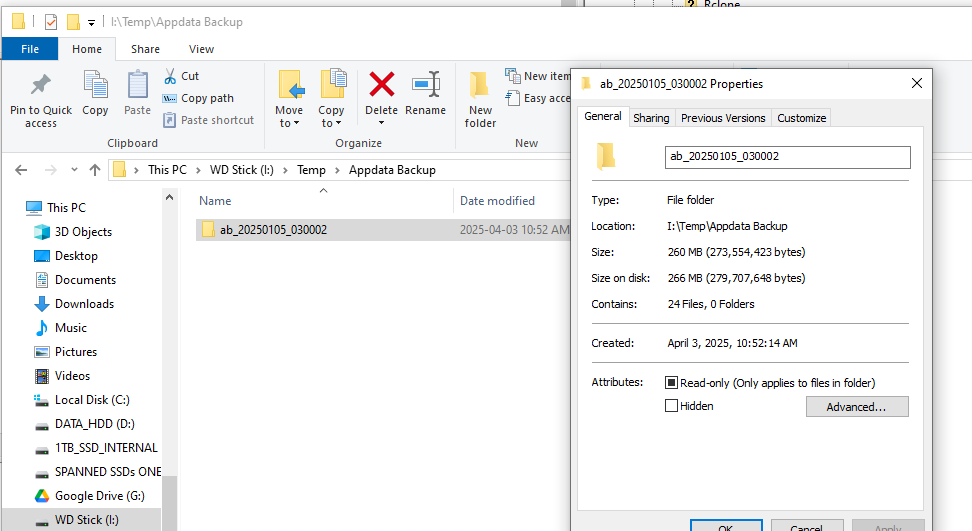
I have my current appdata set to back up 3 days worth of data: This equals 72.1GB. All I have is firefox, plex and netdata dockers. My Plex alone is 32.8GB and photoprism (which I don't use anymore is another 32GB) but I am confused because the appdata backups are only 260MB and most of the data is from my firefox docker, wtf. Also, if you see my unraid config above it's set to delete older than 1 day but to keep up to 3 days and below, I have one backup a month only. I am very confused an hoping someone can ELI5

-
I have my current appdata set to back up 3 days worth of data: This equals 72.1GB. All I have is firefox, plex and netdata dockers. My Plex alone is 32.8GB and photoprism (which I don't use anymore is another 32GB) but I am confused because the appdata backups are only 260MB and most of the data is from my firefox docker, wtf. Also, if you see my unraid config above it's set to delete older than 1 day but to keep up to 3 days and below, I have one backup a month only. I am very confused an hoping someone can ELI5

-
You are 100% correct. I never really had a backup plan and assumed that signing up to myunraid.net took care of backups. I assumed that I was going to see daily backups going back ages; this was not the case. Got a little spooked too. I guess any time you make a GUI change, you take a full back up first Any time you go to upgrade, you take a full backup first Any time you just finished an upgrade, you take a full back immediately Would be nice if there was a way to simply have weekly backups automated.
-
Ummmmmmmm..........I restarted and everything works now. I like that unraid acts more like windows and less like linux. makes my life easier
-
Now I am confused and getting ahead of myself. Can I restore the flash drive using a zip with 6.12.13 even though my current system is 6.12.14? Is it going to trip up with my dockers or plugins that are fully updated? Seems messy and possibly a problem restoring the flash to a previous version. Does my appdata get touched in this process? Do I simply pull out the USB, plug into widows machine, copy contents of backup.zip and overwrite USB, plug back into Unraid and reboot?


