





Alabaster
Members
-
Joined
-
Last visited
-
Thanks to gfjardim, he added it to the Server part of the dashboard under Power. He also added the footer display OK, got that working now. I was not seeing UPS info in either of the areas you mentioned. I had to set the 'Display Page Footer' option in Settings>NUT Settings to Yes in order to see it in either location. Thanks!
-
Hey everyone, I'm running Unraid 6.8.3 and just updated NUT to 2020.03.17. I no longer see the UPS status info on the top of the Dashboard page. It is still available from Settings>NUT Setting page though. Is the change on the Dashboard page expected? Thanks!
-
Looks like it's working fine for me now. Initially the values for Model, S/N, size, etc wouldn't show when starting the preclear, but a reboot fixed that. Thanks for the fix!
-
I'm trying to clear a few disks and running into a problem. The status shows 'starting...' for a few seconds and then goes right to 'Preclear Finished Successfully'. I get the following in the log... Jan 16 23:43:27 preclear_disk_5VMCHPMH_22837: Command: /usr/local/emhttp/plugins/preclear.disk/script/preclear_disk.sh --cycles 2 --no-prompt /dev/sdg Jan 16 23:43:27 preclear_disk_5VMCHPMH_22837: Preclear Disk Version: 1.0.8 Jan 16 23:43:28 preclear_disk_5VMCHPMH_22837: S.M.A.R.T. info type: default Jan 16 23:43:28 preclear_disk_5VMCHPMH_22837: S.M.A.R.T. attrs type: default Jan 16 23:43:29 preclear_disk_5VMCHPMH_22837: Disk size: 500107862016 Jan 16 23:43:29 preclear_disk_5VMCHPMH_22837: Disk blocks: 976773168 Jan 16 23:43:29 preclear_disk_5VMCHPMH_22837: Blocks (512 byte): 976773168 Jan 16 23:43:29 preclear_disk_5VMCHPMH_22837: Block size: 512 Jan 16 23:43:29 preclear_disk_5VMCHPMH_22837: Start sector: 64 Jan 16 23:43:34 preclear_disk_5VMCHPMH_22837: Pre-Read: dd if=/dev/sdg of=/dev/null bs=2097152 skip=0 count=500107862016 conv=notrunc iflag=nocache,count_bytes,skip_bytes Jan 16 23:43:35 preclear_disk_5VMCHPMH_22837: /usr/local/emhttp/plugins/preclear.disk/script/preclear_disk.sh: line 1059: 4194304 / (1579239814 - 1579239814) / 1000000 : division by 0 (error token is "(1579239814 - 1579239814) / 1000000 ") I tried reinstalling the plugin, but get the same result as noted above. Below is the plugin install log for review... plugin: installing: https://raw.githubusercontent.com/gfjardim/unRAID-plugins/master/plugins/preclear.disk.plg plugin: downloading https://raw.githubusercontent.com/gfjardim/unRAID-plugins/master/plugins/preclear.disk.plg plugin: downloading: https://raw.githubusercontent.com/gfjardim/unRAID-plugins/master/plugins/preclear.disk.plg ... done plugin: downloading: https://raw.githubusercontent.com/gfjardim/unRAID-plugins/master/archive/preclear.disk-2020.01.16a.txz ... done plugin: downloading: https://raw.githubusercontent.com/gfjardim/unRAID-plugins/master/archive/preclear.disk-2020.01.16a.md5 ... done tmux version 3.0a is greater or equal than the installed version (3.0a), installing... +============================================================================== | Skipping package tmux-3.0a-x86_64-1 (already installed) +============================================================================== libevent version 2.1.11 is greater or equal than the installed version (2.1.11), installing... +============================================================================== | Skipping package libevent-2.1.11-x86_64-1 (already installed) +============================================================================== utempter version 1.1.6 is greater or equal than the installed version (1.1.6), installing... +============================================================================== | Skipping package utempter-1.1.6-x86_64-3 (already installed) +============================================================================== +============================================================================== | Installing new package /boot/config/plugins/preclear.disk/preclear.disk-2020.01.16a.txz +============================================================================== Verifying package preclear.disk-2020.01.16a.txz. Installing package preclear.disk-2020.01.16a.txz: PACKAGE DESCRIPTION: Package preclear.disk-2020.01.16a.txz installed. ----------------------------------------------------------- preclear.disk has been installed. Copyright 2015-2020, gfjardim Version: 2020.01.16a ----------------------------------------------------------- plugin: installed I'm running Unraid 6.8.1 and also updated Unassigned Devices for good measure(currently at 2020.01.16a). I also installed Unassigned Devices Plus as I saw a message stating that was needed to enable destructive mode. I would try a reboot, but I have a parity sync in progress after doing a new config and want to let that finish. Seems the script is erroring out though. Anyone else running into this issue?
-
Been using unRAID for a few months now. Currently using it as a media server with Plex and also have a Win10 VM on it. I'll be looking to expand it for IP camera storage with ZoneMinder and for DVR(once I purchase the Plex Pass). I did a lot of searching for an OS that would fit my use cases and unRAID hasn't let me down. Having such a helpful community is wonderful.
-
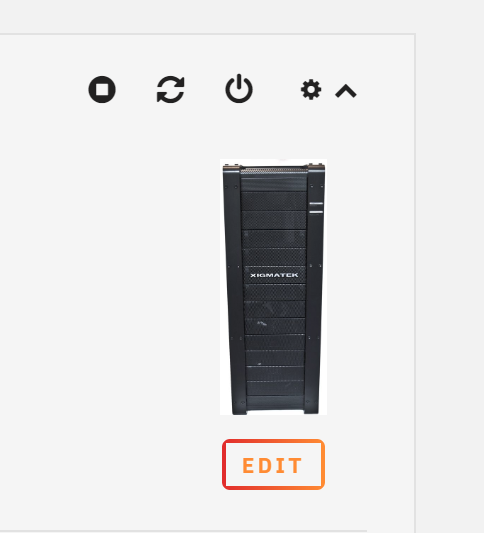
This is now available in 6.7.2
-
I asked a Dev over on this topic about custom, user-created case icons. The feature is in development.
-
I have a fan moving air over my HBAs (2x LSI 9207-8I) to help cool the heatsinks. I would like to see the ability to have a notification sent when a fan quits working i.e. RPMs drop to zero. I see the dashboard has an Airflow section, but the settings gear for that section just goes to a blank page. So, maybe something like this is in the works already, but I wasn't able to find anything on such a feature. Furthermore, I would like to see the ability to rename the fans in the dashboard. Being able to rename them to "CPU", "HBA", "Back Case" or something similar would also help in conveying the importance of the notification based on the fan name.


