





BobbyPoor_Boy
Members
-
Joined
-
Last visited
Everything posted by BobbyPoor_Boy
-
Worked for me. Thank you for your help with all the dockers you maintain! Gave a Tip as well.
-
Reporting the same issue. Haven't been able to find a fix yet. I believe the issue started last week.
-
This worked for me. thank you.
-
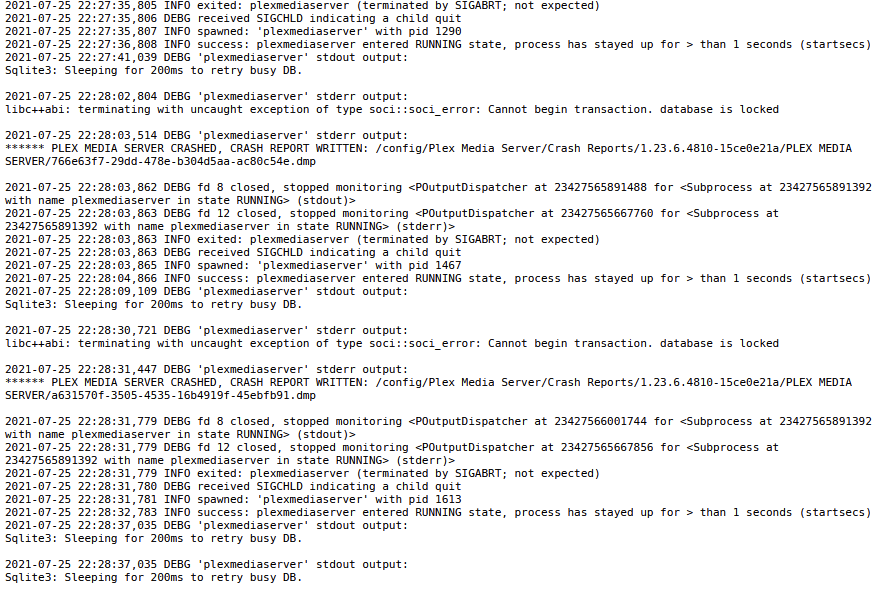
A couple hours ago my plex server started crashing and restarting. Here is the log: First problem I had had were I wasn't able to find the solution. Plex log.zip
-
updated from 6.8.3 to 6.9.1 and installed and updated the plugin without issues. Thank you!
-
thank you for your help. this helped me as well. For reference for anyone else. Deluge VPN would not start for me. This is due to a recent PIA change on their end. Go to: https://github.com/binhex/documentation/blob/master/docker/faq/vpn.md Look at question 19 and 22 and make the changes.
-
yes. I have tried with my current IP address and with the DuckDNS name without the "https" . neither works. verified at https://www.portcheckers.com/ It's driving me crazy. i can port forward radarr, sonarr, and everything else i have tried without issues using the current IP address and my DuckDNS domain without issue. It is just the minecraft docker I am having the issue with. I did try a different minecraft docker and I had the same issue.
-
hey guys. i am having a terrible time getting external access working. I don't think it is an issue with the binhex bedrock docker, but i am starting here first. Info: I am using the Binhex Minecraft Bedrock edition. Internally the server is accessible. Externally I cannot access the server. I have setup port forwarding on the router, but still a no go. Tried changing the minecraft ports, but it seems any port that is assigned to the minecraft server and also setup in port forward will not work. I tested opening up other ports for other programs and they were all able to be accessed without issue. Example: Minecraft server is 19132 and setup port forward. No go. Radarr is 7878 and setup port forward and is able to be accessed externally without issue. What am I missing here? Other info: I do have OpenVPN, DuckDNS, and DelugeVPN. All are working and I have not noticed any issues. technical details: unraid server: 192.168.1.5 Binhex minecraft bedrock port: 19132 router: RT-AC3200 router port forwarding: UDP And TCP forwarding for ports 19132 and 19133 to 192.168.1.5 WAN IP is dynamic. But port 7878 (among others) is accessible with current IP and DuckDNS

