





jedivoodoo
Members
-
Joined
-
Last visited
-
I appreciate the tip but as I've posted earlier, this is not the case. All of my mounts are correct and have not changed in well over a year, but this issue is relatively new. It is related to the sonic analysis feature as far as I can tell and happens primarily when I add new music.
-
I have not! It's still ballooning and I just kinda let it do it's thing, since I use the backup and restore plugin to have the container update once a week. I know it's eating my nvme with writes but I can't find a solution so I don't really have a choice.
-
I have separate SSDs for the appdata/system shares and download/cache, that's just what I named the appdata drive.
-
Thanks for the tip but transcoding to ram has been working for me for a long time this way, I have 128GB of ram and have never had an issue before. I also don't notice disk usage increasing when transcodes are being done.
-
Gotcha, thanks for the tip! I'll see if I can find a solution.
-
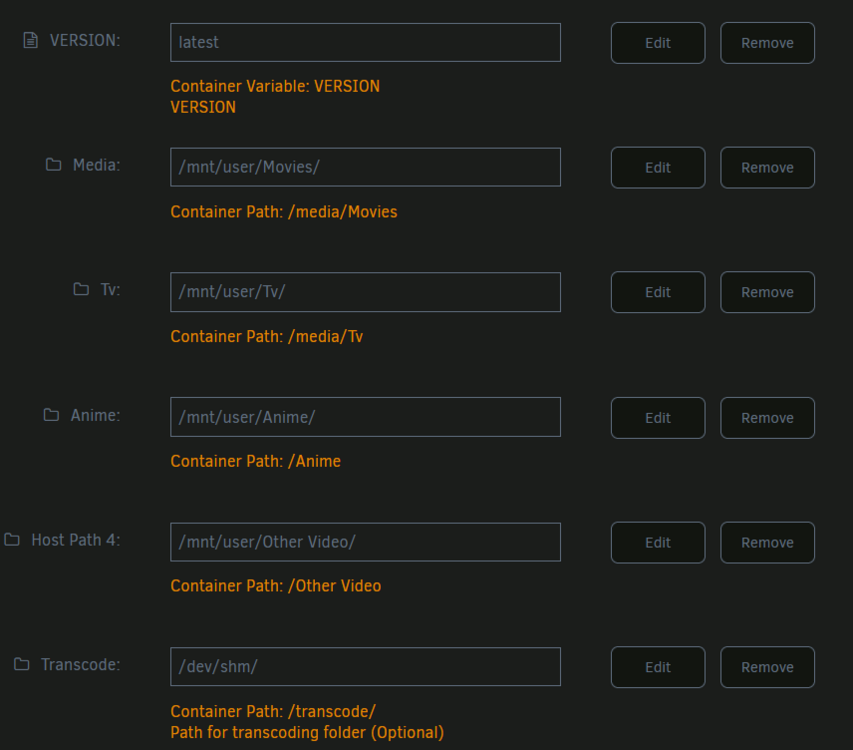
Lately my Plex install is ballooning my docker folder (I switched from image years ago) and I'm not sure what's up. Not the appdata, but the actual docker container folder data itself as reported by Unraid when you hit "container size" in the docker section of the Unraid gui. I woke up to a notification that my ssd was filling up, and after trying to figure out the source I found the Plex docker size to be reporting over 1TB. Updating/restarting the container seems to reset the size back to the expected 300 or so MB. As far as I can tell all of my mounts are correctly mounted to outside of the container (I have not changed them in well over a year). Looking at the different support channels, I seem to be having a similar issue to this post: https://forums.plex.tv/t/unraid-plex-ballooning-overlay2-folder-in-docker-directory/865874 but since the issue was not resolved over on the Plex forums I figured I'd try here as well. I just restarted the container to clear some space and neglected to grab logs, I'll update this post later when I start to see it fill up again. I was wondering if anyone has any ideas where to start for dealing with this.


-
Hi bitcore, thanks for the report. I'm really not sure what's up here. I will say that I noticed kcompactd0 was consuming 100% of one of my cores pretty much permanently, I'm not sure if that has anything to do with this issue though. I'm trying to look into it but I can't find much info online. But yeah, same as you, no memory overcommitment and my iowait is low at around 0.1%.
-
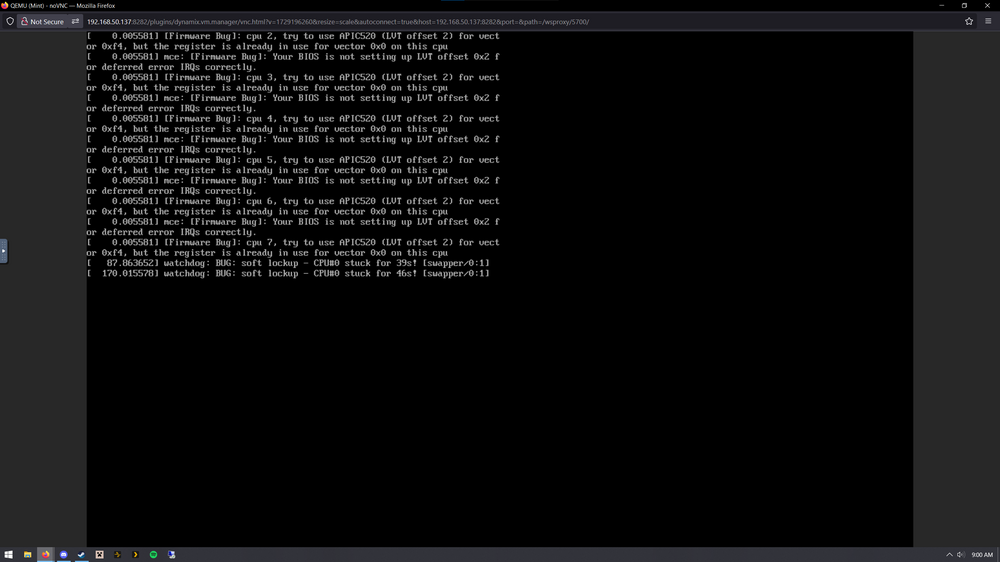
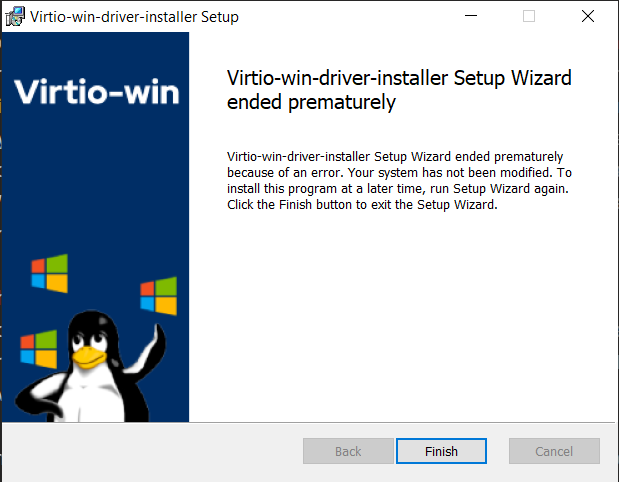
I've been daily driving a Win 10 Vm setup on Unraid for about 5 years now, and while occasionally something weird will pop up that I need to tinker with, it's mostly been a great experience. Recently, though, any other VM I try to run aside from my main passthrough one has become unusable. Both Windows and Linux VMs that have worked previously no longer work, and creating totally new VMs from templates and new vdisk installations doesn't help. Whenever I run a VM, the assigned CPU cores for that VM go to 100% and the Unraid webUI becomes super slow even through I don't have my first two cores pinned for VM usage and they show less than 100%. Eventually I have to force close the VM, but while the broken VM is running my passthrough VM starts to become slow, with the mouse visually lagging behind where I'm moving it and Windows becoming unresponsive. If I open task manager in the passthrough VM, once it loads I don't see high usage on any of the hardware while this is happening. This laggy behavior has started to happen at other times when using the passthrough VM, usually when I'm browsing the web with FIrefox and interacting with something like Claude or ChatGPT. I can't quite pin this down either though, as again both FF and Windows task manager do not show high hardware usage. I will say that that lag on the passthrough VM happens while another VM is running even if I have Firefox closed. Running the other VMs with my passthrough vm off does not change the broken behavior. All of my appdata/system/vm data is on a Samsung 990 nvme that works great otherwise. The passthrough VM has 10 cores isolated and USB/NVME/GPU passed through at the IOMMU level. CPU governor is set to performance and I've tweaked many things over the years to minimize VM latency. Like I said, mostly things have been great. I do have a bunch of Docker containers running normally but the behavior persists even if I have the Docker service disabled. Attached is a console screenshot from a previously working Mint installation, saying that there's a firmware bug and a register is already in use. This makes me think it's a memory problem or something but Memtest didn't give me any errors and this is the only place I'm experiencing issues really. Windows 10 just hangs and I don't get an error message, and a Windows XP vm that I had previously working has started to blue-screen. I have a 16 core 5950x and 128 GB of RAM with usage hovering around 65-70% so it's not a matter of resources. It's hard to say when this issue started exactly, I can't quite pinpoint a hardware or settings change that I can undo. I'm on 7.0.1 now but t was also happening on the most recent 6 versions. I was hoping 7.0 and a Libvert or QEMU version bump may resolve it but so far that has not happened. I tried updating my passthrough vm virtio drivers as well just in case, but I also get an installation error there so I'm not sure what's up. It may be related, but probably not since the other VMs still have issues when this VM is not running. If anyone has any ideas or can tell me where else in my settings to start poking around, I'd appreciate it! bishop-diagnostics-20250310-0901.zip
-
Has anyone had issues with XP under Unraid 7.0? I had a VM working fine previously, but at some point something happened to make it unusably slow. I used the linked floppy to try to reinstall and even the install is glacial. My assigned cpu core is at 100% immediatly upon booting the vm which makes me think it's a QEMU problem somewhere. Both Q35 and i440fx, I've tried multiple version numbers and at this point almost every combination of settings. My Windows 10 daily driver vm with a gpu passed through is fine though so I'm not sure what's up.
-
I am experiencing this as well, it only popped up as an issue in the last week or so.
-
Same issue. If it's not going to be fixed, does anyone recommend a different DDNS updater container?




