






InternetD
Members
-
Joined
-
Last visited
-
Ty, and dont worry, we all have a life.
-
@Kilrah I'm putting a disclaimer for users because of the recent php cve releases:https://github.com/nextcloud/all-in-one/issues/8876 and https://github.com/docker-library/official-images/pull/22541 Can you please boop us once the related updates upstream landed into your docker? Thank you in advance!
-
@Gideon77 Boop for release 8.3, thanks in advance!
-
Did anyone try to enforce xe drivers for Intel Alchemist GPUs? I'm asking since this here sounds interesting for power saving.
-
Just here to say thank you for the custom docker. Maybe: beware that you need different CUDA versions depending on the GPU you have. We just also just got a driver split thanks to Nvidia EOLing Pascal. Meaning you would need to provide a legacy (frozen, for Pascal and possibly older) and a more up to date docker option (for RTX) or tag as long as the Unraid kernel supports the legacy stuff. For video codec acceleration alone beware that not every GPU supports every setting from ffmepg equally (not meaning codecs, but like Advanced NVENC Options like quantization, b-frames and such).
-
Greetings, just bumping because 5.2 is out. Thanks for your work!
-
Wel it doesnt seem that ports on the tunnel can reach the qbitorrent docker. My VPN provider gives me port 59963 UDP and TCP but I cant get it through to qbitorrent.
-
@Mainfrezzer Well looks like I did an error on my side yesterday and got the web gui worked (forgot to change the related setting/port within the qbittorent webgui itself). How do I pass the needed port from the wireguard client toward qbitorrent?
-
I tried to change the port in either one but said web gui stays unreachable. I'm looking right now into it again to see if I have not goofed a port or something.
-
https://github.com/linuxserver/docker-qbittorrent/pkgs/container/qbittorrent

-
If you meant that, yes I did.
-
Thank you, I will give it a try. Edit: @Mainfrezzer Your docker works well, but sadly the web interface of the other docker I want to use refuses to work even after mapping all ports required accordingly within the template of your docker. I need to find a fix for that.
-
Thank you for the fast response. So If I understand your docker, it comes with proxy/socks I need to connect to? It is only partly useful for my case since I need the "route" to be dead on interface disconnect and I'm not sure how I can implement this on Unraid.
-
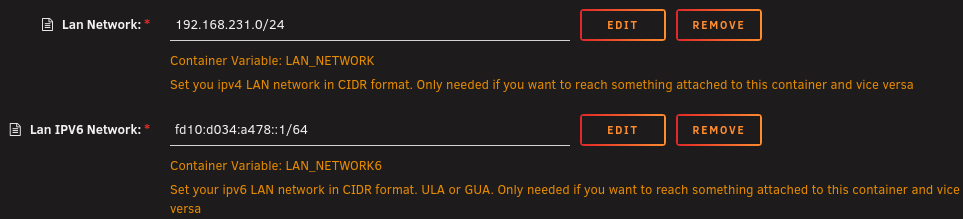
Hello, I want to use IPV6 with my VPN provider within the custom docker network created for wg0. Unraid/Docker seems to have generated only an IPV4 subnet for the related custom network. Also it seems that in root/config/wireguard/wg0.cfg no ipv6 route is added (interface up) or deleted (interface down): PostUp=ip -4 route flush table 200 PostUp=ip -4 route add default via 10.133.136.143 dev wg0 table 200 PostUp=ip -4 route add 192.168.231.0/24 via 192.168.231.1 dev br0 table 200 PostDown=ip -4 route flush table 200 PostDown=ip -4 route add unreachable default table 200 PostDown=ip -4 route add 192.168.231.0/24 via 192.168.231.1 dev br0 table 200 Greetings and thank you in advance.

-
The pcie bug is only a display one and well known for Intel Arc. lspci shows since years only pcie gen1 x1 but the cards are still functioning normally with their full bus.

