tTownTom
Members
-
Joined
-
Last visited
-
..sure hope those weekly backups actually did their job 🙃 Would having multiple cache drives solve this in the future? Or is that not how cache pools work?
-
Thank you for your reply! When replacing it, will I have to set every container up from scratch? 😬
-
Hi @JorgeB I turned off the server to check all connections. They seemed fine, however I thought I would create a disk image of the disk (as a backup) before rebooting, however I could not initialize the disk in windows.. Re-connecting the disk and booting up the server gives this result (which seems fine): Starting the array however, results in this error: Unmountable: Unsupported or no file system Also: The disk is listed under "Historical Devices" as well Under Fix Common Problems I get this error: Where I fall into the latter category (If the disk is listed as being unmountable, and it has data on it, whatever you do do not hit the format button. Seek assistance HERE). and it also lists a bunch of warnings, all referencing "non existent pool cache". And so that's where I'm stuck right now. Any and all suggestions are very welcome ❤️




-
UPDATE: I am just now seeing that my cache disk is not recognized. In the main tab under Cache it simply says: Not installed
-
UPDATE: Also, all the containers that do start can't find their container data. It's like they're starting for the first time, asking to set them up and configure them.
-
I just updated to Unraid v 6.12.4 and now a whole lot of my containers will not start. On server reboot I see a lot of these in the log: Oct 26 09:18:35 storeStep kernel: br-7f14e4841fe4: port 7(vethd64225f) entered blocking state Oct 26 09:18:35 storeStep kernel: br-7f14e4841fe4: port 7(vethd64225f) entered disabled state Oct 26 09:18:35 storeStep kernel: device vethd64225f entered promiscuous mode Oct 26 09:18:52 storeStep kernel: vethf21ecfb: renamed from eth0 From the logs of some containers that won't start, it seems the file system is read only: Zigbee2MQTT:error 2023-10-26 08:14:14: Failed to write state to '/app/data/state.json' (EROFS: read-only file system, open '/app/data/state.json') Any idea what's going on here and how to fix it? storestep-diagnostics-20231026-0928.zip
-
The troubled directory was in this structure: /mnt/user/<SHARE>/<DIRECTORY> where everything within <DIRECTORY> was not accessable. I ran the following command: chmod -R 777 /mnt/user/<SHARE>/<DIRECTORY>
-
Thanks for your suggestion! The directory had rw for all users. To test, I did a chmod -R 777 on the directory, now all the files are back 🤩 I don't reckon a 777 is a amazing solution, so I will be doing some more tests - but at least I can now access all files and folders again. Thank you!
-
@dlandon Windows Explorer. But really any file browser. I can't access the files and folders from Finder on Mac or the file browser in Nextcloud either.
-
UPDATE: After another reboot I can now access the folders/files from the Unraid directory browser, but it is still not showing up in Explorer.
-
In one spesific directory all subfolders and files are gone when trying to access them from Explorer/Finder/Nextcloud, however ls-ing into the directory using the commandline I see that all the files and folders are still there, all 13 gigs. cp-ing all files and folders to another share took about 2mins, and gave the same result: I can ls to see the files/folder, however Explorer reports the folder is empty. I first encountered the issue after updating to UnraidOS 6.11.0 today. Not saying the update is to blame, it's just the only thing I can think of that's changed since I last accessed the folder using Explorer. Any pointers on how to access this content from anything other than the command line again? Diagnotics are attached: storestep-diagnostics-20220925-1200.zip
-
Just received an email from Mysterium telling me to update my node: How would I go about this? Cheers
-
Hehehe - cheers! I will certainly make that a cron job Thank you for all your help!
-
This solved the problem. Indeed, deleting and requesting new SSL certificates for all the proxies made them all work again. Thank you so much for that! Would you happen to know why this suddenly stopped working in the first place? Is there something I can do to not have it happen again? Cheers for all your help and time - I truely appreciate it
-
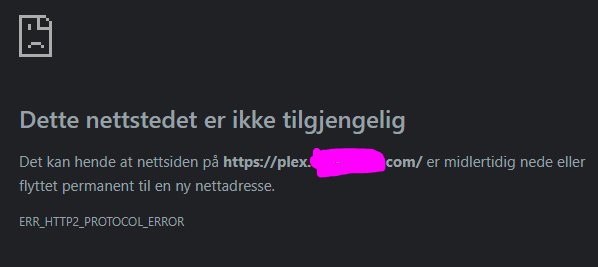
Thanks for your help! After removing the slash: [root@docker-eeb330dffb63:/app]# curl -sSL -D - http://10.<internalIP>:32400/web/index.html -o /dev/null HTTP/1.1 200 OK X-Plex-Protocol: 1.0 Cache-Control: no-cache Accept-Ranges: bytes Connection: Keep-Alive Keep-Alive: timeout=20 Content-Length: 9206 Content-Type: text/html Date: Tue, 25 Jan 2022 17:44:14 GMT (This was the same for both NPM and UnRaid terminal). I did not copy/paste the file - thanks for the tip on that! I have now done so, and I am now getting this error in Chrome "ERR_HTTP2_PROTOCOL_ERROR":