






CorserMoon
Members
-
Joined
-
Last visited
-
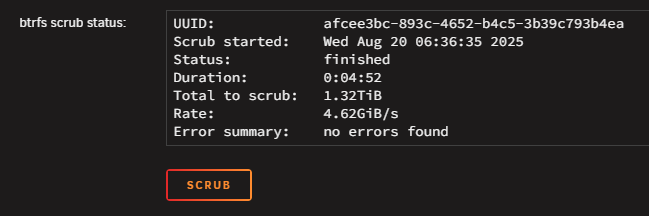
For those that find this later, I seemed to have remedied this by performing 2 cold reboots followed by a btrfs scrub and btrfs rebalance. I'll keep an eye on the error stats and will report back if they climb again.
-
Title explains it. Immediately upon reboot into 7.3.1, alerts started on excessive read/write errors on both drives in the cache pool. I rebooted into Memtest which passed w/ 0 errors. Seems odd that both drives would fail at the same time and right after an upgrade. They are high endurance nvme ssds mounted in a pci-e adapter. Appreciate your help as always. logs attached. executor-diagnostics-20260622-1903.zip
-
It eventually stopped after a few days.
-
So I've installed the NUT plugin, set Enable Manual Configuration to "for UPS Driver", and added pollonly lbrb_log_delay_sec = 3 lbrb_log_delay_without_calibrating to the conf at the bottom of the plugin page (and disabled Unraid's default APC daemon). But the plugin still shows "Active Alarm(s) - On Line - Replace Battery". Im using version "default (2.8.4 stable)". Do I still need to use the "preview (latest build)"?
-
Thanks @JorgeB . Appreciate your help as always.
-
Yea, I've already started reinstalling apps (I shouldn't need to re-create the docker.img though since it's already there?). I am just baffled that both docker and VM images vanished after a clean shutdown/reboot. What are the issues that you saw with the pool? I'd like to fix anything I can.
-
The copy at /mnt/user/internal_backups/libviry_backup is a couple years old. I was going to create a backup routine but clearly I didn't follow through. I did the same search for docker.img :
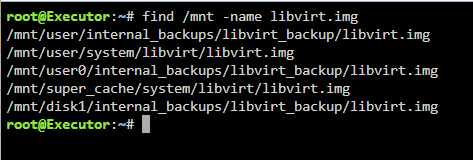

-
My house lost power earlier, and despite being plugged into a line interactive UPS and performing a clean shutdown, upon reboot, both docker containers and VM's are gone. The boot drive, cache drives, and array appear to have mounted correctly. Since both docker and VM's are gone, I am thinking corruption to boot drive as opposed to corrupted docker image. Not sure where to go from here, appreciate the help. Attached diagnostics. corsermoon_diags.zip
-
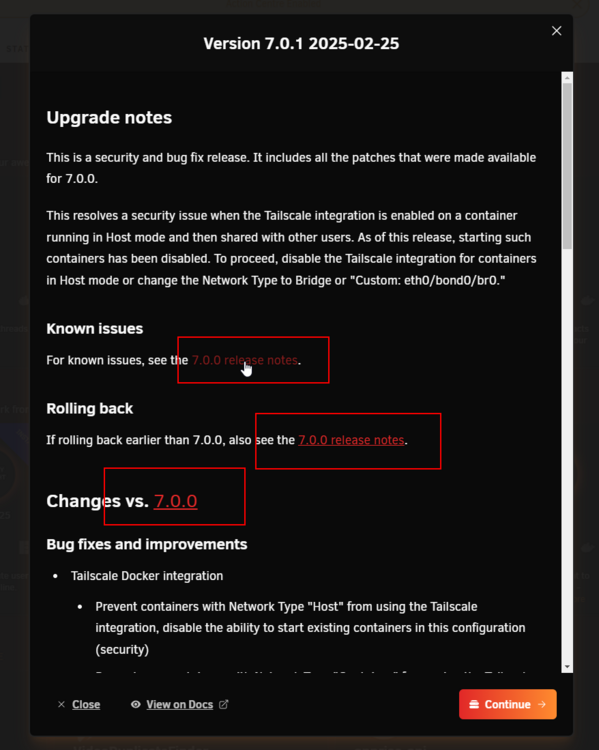
The 3 links to "7.0.0 release notes" in the upgrade notes are broken. Should this be in the Bug Reports forum? Bad link: https://docs.unraid.net/go/release-notes/7.0.0#known-issues
-
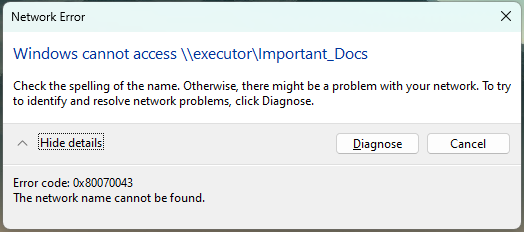
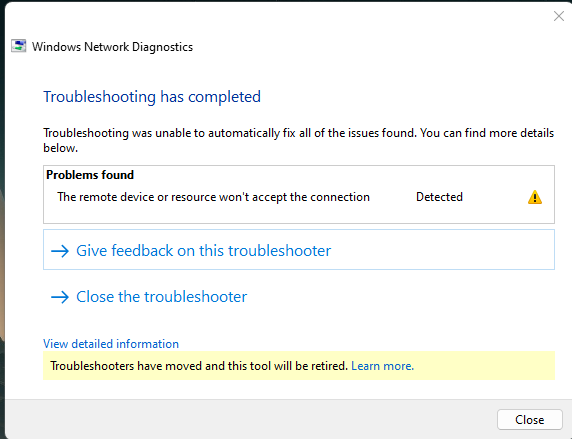
Earlier today I was working, accessing shares as normal, and all of a sudden, they became inaccessible: After some troubleshooting, I figured out that they are accessible via the server's IP as well as the .local TLD. Same behavior on other computers in the house. This is annoying since just about everything that links to the server uses the name instead of IP and I am not excited about changing them all. Troubleshooting steps: Updated to 6.12.14 and rebooted Rebooted desktop PC Tried accessing from Windows 10 and 11 Turned SMB off/on removed "local" from TLD setting in Management Access settings Any ideas what's going on? diagnostics-20241205-1317.zip
-
I had this same issue. Making a random change (I changed the description slightly) and APPLYing semed to fix it.
-
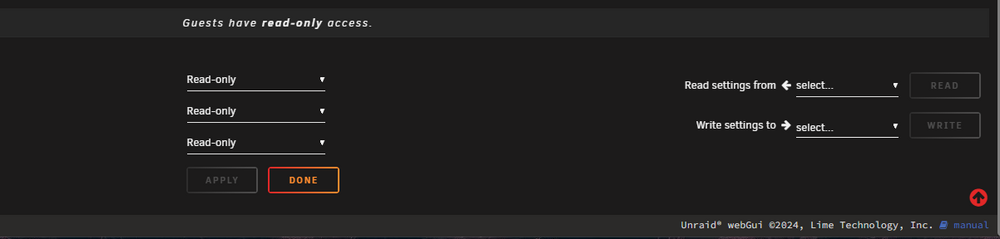
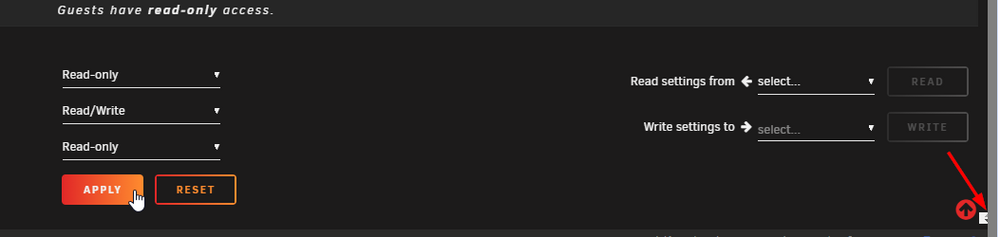
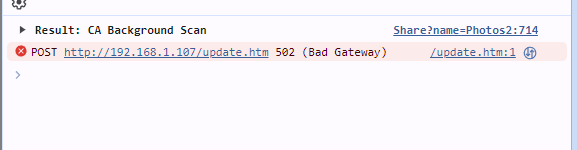
Last night I created a new share and used the "Read Settings From" dropdown to import settings from another share. The share created but now I am unable to make any changes (such as setting the user permissions, changing name, even deleting the share (it's empty). When I make any change, the corresponding Apply button lights up (as expected) but nothing happens when it is clicked. A tiny white box appears at the bottom right of the browser and the browser console shows a 502 Bad Gateway error. Any thoughts on what's going on?
-
I have Hotio's Duplicacy container running but I am unable to get SMTP emails working. The container config is the same as as other containers that have working SMTP emails (bridge network, smtp server address, username, password, TLS port 465) but when testing the email in the web UI, I get error: Failed to send the email: read tcp 172.x.x.x:37342->198.x.x.x:465: i/o timeout. where 172.x.x.x is the container IP and 198.x.x.x is the SMTP server IP. There are no container logs and the duplicacy logs in appdata say the same thing without any additional info. I've confirmed that I can ping and telnet the SMTP server from within the duplicacy container. I just cant figure out why it's not working. Any other ideas?
-
Cam here to say that this fixed it for me.
-
OK, so for whatever reason, a valid music directory is required (I never had one set up[ in the past). I supposed I could have just removed that parameter as well.






