





TheDon
Members
-
Joined
-
Last visited
-
@Rommel I continued my deep dive after posting that, and it turns out my new ARC gpu might require ReBar, and my ancient motherboard my unraid server is using may just not be good enough anymore
-
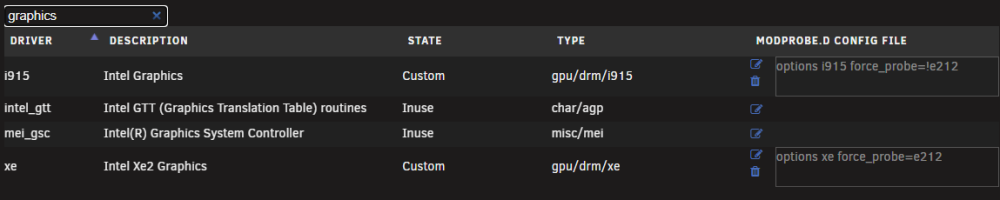
I am also running into issues here trying to get my Arc B50 gpu to work with my plex container? I can confirm its running the xe driver using the following command, but the second plex tries to transcode it the stream crashes. @Gouden Sounds like you are having the same problem as my setup when i switch from my ARC A380 (works and transcodes like a champ) to Arc B50 (Battlemage, and does not work with my plex container for unknown reason.) @SimonF Anything else I would need to look at? lspci -k -s 03:00.0 Unraid 7.3.2 Linuxserver plex container


-
Swapped to the new server name in my wg0.conf, worked instantly on container restart. Thanks @binhex !
-
It seems like to maybe the list of servers have changed (see below) Also the names ending in pvt.site feels newish. This is the list in the logs, and my chosen server (from my wg0.conf) no longer exists, not sure if binhex grabs the list dynamically from an api or included it when the container gets updated [info] fi-2.privacy.network [info] srilanka.privacy.network [info] cyprus.privacy.network [info] mongolia.privacy.network [info] np-nepal-pf.privacy.network [info] ba.privacy.network [info] ua.privacy.network [info] sanjose.privacy.network [info] ca-toronto.privacy.network [info] morocco.privacy.network [info] gt-guatemala-pf.privacy.network [info] de-germany-so.privacy.network [info] kazakhstan.privacy.network [info] montenegro.privacy.network [info] nl-amsterdam.privacy.network [info] bangladesh.privacy.network [info] ca-ontario.privacy.network [info] ca-montreal.privacy.network [info] malta.privacy.network [info] bahamas.privacy.network [info] ec-ecuador-pf.privacy.network [info] liechtenstein.privacy.network [info] yerevan.privacy.network [info] lu.privacy.network [info] albania.pvt.site [info] algeria.pvt.site [info] argentina.pvt.site [info] au-adelaide.pvt.site [info] au-brisbane.pvt.site [info] au-melbourne.pvt.site [info] au-perth.pvt.site [info] au-sydney.pvt.site [info] belgium.pvt.site [info] brazil.pvt.site [info] bulgaria.pvt.site [info] china.pvt.site [info] colombia.pvt.site [info] croatia.pvt.site [info] czech-republic.pvt.site [info] de-berlin.pvt.site [info] de-frankfurt.pvt.site [info] denmark.pvt.site [info] egypt.pvt.site [info] es-madrid.pvt.site [info] es-valencia.pvt.site [info] estonia.pvt.site [info] fi-helsinki.pvt.site [info] france.pvt.site [info] georgia.pvt.site [info] greece.pvt.site [info] greenland.pvt.site [info] hungary.pvt.site [info] iceland.pvt.site [info] indonesia.pvt.site [info] ireland.pvt.site [info] israel.pvt.site [info] it-milano.pvt.site [info] jp-tokyo.pvt.site [info] latvia.pvt.site [info] lithuania.pvt.site [info] malaysia.pvt.site [info] mexico.pvt.site [info] moldova.pvt.site [info] new-zealand.pvt.site [info] nigeria.pvt.site [info] north-macedonia.pvt.site [info] norway.pvt.site [info] philippines.pvt.site [info] poland.pvt.site [info] portugal.pvt.site [info] qatar.pvt.site [info] romania.pvt.site [info] saudi-arabia.pvt.site [info] se-stockholm.pvt.site [info] serbia.pvt.site [info] singapore.pvt.site [info] slovakia.pvt.site [info] slovenia.pvt.site [info] south-africa.pvt.site [info] switzerland.pvt.site [info] taiwan.pvt.site [info] turkey.pvt.site [info] uk-london.pvt.site [info] uk-manchester.pvt.site [info] uk-southampton.pvt.site [info] united-arab-emirates.pvt.site 2026-05-12 11:20:45,373 DEBG 'start-script' stdout output: [info] Script finished to assign incoming port
-
TheDon changed their profile photo
-
Yup I also just ran into this, even had a monthly donation to the project i just had to end. Sad day. @binhex Not sure what the protocol is for you, but you may want to put something at the beginning of the forum post or in a pinned post. https://wiki.servarr.com/readarr#announcement-retirement-of-readarr
-
@JorgeBThanks again for the share, I have been stable ever since! marked your response as a solution.
-
I was linked to this, and it appears to have solved my problem. TLDR: i had to switch the version of a docker container i run to a special release tag, to prevent some issue with libtorrent 2.X
-
@JorgeBThanks for linking me to this one, I had not yet made the connection to Deluge, I have also found the first command that lets me get my webgui back without having to force an unclean shutdown "/etc/rc.d/rc.docker restart", that on its own is a huge relief. I have updated the repo for my binhex container, and will bee keeping an eye on stability for the next few days, thanks for the forum link, this seems promising!
-
Man it really felt like it was finally solved, but it eventually crashed out saturday, (so I grabbed the first diags below), and then between then and sunday it did it agaion (second diag). I am having to ssh into the server, run diagnostics, and then send reboot command twice in order to get the box to restart (so I can get the gui going again). Any advice on what to try next? oxygen-diagnostics-20230909-2153.zip oxygen-diagnostics-20230910-1711.zip
-
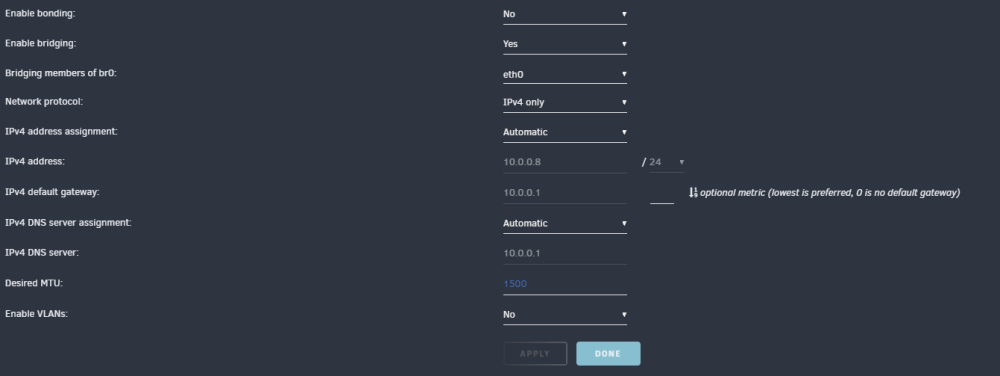
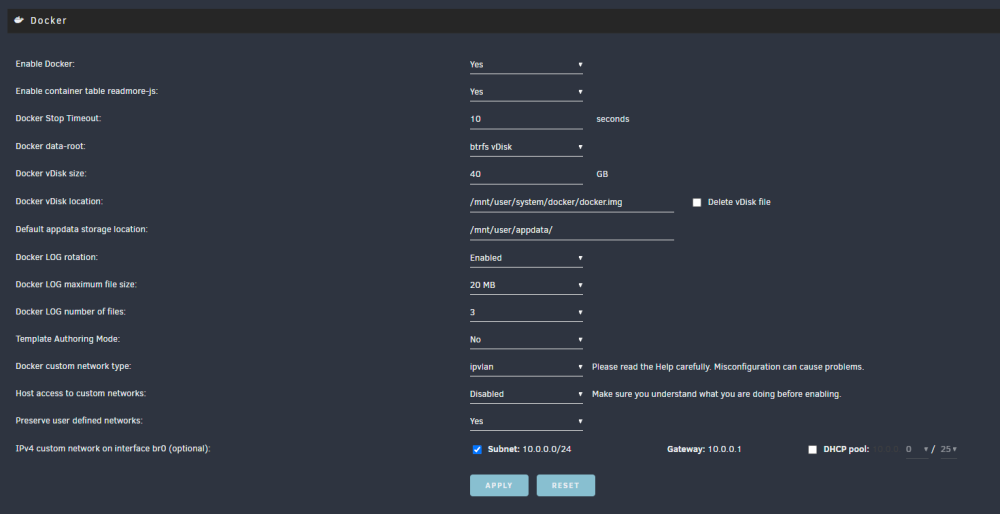
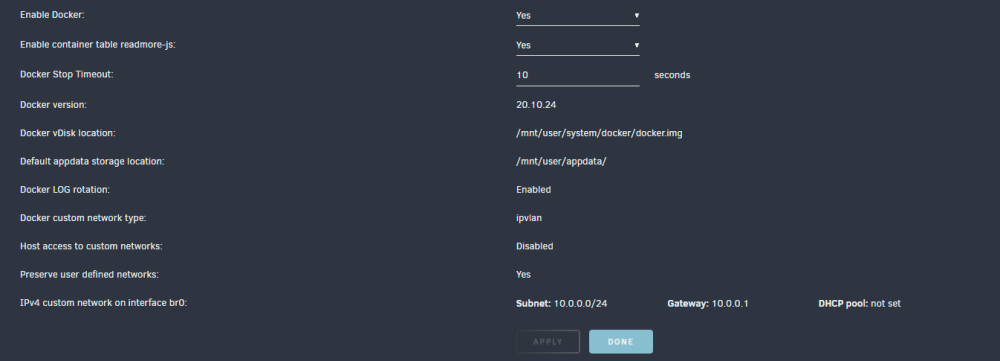
After: Post reboot: @ljm42What do the call traces look like in the logs?
-
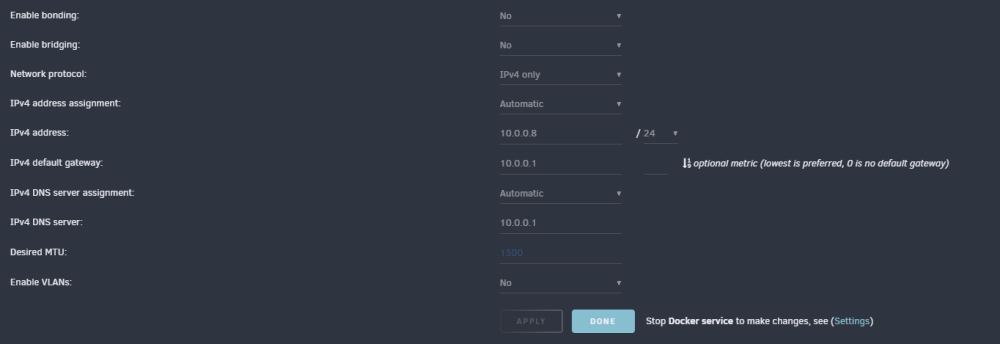
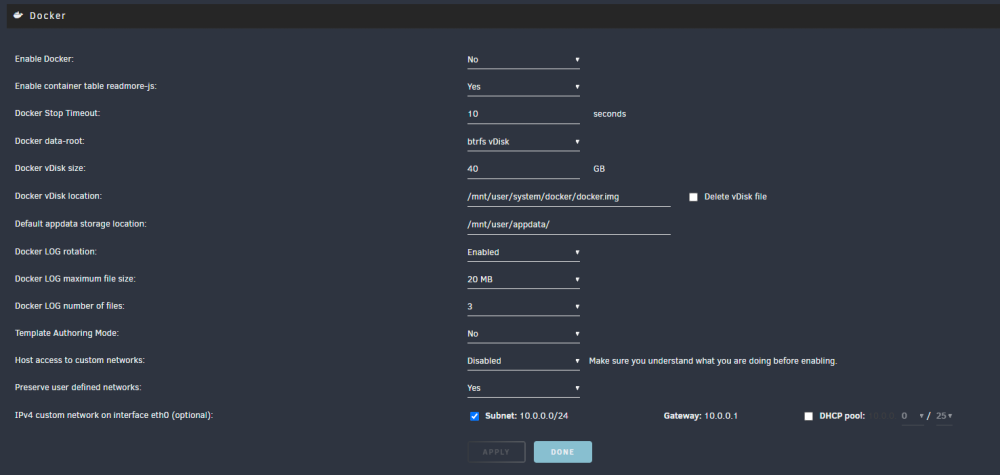
@ljm42 These are my current settings: I will enable bridging, and make sure the system is ipvlan.
-
@ljm42 good idea on the other thread, dont want to bog down the release thread. I have been following the other thread (the one where you notified everyone of 6.12.4rcXX) for the docker stuff, and this entire time I was thinking this was was my issues (especially since I was getting the nginx 500 if i let me page try and load for long enough
-
I am still seeing my UI crash, even with the update to 6.12.4. I am set to ipvlan since 6.12.3, bridging and bonding set to No. Any ideas what might also be causing this, since Lime has seemed to resolve the docker networking issues (originally what i thought was causing the issue). oxygen-diagnostics-20230903-2316.zip oxygen-diagnostics-20230904-2039.zip
-
I am extremely jealous. I have no clue what's happening with my server, and its very frustrating having to perform a reboot at minimum once a day. Thanks for directing me to that forum post, it seems like the one to follow for this issue.
-
@david279 As far as I can tell in the thread, there is still no solution? Are you having the issue as well?





