Nimrad
Members
-
Joined
Everything posted by Nimrad
-
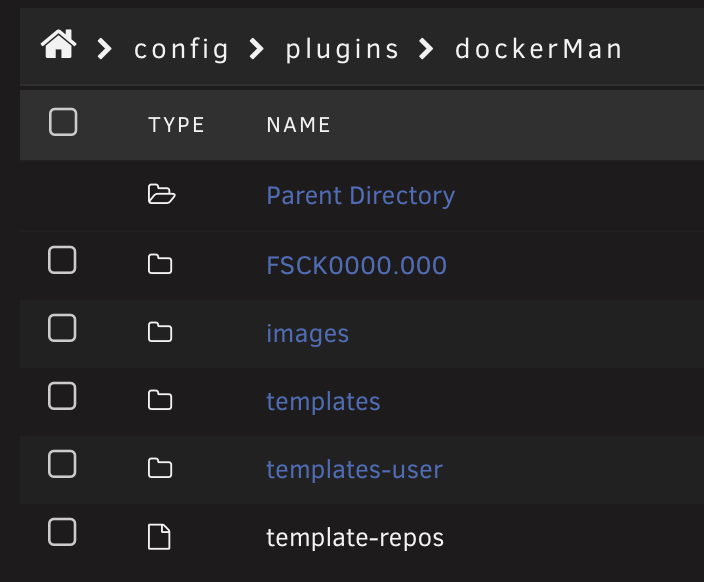
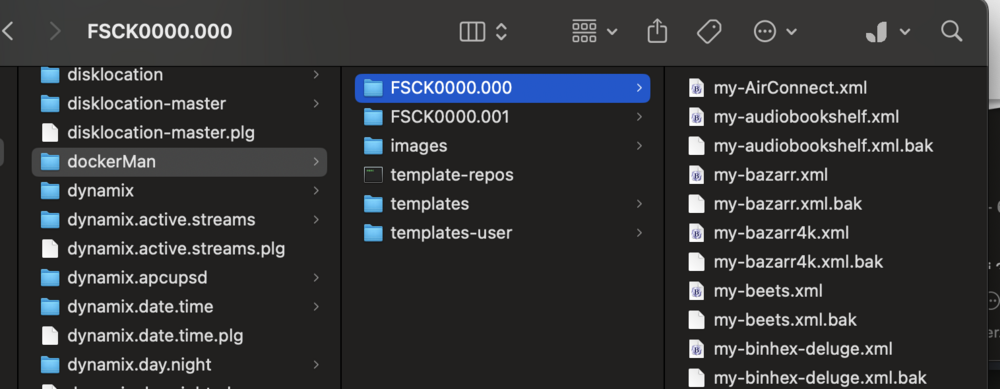
So. I tried again to start with a fresh USB but copy the /config/ to try and investigate. Unraid once again did this to my dockerMan folder and put all the templates in FSCk0000.000: Attached is also the diagnostic file. Any other ideas going from here? tower-diagnostics-20250523-0749.zip
-
I can try, is there an overview somewhere what is what in /config/? Also, what is it that makes the USB bootable? Maybe something is off with those files. Last time I had a similar issue I had to remove a «—» from a folder or file name and it worked.
-
Yes, that works fine. I did not start the array though. I am putting it in my Mac to use the USB creator tool and restore /config/ yes.
-
But, when I use the USB creator tool and restore a backup everything is perfectly fine again? It only happens after I restart, not with a «fresh» USB. I have looked in the BIOS and everything is exactly the same. My process went like this: Update to 7.1.2 and restart the server - black screen. Create new USB from the creator tool and restore /config/ - unraid boots. Restart the server - black screen. Create new USB from the creator tool on a new USB drive and restore /config/ - unraid boots. Restart the server - black screen. Create new USB from the creator tool with version 7.0.2 and restore /config/ - unraid boots. Restart the server - black screen.
-
When you normally get the blue box of boot choices it’s just black. I see normal BIOS boot screens, but nothing from unraid.
-
A couple days ago I decided to update to 7.1.2. The WebUI froze during this update, but when I refreshed it told me it was ready to update and needed a restart. I did and the machine was just giving me a black screen. So, I decided to create a new USB, copy the /config/ and restart. Everything worked. Then I did another restart and everything went black. I tried a new USB-device, same thing happened. First startup was fine, but restarting just yielded a black screen. So, I decided to roll back to 7.0.1. Same thing. I am not sure where to continue from here. One thing I noticed after rolling back was that the docker templates were missing. After further inspection they have been moved to another folder: Is there something wrong with my USB backup maybe? Is that something I can fix?
-
So, I just installed a new network card I just bought (AQC113 chipset). It shows up in unRAID(eth1), but nothing happens when I connect the cable to it. I have swapped cables with my built-in 2.5 port to rule out any issues with my switch port / cable. It just says: «Interface description: shutdown (inactive)». Any idea where I should start troubleshooting next? I did see reports in the forum that the chipset should work in unRAID without issues. tower-diagnostics-20250518-1753.zip
-
They fail because I manually start plex during the backup before it finishes. That's why I just wanna delete them. It happens when the timing doesn't suit me, which is not that uncommon.
-
So, I'm a bit curious, what does this Metadata and Media exclusion mean? I have quite a few titles with custom metadata for instance. I would really like to back that up. Is there something potentially useful in the Media folder too? Another question. Is there a way to automatically delete failed backups? I just checked the folder, and seems it just keeps old failed ones:
-
I found my own issue. Without my knowledge I was connected over wireguard so my IP was not in fact whitelisted.
-
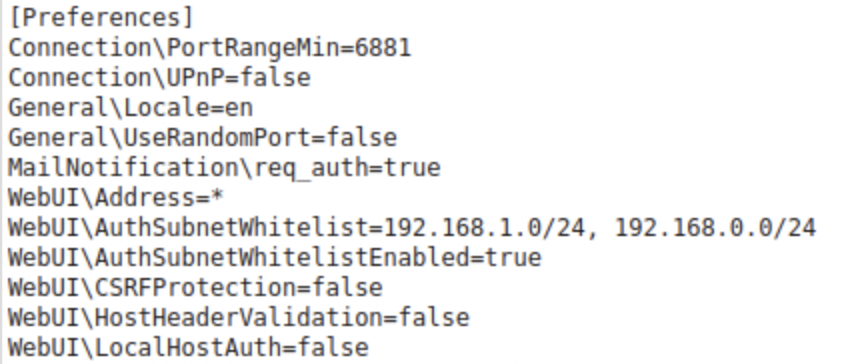
Sorry, that was a typo. I meant that my local IP is 192.168.1.57. My previous fix was rolling back, making a personal password and white listing my IP ranges before updating again.
-
Suddenly having issues reaching the WebUI (again). I fixed it recently due to the update requiring password etc, but now out of the blue I can't reach it. It's running fine and talking to *arr apps. Trying to reach locally from 192.167.1.57, and thought this was the correct setting for it.
-
I'd prefer a more elegant solution, but if it's not possible I think I'm just gonna change to another client. For some reason it's impossible to mass-edit tracker info in Deluge(except custom scripts, which is a bit out of my comfort zone atm), and I fear one day I have to change my passkey for hundreds of torrents.
-
I'm sorry if this has been asked before, but I'm having an issue regarding seeding many torrents at the same time and someone made me aware of this. I'm not sure how to read the status of this bug, but if I understand correctly this is still not fixed? I suspect I might be affected by this bug as I am seeding around 2000 torrents and some are not showing up as active in the tracker where I seed. No error message from Deluge, but some torrents are showing "Next announce: ∞", and I suspect this bug might be the reason. Is there a way I can manually edit the default "active_tracker_limit"?
-
I have a weird issue that I don't know how to fix. For some reason I can't reach Deluge when connected remotely to my server over Wireguard. All other dockers work fine, and I know Deluge is running fine, but I just can't seem to reach the UI. Any idea how to troubleshoot this?
-
So, I just got it to work. Turns out the .conf was somehow corrupted during copying and I had to manually change it. Some random characters were added in my file. BTW, for others: My file worked as I posted it. As for #3; I manually changed the IP before posting here(sorry, I should've said so). Thanks so much for the help!
-
Mine looks similar: [Interface] PrivateKey = fffff Address = 10.34.0.134/16 DNS = 10.35.53.1 [Peer] PublicKey = fffff AllowedIPs = 0.0.0.0/0,::/0 Endpoint = pvdata.host:3389
-
Nobody knows what this last error means? Are there any other logs I could explore to troubleshoot this? As mentioned the config file works fine in windows.
-
I just tried to switch to using Wireguard from my VPN Provider. I made a .conf file that works fine when I test it from my laptop and I dropped it in the wireguard folder. Deluge doesn't want to use it though, it just wont start. It renamed the file to wg0.conf. Logs: 2020-12-27 15:26:34.989348 [info] System information Linux 46f19ca4e7a6 5.10.1-Unraid #1 SMP Thu Dec 17 11:41:39 PST 2020 x86_64 GNU/Linux 2020-12-27 15:26:35.018259 [info] OS_ARCH defined as 'x86-64' 2020-12-27 15:26:35.046192 [info] PUID defined as '99' 2020-12-27 15:26:35.091854 [info] PGID defined as '100' 2020-12-27 15:26:35.141391 [info] UMASK defined as '000' 2020-12-27 15:26:35.162540 [info] Permissions already set for volume mappings 2020-12-27 15:26:35.207769 [info] Deleting files in /tmp (non recursive)... 2020-12-27 15:26:35.234431 [info] VPN_ENABLED defined as 'yes' 2020-12-27 15:26:35.258965 [info] VPN_CLIENT defined as 'wireguard' 2020-12-27 15:26:35.285307 [info] VPN_PROV defined as 'custom' 2020-12-27 15:26:35.321662 [info] WireGuard config file (conf extension) is located at /config/wireguard/wg0.conf 2020-12-27 15:26:35.357376 [crit] VPN configuration file /config/wireguard/wg0.conf does not contain 'Endpoint' line, showing contents of file before exit...
-
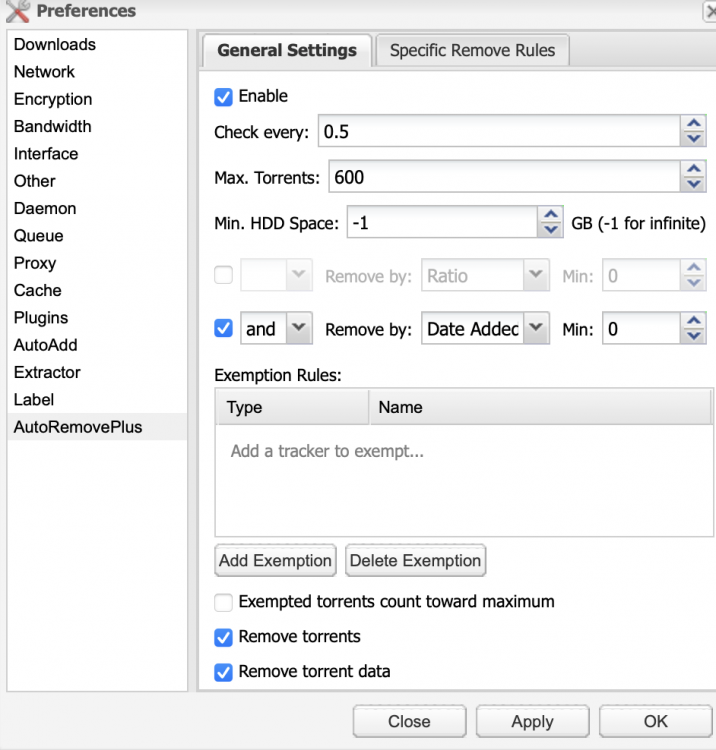
Any idea why AutoRemove is not removing the oldest torrents? I have no exemptions, but still my oldest torrents are still there.
-
How come "latest stable" is giving me 2.0.4dev38? One of my trackers have banned it as they don't allow dev-versions.
-
Gee, thanks so much. I had an older version (0.6.1), this one worked.
-
Just no luck with the autoremove plugin on 2.0. What tag should I use to get back to 1.3.x?
-
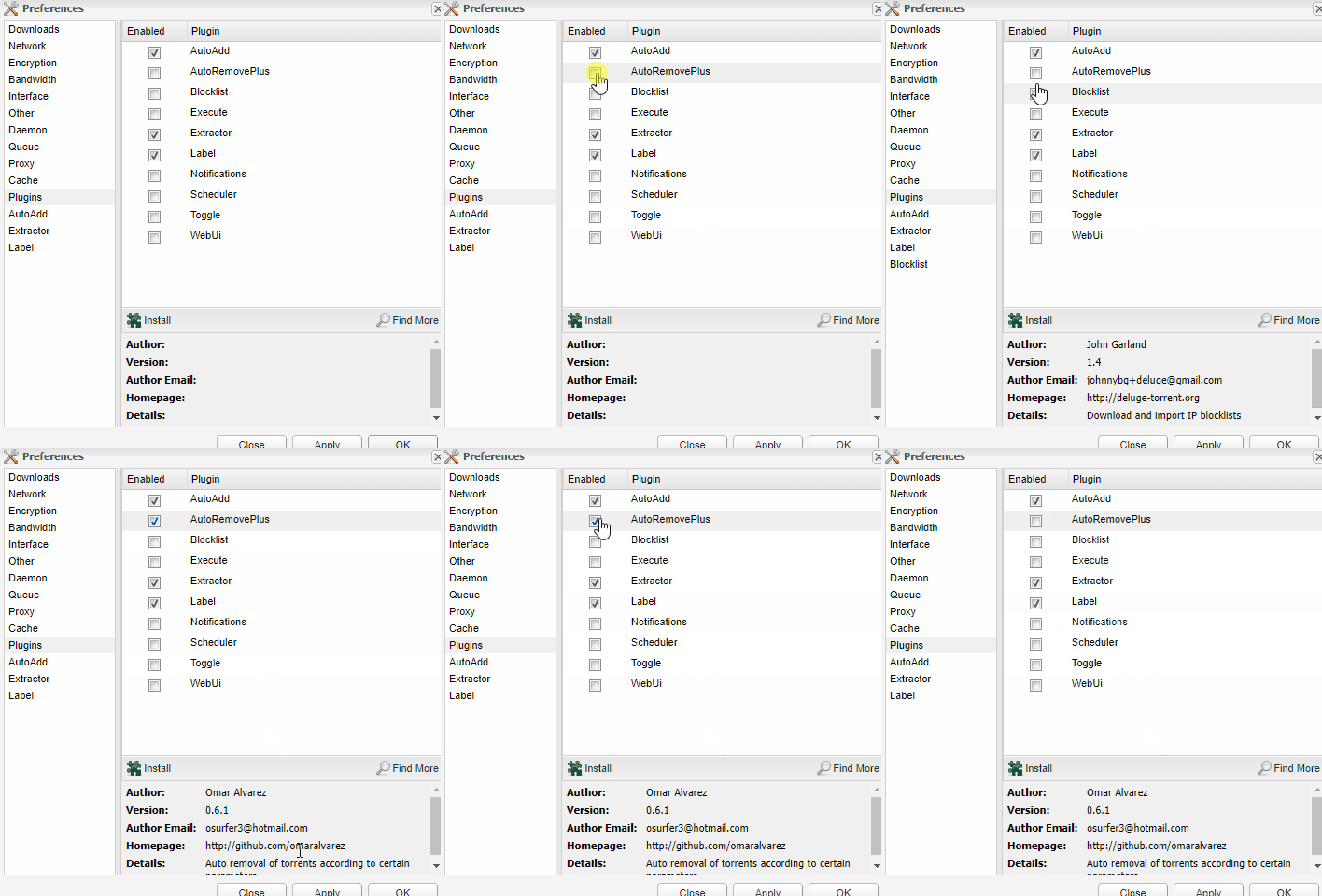
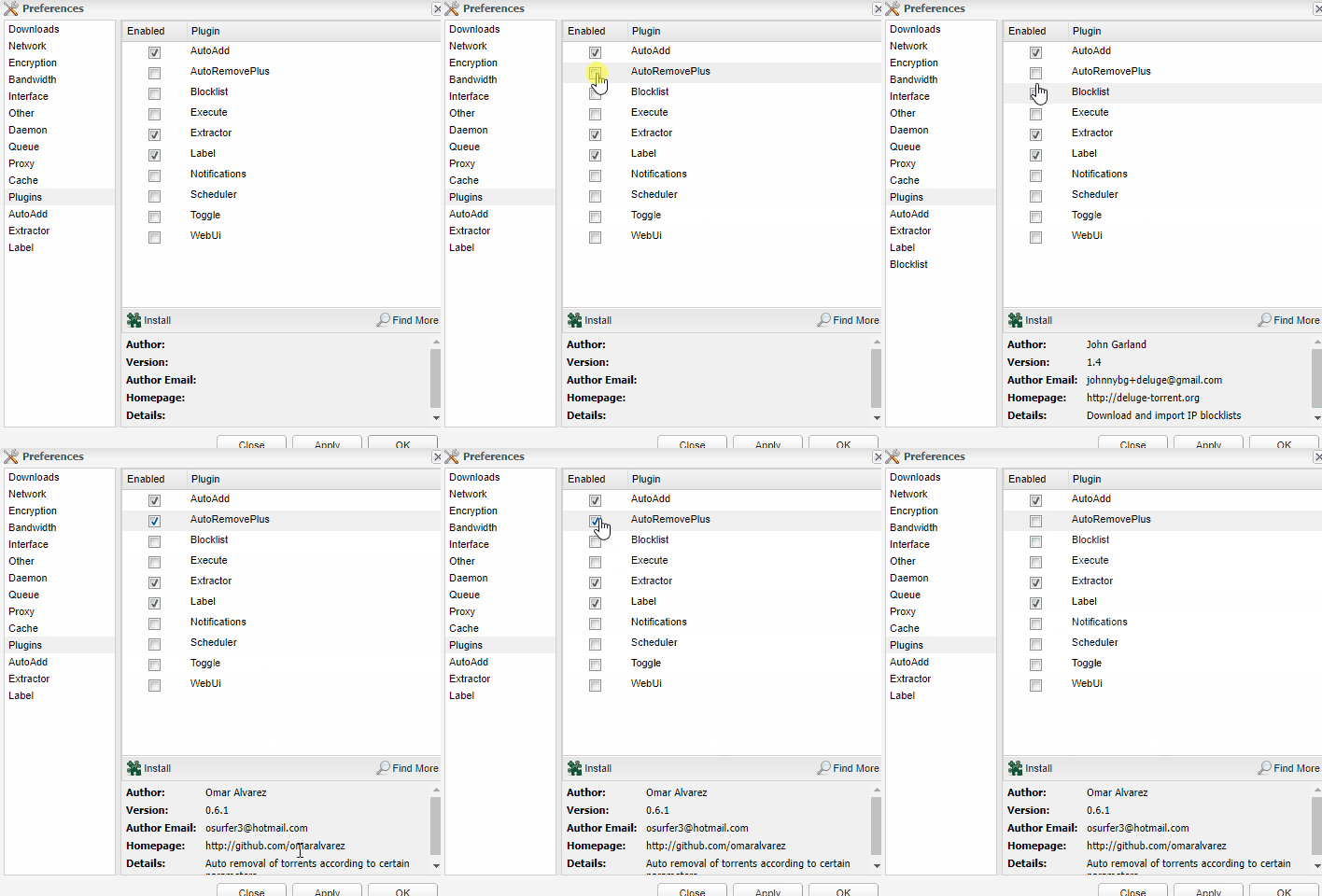
Thanks, but that is not what my issue is. AutoRemovePlus is in this config-file, and it's not disabling at restart, it never activates at all(as you can see from this gif).
-
Thanks for the tip. It only kind of worked for me though. It now shows in my Plugins-list, but wont activate when I try to enable it. All other plugins will activate the UI menu item, but this doesn't. And if I apply/reopen the preferences it's unchecked again. Any idea?