




-
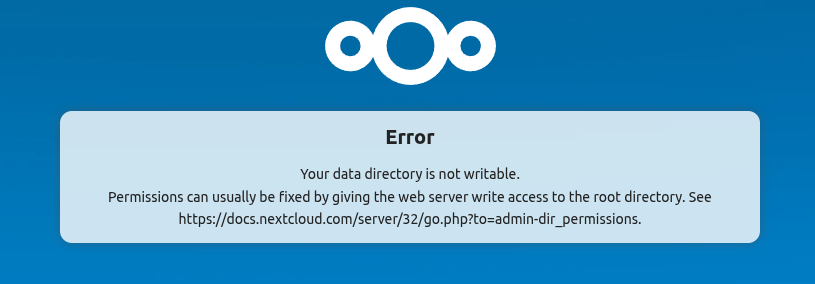
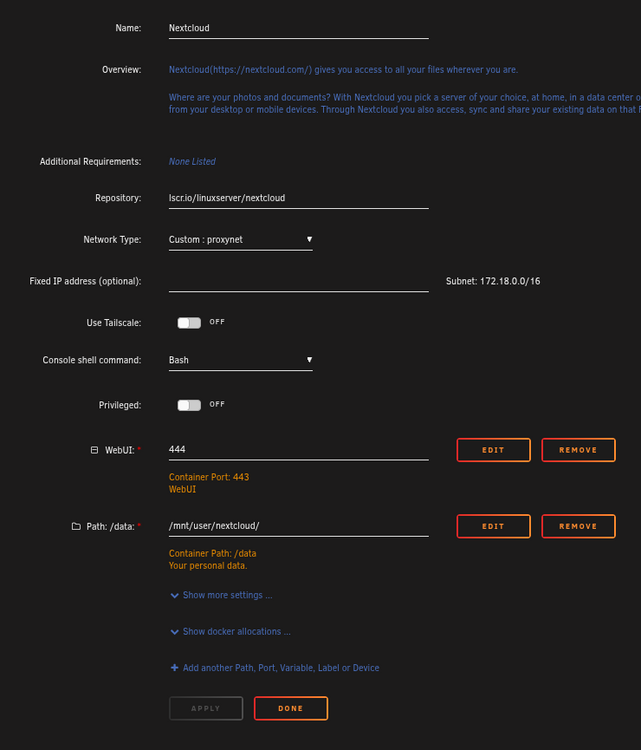
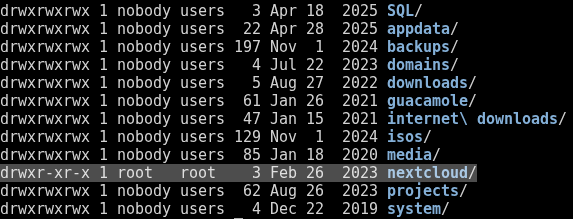
EDIT: Fixed by running the Docker Safe New Perms on the nextcloud share. Now it works fine. Any ideas why this thing all of a sudden decided it no longer likes the permissions on my data directory, which has worked fine for years and even immediately after the most recent upgrade (done 2-3 days ago)? It just randomly started some time between then and now, and nothing else has changed. I can access and browse the data directory just fine. I can access the database just fine. The application even works on my devices. It's ONLY this web interface giving the error both locally and through public URL (using Swag proxy). The link doesn't even take you to a valid URL so you just get forwarded to the main page of the documents, with no information on how to fix it. Container settings; Share permissions:
-
So, I've tried both containers, and still my whole server is crashing. Another issue I have now is that the container starts and says "success: plexmediaserver entered RUNNING state", but I'm not able to access the web UI. It just says "400 Bad Request". Any ideas how to fix this? Google returns nothing useful. Reinstalling either container doesn't work. I'd rather use the container I was using before anyways because I don't feel like going through 3K movies to fix manual matches I had fixed previously because I don't remember them all. Container running: Web UI: Log: Created by... ___. .__ .__ \_ |__ |__| ____ | |__ ____ ___ ___ | __ \| |/ \| | \_/ __ \\ \/ / | \_\ \ | | \ Y \ ___/ > < |___ /__|___| /___| /\___ >__/\_ \ \/ \/ \/ \/ \/ https://hub.docker.com/u/binhex/ 2025-04-24 02:43:37.904912 [info] Host is running unRAID 2025-04-24 02:43:37.937774 [info] System information: Linux AKWSERVER 6.1.64-Unraid #1 SMP PREEMPT_DYNAMIC Wed Nov 29 12:48:16 PST 2023 x86_64 GNU/Linux 2025-04-24 02:43:37.968967 [info] Image tags: BASE_RELEASE_TAG=2025032801,IMAGE_RELEASE_TAG=1.41.7.9717-1-01 2025-04-24 02:43:38.005037 [info] PUID defined as '99' 2025-04-24 02:43:38.057680 [info] PGID defined as '100' 2025-04-24 02:43:38.108461 [info] UMASK defined as '000' 2025-04-24 02:43:38.143000 [info] Permissions already set for '/config' 2025-04-24 02:43:38.184037 [info] Deleting files in /tmp (non recursive)... 2025-04-24 02:43:38.221111 [info] TRANS_DIR defined as '/transcode' 2025-04-24 02:43:38.315663 [info] SHARED_NETWORK defined as 'no' 2025-04-24 02:43:38.349959 [info] Starting Supervisor... 2025-04-24 02:43:38,808 INFO Included extra file "/etc/supervisor/conf.d/plexmediaserver.conf" during parsing 2025-04-24 02:43:38,809 INFO Set uid to user 0 succeeded 2025-04-24 02:43:38,814 INFO supervisord started with pid 13 2025-04-24 02:43:39,817 INFO spawned: 'plexmediaserver' with pid 71 2025-04-24 02:43:39,817 INFO reaped unknown pid 14 (exit status 0) 2025-04-24 02:43:40,819 INFO success: plexmediaserver entered RUNNING state, process has stayed up for > than 1 seconds (startsecs) 2025-04-24 02:43:53,727 DEBG 'plexmediaserver' stdout output: Critical: libusb_init failed


-
Ran the memtest, and after 16 hours, it found 0 errors during 1 of 4 passes. I don't have time to wait 96 hours for it to complete, and I don't think this is a memory issue. I rebooted it and started plex, and it crashed soon after while simply scanning the library files. It doesn't just crash with plex either. It happens with pretty much any container. Plex is just easiest to reproduce it on, and the one this all started with. Tried switching to docker directory instead of vdisk image, and it crashed while i was simply stopping the containers that I had installed because I was about to try to install Plex. I give up and will be throwing this thing away. Its a complete waste of time, if something as simple as stopping, starting or updating a container is going to cause the entire thing to crash, and there not be any way to fix it. Absolute nightmare.
-
Yes, I backed up everything prior to doing the ZFS reformat and disabling bridging for macvlan. I see them in the backup. Should I just restore the XML files from the flash backup? EDIT: Okay, restoring each XML is allowing me to reinstall each docker with the settings remembered, which is good. Only thing I'm worried about now is the next crash. I tried running a Memtest from the Unraid boot menu, but it just automatically closes after running for awhile and reboots. I can't seem to catch it to see if it's completing. I'm not seeing any errors after about 20+ minutes of it running. I ordered more memory to swap out in case that is the issue. I really don't know what else to do. EDIT 2: And the whole server crashed again after I went through and reinstalled every container except Plex. I don't get it....
-
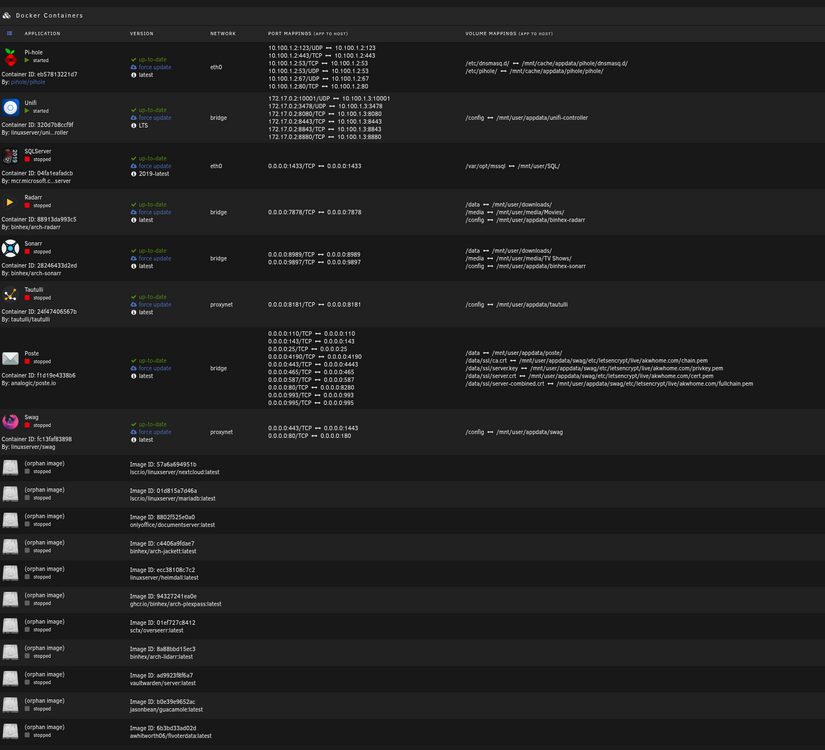
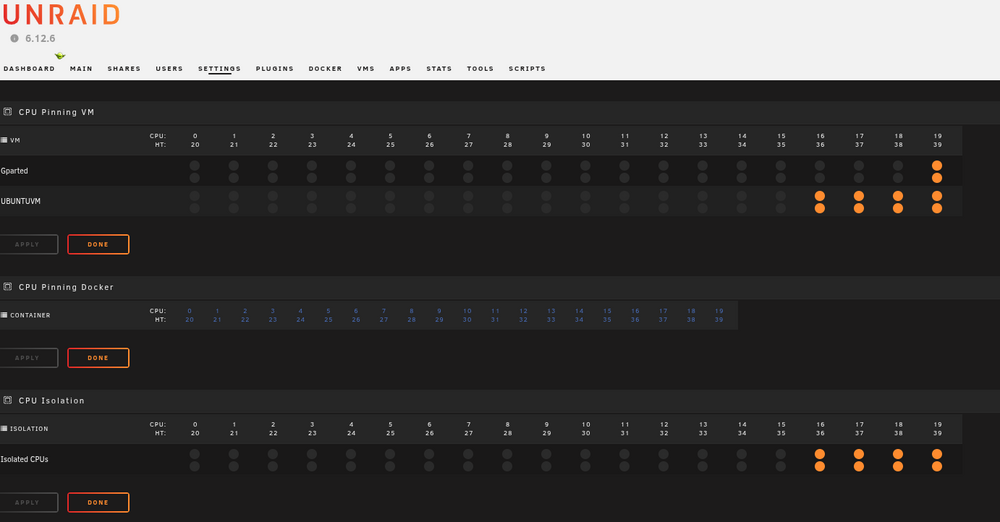
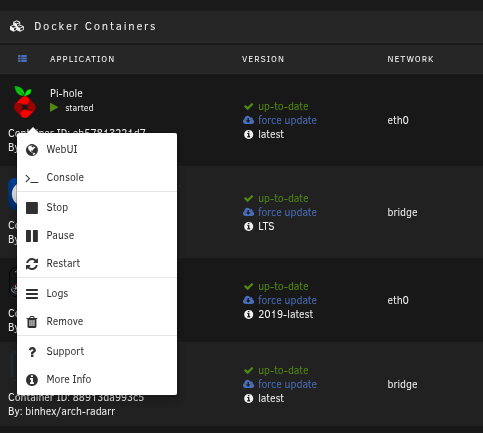
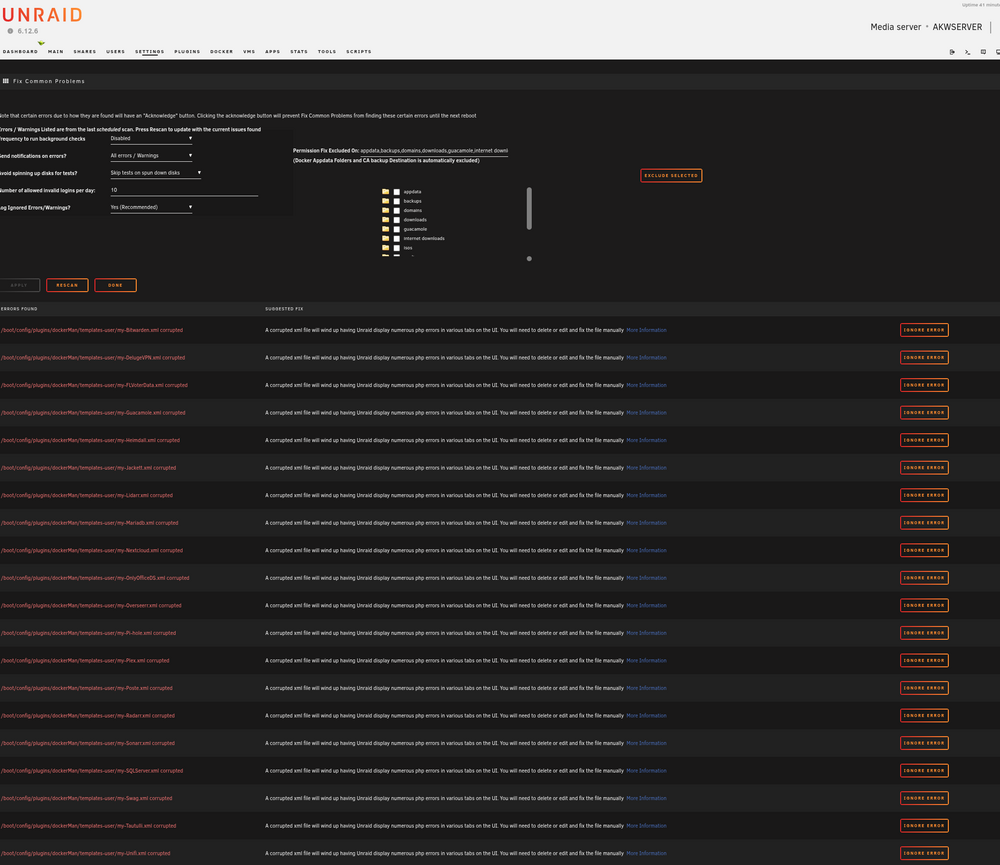
I moved my server to a new location, and everything seemed fine until I noticed an issue with 1 container corrupted after the move (plex). I reinstalled it, and it worked at first, but then my server locked up and restarted, and it was corrupted again. I thought it was just that container, but then it started happening to other ones (bazzar, delugevpn, pihole, gauacamole, etc.). I searched online for solutions, and found some people suggesting switching my cache pool from btrfs to zfs, so I did that, but the issue still happens. I also found suggestions for switching to ipvlan, which won't work for me, so I followed the steps here to keep macvlan enabled: https://docs.unraid.net/unraid-os/release-notes/6.12.4/#fix-for-macvlan-call-traces I had a couple more crashes after that while trying to reconfigure the dockers, but nothing major. I was even able to reinstall plex, and get hardware transcoding using my nvidia gpu working. I then started reenabling dockers one by one, which seemed fine. I then tried to update some CPU pin settings for the dockers under settings, and it locked up and crashed again. Now its booting up like this. and I don't know what to do to fix it except keep reinstalling containers, just for it to crash again... Diagnostics attached. EDIT: Unraid version 6.12.6 Docker is disabled after every crash/restart and i have to enable it again. The "edit" option is now gone from any of the remaining containers that were left running, so I can't do anything with them. Fix Common Problems is reporting a bunch of corrupt XML files now. My Docker CPU pinning is now completely blank. diagnostics-20250418-1552.zip
-
I see a lot of comments lately with people having the same issue as me where this container is locking up their entire server. I think I have figured out the cause because I can reproduce the issue by adding "--runtime=nvidia" into extra parameters. Once I did this after reinstall, Plex stopped working and locked up my server again. I have it all back up and running, except hardware transcoding using my Nvidia GPU, since I can't add the extra parameter. Has anyone else figured out how to get this working with the latest update? EDIT: Nevermind, it just locked up again all on its own randomly while working on updating other dockers. Other dockers are now getting orphaned and having to be reinstalled. Hoping this parity check finishes before it does it again. It already corrected 1 error. What a nightmare.
-
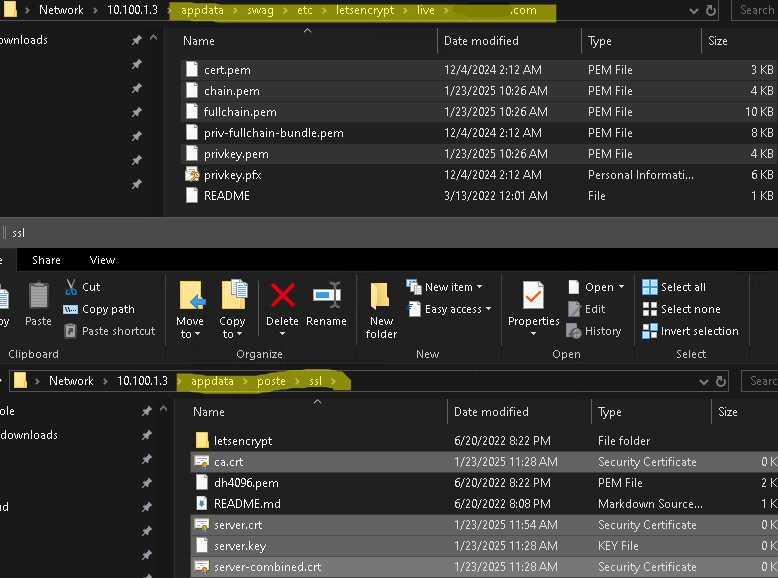
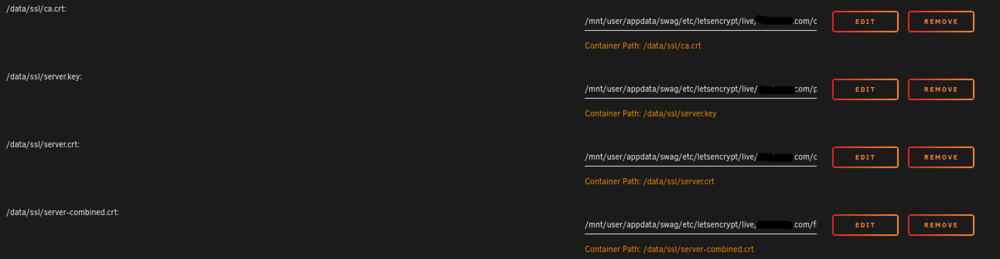
Anyone else having the docker fail to start after the latest update? I'm on Unraid version 6.12.6, and noticed the docker wasn't started yesterday, after updating the night before. The docker just says "Execution Error" and "Server Error" on the same popup whenever I try to start it. I even tried reinstalling using the 2.4.10 version, but still got the same result. EDIT: Wanted to mention that it was working fine before the docker updated. EDIT 2: I was able to delete the container, reinstall it with the cert paths pointed to the correct locations in Swag (it changed, and broke it I'm guessing), and now it starts. I can see the files get copied, but I can't get to the web UI. It just says 404 Not Found. I've tried with and without the "-e "HTTPS=OFF" parameter. I even tried changing the container paths to be "/etc/" instead of "/data/", but still no luck.No clue what else to do. EDIT 3: I finally figured it out! It was missing port 8280 from the URL when accessing the web UI. Interestingly, it randomly started doing that automatically when accessing it locally form Unraid. I just noticed it now once it started working. I had to edit the Swag proxy-conf to fix accessing it via public URL.


-
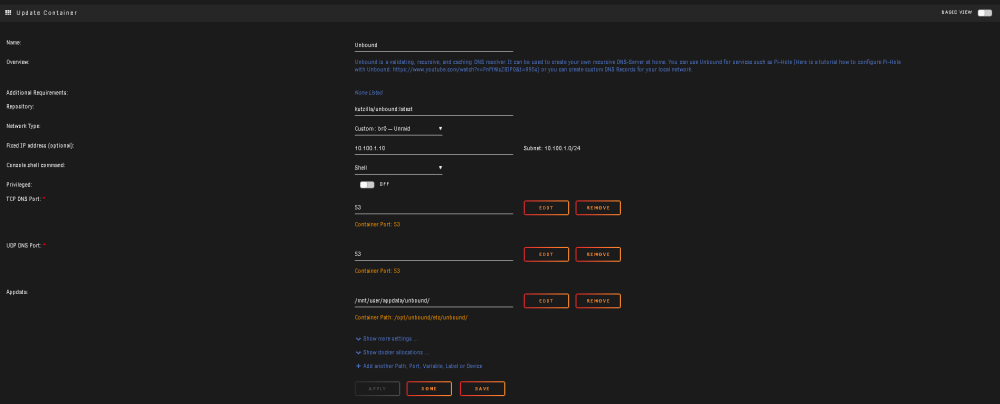
Still having this problem, and can't find a solution. My log file is filled with errors and warnings that I can't get rid of. Searching for the error just takes me to GitHub where it states it's "fixed" in whatever version (i'm on the latest and its still not fixed), or Reddit or here where there's no solutions. Makes no sense that it works and just randomly stops multiple times throughout the day. Having to restart it every few hours is getting incredibly annoying. Log: [1680787763] unbound[1:0] info: service stopped (unbound 1.13.1). [1680787764] libunbound[21:0] error: udp connect failed: Cannot assign requested address for 2001:7fd::1 port 53 [1680787764] libunbound[21:0] error: udp connect failed: Cannot assign requested address for 2001:7fd::1 port 53 [1680787764] libunbound[21:0] error: udp connect failed: Cannot assign requested address for 2001:dc3::35 port 53 [1680787764] libunbound[21:0] error: udp connect failed: Cannot assign requested address for 2001:7fe::53 port 53 [1680787764] libunbound[21:0] error: udp connect failed: Cannot assign requested address for 2001:500:a8::e port 53 [1680787764] libunbound[21:0] error: udp connect failed: Cannot assign requested address for 2001:500:1::53 port 53 [1680787764] libunbound[21:0] error: udp connect failed: Cannot assign requested address for 2001:500:12::d0d port 53 [1680787764] libunbound[21:0] error: udp connect failed: Cannot assign requested address for 2001:503:ba3e::2:30 port 53 [1680787764] libunbound[21:0] error: udp connect failed: Cannot assign requested address for 2001:500:200::b port 53 [1680787764] libunbound[21:0] error: udp connect failed: Cannot assign requested address for 2001:500:9f::42 port 53 [1680787764] libunbound[21:0] error: udp connect failed: Cannot assign requested address for 2001:503:ba3e::2:30 port 53 [1680787764] libunbound[21:0] error: udp connect failed: Cannot assign requested address for 2001:7fd::1 port 53 [1680787764] libunbound[21:0] error: udp connect failed: Cannot assign requested address for 2001:500:1::53 port 53 [1680787764] libunbound[21:0] error: udp connect failed: Cannot assign requested address for 2001:503:ba3e::2:30 port 53 [1680787764] libunbound[21:0] error: udp connect failed: Cannot assign requested address for 2001:503:ba3e::2:30 port 53 [1680787764] libunbound[21:0] error: udp connect failed: Cannot assign requested address for 2001:500:200::b port 53 [1680787764] libunbound[21:0] error: udp connect failed: Cannot assign requested address for 2001:500:12::d0d port 53 [1680787764] libunbound[21:0] error: udp connect failed: Cannot assign requested address for 2001:500:a8::e port 53 [1680787764] libunbound[21:0] error: udp connect failed: Cannot assign requested address for 2001:503:ba3e::2:30 port 53 [1680787764] libunbound[21:0] error: udp connect failed: Cannot assign requested address for 2001:dc3::35 port 53 [1680787764] libunbound[21:0] error: udp connect failed: Cannot assign requested address for 2001:500:200::b port 53 [1680787764] unbound[1:0] warning: setrlimit: Operation not permitted [1680787764] unbound[1:0] warning: cannot increase max open fds from 40960 to 156232 [1680787764] unbound[1:0] warning: continuing with less udp ports: 2125 [1680787764] unbound[1:0] warning: increase ulimit or decrease threads, ports in config to remove this warning [1680787764] unbound[1:0] error: Could not open logfile /dev/null: Permission denied [1680787764] unbound[1:0] info: start of service (unbound 1.13.1). Container: Queries being resolved by unbound in pi-hole: My Pfsense box is 10.100.1.1 and pointed to my Pi-Hole at 10.100.1.2 for the DNS Resolver. Pi-Hole is pointed to Unbound. It "works" for a little bit, and randomly stops until I restart it. Then it does it again and again and agian.

-
Did you ever find a solution for this? I'm getting the same error in my log, and I'm trying to fix that plus my Unbound just randomly stops working multiple times a day every day. Can't find a solution for that either.
-
Does any one know why I constantly have to restart this container in order for it to work until I have to restart it again? Multiple times a day, every day, DNS will just stop working all together. Restart Unbound, and everything starts working again until it doesn't. I'm using a dedicated pfsense box that is pointed directly to my pi-hole container that is directly pointed to unbound. Diagnostics attached. diagnostics-20230324-1106.zip
-
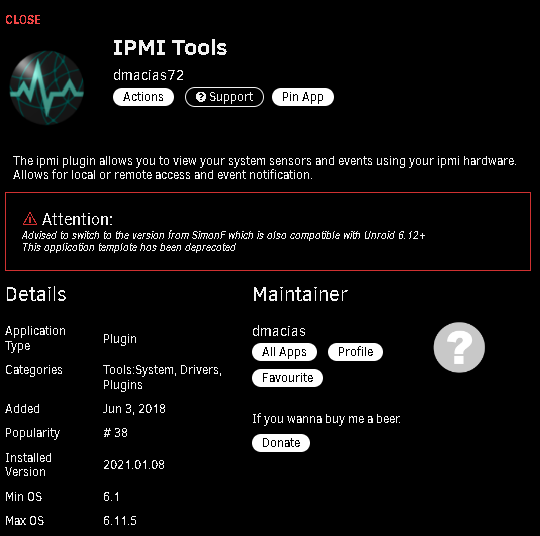
Same here. In the Apps tab, it shows up under Action Centre as "Deprecated", and has a note on it that reads: Advised to switch to the version from SimonF which is also compatible with Unraid 6.12+ This application template has been deprecated Tried searching Google to see if I could find it anywhere, but not having any luck.
-
I ended up just giving up on encryption, and disabled it completely. Didn't even install the end-to-end encryption or default encryption module apps. Looks like it won't be fixed until NC 26, and I'm not waiting for it to just break again. It was too much of a pain to decrypt my old files and rebuild the instance numerous times trying to get it to work.
-
It just never ends with this thing. Now I'm running into this bug: https://github.com/nextcloud/server/issues/32003 Does anyone know where the openssl.conf file is they are saying to modify? I can't find it in anywhere in the nextcloud appdata folder.
-
Were you ever able to find a solution for this? I'm having this exact issue on a fresh install. It just repeats this over and over nonstop. This is in the log: {"reqId":"SAzLk3RXnQcdzjQmmAAF","level":3,"time":"2023-02-24T22:55:00+00:00","remoteAddr":"","user":"--","app":"cron","method":"","url":"--","message":"Not installed","userAgent":"--","version":"","exception":{"Exception":"Exception","Message":"Not installed","Code":0,"Trace":[{"file":"/config/www/nextcloud/lib/base.php","line":680,"function":"checkInstalled","class":"OC","type":"::"},{"file":"/config/www/nextcloud/lib/base.php","line":1144,"function":"init","class":"OC","type":"::"},{"file":"/config/www/nextcloud/cron.php","line":43,"args":["/config/www/nextcloud/lib/base.php"],"function":"require_once"}],"File":"/config/www/nextcloud/lib/base.php","Line":284,"CustomMessage":"--"}} I'm using the most recent spaceinvaderone nextcloud install tutorial. Setup MariaDB and my nextcloud share. Then this is what happens when I try to start Nextcloud after installing it. Google brings me to the quoted post above with no solution. Found this too, but still no solution: https://help.nextcloud.com/t/first-time-nextcloud-user-unraid-setp/144861 Finally found this: https://github.com/linuxserver/docker-nextcloud/issues/280 Apparently it's already "working". It just didn't report anything in the logs except errors. All I had to do was open the web UI to see it was working.
-
Wow, okay, rebooting fixed it. Now the renamed share is showing up with the new name and all the other shares. I really wish it would have just said "Reboot to apply changes" instead of "share name deleted". At least I still have my data which is what matters in the end.

View in the app
A better way to browse. Learn more.





