Mor9oth
Members
-
Joined
-
Last visited
Everything posted by Mor9oth
-
Oh, I'm sorry, it wasn’t a bad intention. I guess I actually got off the topic. Thank you all for the help! I try to do that topic split thing.
-
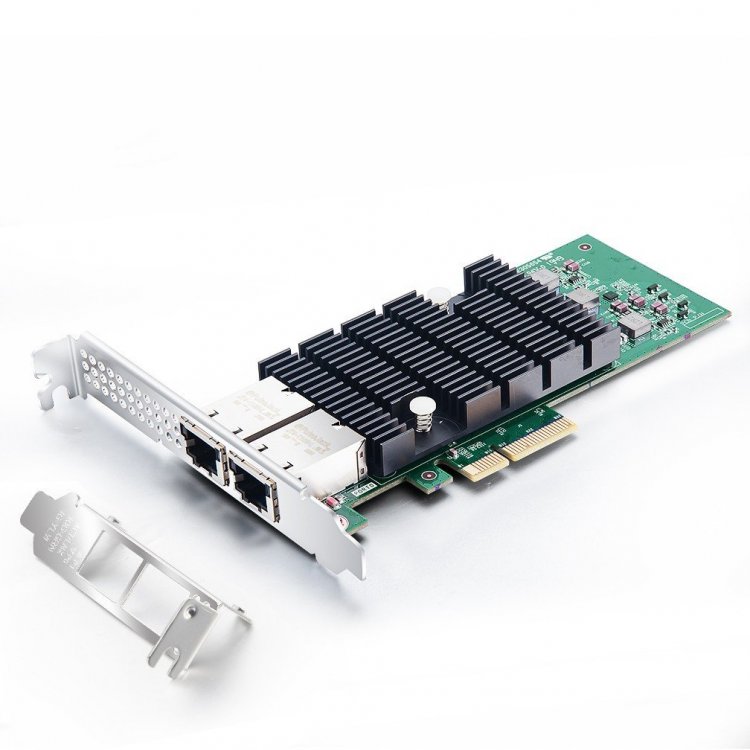
Since the fans are controlled by temperature I could change the setting, so they would spin up just later. First on 65° or something. I guess I need to try it a little bit to find the best setting. But I will wait until I got the new Motherboard. Just ordered the C246M-WU4 😀 Then I will add a 10 GbE NIC. You mean something like this, right? Not cheap (180 Euro), but since the new mainboard is way cheaper than my Asrock E3C242D4U2-2T this is ok. Hmm - but I guess the heatsink is because the card gets hot - means a lot of energy/cost? Could not find any information about power consumption. https://www.sfpcables.com/10g-network-card-dual-rj45-port-x4-lane-intel-x550-t2-equivalent-4734
-
Sorry for being so newbie 🙈 Thank you for this overview about VMs! 👍
-
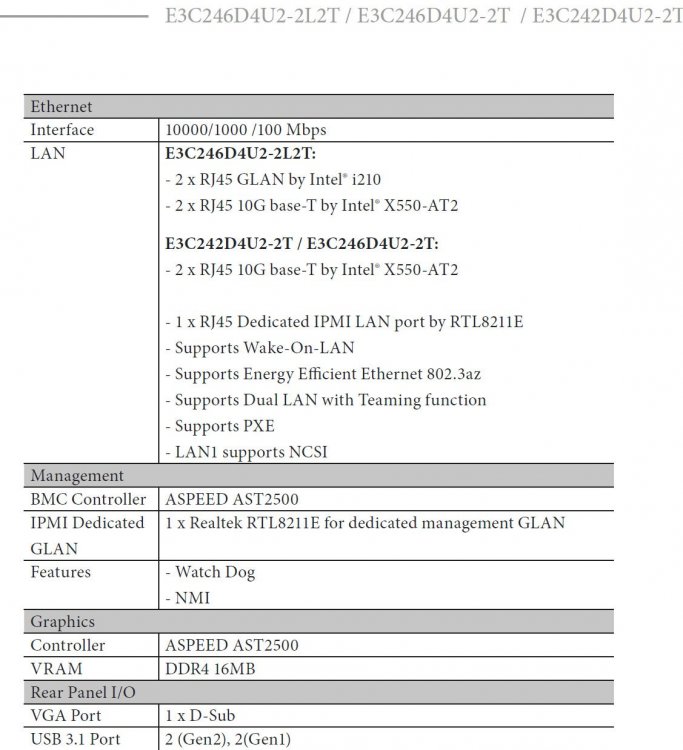
Looks nice! 😀 If I could find a E3C246D4U2-2L2T then IPMI will be a possibility for me; otherwise I will buy the Gigabyte C246M-WU4. @Hoopster May I ask you how you get this Temp output? Is this a Plugin and is it in the Unraid Menu?

-
What does this mean? Is this in the current Handbrake Docker possible or do they have to update it?
-
Ah, super! This is actually good to know! 😀
-
Alright, so I need a dedicated GPU just for VM too. I guess I will add this later. Maybe I do add a gaming GPU instead of the P 2000. I don't need hardware acceleration in the VMs at all.
-
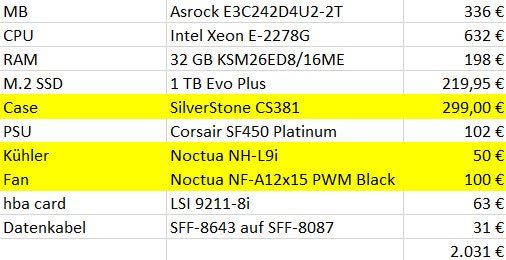
1.) It is at the moment in the living room because we don't have a dry basement and my girlfriend originally didn't want to have it in her workspace. Since the server is sometimes too loud, this will change in the future. 2.) Not at all. I have 4 fans from Noctua in my case. All of them are temperature controlled. Super silent in idle - only loud if I do transcode. Here my setup btw: (So Maybe I was a bit too dramatic with the Jet engine comparison ... 🙈 It is only loud while transcoding - but this is also unpleasant in the living room)
-
Thank you @Hoopster! IPMI sounds great! When I purchased my current build I wanted to have IPMI as an Option. But I never used it and to be honest - I do not really know how to set it up correctly - or in the best way - Which software to use, what possibilities etc. I began with the Dynamix Sleep Plugin - but when the sleep started it never stopped. The server didn't wake up in the morning. I needed to press the Power Button to wake it up. I guess this happened because the IPMI wasn't installed/setup at all. At this point I stopped bothering with it. But what would be very nice is to access and edit the Bios. @Hoopster What is your opinion in my unlucky situation? Just adding a P2000 (Just using Unraid Nvidia Plugin) or replacing the Motherboard for getting the iGPU run? Kind Regards!
-
So ... one more argument for just add a GPU to my current setting: I use Handbrake and all transcodes from that also make my server sound like a Jet engine. Because of the load my Fans spin up too ... Something I don't like and wanted to change anyway. There is a Handbrake Container with GPU addition (Handbrake with Nvidia NVENC) that would solve this problem by remove the load to the GPU (That is hopefully quiet then ...). Thinking further - The Nvidia Plugin allows me to use the GPU in every Container - but what about the iGPU? Is it also versatile enough? I mean in Handbrake it is not possible ... Is the iGPU even usable in VMs? ... So isn't it easier and more versatile to just add a GPU.
-
@mgutt: thank you for your tips and the recommendation! The Gigabyte C246M-WU4 looks actually pretty nice! 😊 I guess i simple add a 10G nic for my Network. Can you recommend one with rj45? What about the Asus XG-C100C 10G? Since I dont need remote management, i guess i dont need IPMI.
-
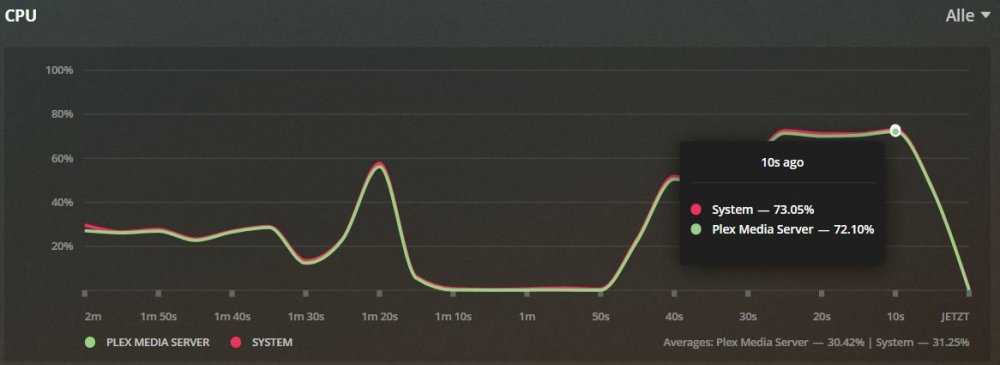
Well, now I am pretty jealous! 😆 This is how it looks on my Dashboard: while transcoding: Alright, so I do need a new Motherboard for my GPU ... Damn! Can't believe it! Any recommendations? At the moment I do have a double 10 G Connector, on the board, so this to have would be nice. Thought an extra 10 GB PCI-E Card would suck too much energy .... I need Micro-ATX because of my case (Silverstone CS381)
-
What does it even mean for the CPU workload to transcode with CPU only compared to iGPU (Quick Sync)? Example: Here I transcode a 4K Movie to 1080P without Hardware acceleration: My CPU sounds like a Jet engine and is super high in load and temperature: (An notion: Since the server is in the living room - this isn't really a thing I can live with) If I used the iGPU (UHD P630) for the same transcode how would this look like? I mean the iGPU is on the CPU. Would I have better temperatures and lower load? Resulting in quieter server? And what if I transcode with the P2000? The GPU should be quieter than my 4 Fans spinning up under load, right?
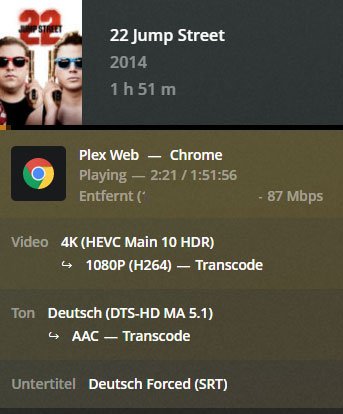
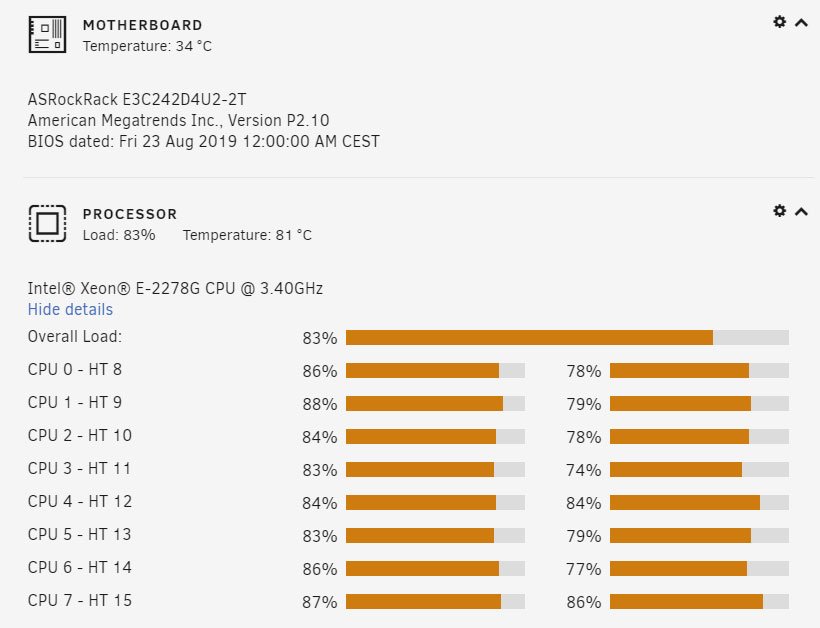
-
Hmm ... is it even possible to change the motherboard easily? I mean sure rebuilding isn't convenient at all. But what I mean is the license of unraid and that everything works as before in unraid (Settings (Network?), Docker, Shares, Array, etc.). This is of course the most important thing.
-
what i originally meant (power consumption) was the choice between Ryzen with p2000 and Xeon with Quick Sync. The choice fell on Xeon because it consumes less electricity in idle and overall. Anyways ... Now i am in a pretty unhappy situation - chosing either new motherboard or GPU. What is wrong with an server board in a server? CEC looks like it is not jet a thing. is it even usable in unraid?
-
Omg! That is not what i thought would be any answer. Thought the gpu would be the reco. Hmm but the savings in power consumtion is a good point. Also the original focus of the build...
-
Other Option could be to sell my motherboard: E3C242D4U2-2T and buy the 246 Version of the Board: E3C246D4U2-2L2T. Then i could use my igpu - but how does it even perform compared to a dedicated GPU? P2000 should be stronger anyway, right? Selling my Board would also probably mean losing Money too ... and the boards are quite simular too ... damn ... what would you do?
-
Thank you @Hoopster for your reply! If you are right - that would be really sad - because i bought this CPU because of Quick Sync. So does this issue also mean that the iGPU works nowhere in the unraid enviorment (Docker, VMs, etc.)? 😵 I ask because this iGPU is also not selectable in my VM. Is this for the same reason? Is there a way to get it work - maybe without IPMI ... So it seems that the only solution is to buy a dedicated GPU for Hardware Acceleration. For this i would choose the Quadro P2200. Since i also want to use the GPU for VMs i would be happy for any recommendations. Something like a GPU for VMs, transcoding (Plex, Handbrake) and maybe gaming.
-
This is my Bios version: So the fix (Support Intel Mehlow Refresh CPU (E-2200 Series) should be already in, right?
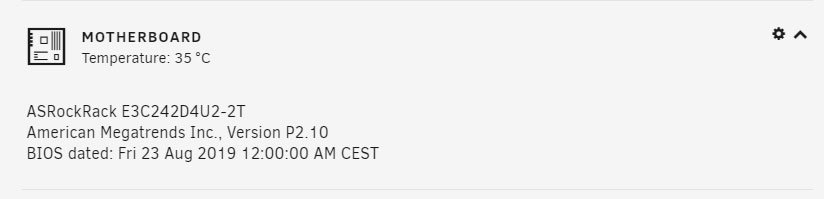
-
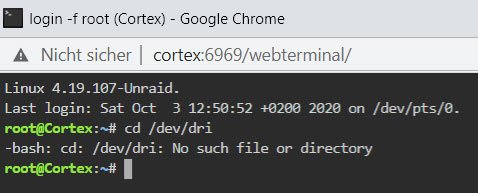
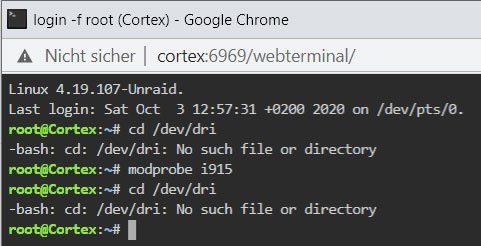
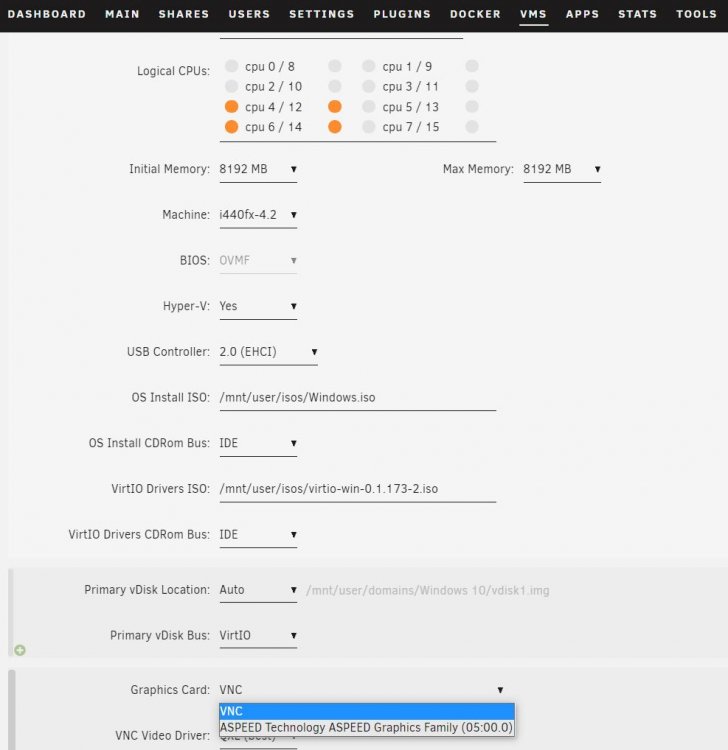
Hello folks! Since i could not get plex Hardware Acceleration running i really could need some help. I tried to execute this guide but get errors right from the start. Checked my setup with: cd /dev/dri gives me already this error in the unraid terminal: since i could not see card0 i typed modprobe i915 followed by again: cd /dev/dri and again got the same message: Since i feel like i have all requirements, i have no idea what could be the mistake - or missing. Quick overview for your help guys: Plex Pass and Plex Hardware Acceleration enabled Intel CPU with Quick Sync (Intel Xeon E-2278G) Motherboard Setting: Primary Graphics Adapter: Onboard VGA (VGA is plugged to TV to see boot screen etc.) - i dont have hdmi on the MB. Is this already a problem? I also do not see the iGPU in my VM - i only can choose ASPEES AST2500 (BMC Controller) - Is having this a problem? I heared something about headless ... ? Unraid need my iGPU? Now i am afraid about this comment: 👇 So is this maybe the reason for no iGPU passthrough and the aspeed Graphics output in my VM instead? So do i need a graphics card? Any recomendations? Quadro P2000 - or is a gaming GPU better if i want to use it too in a Windows 10 VM? Guys i really appreciate your help! Thank you so much! Kind Regards!