





Ben4
Members
-
Joined
-
Last visited
-
I have been having some connection issue with jellyfin either using finamp or the jellfyfin app both on Android or IOS. When I check jellyfin's log's it shows me this error: [2026-01-29 13:36:19.828 -05:00] [WRN] [56] Emby.Server.Implementations.HttpServer.WebSocketConnection: WS "172.18.0.5" error receiving data: "The remote party closed the WebSocket connection without completing the close handshake."That ip address is for the swag container. When I check the error logs for swag today I got this message: 2026/01/27 16:27:41 [crit] 834#834:*48744 SSL_do_handshake() failed (SSL: error:0A0000C6:SSL routines::packet length too long error:0A000139:SSL routines::record layer failure) while SSL handshaking, client: x.x.x.x, server: 0.0.0.0:443 This is the only error message in the error log. Update: I'm able to connect to my jellyfin server again, however I still have the same error message in the error log. Also I have been having intermittent connection issue for over a month, where the finamp will give me a message saying: ClientException with SocketException: Failed host lookup: 'jellyfin server name' (OS Error: no address associated with the hostname, erno = 7), uri=https://jellfinservername/Users/ Followed by a string of numbers. Every time I check the jellyfin log it shows that first error pointing to the swag container. This error from swag however is different than the previous error when I got the connection error in jellyfin. I thought it was DNS related and I checked my firewall a few days ago cleared my DNS cache and I thought everything was resolved as I was connecting fine to my server for several days with any issue, but now the intermittent connection issue is back. I believe I did a swag update yesterday, so I don't know if that's what's causing the issue. Part of the update required me to update the jellyfin.subdomain.conf, which I did.
-
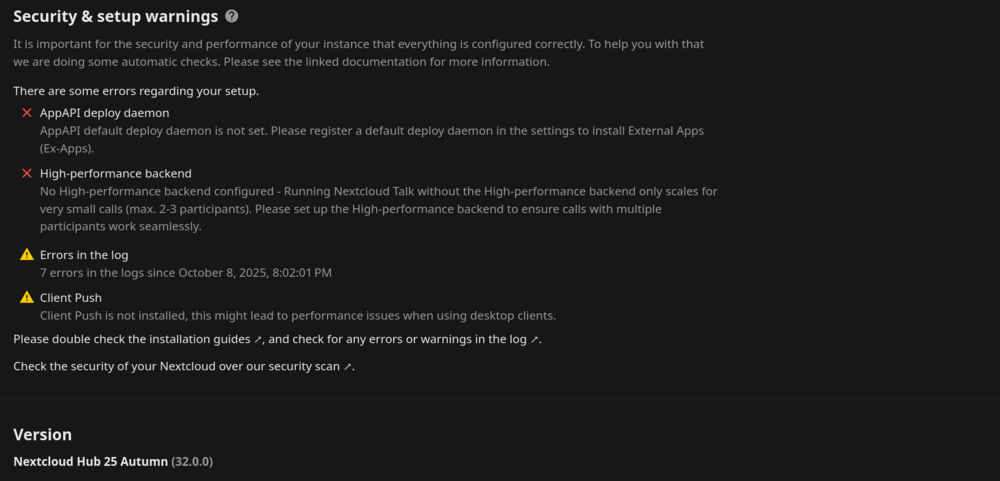
So I was able to disable AppAPI, I'm not sure I will need it in the future, but for now that error message is gone.
-
Hello all, Some I've been dealing with some issues with Nextcloud over the last 1-2 weeks. My Nextcloud notes app on my android phone would stop syncing (sync failed error message) when I created a new note, but then it will create many copies of that same note which is synced to the server. So I will have like 60-100 copies of the note. If i trigger the sync in the note app, it will say fail and generate another 60-100 copies. I had to log into Nextcloud web gui and delete all the copies of notes in my notes folder under files. I've getting brute force throttled when i did log into the web gui, which I don't do often. But I've never been throttled before and the ip address that Nextcloud is blocking is on my home wifi network or an ip address from my phone. I've never had this happen before and these ip's shouldn't be blocked. After reading up on these issues on the Nextcloud community forum and seeing that some people are having some issues here. It seems to me that the new version of Nextcloud Hub has made some changes under the hood that is causing these adverse affect. I think the syncing problems with my notes app on my phone is causing the brute force trigger on my server throttling my ip. I'm hoping an update will fix the syncing problems with the notes app on my phone, but my bigger question is in regard to the new version of Nextcloud Hub 32. In Hub 32, the AppAPI delpoy daemon and the High performance back-end has been turned on by default causing Nextcloud to show an error during the security check. Screenshot attached. I have read on the nextcloud community forum that uninstalling the AppAPI does not resolve the problem. I see there are instructions on how to configure the AppAPI and that I need to add a HARP docker to use with nextcloud, but I'm not sure how to get that all setup properly with the swag reverse proxy even after reading the documentation. If anyone has gotten this working, please point me in the right direction, I don't want to screw up my server. On, another note, I've heard the Nextcloud devs pointing users to use the AIO version of Nextcloud, which apparently does all the configuration and docker creations for you during the web installation. I was wondering are there any plans for a linuxserver Nextcloud AIO? Second question, if I were to move to Nextcloud AIO, how would I go about migrating my currently deployment (4 users) to the AIO version? Sorry for the long post, lots of thoughts.....Lol Thank you!
-
It's working now, Makemkv recognizes my bluray cd/dvd drive. I realized after seeing a reddit post and reviewing @radix post on this forum that I only added one device and the bluray drive has two device ID's. I originally got my device ID from systems devices under tools, but that only showed the first device. When I ran the command @radix used lsscsi -g I was able to see the second device. Once I added the second device variable along with the changes of the PUID and PGID values to 0, my drive was now visible in makemkv. Will do some test rips later today to see if it's working properly. Thanks @Hoopster for your help.



-
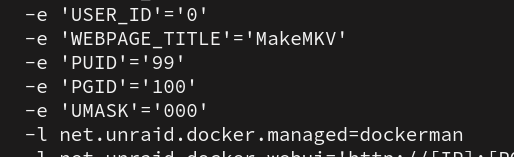
Lol.... silly me. I see it's under show more settings. I forgot to check there. Still not working for me. I noticed this error in the log. Could this be why it's not working? If so, how to fix?
-
I see i cannot simply create these variables since they are already there, but in my container it's hidden. It's not visible even under advance options. I noticed the PUID and PGID when the container image was rebuilt after I entered the values manually. So how do I make these variables visible so I can make the changes?
-
I don't have these variables in my container. So I'm assuming I will have to create them and assign the values. On another note your screenshot indicates with the red asterisk that it's a requirement. Did you have to create those values or were they included in the container?
-
@binhex @Milldor How do you do this? Never used PGID and PUID before.
-
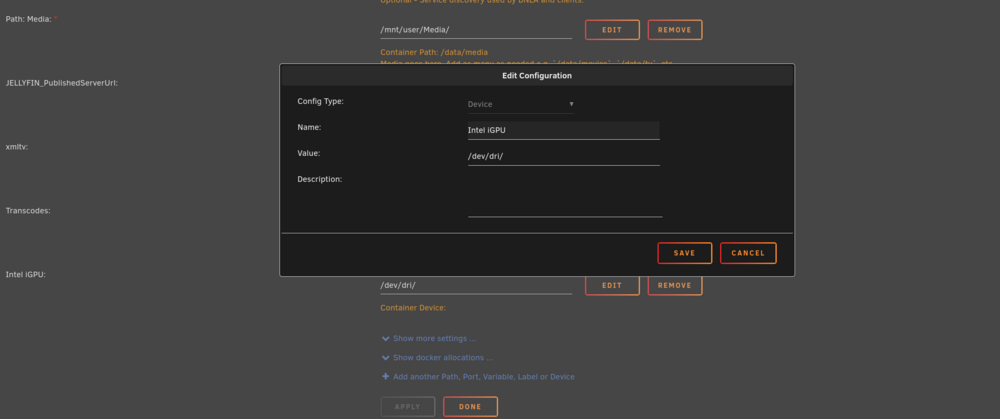
@Xormus88 I got mines to work using the official Jellyfin container and adding the iGPU device as a path in the docker container. see screenshot below. Entering this info under extra parameters did not work for me. ich777 helped me with this.
-
@SimonF so I posted this problem on the intel_gpu_top support page and ich777 was helping me. So I was able to get intel_top_gpu working. See the resolution from this post https://forums.unraid.net/topic/92865-support-ich777-amd-vendor-reset-coraltpu-hpsahba/?do=findComment&comment=1457197 Thank you for all your help.
-
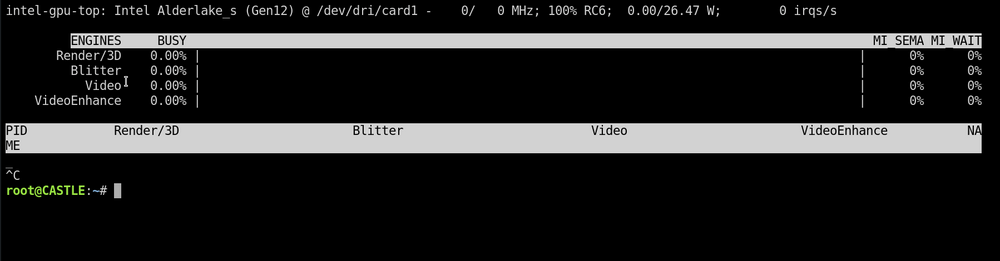
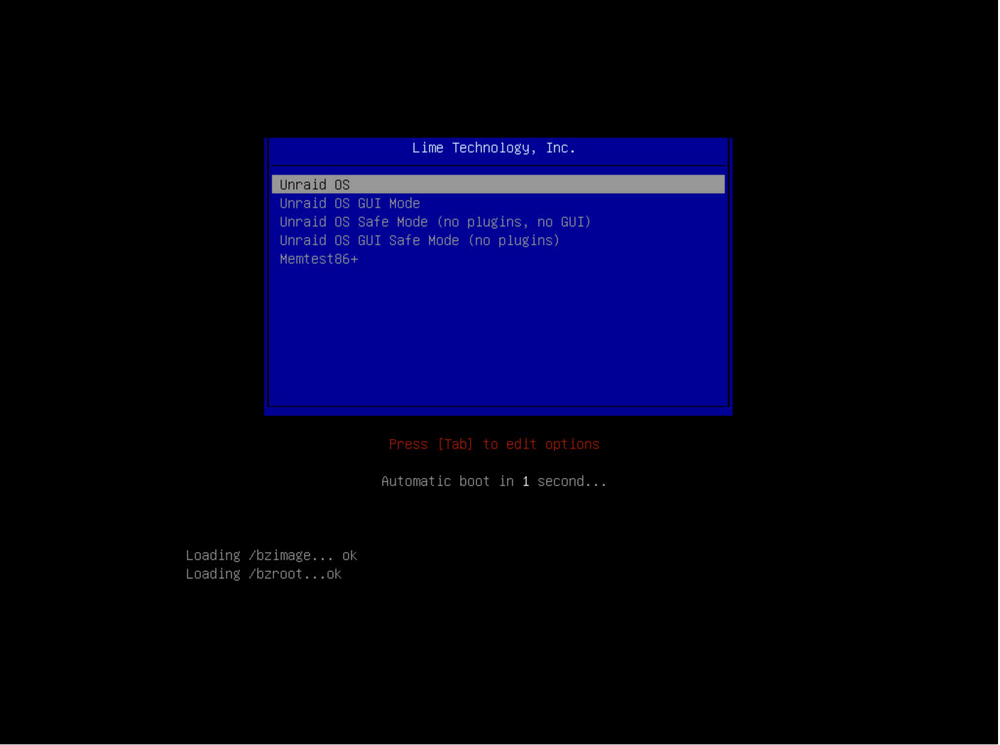
So I believe your hunch of disabling the ASPEED igpu is correct to get the primary igpu working. I didn't disable the ASPEED, but let me explain why I think you're correct. So whenever I set the primary display to either auto or cpu and i don't have a monitor plugged in, I would get a black screen on the KVM, and my system didn't boot to unraid. When I set my primary display to cpu and enabled igpu multi-monitor, I can use the KVM and unraid boots, but intel_gpu_top doesn't work, meaning the primary display is not working. I used the dummy hdmi adapter and I set my primary display to cpu and disabled igpu multi-montor and the KVM works up until the unraid boot screen comes up and then it freezes as the countdown hits 1. The first time this happened, I thought unraid didn't boot properly, so I power cycled my PC, but after I power cycled my PC, i noticed that the unraid login page was up. So I waited for the reboot to finish and it did the same thing as I watched the boot from the KVM, then KVM freezes at the unraid boot screen. This time I switched over to the unraid login page and I see that it was up and I was able to login. When I ran intel_gpu_top in the terminal it worked. See screenshots. So here's why you're right about the ASPEED. It seems that with the dummy hdmi adapter I can use the KVM (ASPEED) up until unraid boots and once it does, the igpu(primary display) takes over, which disable the KVM (ASPEED), hence the KVM freezes. At least with it set up this way I have a partial KVM instead of no KVM at all, so I will leave it like this for know. I'm going to bring this up with ASUS support to see if they can resolve this problem in a future update. The ASPEED igpu and primary igpu should be able to work at the same time, it why people purchase a motherboard with a KVM. Thank you for all your help.
-
I haven't had some free time yet to try and see if that works. I will let you know when I do.
-
Yes, I did see other's having that issue with the ASPEED adapter. I was hoping there was a work around to this problem. I only mentioned the HDMI Dummy adapter because you mentioned it, but I see I misunderstood your context for getting the adapter, my apologizes. I regards to Jellyfin, as I mentioned to @JonathanM above, I wasn't seeking Jellyfin container help, but intel_gpu_top help. I clicked on the support link for the plugin and it took me here. Just wanted to make sure I was setting it up properly. Thanks for your help.
-
Oh I wasn't trying to get help with setting up transcoding for Jellyfin. I was trying to figure out how to properly get the intel_gpu_top plugin setup so I could see if my igpu was being used at all. When I clicked on the "support" link for the plugin, it took me this thread.
-
I'm not sure what you mean by: "I don't have a Jellyfin container anymore because the official Jellyfin container does now support AMD, Intel & Nvidia." I'm running the official Jellyfin container as read that it works better for hardware acceleration. Does the path above replace what I did in extra parameters? I added something similar there, see attached photo. Let me know if I need to remove the extra parameter. I bought a dummy hdmi adapter to see if that helps. I don't what to disable the ASPEED , I believe I need it for the KVM, correct me if I'm wrong. My motherboard has a new BIOS update 3802 that's supposed to improve intel 13th and 14th gen stability, so I'm going to try that later today and see if that helps. Lastly if nothing works, then I may need to just wait till unraid 7 comes out.








