abhi.ko
Members
-
Joined
-
Last visited
Everything posted by abhi.ko
-
So coming back to this, I just tried with a stock 6.12.1 version of Unraid on a different USB and it had the exact same result. It got to Loading bzroot.... and then rebooted. So does that mean something within my hardware is not compatible with the new version of Unraid? Any next steps to identify what exactly is causing the issue?
-
Attached. tower-diagnostics-20230619-0801.zip
-
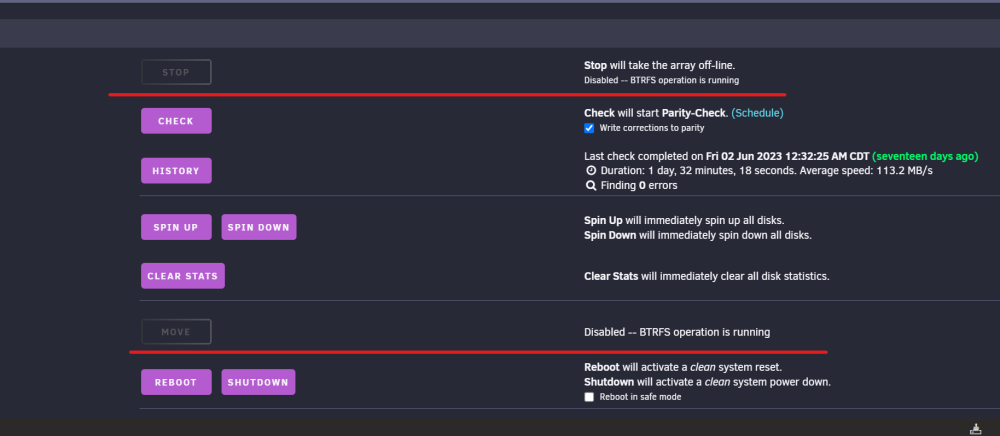
Okay will do. Looks good for now. root@Tower:~# df -h Filesystem Size Used Avail Use% Mounted on rootfs 47G 2.1G 45G 5% / tmpfs 32M 6.8M 26M 22% /run Another thing that just popped up - BTRFS Operation is running. Same as this issue here. Screenshot below.
-
Thank you @JorgeB - what would I do to investigate/fix this? The problem seem to have gone away, at least for now. CA backup ran yesterday night as per the cron shedule and it stopped and started all my containers, which is what I am suspecting did it. Plex was also restarted. Anything more I need to do now or just watch if it happens again.
-
What are these temp file systems? That is the only one that is full or close to it.
-
df - h output below: Filesystem Size Used Avail Use% Mounted on rootfs 47G 2.1G 45G 5% / tmpfs 32M 32M 0 100% /run /dev/sda1 15G 979M 14G 7% /boot overlay 47G 2.1G 45G 5% /lib/firmware overlay 47G 2.1G 45G 5% /lib/modules devtmpfs 8.0M 0 8.0M 0% /dev tmpfs 47G 0 47G 0% /dev/shm cgroup_root 8.0M 0 8.0M 0% /sys/fs/cgroup tmpfs 128M 8.3M 120M 7% /var/log tmpfs 1.0M 0 1.0M 0% /mnt/disks tmpfs 1.0M 0 1.0M 0% /mnt/remotes tmpfs 1.0M 0 1.0M 0% /mnt/addons tmpfs 1.0M 0 1.0M 0% /mnt/rootshare /dev/md1 4.6T 3.8T 838G 83% /mnt/disk1 /dev/md2 3.7T 2.6T 1.2T 69% /mnt/disk2 /dev/md3 3.7T 2.6T 1.2T 70% /mnt/disk3 /dev/md4 4.6T 3.5T 1.2T 76% /mnt/disk4 /dev/md5 2.8T 1.9T 900G 68% /mnt/disk5 /dev/md6 3.7T 2.2T 1.5T 61% /mnt/disk6 /dev/md7 5.5T 3.6T 2.0T 65% /mnt/disk7 /dev/md8 2.8T 1.2T 1.7T 42% /mnt/disk8 /dev/md9 3.7T 1.9T 1.9T 51% /mnt/disk9 /dev/md10 7.3T 5.1T 2.3T 69% /mnt/disk10 /dev/md11 2.8T 1.4T 1.4T 51% /mnt/disk11 /dev/md12 7.3T 5.1T 2.3T 69% /mnt/disk12 /dev/md13 4.6T 2.7T 1.9T 60% /mnt/disk13 /dev/md14 7.3T 5.1T 2.3T 69% /mnt/disk14 /dev/md15 7.3T 5.4T 2.0T 74% /mnt/disk15 /dev/md16 7.3T 5.2T 2.2T 71% /mnt/disk16 /dev/md17 7.3T 4.8T 2.5T 66% /mnt/disk17 /dev/md18 7.3T 5.2T 2.2T 71% /mnt/disk18 /dev/md19 9.1T 5.8T 3.4T 64% /mnt/disk19 /dev/md20 7.3T 4.4T 3.0T 60% /mnt/disk20 /dev/sdu1 1.9T 947G 961G 50% /mnt/cache shfs 110T 73T 37T 67% /mnt/user0 shfs 110T 73T 37T 67% /mnt/user /dev/loop2 100G 50G 50G 51% /var/lib/docker /dev/loop3 1.0G 6.6M 903M 1% /etc/libvirt Diags attached as well. tower-diagnostics-20230618-1118.zip
-
Now a docker container is refusing to start because of a similar "no space left on device" error. Not sure what is going on. All drives including the flash device and the cache drive (appdata) have enough space on them. docker: Error response from daemon: failed to start shim: symlink /var/lib/docker/containerd/daemon/io.containerd.runtime.v2.task/moby/f619bbfa000746382d32a164bac78f53035dc52c88d74ae2936d0b58e91a2149 /var/run/docker/containerd/daemon/io.containerd.runtime.v2.task/moby/f619bbfa000746382d32a164bac78f53035dc52c88d74ae2936d0b58e91a2149/work: no space left on device: unknown. I'm think that this is somehow related to me copying the config folder after installing 6.11.5, but I am not sure what is going on or how to fix this. All help is appreciated.
-
I haven't done the above step yet, have the USB drive ready but waiting for some stuff to finish on the server before I shutdown. I had another question: Ever since the upgrade issue and manual revert to 6.11.5, i am seeing this error on the GUI Warning: file_put_contents(): Only -1 of 154 bytes written, possibly out of free disk space in /usr/local/emhttp/plugins/dynamix/include/DefaultPageLayout.php on line 715 What is this warning about - anything I can do to fix this?
-
Thank You!
-
Hi @JorgeB how do I restore if I do have a backup from CA Backup. I don't see a restore option for VM's, only for appdata within that plugin. Is it just a copy and paste the backup file to the actual location?
-
I will try that, but just to be clear - I did try booting into safe mode from the GUI options - Unraid OS Safe Mode (no plugins, no GUI). That also did not work.
-
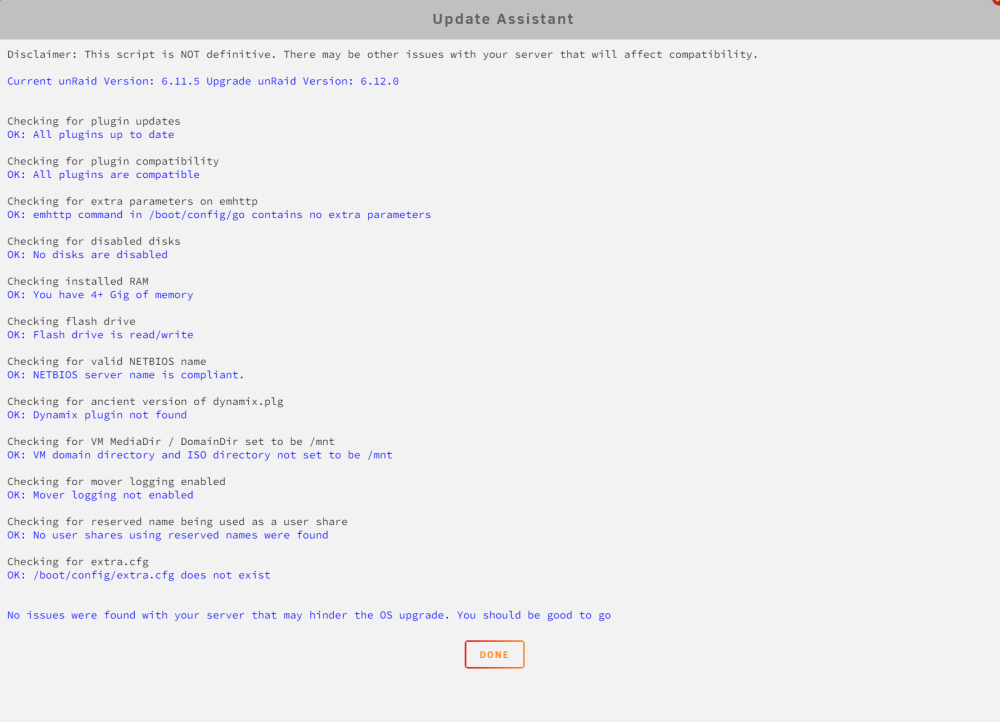
Hello, UNRAID is getting stuck in a boot loop after upgrading to 6.12 from 6.11.5. On the monitor connected to the server I can see that it gets to the GUI boot screen and gets to Loading /bzroot... and then just reboots. I have managed to revert back to 6.11.5 manually and restart on the same flash drive. I am using a 16GB Sandisk micro USB flash drive - which I have used for almost 4 years. Tried with another flash drive but ended up with the same result. Update assistant doesn't find any issues, I know it is not definitive. But I am unsure what is causing the problem, hence this post.
-
A BIG thank you to everyone who helped. The issue is fixed now, I wanted to wait a month to see if anything got messed up again. Luckily no issues so far and hence I hope this is resolved and I will mark it as closed. The log filling up issue stopped happening after another reboot and the system is running much cooler, I was going to replace the existing CPU cooler and with something more beefy but did not need to. Even while the log was at 100% the system was running pretty solid, so decided to wait and see, and no issues after that reboot. I upgraded to rc3 and still everything to the best of my knowledge is running smoothly. Thanks guys again for the assist and the education.
-
@Marzel I am having the same issue? Did you fix it and get the container started? If you did, could you please share what worked for you?
-
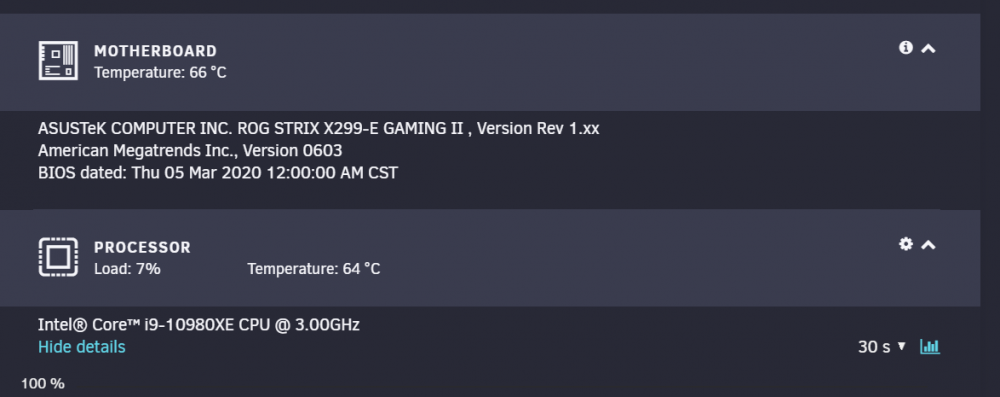
hmm - interesting. This is new, the case is pretty clean and I got enough fans running inside, wonder why. Are these temp too hot? Can I adjust the threshold?
-
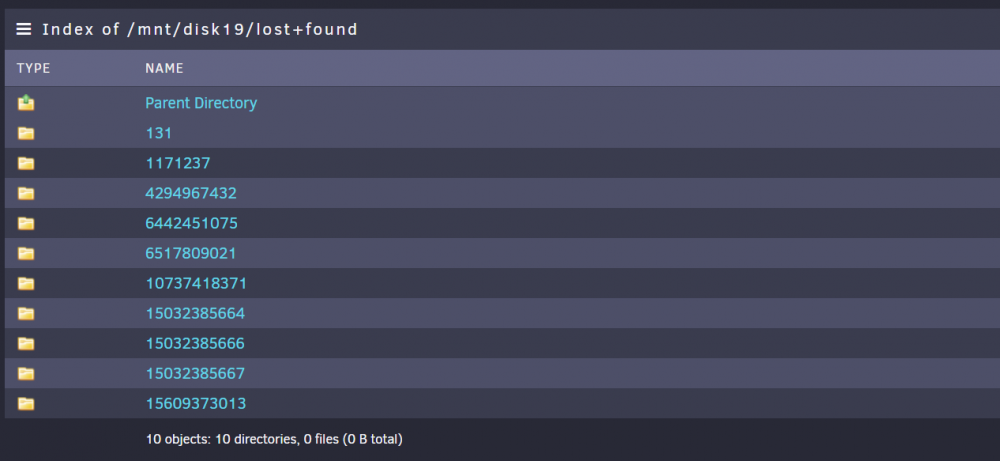
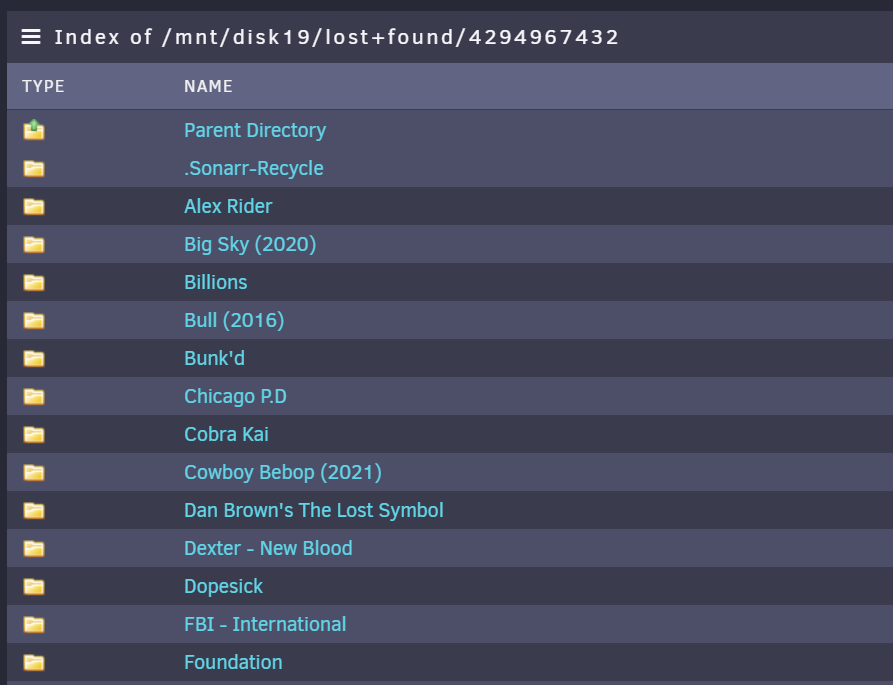
Just posting an update and asking for help on another issue - so disk 19 got rebuilt to a new drive without any errors, and all the lost and found items were moved to right directories, everything looks good. Thanks @JorgeB @itimpi @trurl I got the additional cables and now all the backplanes are connected 1 tray to one molex connector on the PSU, so 4 drives to one connector, thanks @Michael_P @Vr2Io Currently rebuilding Disk 12 on to the old Disk 19 drive, but my log is filling up with call trace errors. Not sure why, latest diags posted, could someone take a look and tell me what seems to be the issue. No other consequences noticed yet, because of the error, other than the logs filling up. tower-diagnostics-20220217-2159.zip
-
Thank you. I think I'm going to wait till this disk finishes rebuild. I am not seeing any other issues in the array (outside of the log) as I did before. Like disks with reallocated sector counts going up etc. Will rename the top folders in lost+found in the disk after it is done and then restart the array before I start rebuilding disk 12. That should clear the log file and will monitor it closely after that. Should I rebuild disk 12 onto itself, since the file system check did not create a lost+found in that disk, I am assuming that the disk itself is okay and it was the voltage fluctuations causing the issues with the disk dropping off? Is that a good plan? Or should I rebuild it into the old disk from disk 19 slot?
-
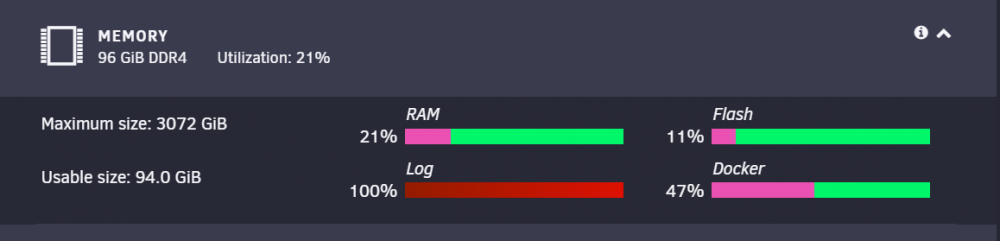
Thank you @itimpi and @trurl. I started rebuilding the data disk (disk 19) with the new drive yesterday (2/15), and everything is going well except for the fact that I noticed today morning, the logs are getting filled up. it looks like it is mostly filled with error messages from 2/14 when the array was not even started but eh preclear was running. From what it looks to me, it seems like a backup trying to access a share that was not live during that time, the client IP in the error message below is that of my main workstation, and I have that being backed up using Paragon Backup to the server, so I am thinking that is what it is about. I might be wrong. There are some other call trace errors in there as well and I am not sure if there is still a hardware issue that is causing errors in the log since the log is not being written to now, hence this post here to seek some expert help. Feb 14 02:32:51 Tower nginx: 2022/02/14 02:32:51 [error] 11687#11687: *323602 limiting requests, excess: 20.842 by zone "authlimit", client: 10.0.0.232, server: , request: "PROPFIND /login HTTP/1.1", host: "tower" Feb 15 21:12:58 Tower kernel: Call Trace: I have posted the diags here not sure if that is helpful, since the logs have been full and not written to since yesterday night it looks like. Is there any way to clear the log file without restarting in the middle of the rebuild? Should I even try to? tower-diagnostics-20220216-0643.zip
-
Got it. Was probably a brain fart moment, not sure what I was thinking that the lost+found was not written to parity somehow. Clear now. Oh okay, that probably was what I was thinking about.
-
Ah...thanks for clarifying that. I was incorrectly assuming that the rebuild was going to restore the disk as it should be and a physical move of the lost+found folders won't be necessary. Yes, but would it save time from skipping preclear and starting to rebuild directly? I always understood that Unraid does its own version of stress testing on a new drive, which is not precleared, even though I have never added one without pre-clearing ever.
-
Thank you both. So I plan to do this for now: Shutdown server Add the new 10TB drive Preclear the 10TB drive Once done, unassign disk 19 from current drive and assign new precleared drive instead Start array and rebuild Does that sound good? Or should I rebuild disk 12 to the new one? Can I re-assign without preclearing and start rebuilding immediately?
-
Thank you. I don't have a spare hot-swap drive available in the case currently, and I would rather not wait another day or two to pre-clear the drive and then rebuild onto that with 2 disabled disks, unless you think that is the way to go. Just curious, what do we do with the lost+found on Disk 19?
-
Thanks for reading through. To answer your question, YES, I did switch to a higher single rail amperage rated power supply (Seasonic GS-1300W) and have distributed load as efficiently as currently possible. Old wiring was all of the backplanes being connected to one molex cable. Current scenario is distributed between 2 cables back to the PSU. One cable has 4 backplanes (15 disks, 14 HDD and one SSD (cache)) and another has 2 (8 disks) , since I only had 2 cables that came with the PSU. Future (ideal) scenario is 1:1 to connections from the backplane to the PSU. Have requested more molex cables from Seasonic since I don't want to try and mix cables even from my other Seasonic PSU's, and will be re-wiring as soon as I have them.
-
Ok, so just clarify next steps: For Disk 19: Do I just rename the numbered directories to the original share names? How do I change the disk from the current disabled status? For Disk 12: what do I do?
-
Sorry, I honestly don't have a before frame of reference disk-wise to compare against, to know if it is actually missing anything. I took it to mean the same (i.e. repair was successful). Is there a chance that there is a still a chance of corruption? Numbered folders within lost+found but recognizable sub folders within those.