





hbrob
Members
-
Joined
-
Last visited
-
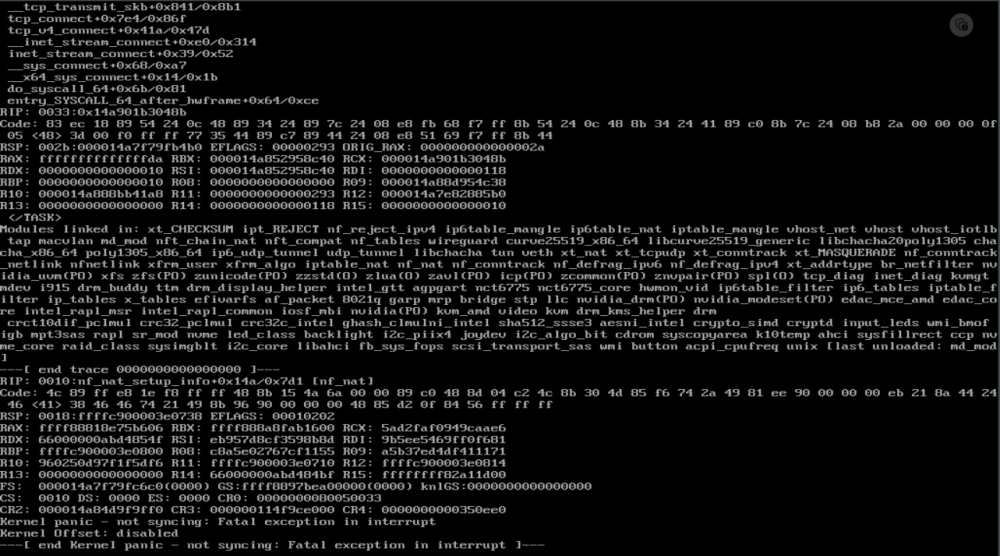
Ended up being permissions issues on the docker directory. Figured it out by deep diving on system logs. Marking solved.Started getting kernel panics every 12 hours. Really only noticed since I updated to 6.12.4, but cant say for sure if that is the cause. Haven't added any new dockers or plugins recently. Any assistance is appreciated. gabserver-diagnostics-20231129-0630.zip
 Ok sorted out the link, bad cable. local and remote GUI works now. Troubling takes an IP to get local working, but its working so ill go with that.Local gui doesnt work. If I had a local GUI im sure I could resolve the remote connection issue.Hello, Was swapping out network cards and now cannot get a GUI, local or via network. Can get to command line via local term emulator via GUI option, but no GUI on browser local. Diag attached. Ive now removed all the addon cards and just trying to get built in card working. Also noticed an unusually long delay when this is on the screen Triggering udev events: /sbin/udevadm trigger --action=change gabserver-diagnostics-20230322-1132.zipYa, I must have done that as part of trying to recover some data. I ended up rolling back to a flash backup and starting over from a few days ago. So far that seems to have resolved. Im going to mark this closed.Hello, I recently upgraded my dual 500GB SS cache drives to dual 2TB SSDs . I did this by way of removing all data onto Array, removing and then reinstalling cache. I have gone though several rebuilds of cache. Docker is now extremely slow to start and install files, im currently starting from scratch with all new installs. when docker is running and installing new images, UI hangs. Diagnostic is attached. Currently finalizing a BTFS rebuild with the new drives. gabserver-diagnostics-20221018-1720.zipSame here. This was killing my unraid GUI forcing restarts- ended up shutting it off.I do, I tried restoring my settings to the new install and removing the DB which was corrupted (this was one of my first actions). ES hooks did not work. I may try this again tomorrow.Thanks. Project for another night. Appreciate the work putting this together.Yes, this is what I figured happened to me too. I got a clean install up and running, but notifications are broken. Eager to hear if others are successful or not getting these going.I had a clean folder when this happened (I started completely from scratch when trying to troubleshoot). Manually adding the files to my hooks folder from the repo fixed this issue, but hooks still arent working. When trying to run this manually from the command line, I get "sudo: /var/lib/zmeventnotification/bin/zm_event_start.sh: command not found' At this point, I would like to just roll back to the previoys 18.04 version ( I still have my files from that install). Is there a way to do this so I can get it going again? Was working fine under my old install. I dont see any tags on your docker repo.Hello, Two items/suggestions: Can you have the API do an update periodically or have the messages persist. If HA is restarted, the switches show 'unavailable' since they don't seem to persist on the MQTT broker. Restarting the API corrects. Getting this error. Think its due to having docker containers that weren't created through the Unraid Apps section - created using command line in docker. These types don't show at all in the API, and think they should still have the ability to stop, restart etc since you can do this through the dockers tab in Unraid. Possible to handle these more gracefully? There was a problem retrieving a field for a docker image Cannot read property 'contents' of undefined Love the API - thanks for putting the time into this!

