





a_n_d_y
Members
-
Joined
Everything posted by a_n_d_y
-
For the ports on your motherboard, do you have those set to hot pluggable in your BIOS? I did a quick search and looks like you can mask multiple, ex. ahci.mask_port_ext=[Address_A]=[Mask_A],[Address_B]=[Mask_B] You could try masking the ASM1166 and your onboard motherboard ports to see if that improves it.
-
ASPM is working fine for me. If you read this, it explains what's happening, which is how I came to using ahci.mask_port_ext: https://forum.odroid.com/viewtopic.php?p=403149#p403149
-
I have an ASM1166 on the Silverstone firmware and just upgraded to Unraid 7.3. I have the same issue. I think I first saw it on Unraid 7.2.5 or 7.2.6 tho. I found this link: https://forum.odroid.com/viewtopic.php?p=403149#p403149 I ended up adding this to syslinux.cfg: ahci.mask_port_ext=0000:02:00.0=0xffffffff 0000:02:00.0 being my ASM1166 PCI address. BTW, I noticed Unraid has a new Boot Parameters menu under the Boot device to modify syslinux.cfg. I rebooted and that seemed to fix issues with the ASM1166 ports. I haven't seen any issues pop up yet. Running echo med_power_with_dipm | tee /sys/class/scsi_host/host*/link_power_management_policy still shows a few Operation not supported errors for me. root@UNS01:~# echo med_power_with_dipm | tee /sys/class/scsi_host/host*/link_power_management_policy med_power_with_dipm tee: /sys/class/scsi_host/host0/link_power_management_policy: Operation not supported tee: /sys/class/scsi_host/host1/link_power_management_policy: Operation not supported tee: /sys/class/scsi_host/host14/link_power_management_policy: Operation not supported tee: /sys/class/scsi_host/host15/link_power_management_policy: Operation not supported tee: /sys/class/scsi_host/host2/link_power_management_policy: Operation not supported tee: /sys/class/scsi_host/host3/link_power_management_policy: Operation not supported If I run dmesg | grep -E "ATA-[0-9]|ata[0-9]" it shows those as listed as being DUMMY. I don't think those matter if you can change those or not.
-
Good to hear. Enjoy the case.
-
This is sold to @ConnerVT I'll keep this thread open until he receives and will mark closed later this week.
-
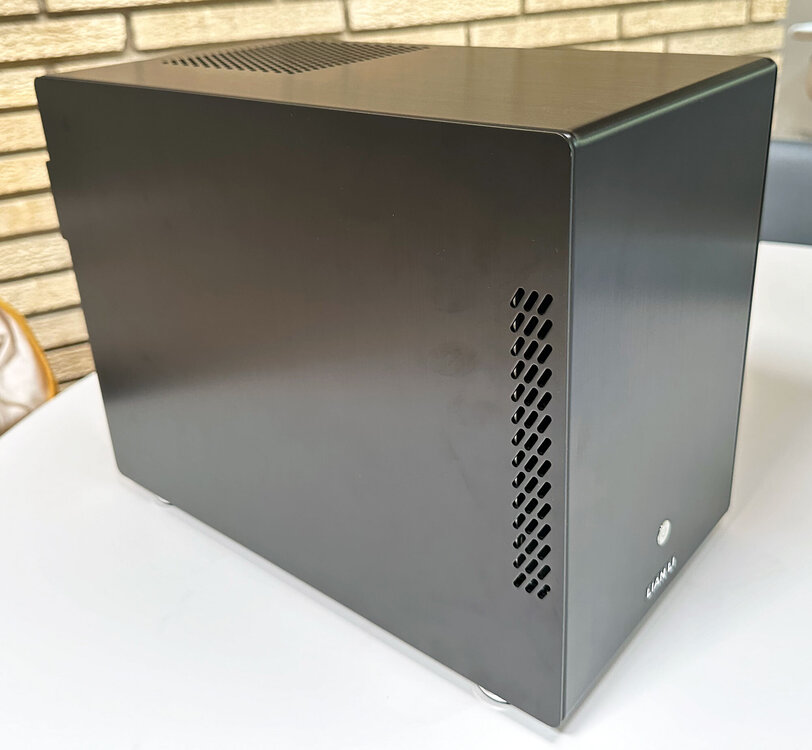
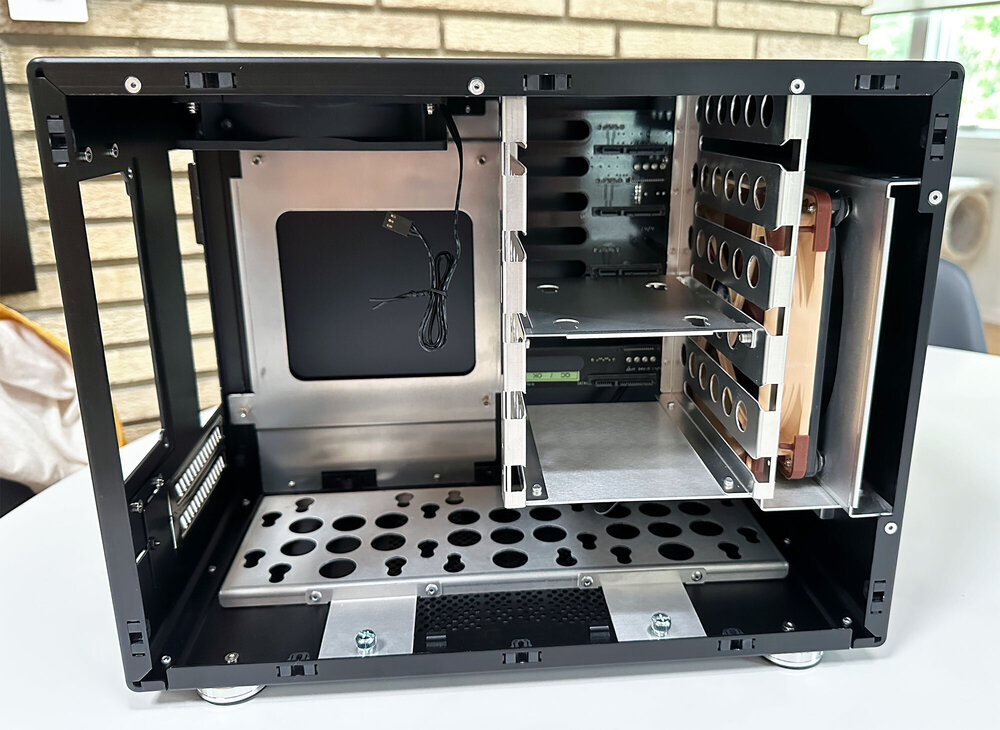
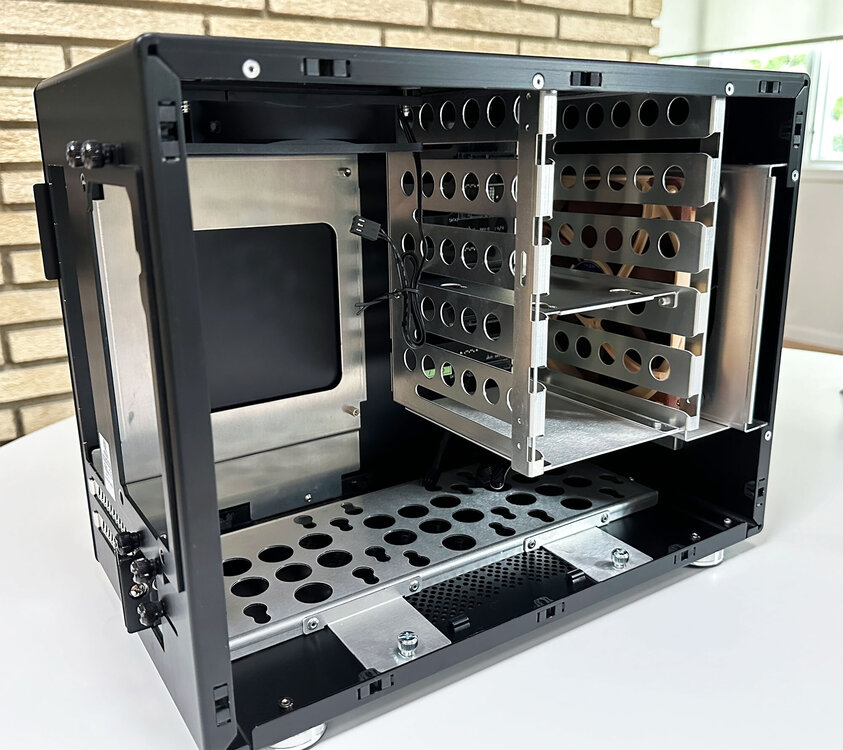
This is a great case. Easily fits 7 HDD's and possibly more if you get creative.
-
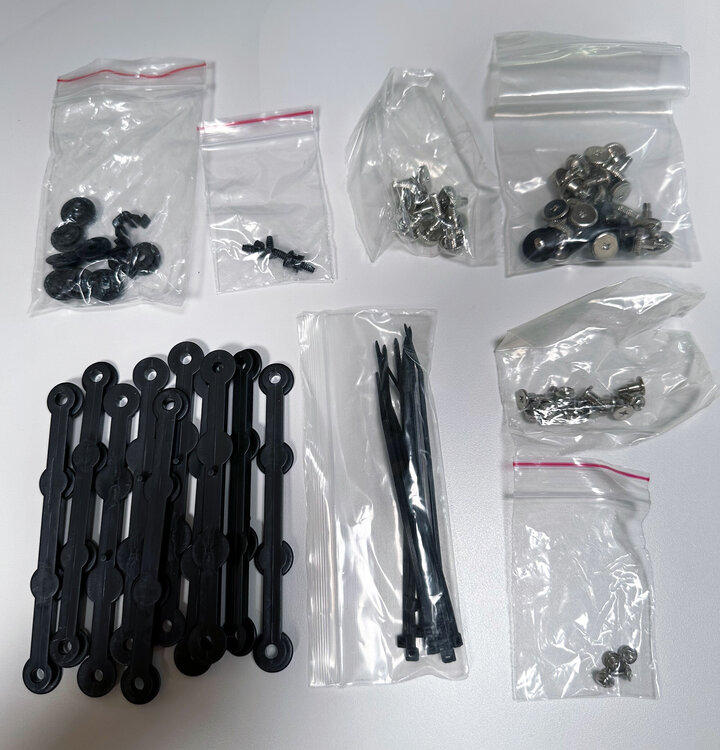
For sale is a Lian Li PC-Q25B mini-itx NAS case. Just an extra laying around. The exterior of the case is clean and in excellent condition. Interior shows some standard wear, but overall very good. Includes all the parts, manual (not that you're going to read that), and ships in its original box. Local pickup near Minneapolis: $100 Shipping CONUS 48: $135 shipped Payment: PayPal is preferred, cash or Venmo is fine for local Listing on eBay June 22nd if no takers here.
-
I went from 5.14.23 to 7.1.68 a while back and only had to make some adjustments to the AP Groups, so I can confirm that worked in my situation. I've upgraded to 7.3.83 since then. Hope that helps.
-
Just upgraded from 7.2.95 to 7.3.83. Everything went smooth and seems to be looking good. I do have an UAP-AC-IW, but its being powered off a USW-Lite-16-PoE, so no problems.
-
Every once in a blue moon after rebooting my server, containers on a custom network like br0 are not accessible. Rebooting has always fixed it for me.
-
@slughappy1 This container is just for the UniFi Network Controller. For hosting UniFi Protect, you need either the Cloud Key Gen2 Plus (this is what I use), UNVR or one of the UDM Pro models.
-
Finally made the leap from 5.14.23 to 7.1.68 today without any problems. Just had to update the AP Groups to get everything like how it was. Not the biggest fan of the updated UI.
-
Its working! Thank you very much!
-
On the My Servers Dashboard, the last time it updated was yesterday. In Unraid, flash backups is showing as Activated: Not up-to-date Clicking the update button doesn't seem to be doing anything. I've tried signing out, reinstalling, rebooting, reinitializing... not sure where else to go from here. Any help is appreciated, thank you.
-
I just tried manually installing the docker scan, but couldn't get it to work.
-
I found this tool from Docker: https://github.com/docker/scan-cli-plugin#how-to-build-docker-scan Haven't installed it or know if its applicable to Unraid.
-
This is what I was going to use: https://www.amazon.com/gp/product/B011M8YACM/ Motherboard: https://www.supermicro.com/en/products/motherboard/A2SDi-4C-HLN4F I'll be backing often with the CA Backup plug-in to an external, but just wanted to make sure there weren't any unknown gotchas.
-
Was considering the following: Using motherboard's internal USB 3.0 port and hooking up an SSD with a USB to Sata cable. I wanted to use Unassigned Disks to mount the SSD outside of the array just for docker AppData directories. Outside of maybe not getting the full disk stats, any concerns or known problems doing this?
-
Looking for an Unraid docker template for ScPrime: https://hub.docker.com/r/scprime/scprime/ Cool crypto storage project focused on enterprise backup: https://scpri.me https://coinmarketcap.com/currencies/scprime/
-
I think some of the PIA servers are having issues with Wireguard? I usually use Toronto CA, but had to change to Ontario CA to get it to work.
-
No problems getting Wireguard with PIA working. Thanks!
-
1.) You could change port(s) on the other docker containers. I use a custom eth0 / br0 interface. This will put the container on its own IP, so it'll avoid port conflicts. I think you need to enable bridging if its not enabled by default. Settings > Network Settings > Enable Bridging Then that option should be available when editing the container. Custom interfaces are isolated from the host and other custom interfaces, so if you set it up this way and you need them to communicate with each other, this might be of some help:
-
Yes it is your container. I ended up changing docker containers to get it to work. Thanks!
-
I see that and in mine it says serverPort: 1730. It seems port 8080 is being used in the container. I'm trying to change that to a different ports so I can use it with a VPN thats also using port 8080. Is that possible? Thanks,
-
Where is the port setting in the config located?




