





xxnumbxx
Members
-
Joined
-
Last visited
Everything posted by xxnumbxx
-
I am having a similar issue. Have a dell R730 and only pulling 1.5Gbps. Try running iperf3 on both machines to rule out drives. If you haven't used iperf before spaceinvader has a video here https://www.youtube.com/watch?v=DF5IOvitw4I. Let me know your readings. Maybe we can figure this out for both of us.
-
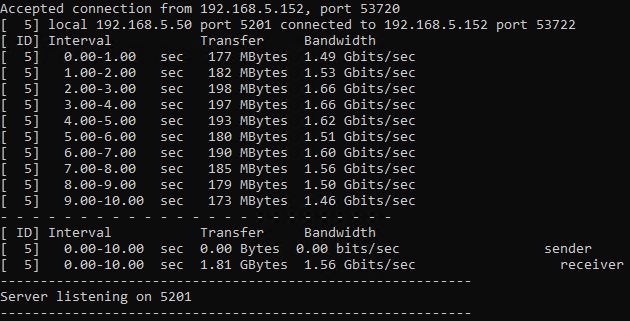
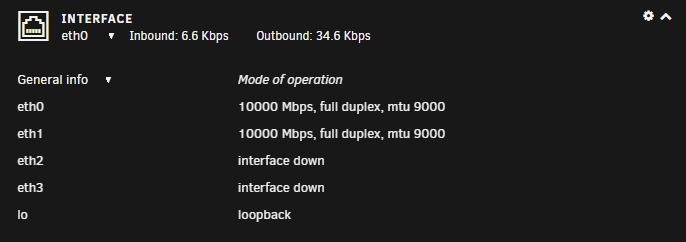
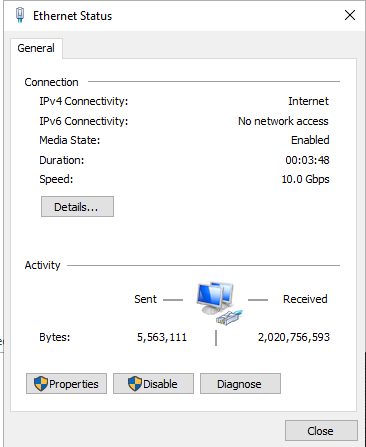
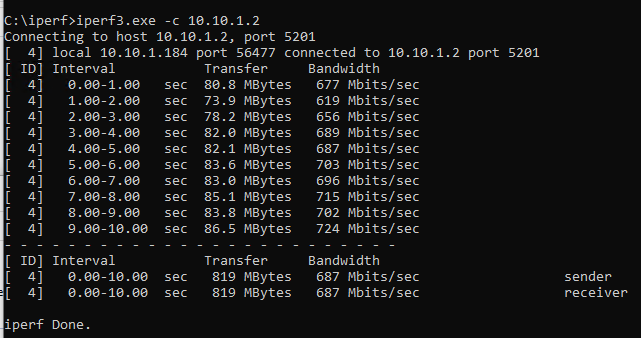
I recently added a 10gb NIC to my server. It has two SFP+ ports so I am using one for unraid and the other for a windows VM. They are both connected to a Unifi 10Gbe switch. However when I run iperf I am only getting transfers of 1.5Gbps. If I attempt to pull a file from the server to another computer it reduces the transfer rate from the other computer. I have increased the MTU to 9000 in unraid. And both connections register as 10Gbe via unraid and windows. Any help with this would be appreciated. UPDATE: So, I have tried everything I can think of. Force 10Gbe connection on switch. I have made sure my connection is not bonded. Changed the MTU to 9000. I am on the same network, same subnet. I have enabled tuneable(direct i/o). What is also strange is, the connection is faster with the windows client as the iperf server. When using unraid as the iperf server the connection is about half. UPDATE 2: Problem was the VM. I tested via another computer and speeds were fine. I ended up adding a 2nd NIC and just passing through to VM. All good now. It didn't like me passing a single SFP+ port from my primary card. Could just be the model but either way. All good now.
-
Fair enough. Thank you.
-
Users scripts not persistent on reboot. How to I get the script to run afte reboot? It works fine when I first apply the script but it will not run unless manually triggered after reboot. I have set to custom */1 * * * *. I also tried * * * * * edit: It looks like user-scripts doesn't execute until the array is started. Anyway to do this regardless of array state?
-
Anyone successful in passing through a iPhone to this VM? I can pass-through USB sticks just fine but no luck with a iPhone. I saw a couple of others have the same issue.
-
I am attempting to run untangle firewall in a vm. I am passing through a quad port intel nic which I have had working with pfsense. I stub my nics using vfio-pci.ids=xxxx:xxxx, the nics are no longer present in unraid and I am able to select them as other pci devices in unraids vm manager. I install untangle and everything works fine, I use the setup wizard and have connectivity to the internet. However when I boot after basic config I have no internet connectivity. I can ping googles,cloudfares dns but nothing else. My nics show connected in the untangled interface and I show a wan ip. I thought the problem was related to untangle but started digging in the vm logs and found the following errors for my nics. 2020-04-22T14:06:29.351910Z qemu-system-x86_64: vfio-pci: Cannot read device rom at 0000:03:00.0 Device option ROM contents are probably invalid (check dmesg). Skip option ROM probe with rombar=0, or load from file with romfile= 2020-04-22T14:06:29.352579Z qemu-system-x86_64: vfio-pci: Cannot read device rom at 0000:03:00.1 Device option ROM contents are probably invalid (check dmesg). Skip option ROM probe with rombar=0, or load from file with romfile= 2020-04-22T14:06:29.353203Z qemu-system-x86_64: vfio-pci: Cannot read device rom at 0000:04:00.0 Device option ROM contents are probably invalid (check dmesg). Skip option ROM probe with rombar=0, or load from file with romfile= 2020-04-22T14:06:29.353825Z qemu-system-x86_64: vfio-pci: Cannot read device rom at 0000:04:00.1 Device option ROM contents are probably invalid (check dmesg). Skip option ROM probe with rombar=0, or load from file with romfile= I am curious if I should be looking into these errors or my problem is untangle firewall? I noticed the errors are also present in my pfsense vm however pfsense will route traffic. Any help is appreciated. Not sure which direction to go.
