





JamesAdams
Members
-
Joined
-
Last visited
Everything posted by JamesAdams
-
i have already delete the docker.img ...
-
ok thanks i make this but i have en error for rebuild this container :The folder existe docker run -d --name='AuthentikPostgreSQL' --net='br0.10' --pids-limit 2048 -e TZ="Europe/Paris" -e HOST_OS="Unraid" -e HOST_HOSTNAME="JamesServer" -e HOST_CONTAINERNAME="AuthentikPostgreSQL" -e 'TCP_PORT_5432'='5432' -e 'POSTGRES_DB'='postgres' -e 'POSTGRES_USER'='postgres' -e 'POSTGRES_PASSWORD'='0K67szxyo7MRE0' -l net.unraid.docker.managed=dockerman -l net.unraid.docker.icon='https://raw.githubusercontent.com/UNRA1DUser/unraid-docker-templates/main/templates/img/postgresql.png' -v '/mnt/cache/CacheDevices/Container/Authentik/bdd':'/var/lib/postgresql/data':'rw' --user=99:100 --restart=unless-stopped 'postgres:alpine' d2350958bb66482b10a61d56fe9de054939752ced2bedd8419bc08b0cfba7670 docker: Error response from daemon: failed to create task for container: failed to create shim task: OCI runtime create failed: runc create failed: unable to start container process: error during container init: error mounting "/mnt/cache/CacheDevices/Container/Authentik/bdd" to rootfs at "/var/lib/postgresql/data": change mount propagation through procfd: open o_path procfd: open /var/lib/docker/btrfs/subvolumes/969a0cee2790f9f469066ba7cefadc3cc24f86fc0eaef6cf1174d4a693ea2516/var/lib/postgresql/data: no such file or directory: unknown.
-
Hi, since today impossible to start the docker service... Thanks for the help Oct 27 22:05:57 JamesServer rc.docker: Joal: error during connect: Post "http://%2Fvar%2Frun%2Fdocker.sock/v1.46/containers/Joal/start": EOF Oct 27 22:05:57 JamesServer rc.docker: Error: failed to start containers: Joal Oct 27 22:05:58 JamesServer rc.docker: Containers started. Oct 27 22:05:59 JamesServer webgui: docker stats error: Cannot connect to the Docker daemon at unix:///var/run/docker.sock. Is the docker daemon running? Oct 27 22:06:51 JamesServer webgui: docker stats error: Cannot connect to the Docker daemon at unix:///var/run/docker.sock. Is the docker daemon running? Oct 27 22:07:35 JamesServer kernel: block nvme0n1: the capability attribute has been deprecated. Oct 27 22:07:35 JamesServer kernel: r8125 0000:04:00.0: invalid VPD tag 0x00 (size 0) at offset 0; assume missing optional EEPROM jamesserver-diagnostics-20251027-2207.zip
-
so if anyone have an idea
-
And when i build the container i have this message if it's can help
 After few tests the crash came from my Qbitorrent docker container i try to shutdown the container and after a week the server working well and 24h after re-start the container the docker service crash again... I don't understand why, i limit the ram and the cpu for the container but nothing change always crash... jamesserver-diagnostics-20250425-0941.zipIt's work few days on yesterday the docker crash again... jamesserver-diagnostics-20250407-2217.zip jamesserver-syslog-20250407-2017.zipMy bad i think it's here
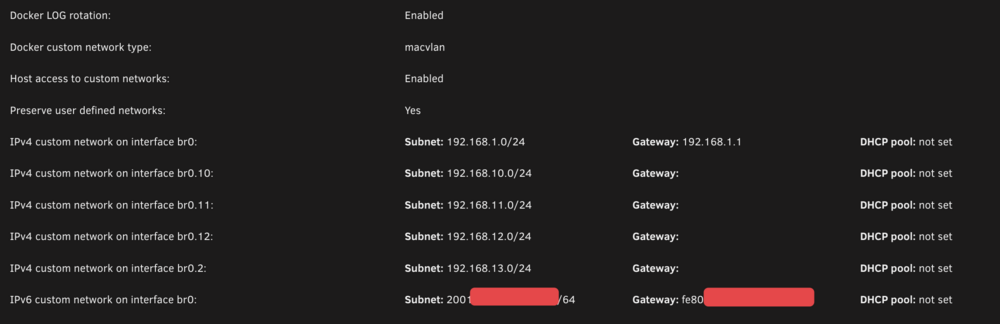
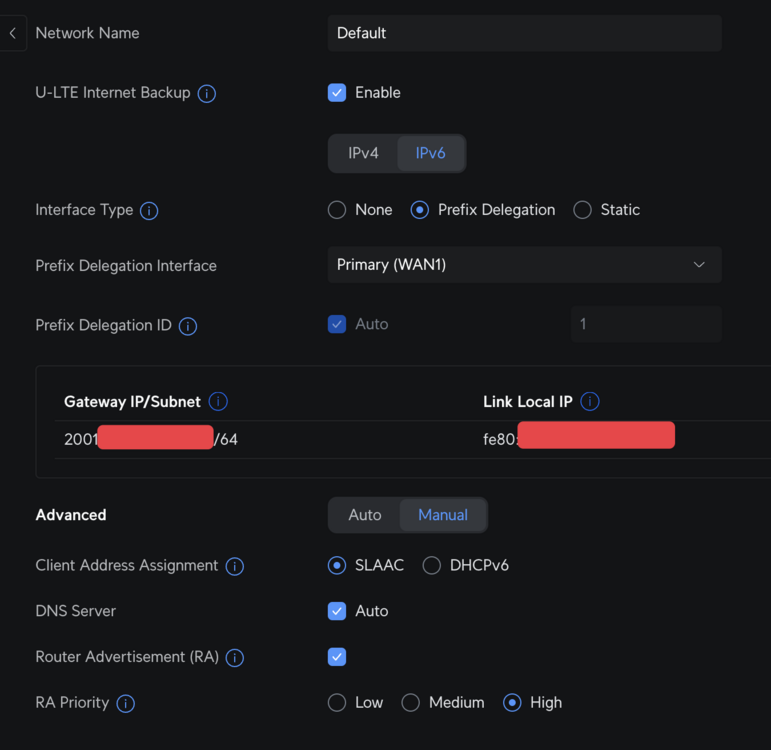
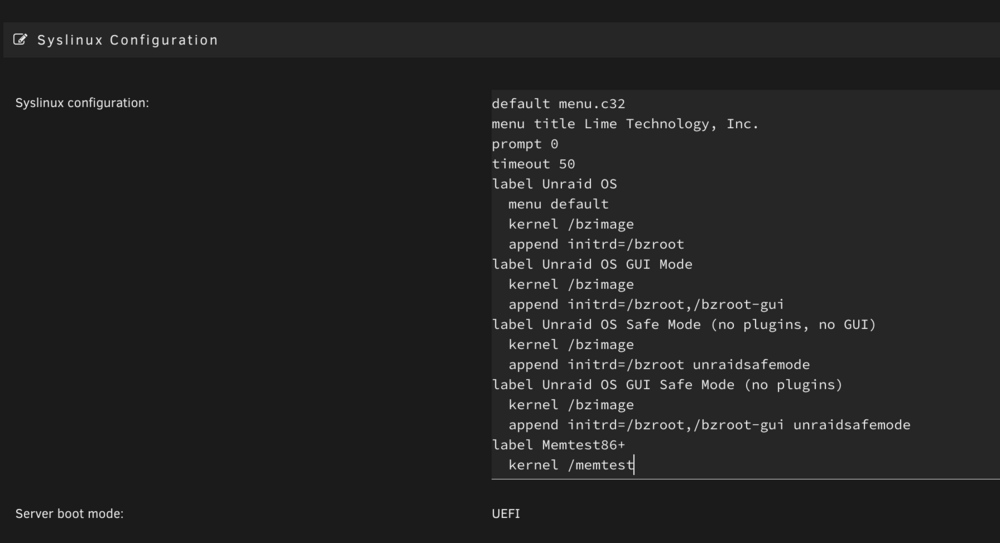 I'll try it out, thanksthis may be due to the ssd ?Hi, my docker system crash on unraid even after recreate my docker.img... Thanks for the help syslog.txtSolution : sysctl -w net.ipv6.conf.all.forwarding=1 and set matter server in HostYou send a comment without read mine, so please stop comment my threadCompletely useless commentNop the matter server need to be in br0 and in Host it’s doesn’t work. and i dont use a vm, read my post…Hi, thanks but already try and nop doesn't work My topic :Hi, i'm trying to use Matter server on docker with Home assistant but event after enable IPV6 it's doesn't work For informations Ha with matter in a VM perfectly work, but i want a docker container not a VM. This is my configuration : - Unraid 6.12.14 - Unifi udm pro with IPV6 Enabled I already execute this command : sysctl -w net.ipv6.conf.br0.accept_ra=2 sysctl -w net.ipv6.conf.br0.accept_ra_rt_info_max_plen=64 ip6tables -A FORWARD -i br0 -o br0 -j ACCEPT Interface : Routing table : Docker : Unifi Network : Matter server container : Thanks for the help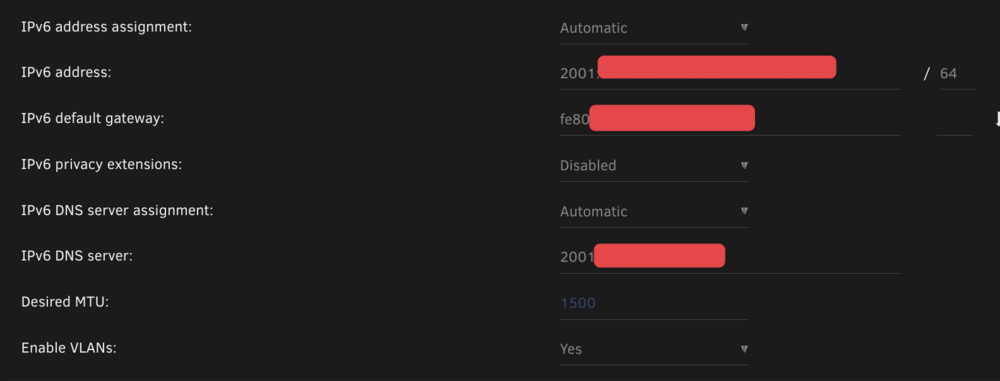
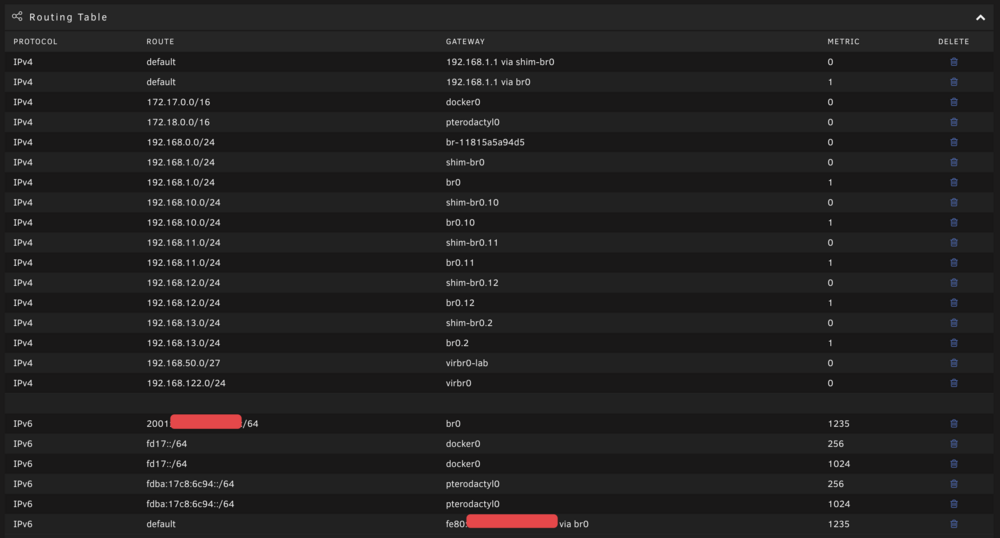
 Hi, can you share your routing table please ? It's doesn't work for meHi, i update my Unraid and now i have this message on my Parity Drive and i don't know what to do All existing data on this device will be OVERWRITTEN when array is Started Thanks for the help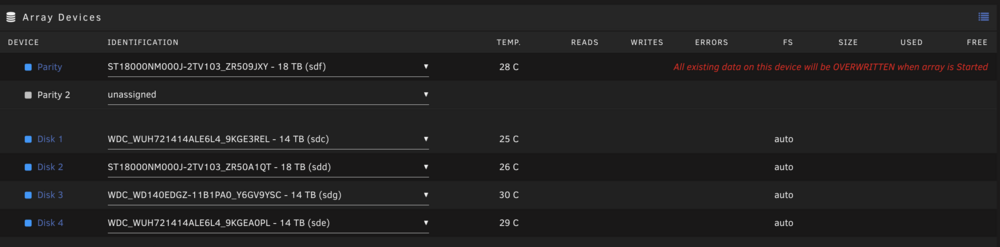
 Thanks, but after the update in 6.12.8, i'm still stuck in c3Hi, i follow the tuto and my server his stuck in C3 with this : - Asus TUF GAMING B560M-PLUS - i5-10400 Any ideas ?ok, thanks i'm going to test that


